Last updated:
Layerize

Layerize

Get deal
4.00 Comments0 Saved
Introduction:
Layerize allows you to split any image into depth-based layers and export it as a PSD file instantly, all powered by AI and running directly in your browser.
Launch Date:
Monthly Visits:
--
Inputs:
Image
Outputs:
Image
Layerize Overview

What is Layerize?

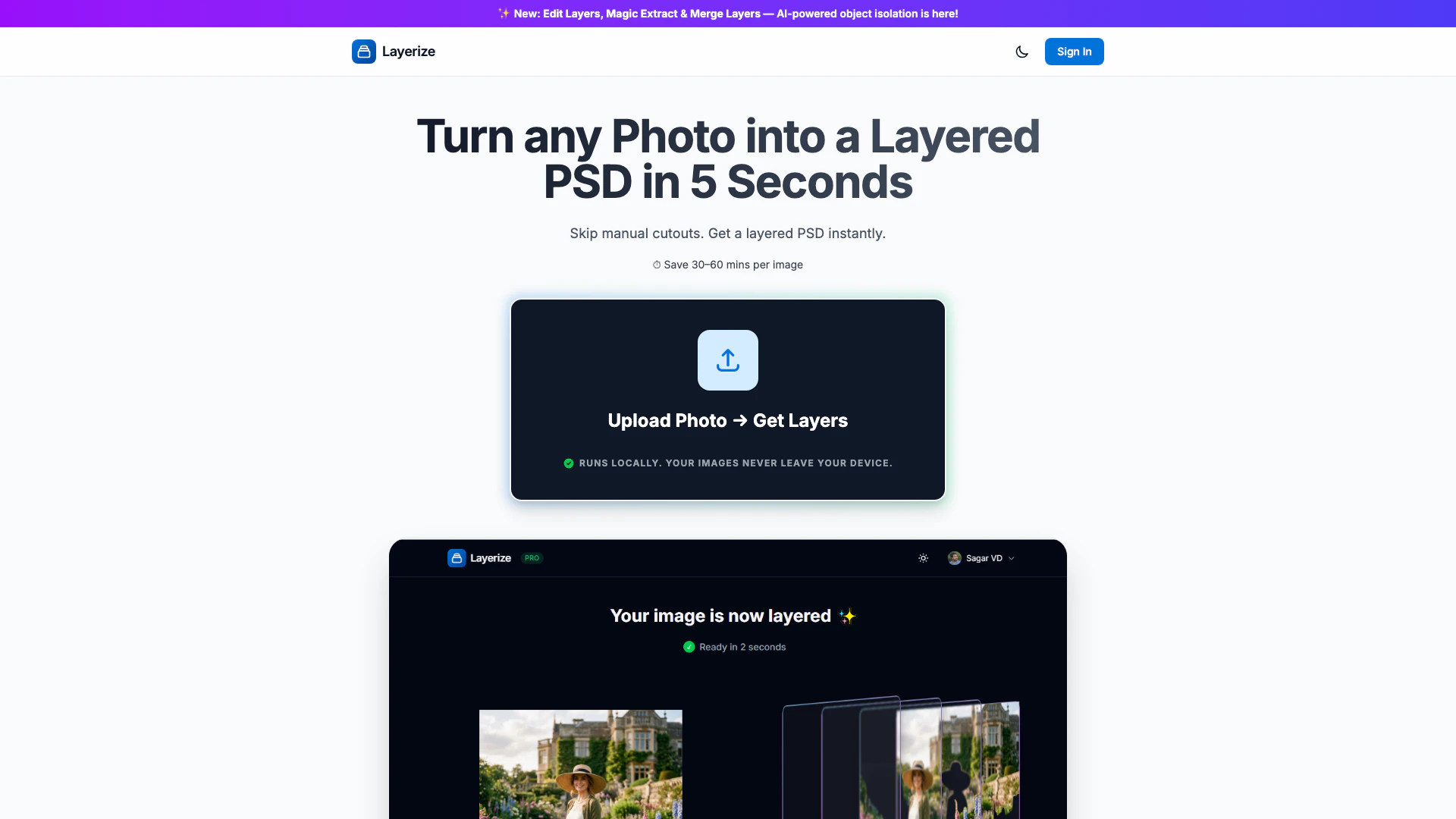
Layerize is an innovative AI-powered tool designed to transform any image into a layered PSD file, allowing users to easily manipulate depth-based layers. This browser-based application eliminates the tedious manual cutout process, enabling users to obtain layered images in just seconds. With its user-friendly interface and local processing capabilities, Layerize prioritizes user privacy while delivering high-quality results.


How to use Layerize?

  1. Visit the Layerize website and sign in or access the tool directly.
  2. Upload the image you want to split into layers.
  3. Wait a few seconds for Layerize to process your image and generate the layered PSD.
  4. Download the PSD file and open it in Photoshop for further editing.

What are the main features of Layerize?

  • AI-powered object isolation for accurate layer extraction.
  • Edit Layers feature to modify individual layers post-export.
  • Magic Extract for effortless object isolation.
  • Merge Layers functionality for combining multiple layers.
  • Fast processing time, producing layered PSDs in approximately 5 seconds.
  • Local-first architecture ensuring privacy and data security.

Who is Layerize for?

Layerize is ideal for graphic designers, photographers, and digital artists who require quick and efficient methods for creating layered PSD files from images. It is particularly beneficial for those who wish to save time on manual cutouts and focus more on creative aspects of their projects. Additionally, educators and students in the field of design can utilize Layerize for learning and practical applications.


What are the use cases of Layerize?

  1. Quickly preparing images for digital art projects by converting them into layered formats.
  2. Streamlining workflows in graphic design by reducing the time spent on manual image editing.
  3. Assisting photographers in creating composite images by isolating subjects from backgrounds.

Layerize Pros and Cons

Pros

  • AI-Powered Layer Editing: Layerize offers AI-powered features like Edit Layers, Magic Extract, and Merge Layers, allowing users to isolate objects efficiently.
  • Quick Layer Generation: The tool enables users to turn any photo into a layered PSD in just 5 seconds, saving 30–60 minutes per image compared to manual cutouts.
  • Local Processing for Privacy: Layerize processes images locally in the browser's memory, ensuring user privacy and security without uploading files to external servers.

Cons

No cons data detected for this tool

Layerize Compare

Tool NameIntroductionPricing
Type
RatingLaunch DateLearn more
🧠 AI-powered image resizer for social media
Free
June 8, 2021
Get deal
Lunit develops AI solutions that detect early-stage cancer and optimize cancer treatment for saving lives through technology.
Free
August 10, 2015
Get deal
The easiest and quickest way to build your beautiful portfolio website, landing page or anything. No code. All creative freedom.
Free
July 6, 2017
Get deal

Info current as of post date. Offers and availability may vary by location and are subject to change.

Layerize Q&A

Layerize is a tool that allows you to split any image into depth-based layers and export it as a PSD file. It is AI-powered and runs directly in your browser.

You can upload your image, and Layerize will process it locally in your browser to create a layered PSD file instantly.

Yes, Layerize is free to use.

Layerize saves you 30–60 minutes per image by automating the process of creating layered PSD files without manual cutouts.

Layerize uses a local-first architecture, meaning your high-resolution images are processed entirely within your browser's memory, and they never leave your device.

Layerize utilizes WASM and WebGPU for processing images.

Layerize Launch embeds

Use website badges to drive support from your community for your TopAITools Review. They're easy to embed on your homepage or footer.

Layerize Alternatives

Adobe screenshot

Adobe Firefly is an AI-driven tool for creating unique images, videos, and audio.

  • Image Generation & Editing
  • AI Image Generator
  • AI Photo Editor
  • AI Realistic Image Generator
Direct60.39%
Referrals34.84%
Search3.54%
Picsart screenshot

Picsart is a versatile platform for creating stunning visual content using AI tools.

  • Image Generation & Editing
  • AI Image Generator
  • AI Photo Editor
  • Gallery Creation Tool
Search66.78%
Direct31.18%
Referrals1.59%
Pixelbin Io screenshot

Pixelbin.io is free online photo editor. Use PixelBin to edit, crop, enhance, or add background to your images. A mobile app is also available for editing.

  • Image Generation & Editing
  • AI Smart Crop
  • AI Image Enhancer
  • AI Photo Editor
Direct45.63%
Search26.50%
Referrals26.13%

Also used for

Layerize
LayerizeFree