Kum




What is Kum?
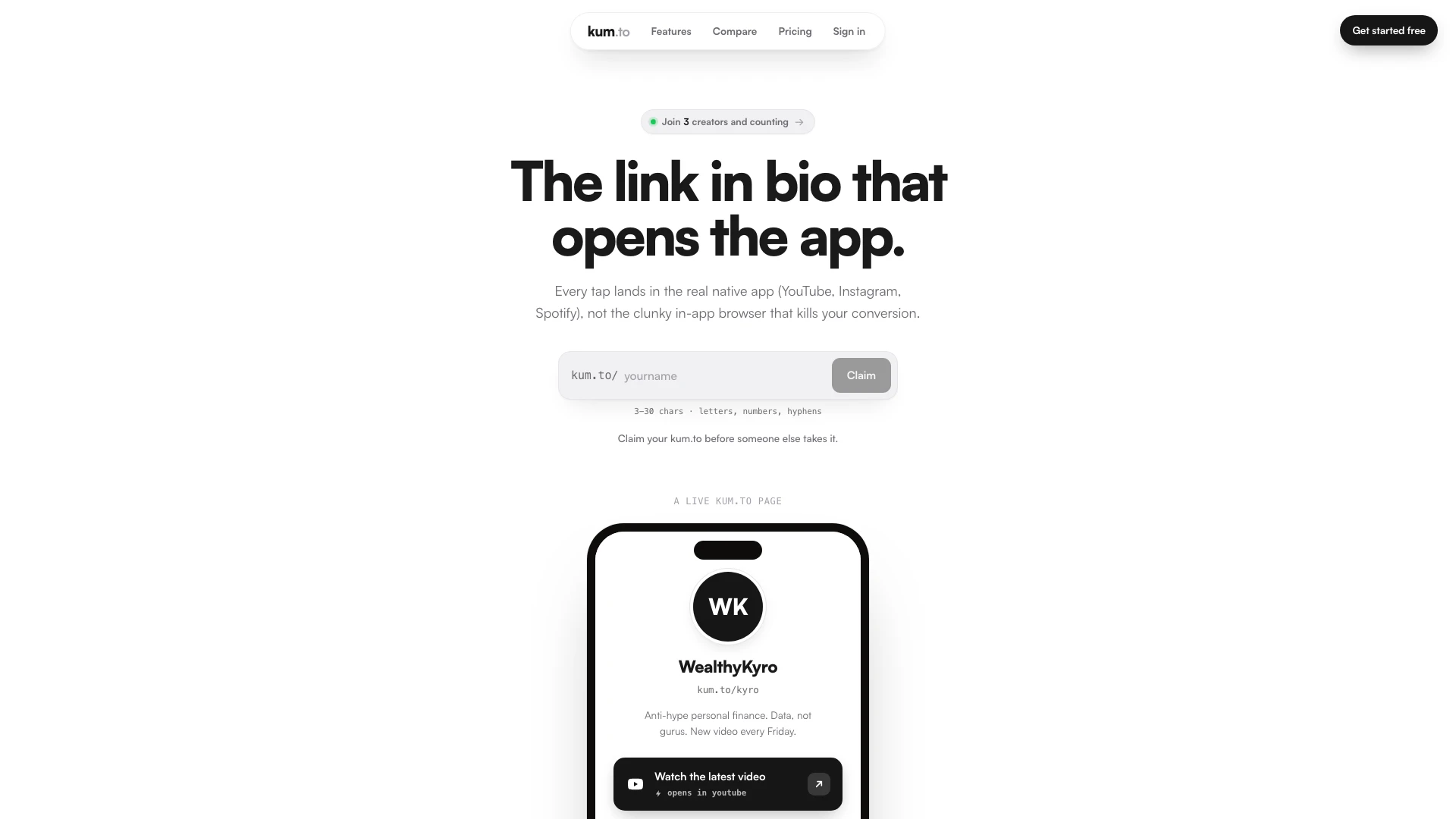
Kum is a premium, mobile-first link-in-bio tool designed specifically for personal-brand creators. It allows users to create a personalized bio page that features smart deep links, enabling direct access to native apps like YouTube, Instagram, and Spotify. Unlike traditional link-in-bio tools, Kum enhances user experience by eliminating the clunky in-app browser, ensuring that every tap lands users directly in the app they want, thus increasing conversion rates. Kum is ideal for creators looking to streamline their online presence and maximize engagement with their audience.
How to use Kum?
- Visit the kum.to website and sign up for a free account.
- Claim your personalized kum.to link (e.g., kum.to/yourname).
- Add unlimited links to your bio page, including deep links to native apps like YouTube, Instagram, and Spotify.
- Customize your page with themes and layouts to match your brand.
- Share your kum.to link across social media platforms, emails, or SMS to direct your audience to your content seamlessly.
What are the main features of Kum?
- Native App Deep Linking: Links that open directly in the native app instead of a webview, enhancing user experience.
- Smart Single Links: Standalone short links that detect the device and open the appropriate app or fallback to a web version.
- Unlimited Links: Create as many links as you need without restrictions.
- Mobile-Aware Bio Page: Your bio page is optimized for mobile, ensuring easy access to your content.
- Analytics: Track your last 7 days of performance for free, with advanced analytics available in the Pro version.
Who is Kum for?
Kum is tailored for personal-brand creators, including influencers, content creators, and businesses who wish to optimize their online presence. It is particularly beneficial for those who rely on multiple social media platforms to engage with their audience and need a seamless way to direct followers to their content. By using Kum, these users can enhance their brand visibility and improve user engagement through effective link management.
What are the use cases of Kum?
- Content Creators: Use Kum to share multiple links in your bio, directing followers to various platforms and content.
- Influencers: Promote products or services through deep links to native apps, improving conversion rates.
- Businesses: Create a professional link-in-bio to connect customers with your app, website, and social media, enhancing brand visibility.
Kum Pros and Cons
Pros
- Native App Deep Linking: Kum allows users to create deep links that open native apps directly, enhancing user experience.
- Unlimited Links: The platform supports unlimited links, providing flexibility for users to include multiple resources.
- Free Tier Availability: Kum offers a free tier with essential features, allowing users to start without any financial commitment.
- Mobile-First Design: The service is mobile-first, ensuring optimal performance on mobile devices.
Cons
- Learning Curve for Deep Linking: Users may need to understand how to effectively utilize deep links for optimal results.
- Platform Limitations: The service may have limitations on certain platforms or devices that do not support deep linking.
- Paid Features: Some features, such as advanced analytics and custom branding, require a paid subscription.
Kum Pricing
Free
Your page at kum.to/yourname, Unlimited links, Native app deep links across 10 platforms, Themes, layouts and colour presets, Your last 7 days of analytics.
Pro
Everything in Free, No kum.to branding on your page, Full analytics: 30 days and all time, plus countries, traffic sources and devices, Custom colours, any shade you want.
For the latest pricing, please visit this link: https://kum.to/pricing
Prices are subject to change. Please visit the official website for the most up-to-date pricing information.