

Kreaai



What is Kreaai?
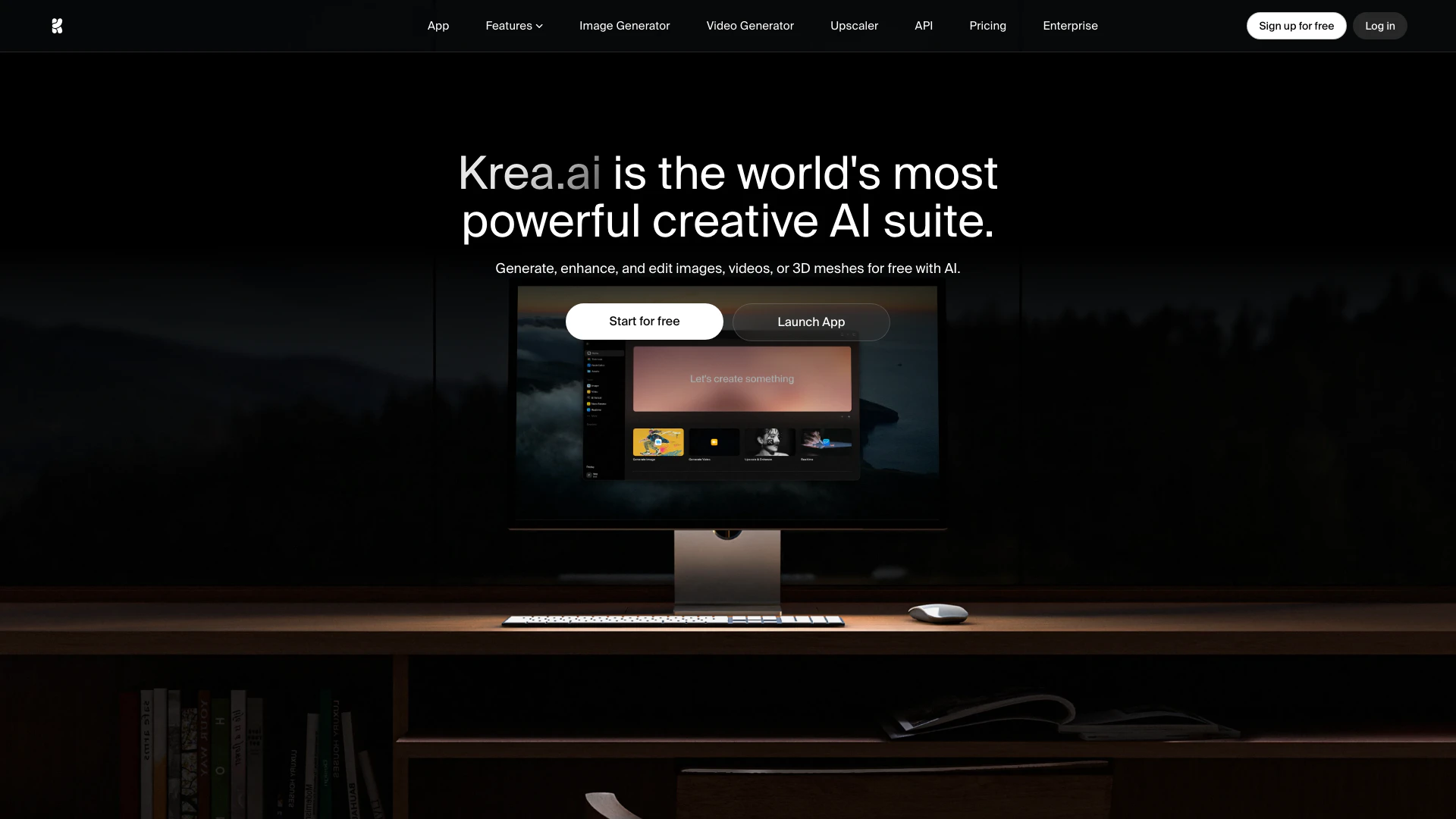
Kreaai is a powerful creative AI suite that allows users to generate, edit, and enhance images, videos, and 3D assets effortlessly. With its advanced generative models and real-time tools, Kreaai provides a user-friendly platform for both professionals and beginners to create high-quality visual content. The tool supports a wide range of creative workflows, making it ideal for artists, designers, and marketers looking to leverage AI technology in their projects.
How to use Kreaai?
- Visit the Kreaai website and sign up for a free account to start using the tool.
- Choose the type of content you want to create: images, videos, or 3D assets.
- Input your creative prompt in the designated field, such as "Cinematic photo of a person in a linen jacket" for images or "An animated capybara talking about Krea.ai" for videos.
- Select any desired enhancements or styles from the available options to customize your output.
- Click the 'Generate' button to create your content, and use the editing tools to refine your work as needed.
What are the main features of Kreaai?
- AI Image Generation: Create images from simple text descriptions using over 1000 styles and 20 models.
- Image Upscaling: Enhance images up to 22K resolution, restoring details in blurry photos.
- Real-time Rendering: Generate photorealistic images in less than 50ms with easy-to-use primitives.
- AI Video Generation: Access powerful video models to create and animate videos seamlessly.
- LoRA Fine-tuning: Train custom models with a few images to generate specific styles on demand.
- Video Upscaling: Upscale videos to 8K and interpolate frames for smooth playback.
Who is Kreaai for?
Kreaai is designed for a diverse range of users, including graphic designers, digital artists, marketers, and content creators who want to harness the power of AI in their creative processes. Whether you are a beginner looking to explore the world of generative art or a professional seeking advanced tools for high-quality visual production, Kreaai provides the necessary features and capabilities to meet your needs.
What are the use cases of Kreaai?
- Marketing and Advertising: Create eye-catching promotional images and videos that stand out on social media platforms.
- Content Creation: Generate unique visuals for blogs, websites, and digital publications to enhance user engagement.
- Product Design: Use Kreaai to visualize product concepts and prototypes through realistic 3D rendering and image enhancements.
- Artistic Exploration: Experiment with various styles and prompts to produce original artwork for personal or commercial use.
- Video Production: Animate static images or create dynamic video content for tutorials, presentations, or entertainment.
Kreaai Pros and Cons
Pros
- Comprehensive AI Suite: Kreaai offers a complete suite for generating, editing, and enhancing images, videos, and 3D assets, catering to diverse creative needs.
- High-Quality Output: The tool supports high-resolution outputs, including image upscaling up to 22K and video upscaling up to 8K, ensuring professional-grade results.
- Real-Time Rendering: Kreaai provides real-time rendering capabilities, allowing users to generate photorealistic images in under 50 milliseconds, enhancing workflow efficiency.
Cons
No cons data detected for this tool
Kreaai Pricing
Free
Get free daily credits to try basic features. 100 compute units / day. No credit card required. Full access to real-time models. Limited access to image, video, 3D, and lipsync models. Limited access to image upscaling. Limited access to LoRA training.
Basic
Access our most popular features. Everything in Free plus: Commercial license, Full access to Image, 3D, and Lipsync models, LoRA fine-tuning with up to 50 images, Upscale & enhance to 4K, Access to selected video models.
Pro
Advanced features and discounts on compute units. Everything in Basic plus: Access to all video models, Workflow automation with Nodes and Apps, AI-powered Nodes Agent, Bulk discounts on compute unit packs, Upscale & enhance to 8K.
Max
Full access with higher discounts on compute units. Everything in Pro plus: Unlimited Lora fine-tunings with 2,000 files, Unlimited Concurrency, Unlimited relaxed generations, Upscale & enhance to 22K.
Business
Secure and collaborative workspace for growing teams. Everything in Max plus: Business Terms of Service, Up to 50 seats included, Share private Node Apps with your team, Train LoRAs with up to 20,000 images, Custom user roles and permissions, Fine-grained controls for model access.
Enterprise
Enterprise-grade security with dedicated support and admin features. Everything in Business plus: Custom Terms of Service, Priority support with SLA, Analytics API, Per-member spend limits, Slack connect, Custom compute packages, Audit logs.
For the latest pricing, please visit this link: https://www.krea.ai/
Prices are subject to change. Please visit the official website for the most up-to-date pricing information.




