
Twitter-color Created with Sketch. Amazon-color Created with Sketch. Facebook-color Created with Sketch. github [#142] Created with Sketch. meta_fill Pinterest-color Created with Sketch. ProductHunt-color Created with Sketch. Spotify-color Created with Sketch. Threads Logo Streamline Icon: https://streamlinehq.com Yelp-color Created with Sketch. Youtube-color Created with Sketch.
TopAIToolsTopAITools
  • Free Tools
  • Category
  • Leaderboard
  • Deals
  • Submit
EN
TopAIToolsTopAITools
TopAI

TopAITools

TopAITools, The Best Top AI Tools

AI Glossary|English简体中文繁體中文한국어日本語PortuguêsEspañolDeutschFrançaisTiếng Việt|Map

© 2026 TopAITools. All rights reserved.

About

  • Privacy Policy
  • Terms of use

Contact Us

business@topaitoolsreview.com
Home
AI Video Generator
Klingmotioncontrol3
Last updated: May 25, 2026
Klingmotioncontrol3 logo

Klingmotioncontrol3

Get deal
4.0|0 Comments|0 Saved
Introduction:
Create high-quality character videos with Kling Motion Control 3.0.
Launch Date:
March 4, 2026
Monthly Visits:
--
Inputs:
TabularVideo
Outputs:
ImageVideo
Supported Languages:
ENZH
AI Models:
Kling 3.0Kling 3.0 Omni
Website
Free Trial
🎨Creativity
AI Video Generator396AI Creative Video Production31Ai Character Consistent Video Generator21
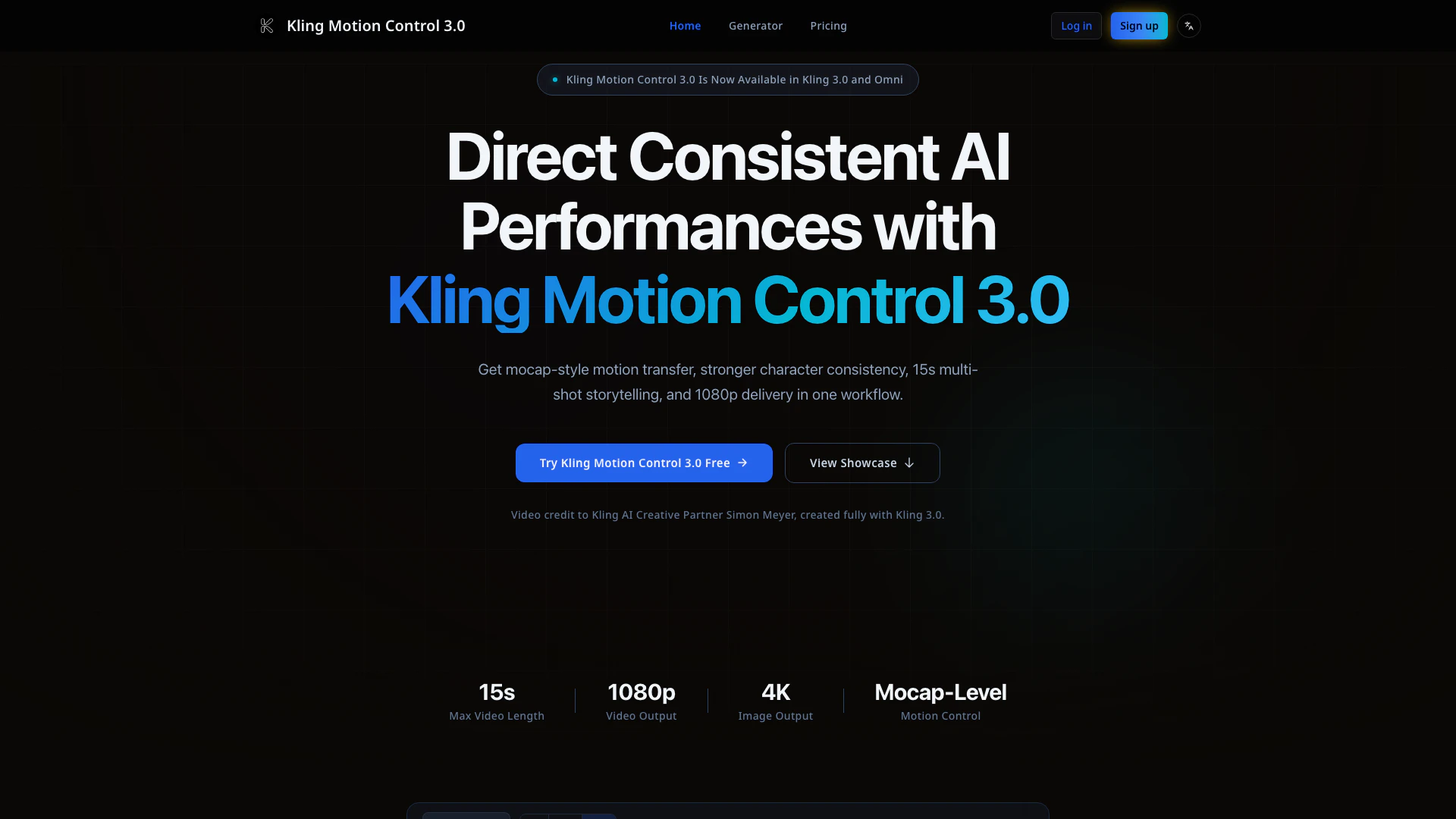
Klingmotioncontrol3 website screenshot showing Create high-quality character videos wit... interface and features
Use tool
Update this tool
Linkedin logo

Linkedin

Connect with professionals worldwide on LinkedIn.

Zoom logo

Zoom

Connect and collaborate seamlessly with Zoom's all-in-one platform.

Notion 1771246560178 logo

Notion 1771246560178

Notion AI enhances productivity by integrating AI tools directly into your workspace.

Deepseek V4 logo

Deepseek V4

Explore cutting-edge AI models with Deepseek.

Microsoft logo

Microsoft

Easily create and edit high-quality videos with Clipchamp.

Klingmotioncontrol3 Overview

What is Kling Motion Control 3.0?

Kling Motion Control 3.0 is a cutting-edge motion control system designed for high-consistency character video generation. It operates within the Kling 3.0 and Omni frameworks, allowing creators to produce character-driven videos with a maximum length of 15 seconds in 1080p resolution, as well as 4K image series outputs. This tool is particularly valued for its mocap-style motion transfer capabilities, which ensure precise mapping of body movements, gestures, and facial expressions, resulting in stable character identity across various shots and angles.


How to use Kling Motion Control 3.0?

  1. Bind Character References: Upload one or more reference videos to lock in the character's identity before generating content.
  2. Transfer Motion: Add a reference motion clip to map the desired movement, rhythm, and expressions onto your character.
  3. Generate and Iterate: Produce 1080p multi-shot clips up to 15 seconds long, allowing for quick refinements and adjustments to finalize your output.

What are the main features of Kling Motion Control 3.0?

  • Mocap-Style Motion Transfer: High precision in capturing subtle body movements and expressions.
  • Multi-Reference Identity Lock: Ensures facial consistency even across complex angles and occlusions.
  • 15s Multi-Shot Storytelling: Allows for the creation of narrative-ready short videos in one seamless workflow.
  • 1080p Video Delivery: Outputs high-quality videos suitable for advertisements and social media campaigns.
  • 4K Image Series Mode: Generates high-resolution image sets that complement video content.
  • Reference-to-Character Mapping: Quickly transfers real performances onto custom characters.
  • Kling 3.0 Omni Compatibility: Integrates easily within the Kling 3.0 Omni workflows.
  • Faster Iteration Loop: Reuse references and templates to accelerate delivery cycles.

Who is Kling Motion Control 3.0 for?

Kling Motion Control 3.0 is designed for a diverse range of users including filmmakers, social media creators, advertisers, game development teams, and educators. It serves those who require consistent character representation across various media formats, particularly in short-form video content. The tool is ideal for professionals seeking to streamline their video production processes while maintaining high-quality visual outputs and character fidelity.


What are the use cases of Kling Motion Control 3.0?

  1. Filmmakers: Previsualize scenes and character interactions before committing to full production.
  2. Social Creators: Produce engaging short-form videos that retain character identity, enhancing viewer retention.
  3. Advertisers: Create videos featuring brand spokespersons with consistent appearances across different campaigns.
  4. Game Development Teams: Generate cinematic promotional content for characters without the need for complex mocap rigs.
  5. Studios: Scale commercial video outputs while ensuring stylistic and identity consistency.
  6. Educators: Develop repeatable presenter-led explainer videos for educational content.

Product Images

Kling Motion Control 3.0 product overview

Klingmotioncontrol3 Pros and Cons

Pros

  • Mocap-Style Motion Transfer: Capture nuanced body movements and expressions with high precision, enhancing the quality of character videos.
  • High-Quality Video Output: Generate videos in 1080p and 4K image series, suitable for professional use in ads and campaigns.
  • 15s Multi-Shot Storytelling: Create flexible narrative sequences up to 15 seconds, allowing for controlled shot continuity.

Cons

No cons data detected for this tool

Klingmotioncontrol3 Pricing

Basic

$6/month

Perfect for getting started with AI video generation. Includes 360 credits/month (~180 standard videos), $0.044 per video, native 1080p resolution, standard generation speed, no Captcha Verification, email support, credits refresh monthly. No commercial license, no priority processing.

Pro

$20/month

Ideal for creators and professionals. Includes 1,320 credits/month (~660 standard videos), $0.039 per video, native 1080p resolution, priority processing, 16-bit HDR & EXR Export, no Captcha Verification, priority support, commercial video license, fast response.

Max

$47/month

For studios and power users. Includes 3,600 credits/month (~1,800 standard videos), $0.033 per video, native 1080p resolution, fastest generation speed, permanent video storage, no Captcha Verification, full commercial rights, dedicated account manager.

For the latest pricing, please visit this link: https://klingmotioncontrol3.com/pricing

Prices are subject to change. Please visit the official website for the most up-to-date pricing information.

Klingmotioncontrol3 Reviews

Created fully with Kling 3.0. Motion Control 3.0 gave me consistent character performance across shots.

The motion transfer quality finally feels directable, not random.

Multi-shot 15s output cut our iteration cycle for client delivery.

For more reviews, visit this link: https://klingmotioncontrol3.com#proof

Klingmotioncontrol3 Compare

Tool NameIntroductionPricing
Type
RatingLaunch DateLearn more
Pixelhunter logo
Pixelhunter
🧠 AI-powered image resizer for social media
Free
💼Work🎨Creativity
June 8, 2021
Get deal
Quillbot Paraphraser logo
Quillbot Paraph...
Paraphrasing Tool (Ad-Free and No Sign-up Required) - QuillBot AI
Free
💼Work🎨Creativity
December 31, 1984
Get deal
Ai Sofiya logo
Ai Sofiya
AiSofiya offers AI-powered tools, chatbots, and automation to help websites and businesses work smarter, faster, and 24/7.
Free
💼Work🎨Creativity
January 10, 2023
Get deal

Info current as of post date. Offers and availability may vary by location and are subject to change.

Klingmotioncontrol3 Q&A

It is Kling's latest motion system for mocap-style performance transfer and stronger character consistency.

Klingmotioncontrol3 Launch embeds

Use website badges to drive support from your community for your TopAITools Review. They're easy to embed on your homepage or footer.

FEATURED ONTopaitoolsreview.com

Klingmotioncontrol3 Alternatives

Higgsfieldai screenshot

Higgsfieldai

Create stunning AI-generated videos and images with ease.

Website
Free
🎨Creativity
Video & AnimationAI Video GeneratorAI Video and Image CreatorAI Creative Video and Image Generation
  • Video & Animation
  • AI Video Generator
  • AI Video and Image Creator
  • AI Creative Video and Image Generation
Use tool
Klingai screenshot

Klingai

Kling AI empowers creators to generate stunning images and videos using advanced generative AI techniques.

Website
Free
🎨Creativity
Image Generation & EditingAI Image GeneratorAI Video GeneratorAI Image and Video Synthesis
  • Image Generation & Editing
  • AI Image Generator
  • AI Video Generator
  • AI Image and Video Synthesis
Use tool
13.5M
Direct58.79%
Search36.17%
Referrals3.43%
Kling Ai screenshot

Kling AiClaimed

Create stunning videos and images effortlessly with Kling AI's advanced generative AI platform.

Website
Freemium
💼Work
Video & AnimationAI Video GeneratorAI Video and Image CreatorAI Creative Video and Image Generation
  • Video & Animation
  • AI Video Generator
  • AI Video and Image Creator
  • AI Creative Video and Image Generation
Use tool
12.0M
Direct49.87%
Referrals30.12%
Search18.72%

Klingmotioncontrol3 Tags

Motion ControlMocap TransferCharacter ConsistencyVideo GenerationMulti-shot Storytelling4K Image SeriesAI Video ProductionHigh-Resolution Output

Also used for

AI Video Generator396AI Creative Video Production31Ai Character Consistent Video Generator21AI Video Creation Suite125AI Creative Video Production33AI Image and Video Synthesis64AI Video and Image Creator47AI Video and Image CreatorAI Creative Video and Image Generation25AI Creative Video Content Generator97AI Professional Video Production34AI Creative Multimedia Generator1AI Watermark Removal Tool10Video Compression Tool9Lossless Video Compressor5
Klingmotioncontrol3 logo
Klingmotioncontrol3Free Trial
Get deal

Klingmotioncontrol3 Comments (0)

Your rating

?
0/2000

No comments yet

Be the first to share your thoughts!

Klingmotioncontrol3 Prompts (0)

Prompts And Results

Add your own prompts and outputs to help others understand how to use this AI.

🚀0
🚀0