

Jotbird



What is Jotbird?
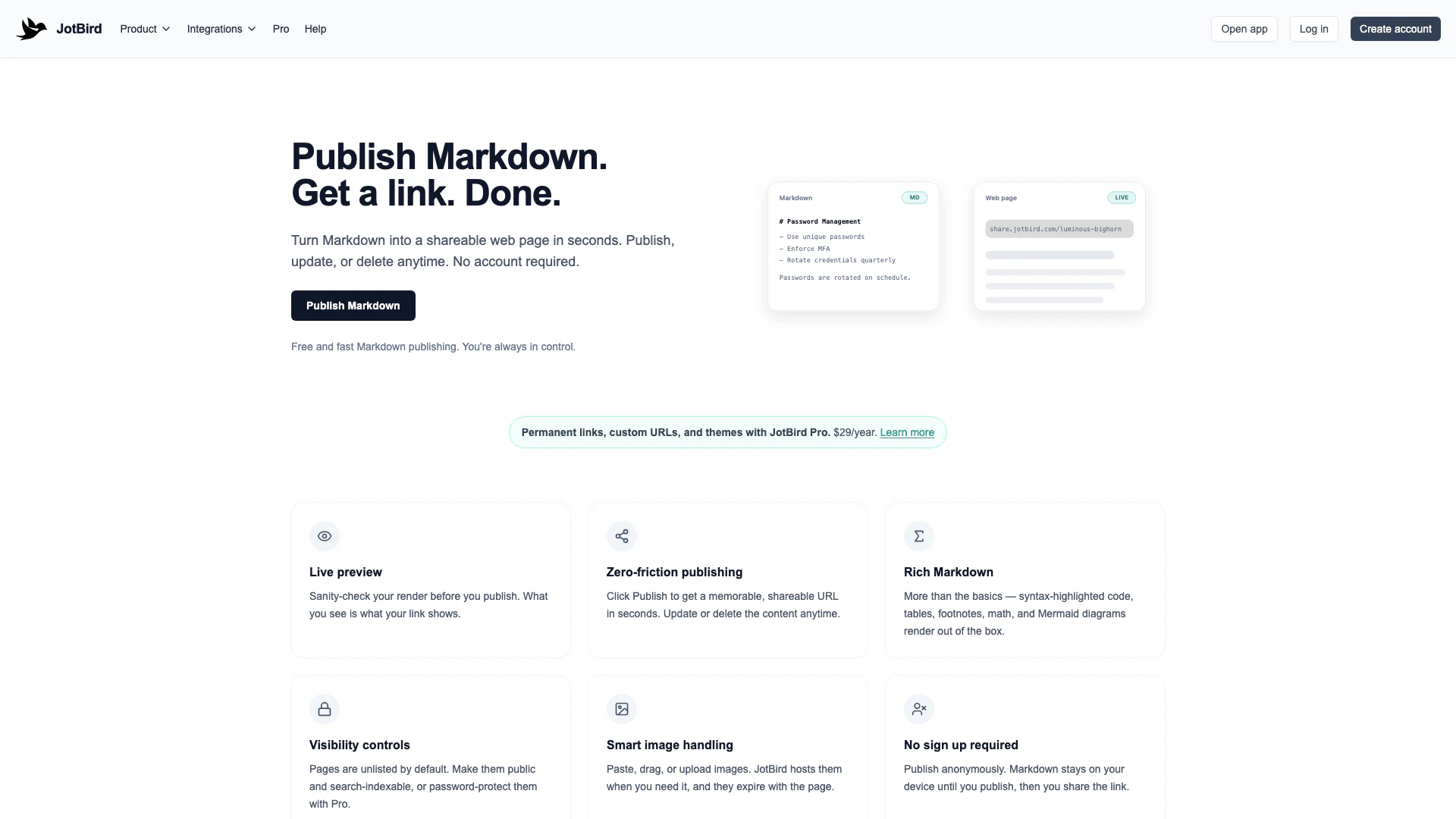
Jotbird is an innovative online tool that allows users to publish Markdown documents as web pages instantly. With a focus on simplicity and speed, Jotbird enables anyone to create shareable links without the need for an account. This tool is ideal for individuals and teams who require a quick and efficient way to convert text into web content, making it perfect for notes, documentation, and other written materials. By offering various themes and a user-friendly interface, Jotbird streamlines the publishing process, catering to diverse content needs.
How to use Jotbird?
- Write in Markdown: Begin by writing your content in Jotbird's user-friendly editor, or simply paste your existing Markdown from another application.
- Preview in seconds: Use the preview feature to ensure your page appears exactly as you want it before publishing.
- Publish and share: Click the publish button to instantly create a web page with a shareable link. No signup is required, making the process quick and hassle-free.
What are the main features of Jotbird?
- Instant Markdown Publishing: Convert your Markdown documents into web pages in seconds without the need for an account.
- Multiple Themes: Choose from various themes tailored for different content types, including clean, terminal, essay, and minimal designs.
- Privacy Focused: No tracking or ads; your content remains private until you choose to publish it.
- Integration Options: Publish directly from tools like Obsidian, the command line, VS Code, or through an API for custom integrations.
- Pro Features: Upgrade to Jotbird Pro for permanent links, custom URLs, and password protection for your pages.
Who is Jotbird for?
Jotbird is designed for a wide range of users, including students, professionals, and content creators. It is particularly beneficial for those who need to quickly publish notes, project proposals, technical documentation, or creative writing. Whether you are a student working on class assignments, a developer documenting code, or a writer sharing essays, Jotbird provides the tools necessary to publish content efficiently and effectively. Its no-account-required feature makes it accessible to anyone looking to share their work online with minimal barriers.
What are the use cases of Jotbird?
- Documentation: Create and share technical documentation or guides with syntax highlighting using the terminal theme.
- Notes and Proposals: Publish meeting notes, project proposals, or class assignments quickly and easily with the default or minimal themes.
- Creative Writing: Use the essay theme for long-form articles, personal essays, or academic papers, enhancing readability with elegant typography.
Jotbird Pros and Cons
Pros
- Instant Markdown Publishing: Jotbird allows instant Markdown publishing without requiring an account, making it accessible and easy to use for anyone.
- Customizable Themes: The tool offers multiple themes tailored for different content types, enhancing the visual appeal and usability of published pages.
- Multi-Platform Support: Jotbird supports publishing from various platforms including terminal, VS Code, and API, providing flexibility for different workflows.
Cons
- Paid Features for Advanced Use: While Jotbird is easy to use, advanced features like custom URLs and password protection require a paid Pro subscription.
- Link Expiration Limitations: The tool may have limitations in terms of file size and the duration of link availability for non-Pro users.
Jotbird Pricing
Pro
JotBird Pro gives your published pages a polished look with permanent links. Choose from four themes, pick your own URL, and password-protect any page.
For the latest pricing, please visit this link: https://www.jotbird.com/pro
Prices are subject to change. Please visit the official website for the most up-to-date pricing information.





