Hurd Ai Beta





What is Hurd Ai Beta?
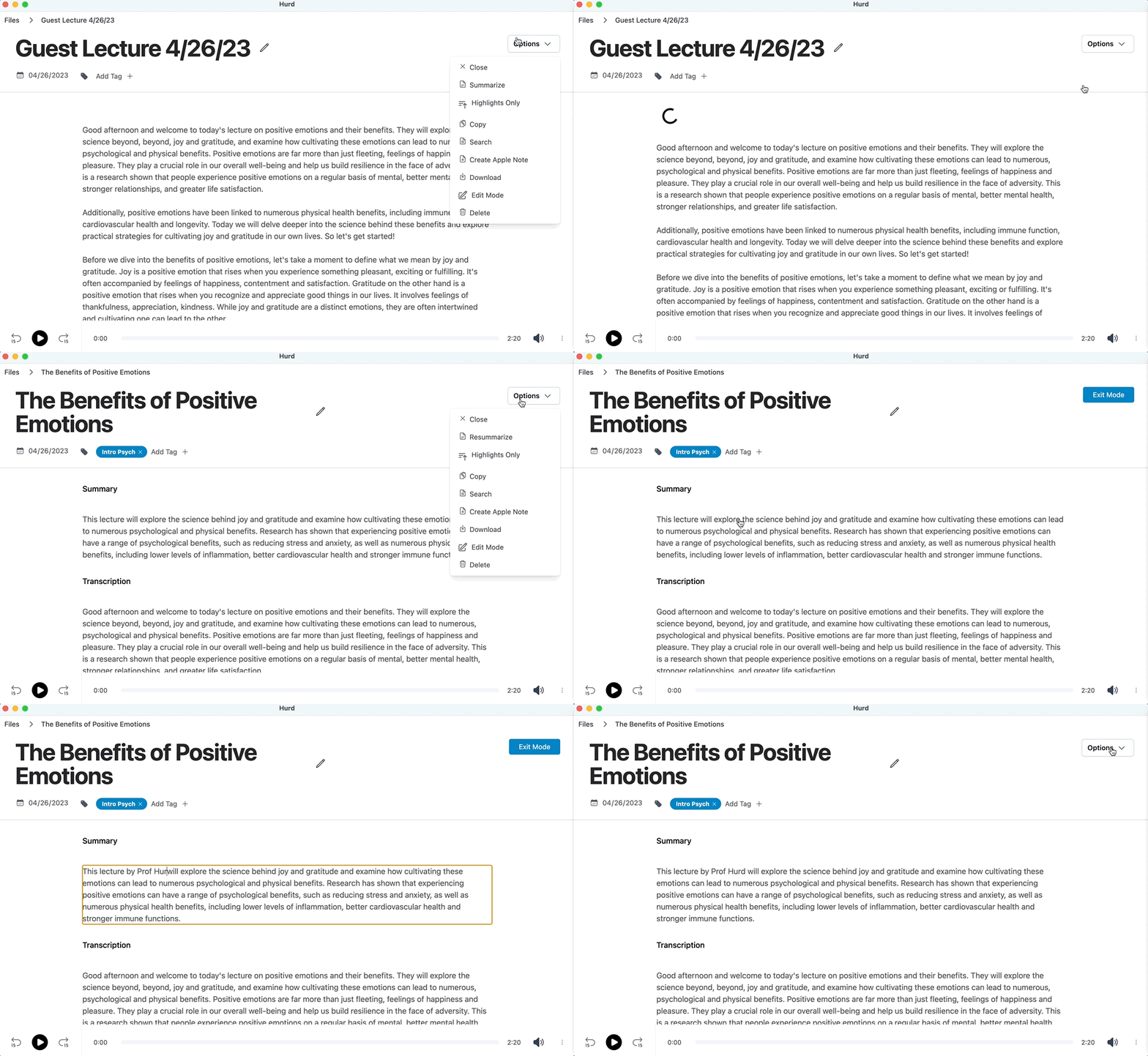
Hurd Ai Beta is an innovative AI-powered transcription tool designed to streamline the process of note-taking during lectures, meetings, and conversations. By leveraging advanced machine learning technology, Hurd Ai allows users to focus on the discussion at hand while it automatically captures, organizes, and summarizes spoken content into searchable text. This tool stands out for its commitment to user convenience, offering unlimited recordings without any associated costs, making it an ideal solution for students, professionals, and anyone in need of effective note management.
How to use Hurd Ai Beta?
- Sign up for an account on the Hurd Ai Beta website.
- Download the application compatible with your operating system (MacOS or Windows).
- Import your audio or video files in supported formats like MP3, MP4, WAV, or M4A.
- Start the transcription process by selecting the file and letting Hurd Ai process it.
- Review the transcribed text, using inline editing tools to make any necessary adjustments.
What are the main features of Hurd Ai Beta?
- Automated transcription that captures and summarizes meetings and conversations.
- Support for a variety of audio and video file formats (MP3, MP4, WAV, AVI, M4A).
- Audio playback functionality to replay sections of the transcript easily.
- Multi-device compatibility, especially for iPhone users with iCloud.
- Support for multiple languages, including Arabic, English, Chinese, French, German, Japanese, Korean, Spanish, and more.
- Inline editing tools for easy review and modification of transcribed text.
- Data privacy, ensuring that your audio files remain on your local machine.
- Export options to copy transcripts to Apple Notes or download as CSV files.
Who is Hurd Ai Beta for?
Hurd Ai Beta is designed for a diverse range of users, including students who need to capture lecture notes, professionals who attend meetings and require accurate records, and anyone who engages in conversations that need to be documented. Its user-friendly interface and powerful features make it suitable for educators, researchers, journalists, and business professionals who value efficient note-taking and transcription services.
What are the use cases of Hurd Ai Beta?
- Students can use Hurd Ai to transcribe lectures, allowing them to focus on understanding the material without the distraction of taking notes.
- Professionals can record and transcribe meetings to ensure that all important points are captured and can be referred back to later.
- Journalists can utilize Hurd Ai to document interviews accurately, enabling them to create more reliable and detailed articles.
Hurd Ai Beta Pros and Cons
Pros
- Unlimited Recordings: Hurd.ai allows unlimited recordings without any restrictions, unlike other services that charge by the minute or impose usage limits.
- Automated Transcription: The tool automatically transcribes, organizes, and summarizes meetings and conversations, enabling users to focus on actively listening.
- Multi-language Support: Hurd.ai supports multiple languages, including Arabic, English, Chinese, French, German, Japanese, Korean, Spanish, and many more.
- Data Privacy: Personal audio files and transcripts remain on the local machine, ensuring data privacy compared to other transcription apps.
Cons
No cons data detected for this tool