Hndmark



What is Hndmark?
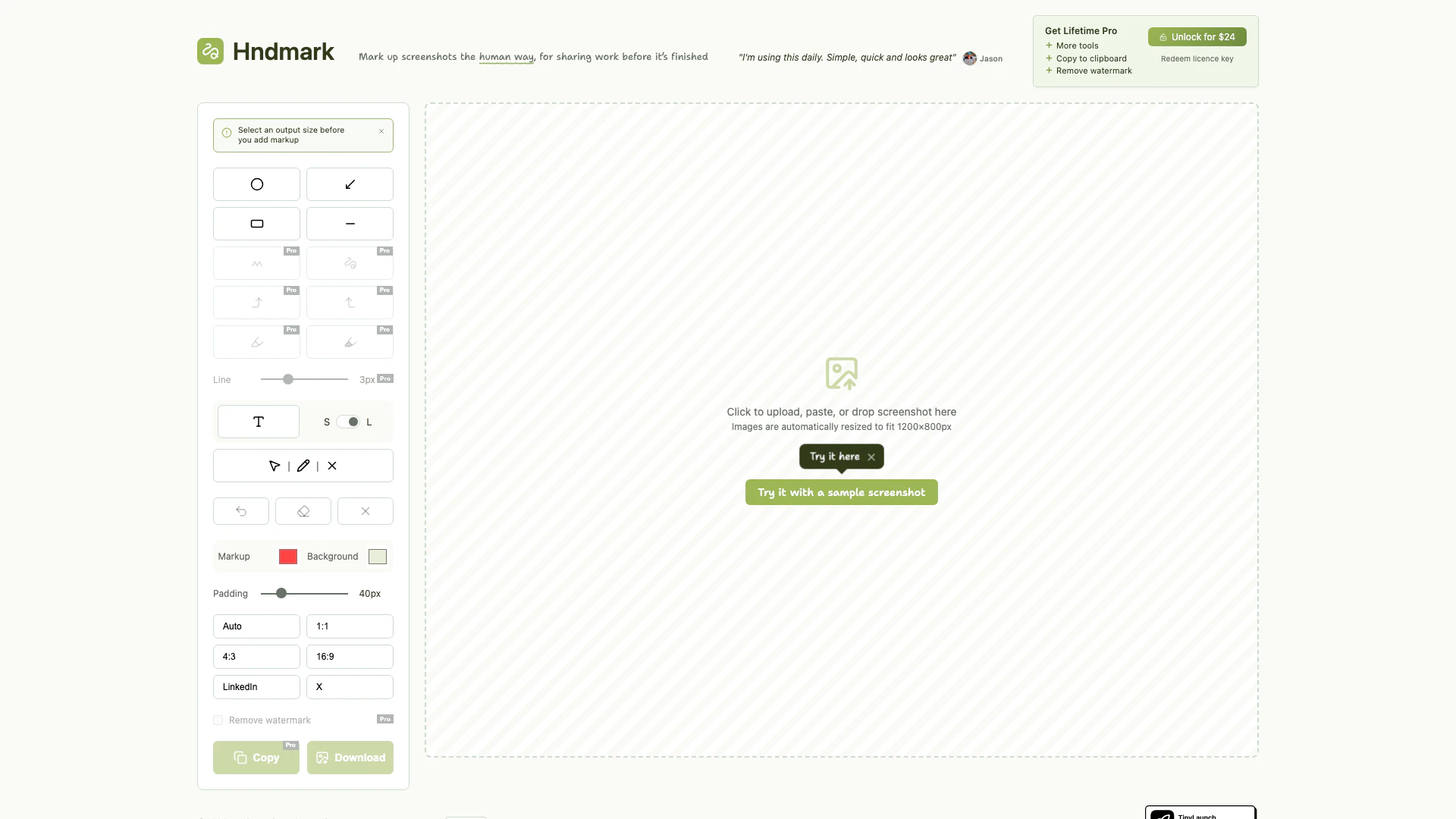
Hndmark is a user-friendly tool designed to add hand-drawn markups to screenshots, allowing users to create authentic work-in-progress visuals. With its sketchy circles, arrows, and annotations, Hndmark transforms ordinary screenshots into engaging presentations that reflect the creative process. This tool is ideal for individuals who want to share their work visually, making it clear and relatable. Hndmark operates entirely client-side, ensuring that users' images and data remain private and secure.
How to use Hndmark?
- Open Hndmark on your desktop browser and ensure your screen size is optimal for markup.
- Click on the 'Click to upload, paste, or drop screenshot here' area to upload your desired screenshot.
- Once your screenshot is loaded, use the markup tools to add circles, arrows, and annotations as needed.
- Adjust the output size and padding according to your preference.
- After finishing your markup, copy the marked-up image to your clipboard or download it for sharing.
What are the main features of Hndmark?
- Hand-drawn markup options including circles, arrows, and annotations.
- Client-side processing ensures user privacy and data security.
- Easy screenshot upload via drag-and-drop or paste.
- Customizable output size and padding settings.
- Option to copy marked-up images to clipboard or download them directly.
Who is Hndmark for?
Hndmark is designed for professionals, designers, and anyone who frequently shares visual work. It is particularly useful for those in creative fields, such as graphic design, software development, and marketing, where visual communication is key. The tool is perfect for individuals who want to present their work-in-progress ideas in a clear and engaging manner, without the need for complex software.
What are the use cases of Hndmark?
- Designers can use Hndmark to annotate design drafts and share feedback with clients or team members.
- Software developers can mark up screenshots of applications to highlight bugs or suggest improvements.
- Marketers can create engaging visuals for presentations or social media posts by adding hand-drawn elements to their screenshots.
Product Images

Hndmark Pros and Cons
Pros
- User-Friendly Interface: Hndmark features a simple and intuitive interface, making it easy for users to quickly mark up screenshots with minimal effort.
- Client-Side Processing: All processing occurs locally on your device, ensuring that your screenshots remain private and secure without being uploaded to any server.
- Customizable Markup Options: Users can customize their markup with various options such as line thickness, output sizes, and the ability to remove watermarks for a cleaner look.
Cons
No cons data detected for this tool
Hndmark Pricing
Lifetime Pro
Get access to more tools, copy to clipboard, and remove watermark.
For the latest pricing, please visit this link: https://hndmark.com/
Prices are subject to change. Please visit the official website for the most up-to-date pricing information.
Hndmark Reviews
I'm using this daily. Simple, quick and looks great
For more reviews, visit this link: https://hndmark.com#reviews