

Getjumper




What is Jumper?
Jumper is an AI-powered[1] video editing[2] tool designed to assist content creators by streamlining the video editing process. It utilizes advanced machine learning algorithms to help users find, navigate, and edit the best parts of their footage quickly and efficiently. By enabling smart search[3] and transcription capabilities, Jumper significantly reduces the time spent on tedious editing tasks, allowing creators to focus more on the creative aspects of their projects.
How to use Jumper?
- Download and Install: Start by downloading Jumper from the official website and install it on your device. Ensure that your editing software is compatible with Jumper.
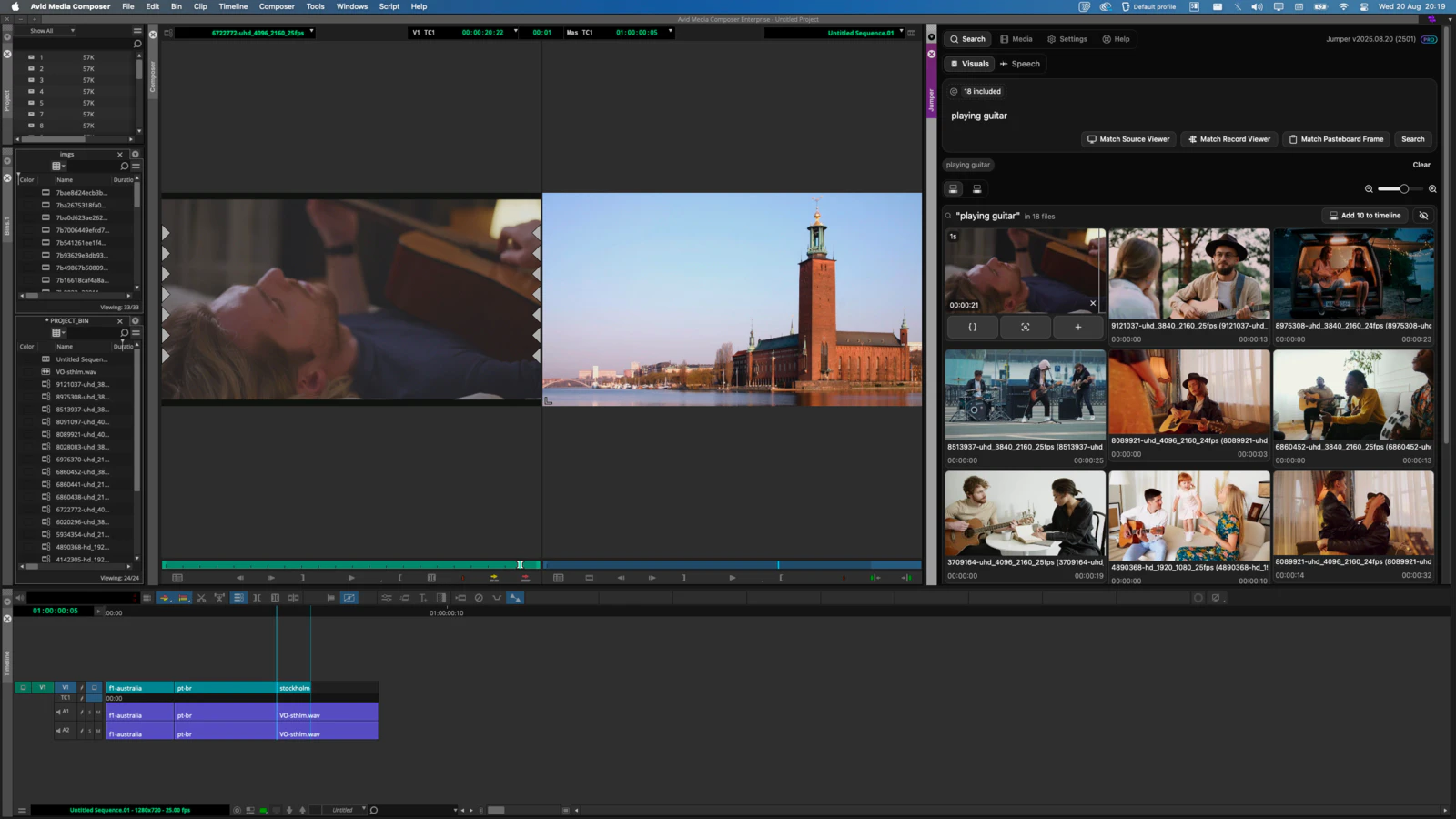
- Import Your Footage: Open Jumper and import the video files you want to edit. You can also use it within compatible editing software like Adobe Premiere Pro or Final Cut Pro.
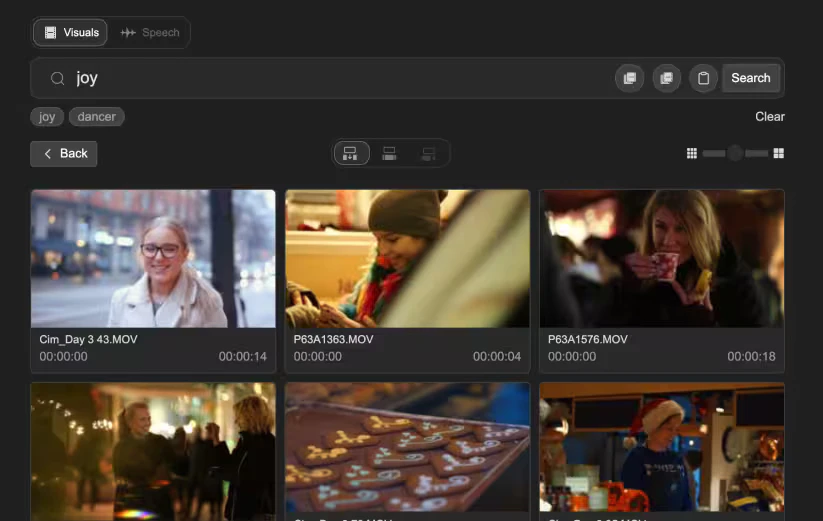
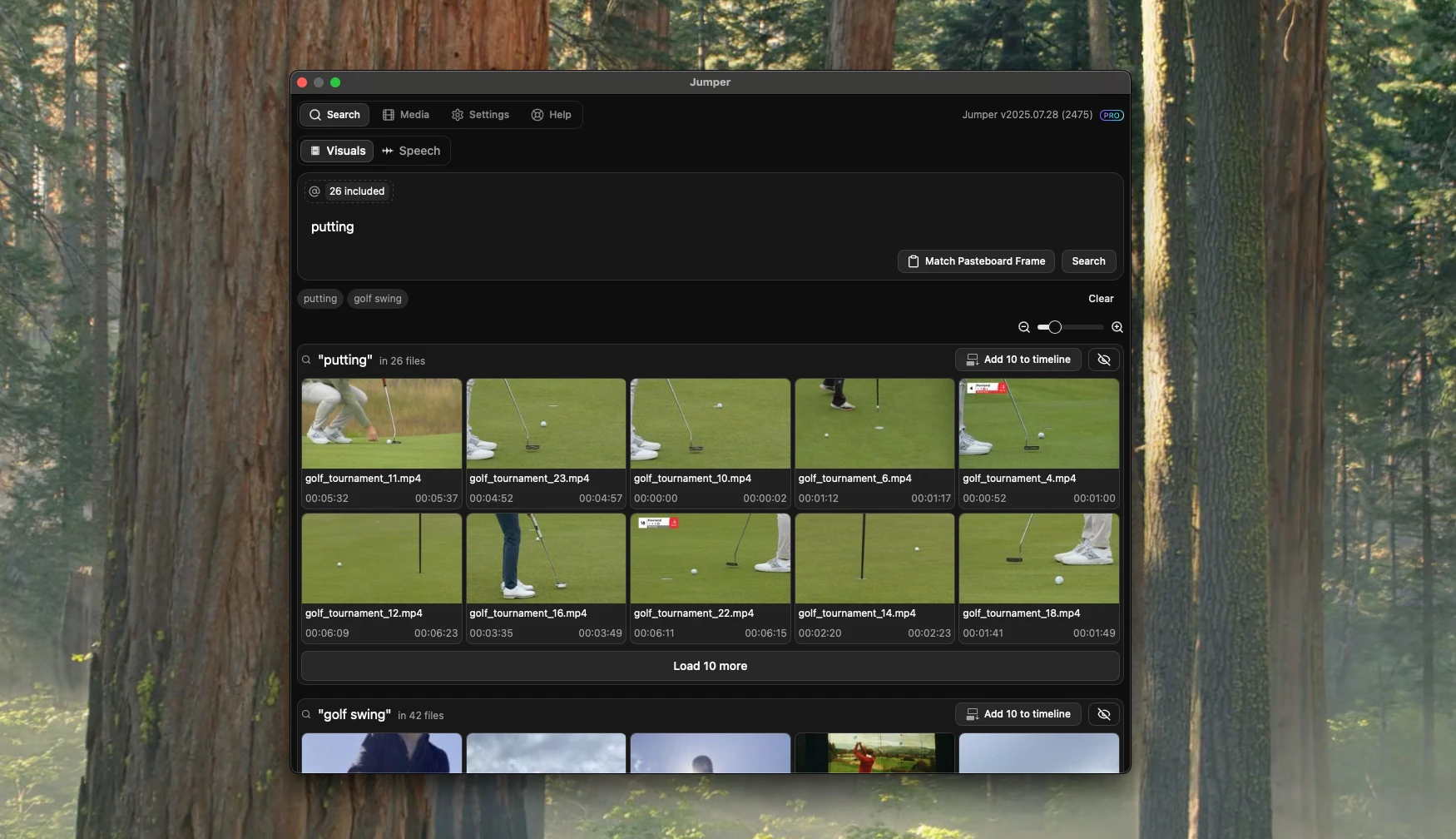
- Utilize Smart Search: Use Jumper's smart search feature to find specific clips or spoken content within your footage. Simply type in keywords related to the content you want to locate.
- Edit and Compile: Once you find the desired clips, you can easily add them to your timeline with a single click, streamlining your editing process.
What are the main features of Jumper?
- AI-Powered Search: Quickly find visual and spoken content in your footage without the need for extensive tagging.
- Speech Search: Instantly locate specific words or phrases spoken in your videos, making it easy to find relevant clips.
- Face Recognition: Automatically detect and index individuals across your footage, allowing for easy retrieval of their appearances.
- Multilingual Support: Search in multiple languages, enhancing accessibility for global users.
- Offline Functionality: Operate entirely offline, ensuring privacy and speed without relying on cloud services.
Who is Jumper for?
Jumper is ideal for video editors, content creators, and filmmakers who require a fast and efficient way to navigate through large volumes of footage. It caters to various user groups, including documentary filmmakers, corporate video producers, wedding videographers, and social media content creators. Whether working on solo projects or within collaborative environments, Jumper enhances productivity and creativity in the editing process.
What are the use cases of Jumper?
- Documentary Filmmaking: Quickly find relevant clips and interviews for documentary projects, saving hours in the editing process.
- Corporate Video Production: Streamline the editing of promotional videos by rapidly locating key visuals and spoken content.
- Content Creation for Social Media: Use Jumper to efficiently compile engaging clips for social media posts, ensuring timely content delivery.
Product Images
Getjumper Pros and Cons
Pros
- AI-Powered Video Editing: Jumper utilizes advanced AI technology to streamline video editing, enabling users to quickly find and edit the best parts of their footage.
- Offline Functionality: Jumper operates completely offline, ensuring that users can edit their videos without relying on internet connectivity, enhancing privacy and speed.
- Seamless Integration: Jumper integrates smoothly with popular editing software like Adobe Premiere Pro, Final Cut Pro, and DaVinci Resolve, allowing for a fluid editing experience.
- Multilingual Support: The tool supports search in over 111 languages, making it accessible for a diverse range of users and content creators.
Cons
No cons data detected for this tool
Getjumper Pricing
Jumper
Ideal for individuals and solo creators. Jumper Desktop Application Plugins for Final Cut Pro, Adobe Premiere Pro, DaVinci Resolve, Avid Media Composer. Unlimited analysis of media, Unlimited visual & speech search, Search in any media outside of project.
Jumper PRO
For professionals with advanced needs. Everything in Jumper, plus: Share analysis files between devices, Swarm analysis, Access to all AI models, Facial recognition, People search.
For the latest pricing, please visit this link: https://getjumper.io/pricing
Prices are subject to change. Please visit the official website for the most up-to-date pricing information.
Analytics of Getjumper
Getjumper Website Traffic Analysis
Visits Over Time
Traffic Sources
Nov 2025 - Jan 2026 Worldwide Desktop Only
- Direct: 39.37%
- Search: 29.40%
- Social: 16.13%
- Referrals: 12.77%
- Paid Referrals: 1.54%
- Mail: 0.12%
Top Keywords
| Keyword | Volume | CPC | Estimated Value |
|---|---|---|---|
| jumper | 113.00K | $0.66 | $500.00 |
| jumper media | 1.86K | $5.22 | $0.00 |
| jumper pc app | 220 | $0.00 | $10.00 |
| download jumper ai | 110 | $0.00 | $100.00 |
| njumper | 10 | $0.00 | $10.00 |
Getjumper Reviews
Jumper has been a game-changer for us in the editing process.
If you’re a video editor you have to get this—you will save so much time!
Jumper saves me an incredible amount of time searching for B-roll.
For more reviews, visit this link: https://getjumper.io#reviews



