
Gemiomni




What is Gemiomni?
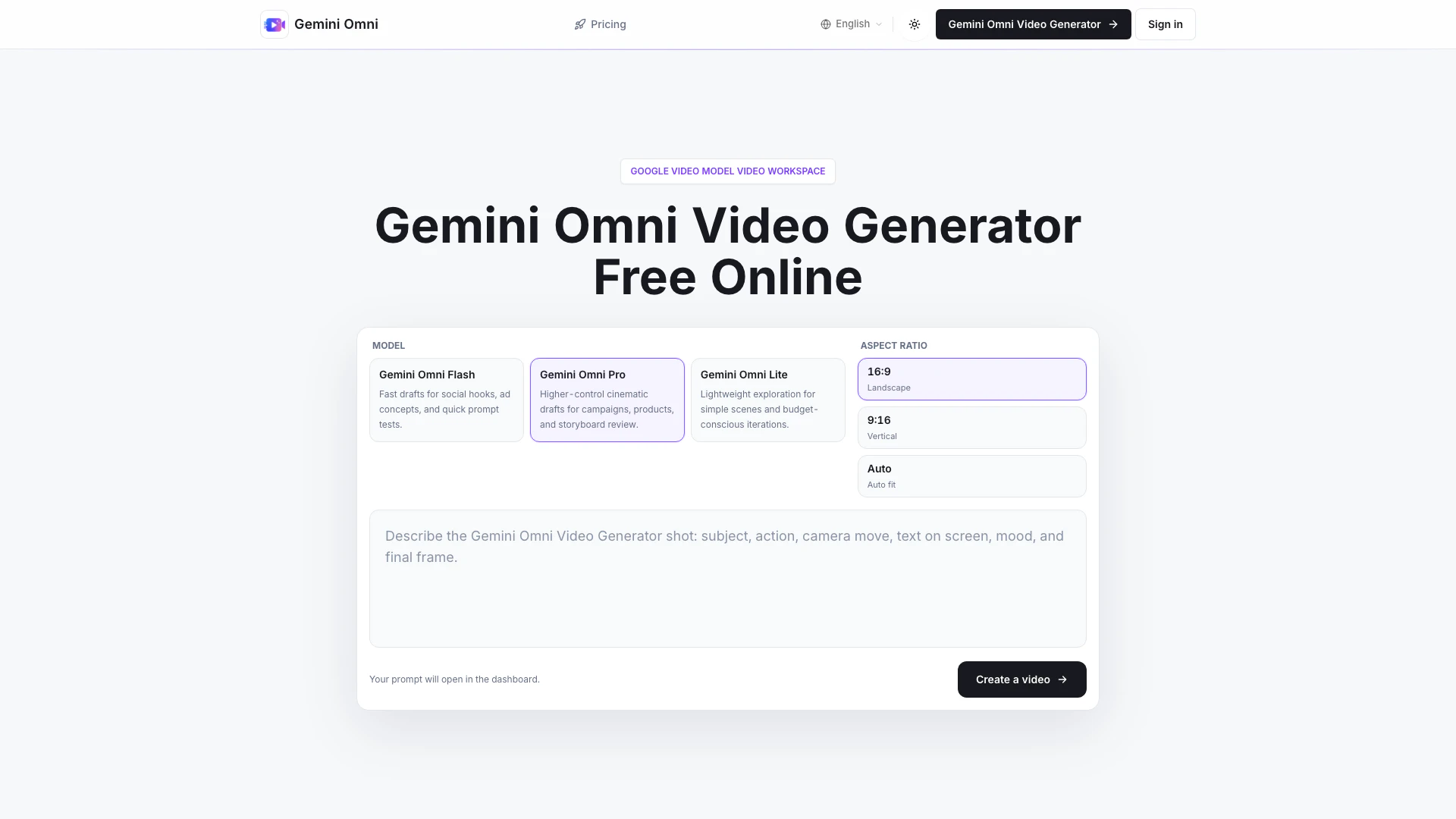
Gemiomni is a free online video generator designed specifically for creating Google Video Model clips. This innovative tool allows users to transform text prompts and image references into engaging video content, making it ideal for ads, explainers, product videos, and more. By focusing solely on video creation, Gemiomni provides a streamlined workspace that enhances the video ideation process, enabling teams to develop precise shot direction and production-minded drafts quickly.
How to use Gemiomni?
- Start with the shot you want: Write a clear prompt detailing the subject, action, setting, camera movement, on-screen text, and final frame.
- Add a reference when it helps: Incorporate an image to maintain visual consistency for products, characters, or layouts throughout the generated video clip.
- Choose the delivery format: Set parameters like duration, aspect ratio, sound, and generation mode based on the intended use of the video (ads, social media, product demonstrations, or educational content).
- Iterate like a creative director: Refine your prompts with clearer language, specific camera instructions, typography notes, or a stronger conclusion until the video aligns with your campaign direction.
What are the main features of Gemiomni?
- Fast Video Ideation: Quickly generate video drafts for social hooks, ad concepts, and product explainers.
- Shot Direction from Prompts: Create detailed video briefs that guide the direction of shots, camera moves, and overall atmosphere.
- Image References for Motion: Transform static images into dynamic video clips while ensuring stable composition.
- Production-Minded Drafts: Explore various ad ideas and UI motions before committing to full production.
- Multiple Output Formats: Generate videos in different aspect ratios (landscape, vertical, square) suitable for various platforms.
- Focused Video Workspace: A dedicated environment that emphasizes video creation without distractions from unrelated tools.
Who is Gemiomni for?
Gemiomni is tailored for marketing teams, content creators, product teams, and video production studios. It is particularly beneficial for those who need to produce quick video drafts, such as ad concepts and product walkthroughs. This tool streamlines collaboration among creative teams by allowing them to create, review, and iterate on video content efficiently, making it suitable for anyone involved in video marketing or content creation.
What are the use cases of Gemiomni?
- Marketing Campaigns: Quickly develop and test ad concepts in a matter of minutes, allowing teams to focus on the strongest ideas for production.
- Product Explainers: Create engaging product videos that clearly communicate features and benefits to potential customers.
- Educational Content: Generate video clips for online courses or training sessions, enhancing learning experiences with visual aids.
- Social Media Content: Produce eye-catching videos tailored for platforms like Instagram and Facebook to boost engagement and reach.
- Storyboard Reviews: Use drafts to align creative teams on tone, pacing, and direction before moving into the editing phase.
Gemiomni Pros and Cons
Pros
- Fast Video Ideation: Gemini Omni allows teams to quickly generate video concepts, enabling rapid testing of ad ideas and creative directions.
- Focused Video Workspace: The tool is dedicated solely to video creation, avoiding distractions from unrelated image tools, which enhances productivity.
- Flexible Output Formats: Users can create videos in various formats such as HD, vertical, and square, catering to different platforms and needs.
Cons
No cons data detected for this tool
Gemiomni Pricing
Free online exploration
Try the prompt flow, image reference workflow, and Google Video Model direction before buying more credits.
Top up when work spikes
Use pay-as-you-go credits for launch weeks, campaign sprints, or one-off batches without changing your subscription.
For the latest pricing, please visit this link: https://gemiomni.com/pricing
Prices are subject to change. Please visit the official website for the most up-to-date pricing information.