

Figmatoazure


What is Figma[1] to Azure?
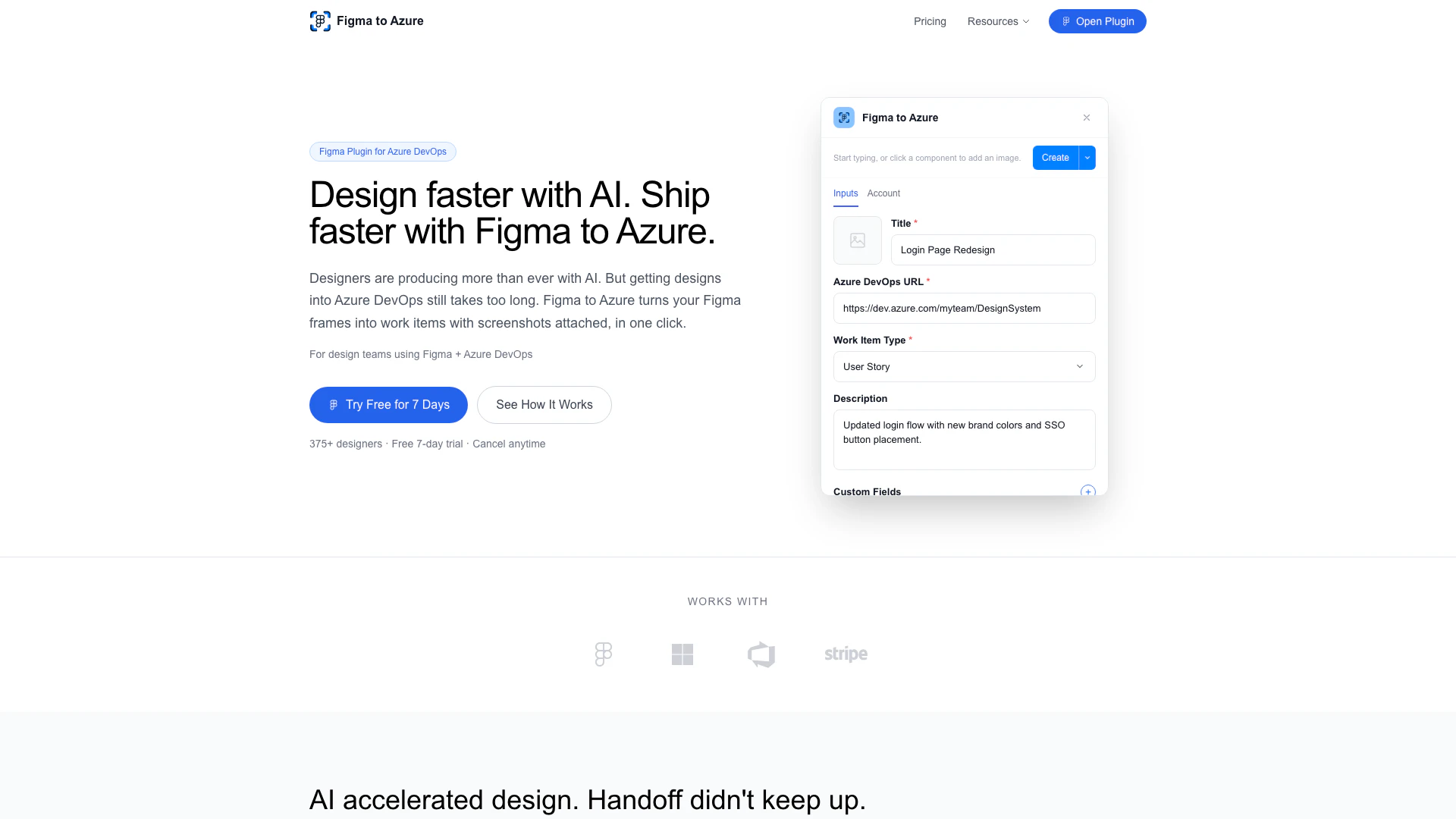
Figma to Azure is a powerful plugin that allows users to seamlessly import designs from Figma into Microsoft Azure DevOps[2]. This tool simplifies the process of creating work items[3] such as User Stories[4], Bugs[5], Tasks, and Features with just one click, attaching automatic screenshots of the designs. By eliminating the need for exporting files or switching between tools, Figma to Azure enhances collaboration between design and development teams, making the design-to-development handoff more efficient.
How to use Figma to Azure?
- Select Component: Choose any frame, component, or element in your Figma design.
- Fill Details: Add the title, description, and any custom Azure DevOps fields you need.
- Work Item Created: Your Azure DevOps work item is created instantly with your Figma design screenshot attached.
What are the main features of Figma to Azure?
- One-Click Creation: Instantly create Azure DevOps work items from Figma designs.
- Automatic Screenshots: Capture and attach high-quality PNG images of components directly from the Figma canvas.
- Custom Fields Support: Include any Azure DevOps custom fields required by your team.
- Update Existing Work Items: Modify existing work items by ID with new designs and context.
- Secure Authentication: Use Microsoft Account integration or Personal Access Token authentication for secure access.
- Auto-Save Settings: Automatically save your settings and preferences as you work.
Who is Figma to Azure for?
Figma to Azure is designed for design teams and developers who use Figma alongside Azure DevOps. It is particularly beneficial for organizations looking to streamline their design-to-development handoff processes, enabling designers to easily create work items in Azure DevOps without leaving the Figma environment. This tool is ideal for teams that prioritize collaboration and efficiency in their workflow.
What are the use cases of Figma to Azure?
- Design Handoff: Facilitate the transfer of design specifications from Figma to Azure DevOps, ensuring developers have immediate access to design assets.
- Project Management: Create and manage user stories, bugs, tasks, and features directly from design elements, enhancing project tracking and accountability.
- Collaboration: Improve communication between designers and developers by providing a clear visual reference attached to each work item, reducing misunderstandings and revisions.
Figmatoazure Pros and Cons
Pros
- One-Click Work Item Creation: Easily create Azure DevOps work items such as User Stories, Bugs, Tasks, and Features with just one click from Figma designs, streamlining the workflow.
- Automatic Screenshots: Automatically captures and attaches high-quality screenshots of Figma components to work items, ensuring clarity and context for developers.
- Seamless Integration: Integrates directly with Figma and Azure DevOps, eliminating the need for file exports or switching between tools, enhancing productivity.
Cons
No cons data detected for this tool
Figmatoazure Pricing
Free Trial
7 days of full access. Cancel anytime.
Pro
Unlimited work items to Azure DevOps.
For the latest pricing, please visit this link: https://figmatoazure.com/
Prices are subject to change. Please visit the official website for the most up-to-date pricing information.
Analytics of Figmatoazure
Figmatoazure Website Traffic Analysis
Visits Over Time
Traffic Sources
Jan 2026 - Feb 2026 Worldwide Desktop Only
- Search: 43.87%
- Direct: 34.97%
- Referrals: 13.39%
- Social: 4.65%
- Paid Referrals: 1.65%
- Mail: 0.46%
Top Keywords
| Keyword | Volume | CPC | Estimated Value |
|---|---|---|---|
| figma plugin api | 1.10K | $0.00 | $0.00 |
| figma libraries | 630 | $4.91 | $0.00 |
| figma dark mode | 550 | $0.00 | $0.00 |
| automatice prototyping figma plugin | 200 | $0.00 | $0.00 |
| figma trello template | 200 | $0.00 | $0.00 |





