Factura





What is Factura?
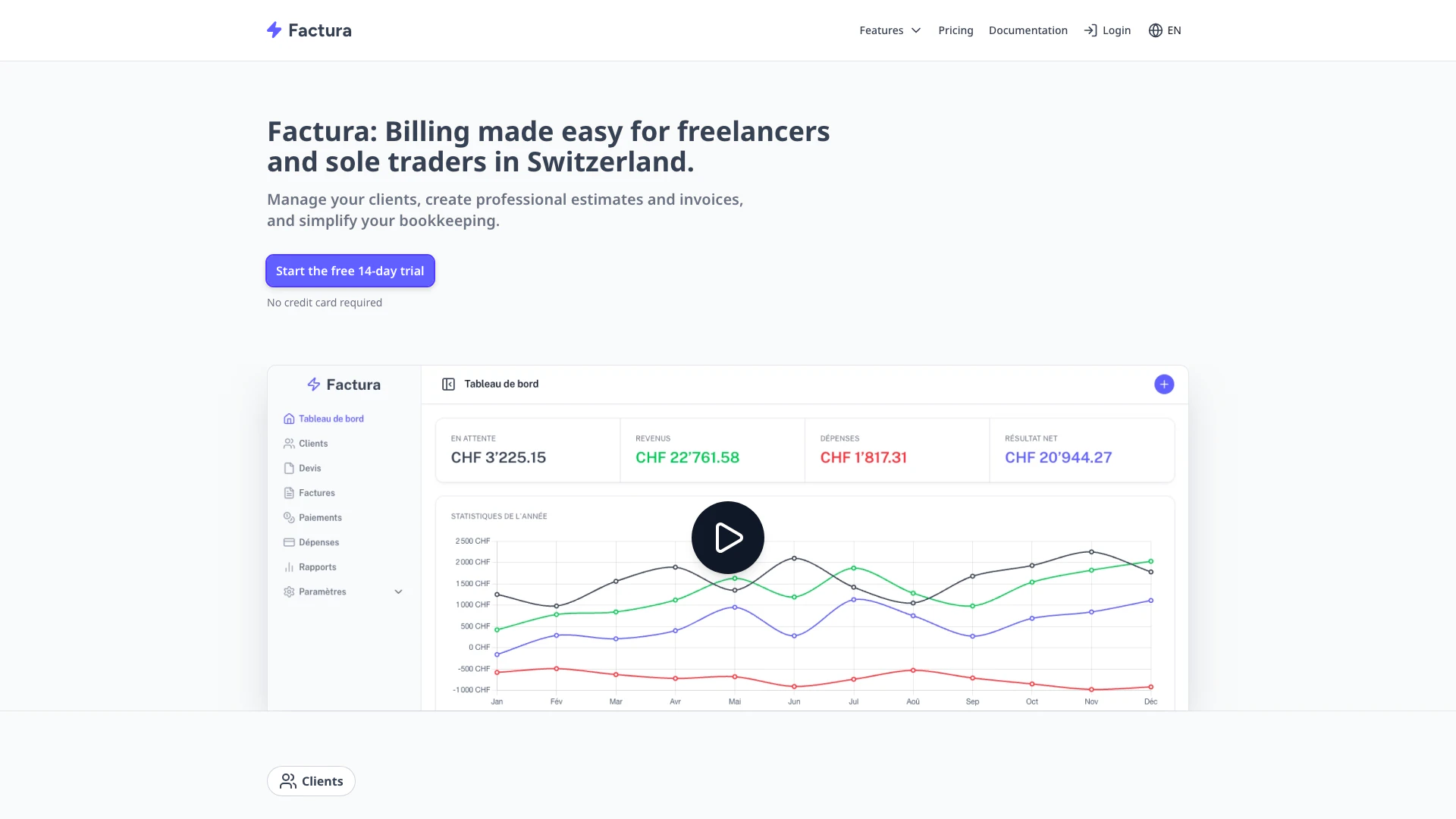
Factura is a billing solution[1] designed specifically for freelancers[2] and independent contractors in Switzerland. It simplifies the invoicing process[3], allowing users to create professional invoices and quotes quickly and efficiently. With a user-friendly interface, Factura centralizes client data, streamlines payment tracking, and offers features like QR invoices for easy payments. This tool is ideal for individuals seeking a straightforward way to manage their billing and accounting needs.
How to use Factura?
- Sign up for a free trial on the Factura website.
- Log in to your Factura account.
- Enter your client information and save it in the client management[4] section.
- Create a new invoice or quote by selecting the client and adding products or services.
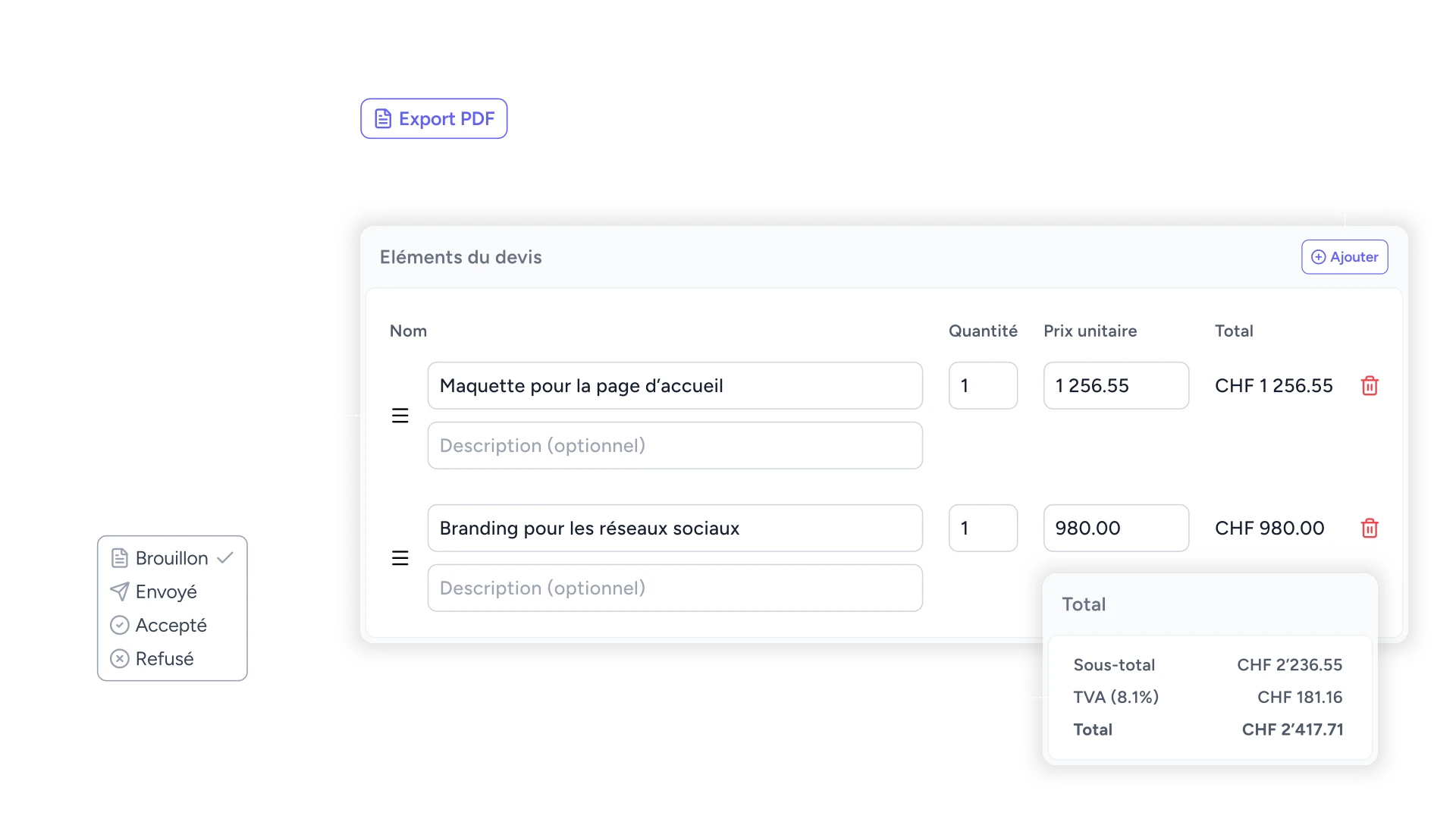
- Export the invoice or quote as a PDF, including a QR code[5] for payment if desired.
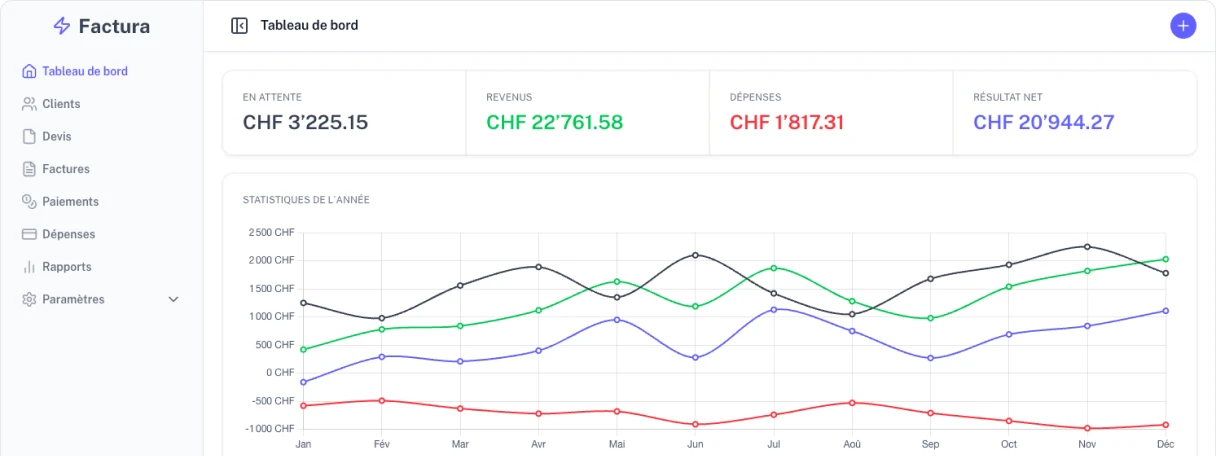
- Track payments and expenses through the dashboard for better financial management.
What are the main features of Factura?
- Centralized client management to keep all client data in one place.
- Easy creation of professional quotes and invoices with just a few clicks.
- Automatic QR code generation for invoices to simplify client payments.
- Expense and payment tracking to manage finances effectively.
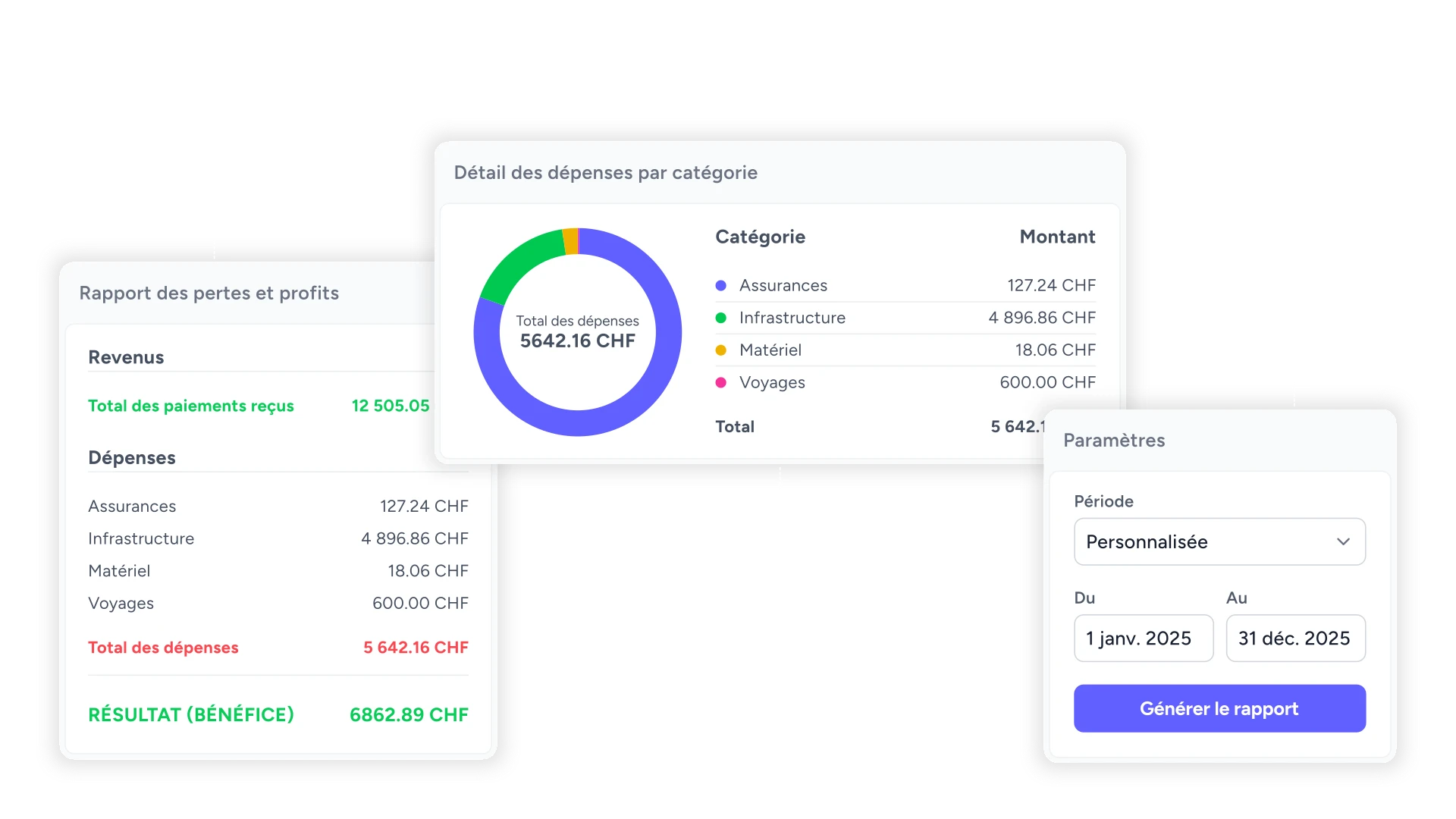
- Detailed reporting on sales, expenses, and profits for better visibility of business performance.
Who is Factura for?
Factura is tailored for freelancers, independent contractors, and small business owners in Switzerland. It is designed for individuals who need a straightforward and efficient invoicing solution without the complexities of traditional accounting software. Whether you are a sole proprietor or part of a small partnership, Factura meets the billing and financial management needs of those working in various sectors.
What are the use cases of Factura?
- Freelancers can generate invoices for their services and manage client payments seamlessly.
- Independent contractors can track their expenses and categorize them for tax purposes.
- Small business owners can utilize Factura to create professional quotes and manage their billing process efficiently.
Product Images

Factura Pros and Cons
Pros
- User-Friendly Invoicing Solution: Factura offers a simple and intuitive invoicing solution tailored for freelancers and independents in Switzerland, making it easy to manage invoices and clients.
- Quick Invoice Creation: Users can create professional quotes and invoices in just a few clicks, with options to export to PDF and include QR codes for easy payments.
- Comprehensive Financial Tracking: The tool allows users to track client payments and expenses efficiently, providing visibility through categorized reports and summaries.
Cons
No cons data detected for this tool
Factura Pricing
Monthly Plan
CHF 9/month, billed monthly.
For the latest pricing, please visit this link: https://www.factura.ch/prix
Prices are subject to change. Please visit the official website for the most up-to-date pricing information.
Analytics of Factura
Factura Website Traffic Analysis
Visits Over Time
Traffic Sources
Nov 2025 - Jan 2026 Worldwide Desktop Only
- Search: 54.93%
- Direct: 28.02%
- Referrals: 11.06%
- Social: 3.42%
- Paid Referrals: 1.28%
- Mail: 0.29%
Top Keywords
| Keyword | Volume | CPC | Estimated Value |
|---|---|---|---|
| aum finance | 430 | $7.67 | $0.00 |
| ttc en ht suisse | 360 | $0.00 | $0.00 |
| conversion prix ttc en ht | 200 | $0.00 | $0.00 |
| clacul tva suisse | 190 | $0.00 | $0.00 |
| est ce que post finance c'est la poste | 190 | $0.00 | $0.00 |