

Editaimg




What is Editaimg?
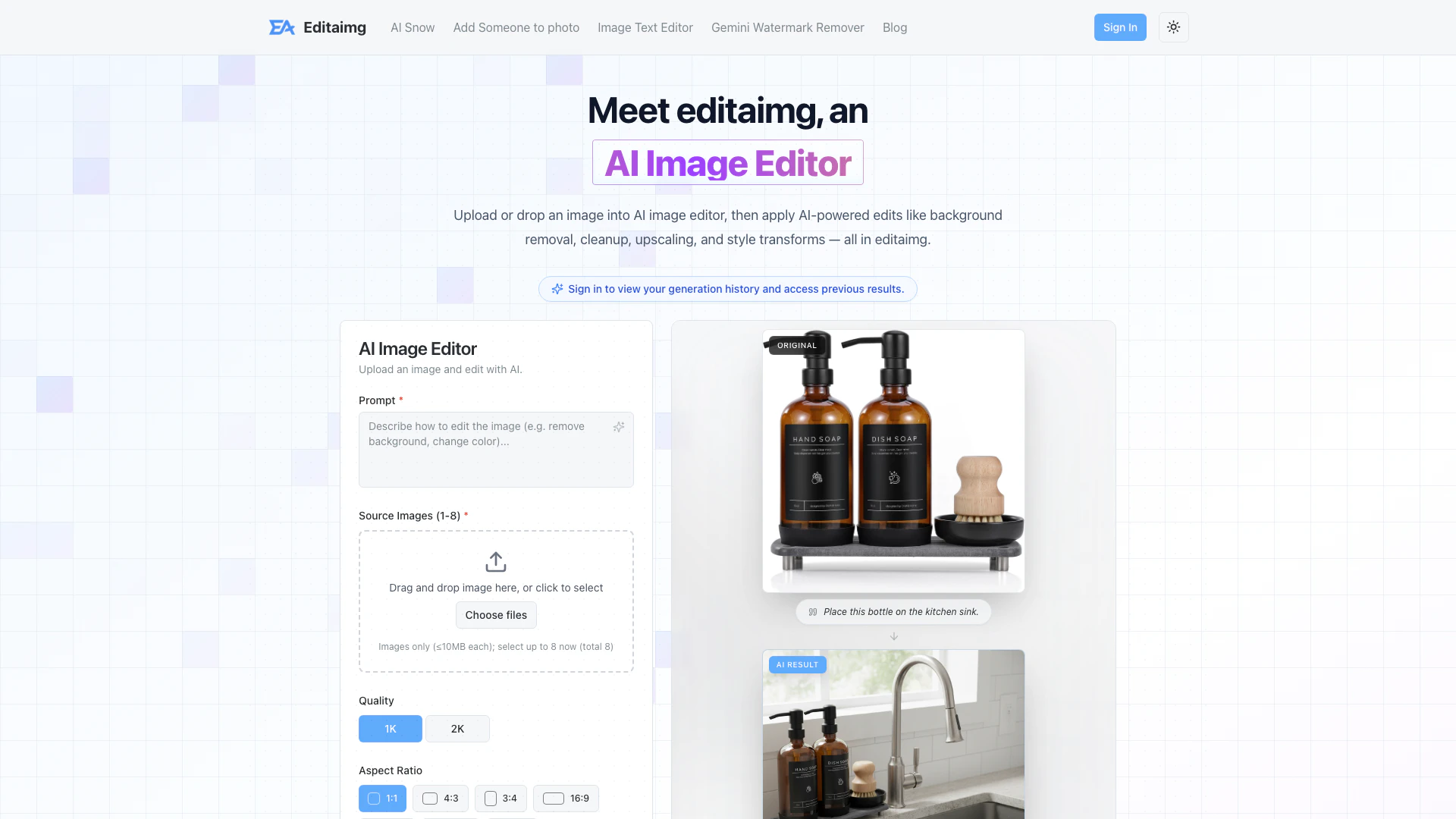
Editaimg is an AI-powered[1] image editing[2] tool designed to enhance and transform photos effortlessly. It allows users to upload images and apply various AI-driven edits such as background removal[3], object replacement[4], upscaling, and style transformations. With its user-friendly interface and advanced features, Editaimg aims to make professional-grade photo editing accessible to everyone, regardless of their technical skills.
How to use Editaimg?
- Import your image: Drag and drop your file directly into the AI Image Editor to begin. It supports various formats, making it easy to start your creative process instantly.
- Describe your idea: Use the prompt box to tell Editaimg exactly what you need. Whether it's removing an object or changing the style, just type your vision.
- Choose settings: Fine-tune your output with Editaimg's advanced settings. Adjust aspect ratios, select file formats, and choose style strength for precise control.
- Generate your edit: Hit the 'Edit' button and watch Editaimg transform your photo in seconds. Review the high-quality results and download them with a single click.
What are the main features of Editaimg?
- AI-powered background removal: Effortlessly eliminate backgrounds from images.
- Object replacement: Seamlessly swap objects within your images to match your creative vision.
- Image upscaling: Enhance image resolution without losing quality.
- Style transforms: Apply artistic styles and color grading for stunning visual effects.
- Text editing: Add, edit, or remove text from images while matching fonts and styles.
- Instant preview and share: Review your edits in real-time and download or share them with a single click.
Who is Editaimg for?
Editaimg is designed for a wide range of users, including amateur photographers, social media enthusiasts, e-commerce sellers, and graphic designers. Its intuitive interface and powerful AI features make it suitable for anyone looking to enhance their images without requiring advanced editing skills. Whether you need to touch up personal photos, create professional product shots, or add creative elements to your designs, Editaimg provides the tools necessary for effective image editing.
What are the use cases of Editaimg?
- E-commerce product photography: Create stunning product images by placing items in realistic settings and enhancing their visual appeal.
- Social media content creation: Quickly edit and enhance photos for posts, stories, and advertisements to attract more engagement.
- Travel photo enhancement: Remove unwanted objects from travel images, ensuring a clean and picturesque final product.
- Artistic transformations: Apply unique styles and effects to images for creative projects or personal expression.
Product Images




Editaimg Pros and Cons
Pros
- AI-Powered Editing: Editaimg utilizes advanced AI technology for background removal, cleanup, upscaling, and style transformations, making professional editing accessible to all.
- User-Friendly Interface: The platform offers a seamless workflow with drag-and-drop functionality, instant previews, and easy export options, catering to users of all skill levels.
- Versatile Editing Features: Editaimg provides a wide range of features, including object removal, text editing, and realistic scene creation, allowing for diverse creative possibilities.
Cons
No cons data detected for this tool
Editaimg Pricing
Basic
Basic AI Image Editor credits for light usage. Includes 160 Credits, No Expiration, Priority generation queue.
Standard
Standard AI Image Editor pack for regular creators. Includes 800 Credits, No Expiration, Priority generation queue.
Pro
Premium AI Image Editor volume for professionals. Includes 4000 Credits, No Expiration, Priority generation queue.
For the latest pricing, please visit this link: https://editaimg.com/#generator
Prices are subject to change. Please visit the official website for the most up-to-date pricing information.
Analytics of Editaimg
Editaimg Website Traffic Analysis
Visits Over Time
Traffic Sources
Feb 2026 - Feb 2026 Worldwide Desktop Only
- Direct: 100.00%
Top Keywords
| Keyword | Volume | CPC | Estimated Value |
|---|---|---|---|
| gemini white watermark | 0 | $0.00 | $0.00 |
| eadite | 180 | $0.00 | $0.00 |
| create this pic in 4k resolution with snow effect | 100 | $0.00 | $0.00 |





