Twitter-color Created with Sketch. Amazon-color Created with Sketch. Facebook-color Created with Sketch. github [#142] Created with Sketch. meta_fill Pinterest-color Created with Sketch. ProductHunt-color Created with Sketch. Spotify-color Created with Sketch. Threads Logo Streamline Icon: https://streamlinehq.com Yelp-color Created with Sketch. Youtube-color Created with Sketch.
TopAIToolsTopAITools
  • Free Tools
  • Category
  • Leaderboard
  • Deals
  • Submit
EN
TopAIToolsTopAITools
TopAI

TopAITools

TopAITools, The Best Top AI Tools

AI Glossary|English简体中文繁體中文한국어日本語PortuguêsEspañolDeutschFrançaisTiếng Việt|Map

© 2026 TopAITools. All rights reserved.

About

  • Privacy Policy
  • Terms of use

Contact Us

business@topaitoolsreview.com
Home
Docsgpt
Last updated: May 1, 2026
Docsgpt logo

Docsgpt

Get deal
5.0|0 Comments|0 Saved
Introduction:
DocsGPT for Google Docs™ - Google Workspace Marketplace
Launch Date:
December 31, 1984
Monthly Visits:
214.7M
Website
💼Work🎨Creativity
Docsgpt website screenshot showing DocsGPT for Google Docs™ - Google Worksp... interface and features
Use tool
Update this tool
Linkedin logo

Linkedin

Connect with professionals worldwide on LinkedIn.

Deepseek V4 logo

Deepseek V4

Explore cutting-edge AI models with Deepseek.

Adobe logo

Adobe

Adobe empowers users to create and optimize digital content.

Figma logo

Figma

Automate layer renaming in Figma for better organization.

Apple logo

Apple

Apple Creator Studio offers a suite of creative tools for video, music, and design.

Docsgpt Overview

What is DocsGPT?

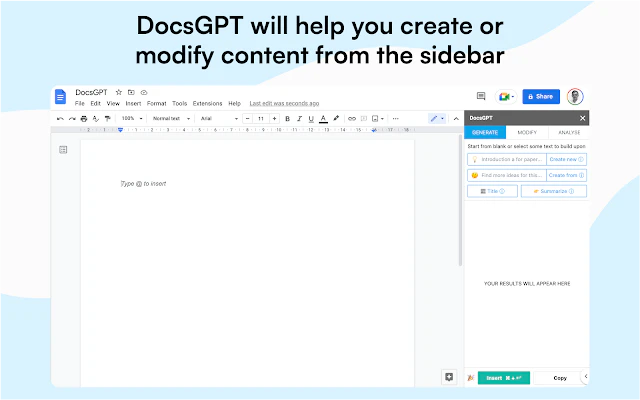
DocsGPT is an innovative AI tool designed for Google Docs that enhances content creation and editing. By utilizing advanced GPT technology, it allows users to generate new content or modify existing text directly within Google Docs. With the ability to create text from scratch, change text tone, proofread, and translate, DocsGPT streamlines the writing process, making it easier for users to produce high-quality documents effortlessly.


How to use DocsGPT?

  1. Install DocsGPT from the Google Workspace Marketplace.
  2. Open Google Docs and create a new document or open an existing one.
  3. Select the text you want to modify or place your cursor where you want to generate new content.
  4. Use the DocsGPT features to write, change tone, proofread, or translate your text by clicking the respective options.

What are the main features of DocsGPT?

  • Generate new content from scratch (e.g., writing blog posts).
  • Modify existing text based on user prompts (e.g., creating headings).
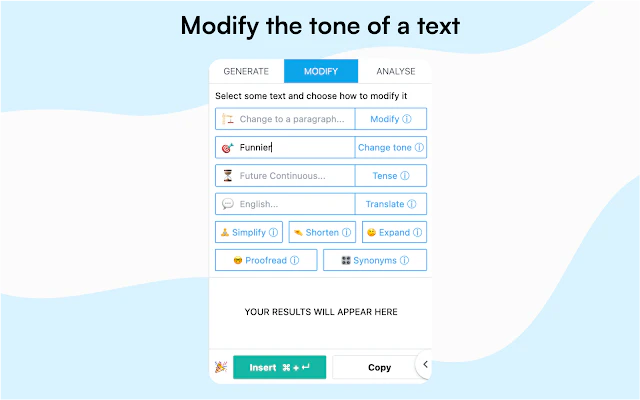
  • Change the tone of selected text (e.g., making it funnier).
  • Convert selected text into bullet lists or other formats.
  • Translate text to different languages.
  • Proofread for grammar, spelling, and punctuation errors.

Who is DocsGPT for?

DocsGPT is ideal for writers, students, professionals, and anyone who regularly works with Google Docs. It is particularly beneficial for those who need assistance in generating content, editing documents, or improving writing quality. The tool's versatility makes it suitable for various applications, from academic writing to business reports.


What are the use cases of DocsGPT?

  1. Creating blog posts or articles on specific topics using AI-generated content.
  2. Editing and improving existing documents for clarity and engagement.
  3. Translating business proposals or academic papers into multiple languages for diverse audiences.

Product Images
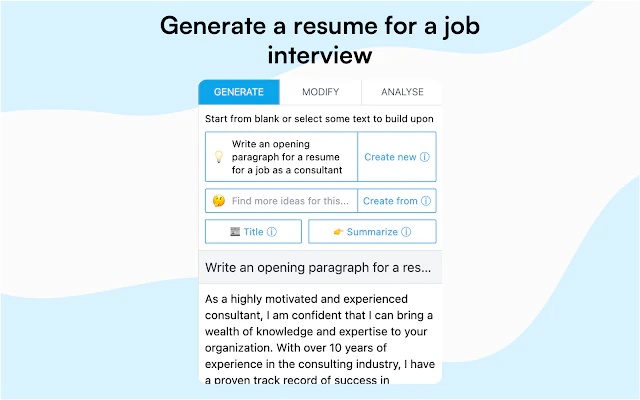
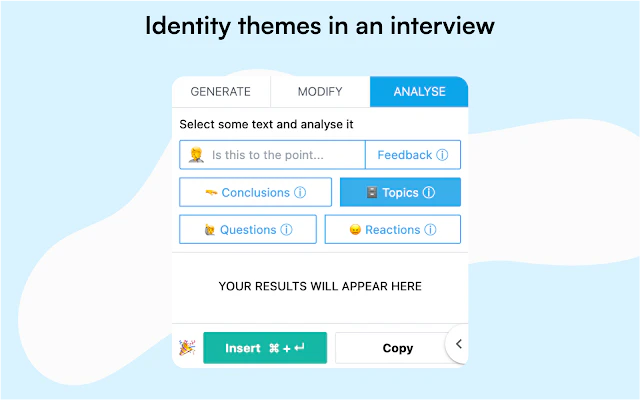
Using DocsGPT to generate content in Google Docs
DocsGPT features demonstration in Google Docs
DocsGPT use case example in content creation
DocsGPT product interface in Google Docs
DocsGPT application scenario for writers and professionals
1 / 5

Docsgpt Pros and Cons

Pros

  • Content Generation: Allows users to generate new content from scratch or modify existing text using AI technology.
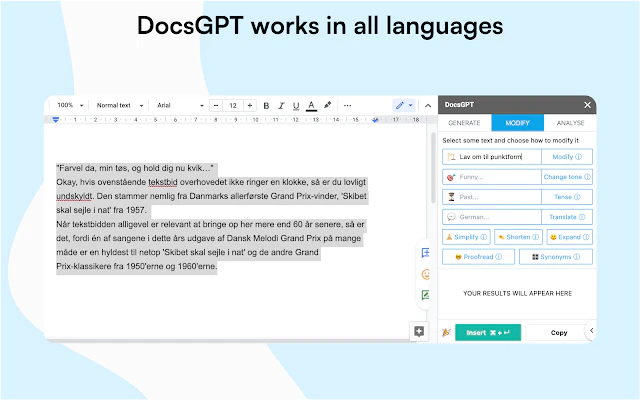
  • Multilingual Support: DocsGPT works in all languages, making it versatile for a global audience.
  • Ease of Use: Users can create and edit content with a simple click of a button, enhancing workflow efficiency.
  • Free Trial: Offers a free trial, allowing users to test the features before commitment.

Cons

No cons data detected for this tool

Analytics of Docsgpt

Docsgpt Website Traffic Analysis

Visits Over Time

Oct 2025 - Dec 2025 All Traffic
--
AI Tools Rank
214.67M
Monthly Visits
73.68%
Bounce Rate
1.59
Pages Per Visit
1:29
Visit Duration
--
Global Rank
--
Country Rank

Traffic Sources

Oct 2025 - Dec 2025 Worldwide Desktop Only

  • Search: 43.43%
  • Direct: 40.86%
  • Referrals: 14.11%
  • Social: 0.79%
  • Paid Referrals: 0.56%
  • Mail: 0.26%

Top Regions

Oct 2025 - Dec 2025 Desktop Only
RegionPercentage
🇺🇸
United States
31.17%
🇫🇷
France
5.83%
🇧🇷
Brazil
3.96%
🇪🇸
Spain
3.85%
🇯🇵
Japan
3.78%
  1. United States: 31.17%
  2. France: 5.83%
  3. Brazil: 3.96%
  4. Spain: 3.85%
  5. Japan: 3.78%

Docsgpt Social Listening

13:43

PrivateGPT 2.0 - FULLY LOCAL C...

This video is sponsored by Ser...

Matthew Berman
November 8, 2023
407.5K
--
7.8K
https://youtube.com/watch?v=XF...
21:01

Build Better Apps with AI Usin...

Tired of your AI co-pilot givi...

jordanUrbsAI
June 27, 2025
151.1K
--
3.9K
https://youtube.com/watch?v=MZ...
12:48

DocsGPT: Chat With Multiple PD...

Seeking a game-changer in proj...

WorldofAI
June 1, 2023
6.3K
--
197
https://youtube.com/watch?v=7a...
Logo

Unlock to view 23 social media results.

Docsgpt Compare

Tool NameIntroductionPricing
Type
RatingLaunch DateLearn more
Quillbot Paraphraser logo
Quillbot Paraph...
Paraphrasing Tool (Ad-Free and No Sign-up Required) - QuillBot AI
Free
💼Work🎨Creativity
December 31, 1984
Get deal
Ai Lawyer logo
Ai Lawyer
Explore AI Lawyer for easy, quick, and budget-friendly legal help. Empowering consumers and lawyers with AI-driven solutions for all your legal needs.
Free
💼Work
February 11, 2023
Get deal
Education Copilot logo
Education Copil...
Generate AI lesson plans, PowerPoints, and more with Copilot! Use Copilot to breeze through your unit planning and material creation!
Free
💼Work
November 13, 2022
Get deal

Info current as of post date. Offers and availability may vary by location and are subject to change.

Docsgpt Q&A

DocsGPT is a revolutionary AI tool that helps you create and edit content inside Google Docs.

Docsgpt Launch embeds

Use website badges to drive support from your community for your TopAITools Review. They're easy to embed on your homepage or footer.

FEATURED ONTopaitoolsreview.com

Docsgpt Alternatives

Gemini screenshot

Gemini

Discover Gemini, Google's versatile AI assistant for writing and planning.

Website
Free
💼Work
Productivity & OfficeAI Productivity ToolsAI Business Planning ToolsAI Prompt Management Tools
  • Productivity & Office
  • AI Productivity Tools
  • AI Business Planning Tools
  • AI Prompt Management Tools
Use tool
2068.6M
Direct77.40%
Search17.27%
Referrals4.45%
Linkedin screenshot

Linkedin

Connect with professionals worldwide on LinkedIn.

Website
Free
💼Work
Social Media ToolsAI LinkedIn Headshot GeneratorAI LinkedIn Photo GeneratorAI LinkedIn Conversation Starter Generator
  • Social Media Tools
  • AI LinkedIn Headshot Generator
  • AI LinkedIn Photo Generator
  • AI LinkedIn Conversation Starter Generator
Use tool
1905.4M
Direct67.30%
Search29.09%
Referrals2.91%
Gemini screenshot

Gemini

Gemini is Google’s AI assistant for writing and brainstorming.

Website
Free
🙋‍♂️Personal💼Work🎨Creativity
Writing & EditingAI Writing AssistantsAI ChatbotAI Creativity and Productivity Enhancer
  • Writing & Editing
  • AI Writing Assistants
  • AI Chatbot
  • AI Creativity and Productivity Enhancer
Use tool
1735.3M
Direct77.16%
Search17.39%
Referrals4.58%
Docsgpt logo
DocsgptFree
Get deal

Docsgpt Comments (0)

Your rating

?
0/2000

No comments yet

Be the first to share your thoughts!

Docsgpt Prompts (0)

Prompts And Results

Add your own prompts and outputs to help others understand how to use this AI.

🚀0
🚀0