Diffshot


What is Diffshot?
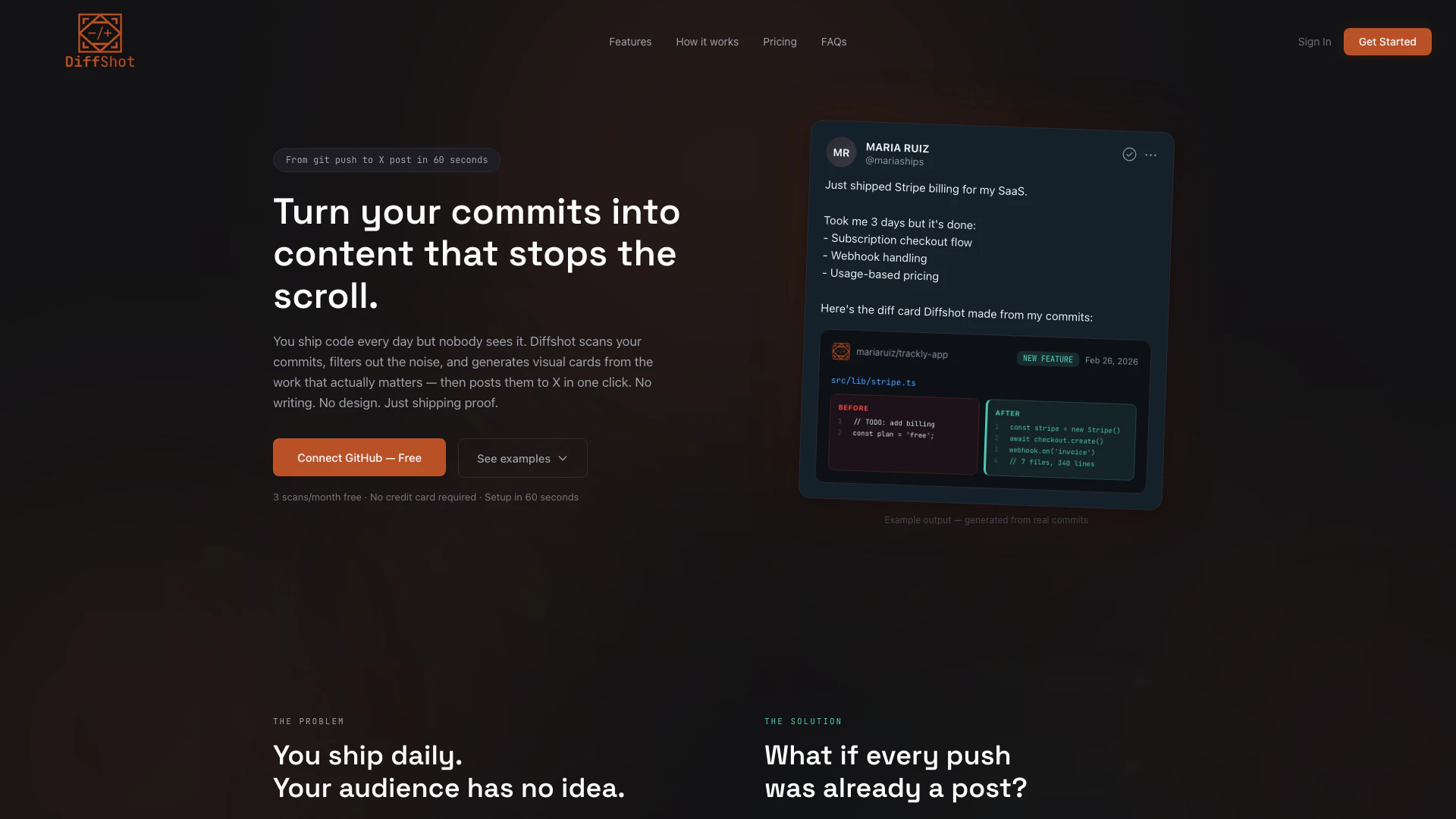
Diffshot is an innovative tool designed to auto-generate visual changelog tweets from your GitHub commits. It transforms your coding activities into engaging content that can be shared on social media, particularly on X (formerly Twitter). With Diffshot, developers can effortlessly showcase their work, allowing their audience to see the progress they are making without the hassle of manual content creation. This tool enables users to connect their GitHub accounts, scan their commits, and produce visually appealing cards that highlight significant changes, new features, and performance metrics, all in under 60 seconds.
How to use Diffshot?
- Connect GitHub: Sign in with your GitHub account using OAuth and select the repository you want to connect. No additional configuration is required.
- AI Generates Drafts: Diffshot scans your recent commits, filtering out unnecessary noise such as merge commits and lockfile changes. It then generates three unique drafts, each presenting a different perspective on your work.
- Publish to X: Review the generated drafts, make any desired edits, and publish them to X with a single click. Your visual changelog is now live for your audience to see.
What are the main features of Diffshot?
- Auto-Generated Visual Cards: Diffshot creates visually appealing cards that summarize your code changes, including code diffs, feature highlights, and performance stats.
- Quick Setup: The tool can be connected to your GitHub account in less than a minute, allowing for immediate use.
- Unique Drafts: It generates three distinct drafts from your commits, providing various angles to present your updates.
- One-Click Publishing: After reviewing, you can publish your updates to X effortlessly, with no need for manual image uploads or text writing.
- Privacy Focused: Diffshot does not expose your actual source code; it only uses commit messages and statistics to create visual representations.
Who is Diffshot for?
Diffshot is primarily designed for developers and software engineers who frequently push code to GitHub and want to share their progress with a wider audience. It is particularly beneficial for those who prefer coding over marketing but understand the importance of building a public presence. Whether you are an indie developer, part of a startup, or working on personal projects, Diffshot helps you turn your coding efforts into visible proof of progress, making it suitable for anyone looking to enhance their visibility and credibility in the tech community.
What are the use cases of Diffshot?
- Showcasing New Features: Developers can use Diffshot to announce new features they have implemented in their projects, complete with visual aids that highlight the changes.
- Building in Public: Indie developers can document their journey by sharing regular updates on their progress, thereby attracting potential users and feedback.
- Highlighting Bug Fixes: When significant bugs are fixed, Diffshot can generate tweets that inform users of the improvements, enhancing user trust and engagement.
Product Images


Diffshot Pros and Cons
Pros
- Quick Visual Changelog Generation: Diffshot auto-generates visual changelog tweets from GitHub commits in under 60 seconds, allowing developers to share their progress effortlessly.
- No Design Skills Required: Users do not need any design skills, as Diffshot creates professional-looking visual cards directly from commit data, eliminating the need for manual design.
- Seamless GitHub Integration: Diffshot connects easily to GitHub, requiring minimal setup and automatically filtering out unnecessary commits to focus on meaningful changes.
Cons
No cons data detected for this tool
Diffshot Pricing
Free
3 scans per month (3 drafts each), Unlimited repos, All 3 visual card types, AI picks your best commits, Edit drafts before posting, One-click post to X, Watermarked cards.
Pro
50 scans per month (3 drafts each), Unlimited repos, All 3 visual card types, AI picks your best commits, Edit drafts before posting, One-click post to X, Clean cards (no watermark), Priority support.
For the latest pricing, please visit this link: https://diffshot.app/sign-up
Prices are subject to change. Please visit the official website for the most up-to-date pricing information.
Diffshot Reviews
Just shipped Stripe billing for my SaaS. Took me 3 days but it's done: - Subscription checkout flow - Webhook handling - Usage-based pricing. Here's the diff card Diffshot made from my commits.
For more reviews, visit this link: https://diffshot.app#reviews