Dataline



What is DataLine?
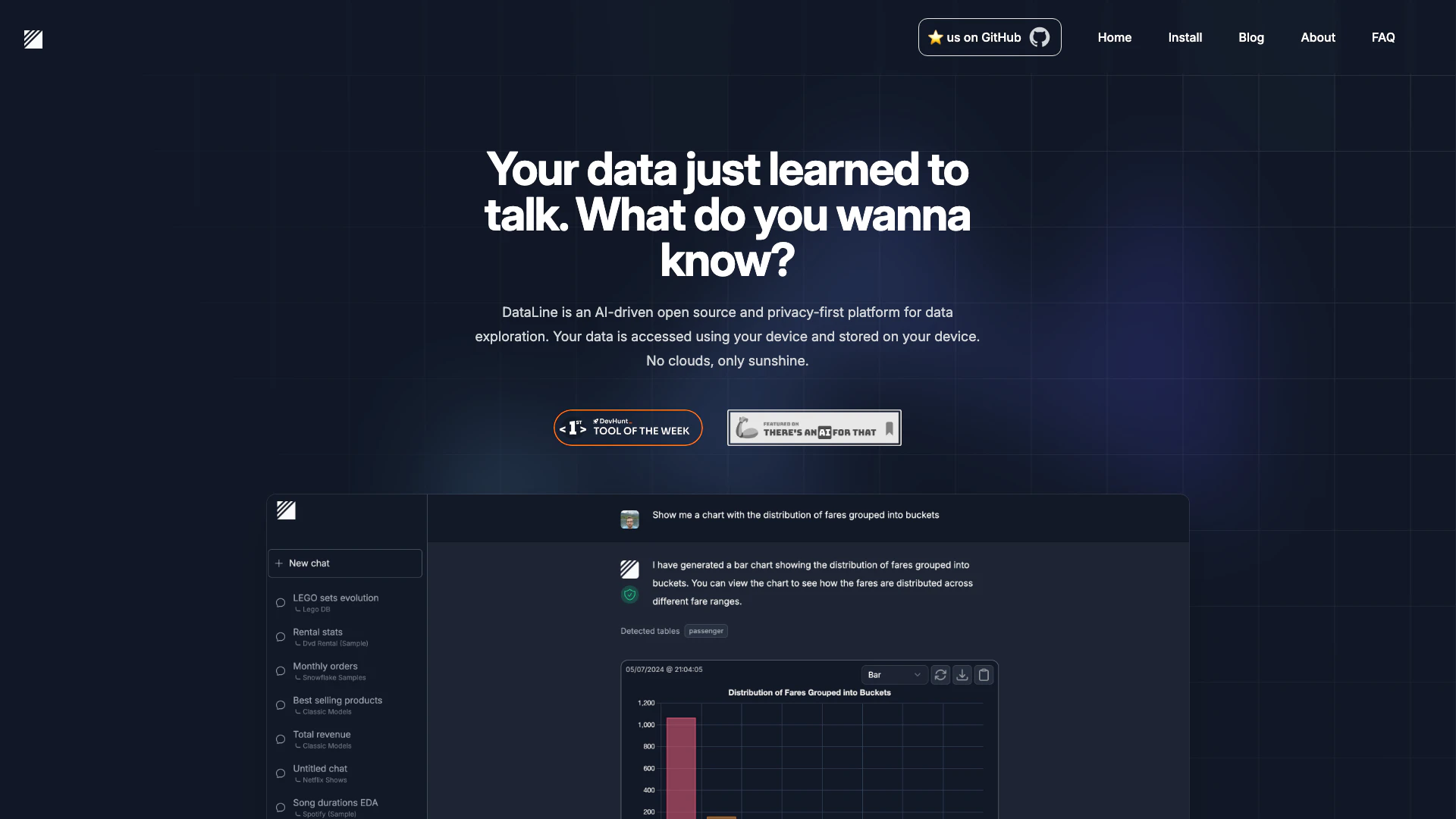
DataLine is an innovative AI-driven[1] data analysis[2] and visualization tool that allows users to engage in conversational interactions with their data. It simplifies the process of querying data, making it accessible for non-technical users while also serving developers seeking a robust text-to-SQL solution. By enabling users to generate tables, charts, and dashboards through natural language queries[4], DataLine enhances data exploration and decision-making, all while ensuring data privacy by keeping all data processing local to the user's device.
How to use DataLine?
- Install DataLine: Download and install DataLine from the official website or GitHub repository suitable for your operating system (Windows, Mac, or Linux).
- Connect to Your Database: Open DataLine and connect it to your database (supports various types like Postgres, MySQL, SQLite, etc.).
- Start Chatting with Your Data: Use the chat interface to ask questions about your data. You can request specific data points, generate visualizations, or create dashboards simply by typing your queries in natural language.
What are the main features of DataLine?
- AI-Driven Analysis: Utilize artificial intelligence to analyze and visualize data through conversational queries.
- Data Visualization[3]: Generate charts, tables, and dashboards effortlessly based on user queries.
- Local Data Processing[5]: Ensures that all data remains on the user's device, enhancing privacy and security.
- Support for Multiple Databases: Connect with various databases including Postgres, MySQL, SQLite, and more.
- Open Source: The platform is open source, allowing users to contribute and customize their experience.
Who is DataLine for?
DataLine is designed for a diverse audience that includes non-technical users who need to analyze data without deep technical knowledge, as well as developers and data analysts looking for an efficient text-to-SQL solution. Its user-friendly interface makes it ideal for business professionals, marketers, and anyone needing to derive insights from data quickly and effectively.
What are the use cases of DataLine?
- Business Intelligence: Utilize DataLine to generate reports and dashboards that help in strategic decision-making by analyzing sales and marketing data.
- Data Exploration: Users can explore datasets interactively, asking questions to uncover trends and insights without needing to write complex queries.
- Academic Research: Researchers can use DataLine to analyze survey results or experimental data, generating visualizations that support their findings.
Dataline Pros and Cons
Pros
- AI-Driven Data Interaction: DataLine allows users to interact with their data through natural language, making data analysis accessible for non-technical users.
- Local Data Security: DataLine ensures that all data remains on the user's device, enhancing privacy and security by avoiding cloud storage.
- Open Source and Flexibility: As an open-source tool, DataLine offers flexibility for developers to customize and integrate it into their existing systems.
Cons
No cons data detected for this tool
Analytics of Dataline
Dataline Website Traffic Analysis
Visits Over Time
Traffic Sources
Nov 2025 - Jan 2026 Worldwide Desktop Only
- Direct: 38.15%
- Social: 36.41%
- Search: 18.87%
- Referrals: 5.43%
- Paid Referrals: 1.07%
- Mail: 0.06%
Top Keywords
| Keyword | Volume | CPC | Estimated Value |
|---|---|---|---|
| dataline app | 0 | $0.00 | $0.00 |
| dataline | 410 | $2.30 | $80.00 |
| dataline labs | 240 | $0.00 | $0.00 |
| dataline in foreach | 230 | $0.00 | $0.00 |
| data lines | 150 | $0.00 | $10.00 |