

Databloo





What is Databloo?
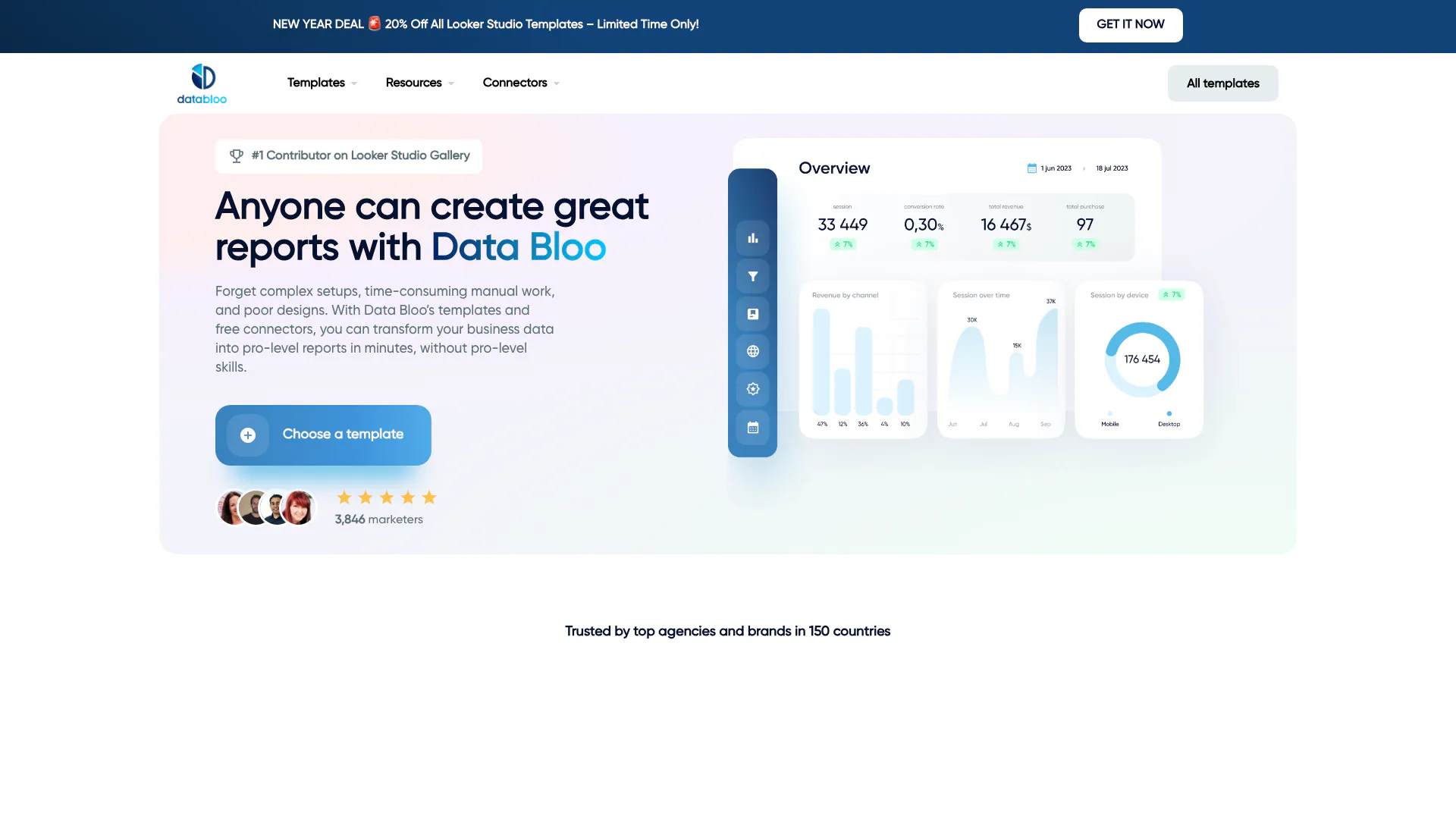
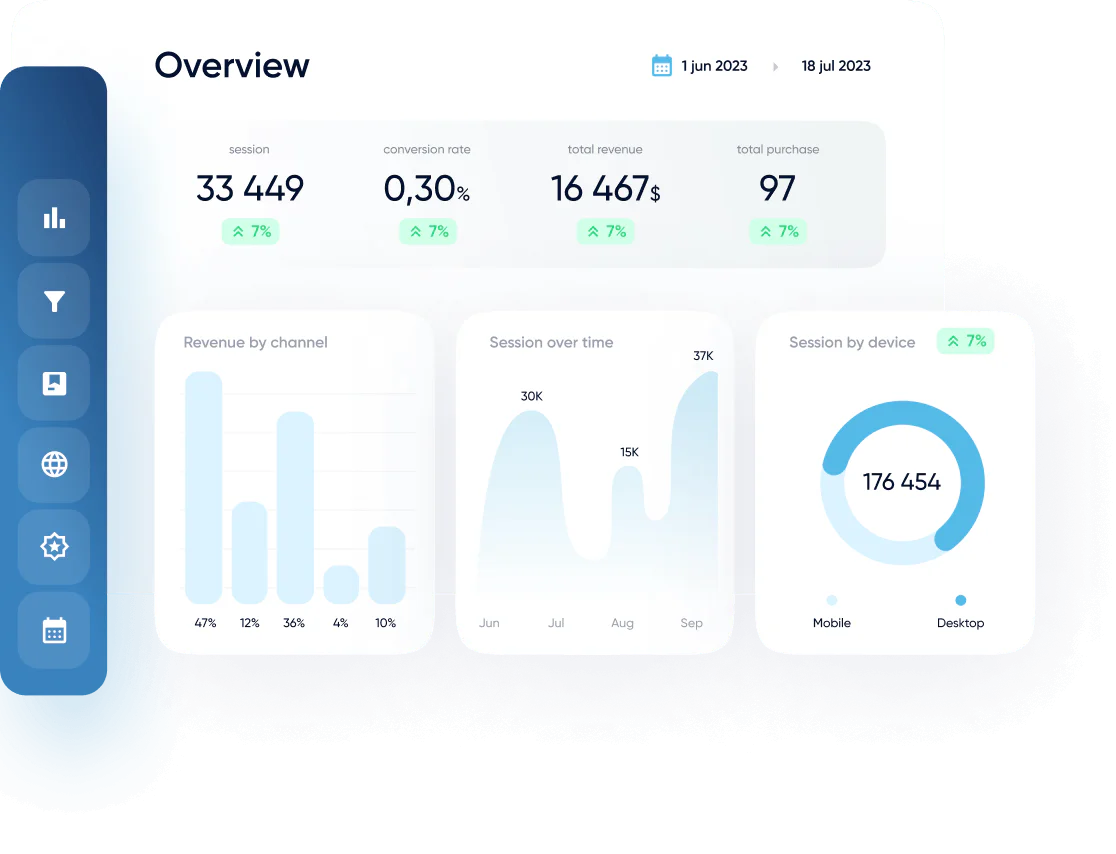
Databloo is a powerful platform that provides Google Looker Studio templates designed to help users analyze, optimize, and grow their online businesses. It simplifies the reporting process by offering a variety of marketing dashboards that allow users to visualize their data quickly and effectively. With Databloo, businesses can transform their raw data into professional-level reports without needing extensive technical skills or design expertise.
How to use Databloo?
- Select a Template: Browse through the various Looker Studio templates available on the Databloo website, tailored to different marketing needs and data sources.
- Create Your Report: Utilize the one-click setup feature to generate your report in minutes, significantly reducing the time spent on manual configurations.
- Customize & Share: Edit the report as needed, adjusting charts, filters, and branding elements, then share your insights with stakeholders through various formats such as scheduled emails or PDF exports.
What are the main features of Databloo?
- Wide Variety of Templates: Access templates for various marketing channels including Google Analytics, Google Ads, SEO, and more.
- One Click Setup: Quickly generate reports without extensive setup time, allowing for immediate data analysis.
- Customizable Reporting: Easily modify reports to fit your branding and specific reporting needs with instant edit access.
- User-Friendly Navigation: Streamlined interface that simplifies the reporting process, making it accessible for users of all skill levels.
- Data Source Integration: Connect data from multiple platforms seamlessly, enhancing the comprehensiveness of reports.
Who is Databloo for?
Databloo is designed for a diverse range of users, including digital marketers, agencies, eCommerce businesses, and small to medium-sized enterprises (SMBs). It is particularly beneficial for those who need to streamline their reporting processes, manage multiple data sources, and create visually appealing reports quickly. Whether you are a marketing professional looking to optimize campaigns or an agency managing client accounts, Databloo offers the tools necessary to enhance data-driven decision-making.
What are the use cases of Databloo?
- ECommerce Reporting: Analyze customer journeys and marketing ROI by integrating data from platforms like Google Analytics and Facebook Ads to optimize online sales strategies.
- Agency Reporting: Streamline reporting for multiple clients by using customizable templates that save time and enhance presentation quality.
- SEO Performance Monitoring: Track keyword rankings and search console metrics to measure the effectiveness of SEO strategies and make informed adjustments.
Product Images




Databloo Pros and Cons
Pros
- Wide Range of Templates: Databloo offers a diverse selection of Google Looker Studio templates tailored for various industries and marketing needs, making it easy for users to find a suitable solution.
- User-Friendly Setup: The one-click setup feature allows users to generate reports quickly, significantly reducing the time spent on manual report creation.
- Customizable Reports: Users can easily customize templates to match their specific reporting needs, including adding or removing charts and adjusting branding elements.
Cons
No cons data detected for this tool
Databloo Pricing
Template Bundles
Access multiple templates in one bundle for a comprehensive reporting solution.
For the latest pricing, please visit this link: https://www.databloo.com/templates/
Prices are subject to change. Please visit the official website for the most up-to-date pricing information.
Analytics of Databloo
Databloo Website Traffic Analysis
Visits Over Time
Traffic Sources
Oct 2025 - Dec 2025 Worldwide Desktop Only
- Search: 46.53%
- Direct: 38.34%
- Referrals: 9.67%
- Social: 4.04%
- Paid Referrals: 0.98%
- Mail: 0.16%
Top Keywords
| Keyword | Volume | CPC | Estimated Value |
|---|---|---|---|
| data bloo | 1.73K | $0.81 | $1200.00 |
| databloo | 1.73K | $0.46 | $1160.00 |
| ecommerce report template | 190 | $0.00 | $160.00 |
| databloo suport | 160 | $0.00 | $140.00 |
| data bloo power bi | 90 | $0.00 | $170.00 |
Databloo Reviews
Neil Patel: If you don’t have the time to start from scratch and create your own customized Looker Studio report, this template from Data Bloo makes it easy to see where you stand in one dashboard.
Kaushik Avinash: It is a good Looker Studio use case concept that you can apply in your dashboards, and has some interesting KPIs as well.
Hubspot: With this template you can, among other things, analyze the performance of your keywords, view your page rankings on Google and monitor the current status of your Search Console KPIs with one click.
For more reviews, visit this link: https://www.databloo.com/#reviews



Databloo Social Listening
Claude Cowork/Code保姆級完整教學:從入門到...
📌影片中提及的資源 Claude Code從入門到精通課程...
🚀实测Clawdbot彻底改变我的工作方式!一条命令部署,...
视频简介: 🔥 本期视频详细演示了2025年爆火的开源AI...
Claude Opus 4.8 发布!实测封神,强到离谱,A...
【更多资源】▶https://bittly.cc/lingd...
Unlock to view 14 social media results.