
Twitter-color Created with Sketch. Amazon-color Created with Sketch. Facebook-color Created with Sketch. github [#142] Created with Sketch. meta_fill Pinterest-color Created with Sketch. ProductHunt-color Created with Sketch. Spotify-color Created with Sketch. Threads Logo Streamline Icon: https://streamlinehq.com Yelp-color Created with Sketch. Youtube-color Created with Sketch.
TopAIToolsTopAITools
  • Free Tools
  • Category
  • Leaderboard
  • Deals
  • Submit
EN
TopAIToolsTopAITools
TopAI

TopAITools

TopAITools, The Best Top AI Tools

AI Glossary|English简体中文繁體中文한국어日本語PortuguêsEspañolDeutschFrançaisTiếng Việt|Map

© 2026 TopAITools. All rights reserved.

About

  • Privacy Policy
  • Terms of use

Contact Us

business@topaitoolsreview.com
Home
AI Video Editor
Cuto
Last updated: May 25, 2026
Cuto logo

Cuto

Get deal
4.0|0 Comments|0 Saved
Introduction:
Cuto simplifies video editing with AI-driven smart features.
Launch Date:
August 13, 2025
Monthly Visits:
--
Inputs:
VideoTabular
Outputs:
VideoText
Supported Languages:
ENZH
AI Models:
Cuto Smart Editing
Website
Free Trial
💼Work🎨Creativity
AI Video Editor198AI Video Enhancer43AI Video Creation Suite125
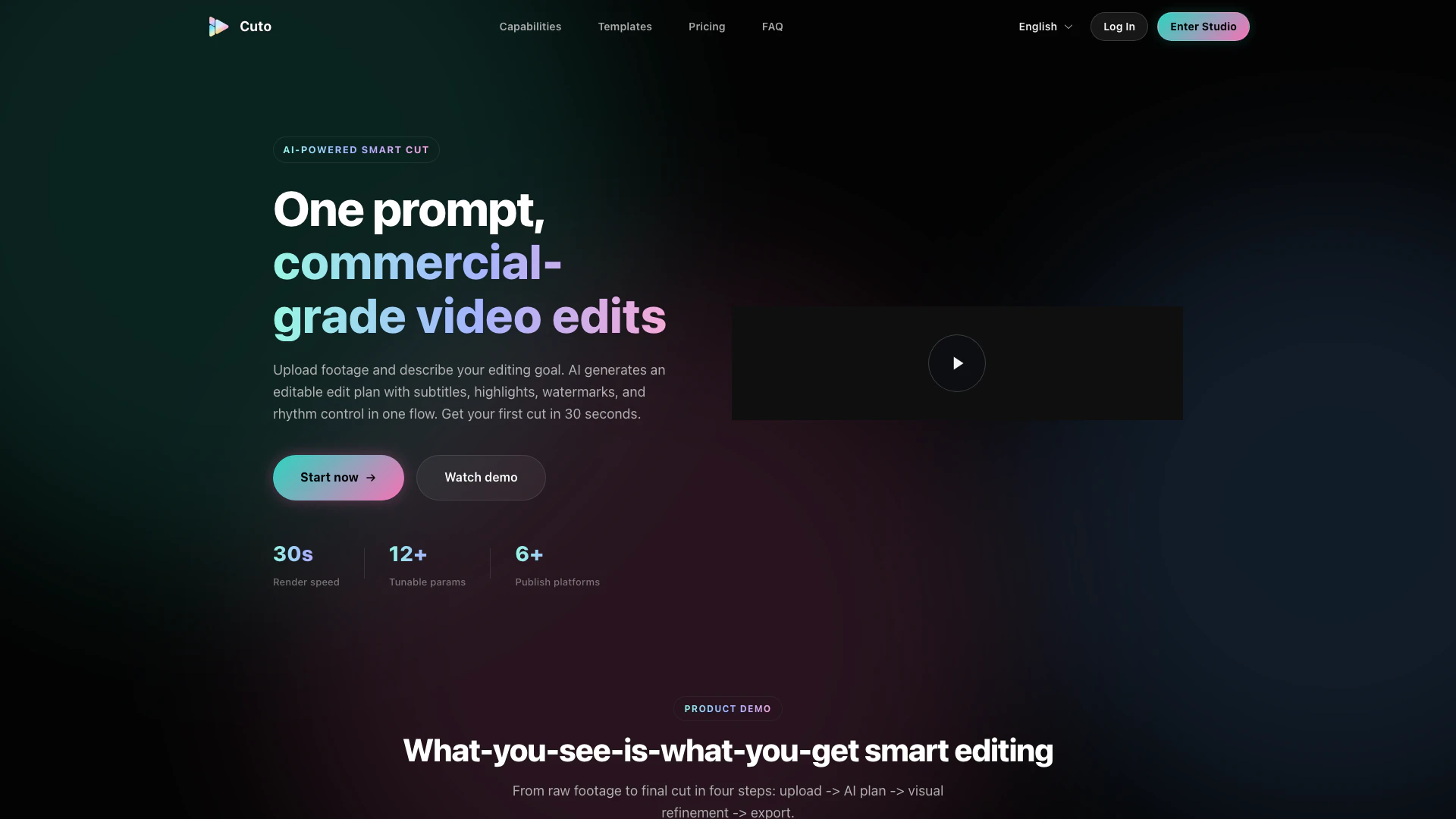
Cuto website screenshot showing Cuto simplifies video editing with AI-dr... interface and features
Use tool
Update this tool
Deepseek logo

Deepseek

DeepSeek focuses on pioneering general AI technologies and models.

Linkedin logo

Linkedin

Connect with professionals worldwide on LinkedIn.

Box logo

Box

Box AI enhances enterprise productivity with intelligent content management and automation.

Gmail Gpt logo

Gmail Gpt

GPT for Gmail™ | AI Email Assistant | Gemini - Google Workspace Marketplace

Deepseek V4 logo

Deepseek V4

Explore cutting-edge AI models with Deepseek.

Cuto Overview

What is Cuto?

Cuto is an AI-powered[1] smart video editing tool that streamlines the video creation process by enabling users to upload footage and describe their editing goals. The platform utilizes advanced AI algorithms to generate an editable edit plan that includes subtitles, highlights, branded watermarks, and rhythm control, all within a single workflow. With Cuto, users can achieve commercial-grade video edits in as little as 30 seconds, making it ideal for content creators looking to enhance their video production efficiency.


How to use Cuto?

  1. Upload Footage: Start by dragging and dropping up to 12 video clips into the Cuto workspace. You can also upload external subtitle files in .srt or .vtt format.
  2. Generate AI Plan: Describe your editing goal in natural language. The AI will analyze the footage and create an editable plan that includes clip segmentation, transitions, and rhythm adjustments.
  3. Visual Refinement: Use the visual timeline to fine-tune your clips. Adjust subtitles, highlights, and watermarks in real-time to achieve your desired look.
  4. Export and Publish: Once satisfied with your edits, render the video in one click and generate platform-ready titles, descriptions, and hashtags for distribution across multiple platforms.

What are the main features of Cuto?

  • AI-Driven Smart Editing[2]: Automatically generates an edit plan based on user-defined goals, streamlining the editing process.
  • Subtitle and Highlight Enhancement: Provides automatic subtitle generation and key info highlighting in one panel.
  • Branded Watermarking: Users can customize watermarks, including content, position, and visual styles.
  • Multi-Platform Publishing: Generates platform-ready titles, descriptions, and hashtags for various social media outlets.
  • Three Editing Modes: Offers visual timeline, form parameters, and raw JSON editing options to cater to different user preferences.
  • Built-in Scene Templates: Features pre-designed templates for different content types, such as unboxing and educational videos.

Who is Cuto for?

Cuto is designed for content creators, marketers, and social media managers who need an efficient way to produce high-quality video content. It is particularly beneficial for individuals and teams looking to enhance their video editing capabilities without the need for extensive technical skills. Whether you're a small business owner wanting to create promotional videos, a social media influencer aiming to produce engaging content quickly, or an educational professional needing to create informative videos, Cuto offers the tools necessary to streamline the editing process and improve productivity.


What are the use cases of Cuto?

  1. Product Launch Videos: Quickly create engaging promotional content to highlight new products in a visually appealing format.
  2. Social Media Clips: Generate short, impactful videos for platforms like Instagram Reels and TikTok, utilizing smart highlights and branded watermarks.
  3. Educational Content: Edit longer instructional videos into concise segments that emphasize key points and maintain viewer engagement.

Product Images

Cuto product overview

Cuto Pros and Cons

Pros

  • AI-Powered Smart Editing: Cuto offers AI-driven editing that generates an editable plan based on user input, allowing for quick and efficient video production.
  • Multi-Platform Publishing: The tool supports exporting to multiple platforms like YouTube Shorts, Instagram Reels, and TikTok, making it versatile for content creators.
  • Visual Refinement Tools: Cuto provides a visual timeline for fine-tuning clips, subtitles, and highlights, enhancing user control over the editing process.

Cons

No cons data detected for this tool

Cuto Pricing

Lite

$19/month

Great for personal trial and light usage. Entry-level credit allocation, full workflow available, low-risk trial.

Pro

$39/month

Best for professional creators and social teams. Higher credit ceiling, better value for frequent exports, priority fast rendering, stable commercial output.

Ultra

$79/month

Built for studios and batch production. Large credit quota, high-concurrency production, batch-friendly operations.

For the latest pricing, please visit this link: https://cuto.video/#pricing

Prices are subject to change. Please visit the official website for the most up-to-date pricing information.

Cuto Compare

Tool NameIntroductionPricing
Type
RatingLaunch DateLearn more
Quillbot Paraphraser logo
Quillbot Paraph...
Paraphrasing Tool (Ad-Free and No Sign-up Required) - QuillBot AI
Free
💼Work🎨Creativity
December 31, 1984
Get deal
Facetune logo
Facetune
Edit your selfies to get the results you want with powerful and easy-to-use tools. Give your selfies the VIP treatment. Touch up, reshape & apply digital makeup.
Free
🙋‍♂️Personal🎨Creativity
December 1, 2012
Get deal
Steamship logo
Steamship
Build, scale, and monitor AI Agents.
Free
💼Work
September 13, 1996
Get deal

Info current as of post date. Offers and availability may vary by location and are subject to change.

Cuto Q&A

Cuto smart editing is AI-driven. You upload footage and describe your goal, then AI generates an editable plan so you do not start from a blank timeline.

For more FAQs, please visit this link: https://cuto.video/#faq

Cuto Launch embeds

Use website badges to drive support from your community for your TopAITools Review. They're easy to embed on your homepage or footer.

FEATURED ONTopaitoolsreview.com

Cuto Alternatives

Capcut screenshot

Capcut

CapCut is a comprehensive online creative suite for video editing and graphic design.

Website
Free
💼Work🎨Creativity
Video & AnimationAI Video EditorAI Video Creation SuiteAI Creative Video Production
  • Video & Animation
  • AI Video Editor
  • AI Video Creation Suite
  • AI Creative Video Production
Use tool
63.5M
Direct52.20%
Search43.42%
Referrals2.25%
Pixverse screenshot

Pixverse

PixVerse transforms your ideas into stunning AI-generated videos.

Website
Free
🎨Creativity
Video & AnimationAI Video GeneratorAI Text to VideoAI Video Creation Suite
  • Video & Animation
  • AI Video Generator
  • AI Text to Video
  • AI Video Creation Suite
Use tool
6.8M
Search47.92%
Direct47.74%
Referrals2.28%

Cuto Tags

AI Video EditingSmart EditingSubtitle GenerationHighlight EnhancementBranded WatermarkingMulti-Platform PublishingContent CreationVideo Export

Also used for

AI Video Editor198AI Video Enhancer43AI Video Creation Suite125AI Creative Video Production33AI Image and Video Synthesis64AI Video and Image Creator47AI Creative Video Production31AI Video and Image CreatorAI Creative Video and Image Generation25AI Creative Video Content Generator97AI Professional Video Production34AI Creative Multimedia Generator1Ai Character Consistent Video Generator21AI Watermark Removal Tool10Video Compression Tool9

Sources (2)

Cuto logo
CutoFree
Get deal

Cuto Comments (0)

Your rating

?
0/2000

No comments yet

Be the first to share your thoughts!

Cuto Prompts (0)

Prompts And Results

Add your own prompts and outputs to help others understand how to use this AI.

🚀0
🚀0


