Checkpoint64

What is Checkpoint64?
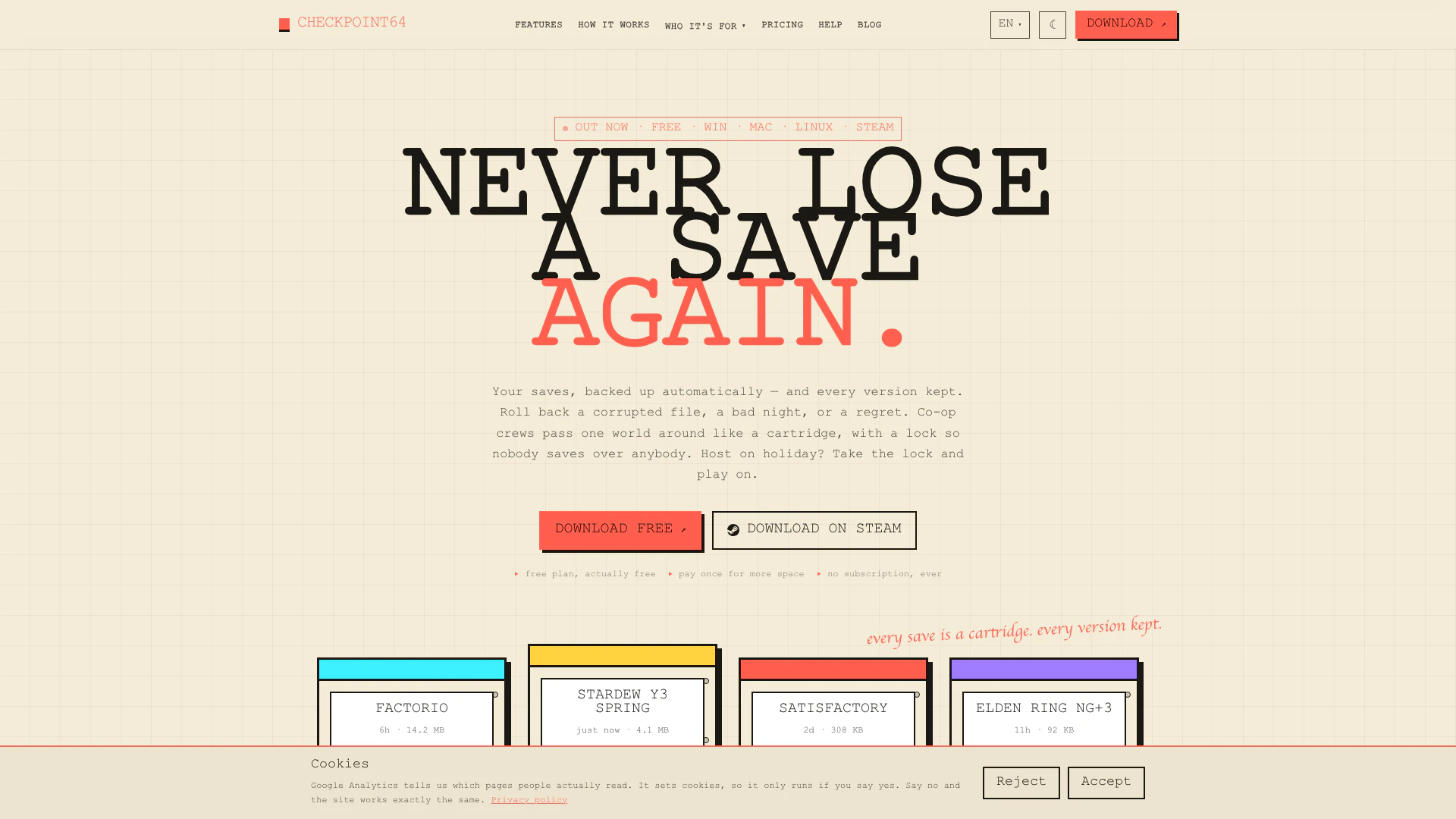
Checkpoint64 is an innovative tool designed for gamers to automate the backup process of their game saves across various platforms. With its ability to roll back corrupted saves and maintain a full version history, it offers players peace of mind when playing their favorite titles like Minecraft, Stardew Valley, and Elden Ring. This tool is compatible with over 140 games and provides unique features such as co-op locks and efficient file uploads, making it an essential utility for both solo and multiplayer gaming experiences. Available for free on Windows, Mac, and Linux, Checkpoint64 is built by gamers for gamers, ensuring that your hard-earned progress is always safe and secure.
How to use Checkpoint64?
- Download and install Checkpoint64 from the official website or Steam.
- Launch the application and select the game you want to back up from the preset options.
- Configure the backup settings, choosing which files to include and setting up co-op locks if necessary.
- Start playing your game; Checkpoint64 will automatically back up your game saves in real-time.
- To restore a backup, open Checkpoint64, select the desired version from the version history, and hit 'Restore'. Your game will revert to the chosen save point without confusion over file versions.
What are the main features of Checkpoint64?
- Automatic Cloud Backup: Ensures your game saves are continuously backed up without manual intervention.
- Full Version History: Access every version of your game saves, allowing easy restoration of previous states.
- Co-op Locks: Manage multiplayer worlds where one player holds the save lock, preventing conflicts during play.
- Efficient Uploads: Only changed files are uploaded, saving bandwidth and storage space.
- Compatibility with 140+ Games: Works seamlessly with popular titles like Minecraft, Stardew Valley, and Elden Ring.
- Share Codes for Community Worlds: Create join codes for others to access your world without overwriting it.
- Logbook Feature: Keeps track of all actions performed in the app, ensuring accountability among co-op players.
Who is Checkpoint64 for?
Checkpoint64 is designed for gamers who want to protect their progress and enhance their gaming experience. It is particularly beneficial for players who engage in long sessions of games like Factorio or Elden Ring, where losing saves can be devastating. Additionally, it caters to multiplayer gamers who need a reliable way to manage shared worlds and prevent conflicts during co-op play. Whether you are a casual player or a dedicated gamer, Checkpoint64 offers valuable tools to ensure your game saves are secure and easily manageable.
What are the use cases of Checkpoint64?
- Backup and Restore Game Saves: Use Checkpoint64 to back up your progress in games like Elden Ring, allowing you to restore your game if something goes wrong.
- Manage Co-op Game Worlds: Perfect for multiplayer games, it enables one player to manage the world while others can download updates without conflicts.
- Community World Sharing: Ideal for gamers running community servers, enabling easy sharing of game saves with join codes while maintaining control over the original files.
Checkpoint64 Pros and Cons
Pros
- Automatic Cloud Backup: Checkpoint64 automatically backs up your game saves to the cloud, ensuring that your progress is always secure and recoverable.
- Version History Management: The tool allows you to access a full version history of your game saves, enabling easy restoration of previous versions if needed.
- Multi-Game Support: Checkpoint64 supports over 140 games, including popular titles like Minecraft and Elden Ring, making it versatile for various gamers.
Cons
- Limited Platform Support: Currently, Checkpoint64 is only available for Windows, Mac, and Linux, which may exclude users on other operating systems.
Checkpoint64 Pricing
Free Plan
Free plan with 20 MiB cloud storage per space. Join up to 3 friends’ teams. Auto-backup and full version history included.
Lifetime Plan
Lifetime plan with 1 GiB storage per space. Pay once and your saves outlive your GPU. Includes auto-backup and full version history.
Pro Plan
Pro plan with 5 GiB storage per space. Monthly subscription with the ability to join up to 8 friends’ teams. Includes everything in Free, plus priority bandwidth and co-op locks.
For the latest pricing, please visit this link: https://checkpoint64.com/pricing
Prices are subject to change. Please visit the official website for the most up-to-date pricing information.