Chatgpt Add In For Outlook
What is ChatGPT Add In For Outlook?
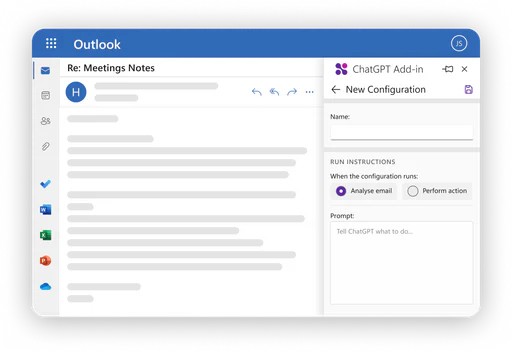
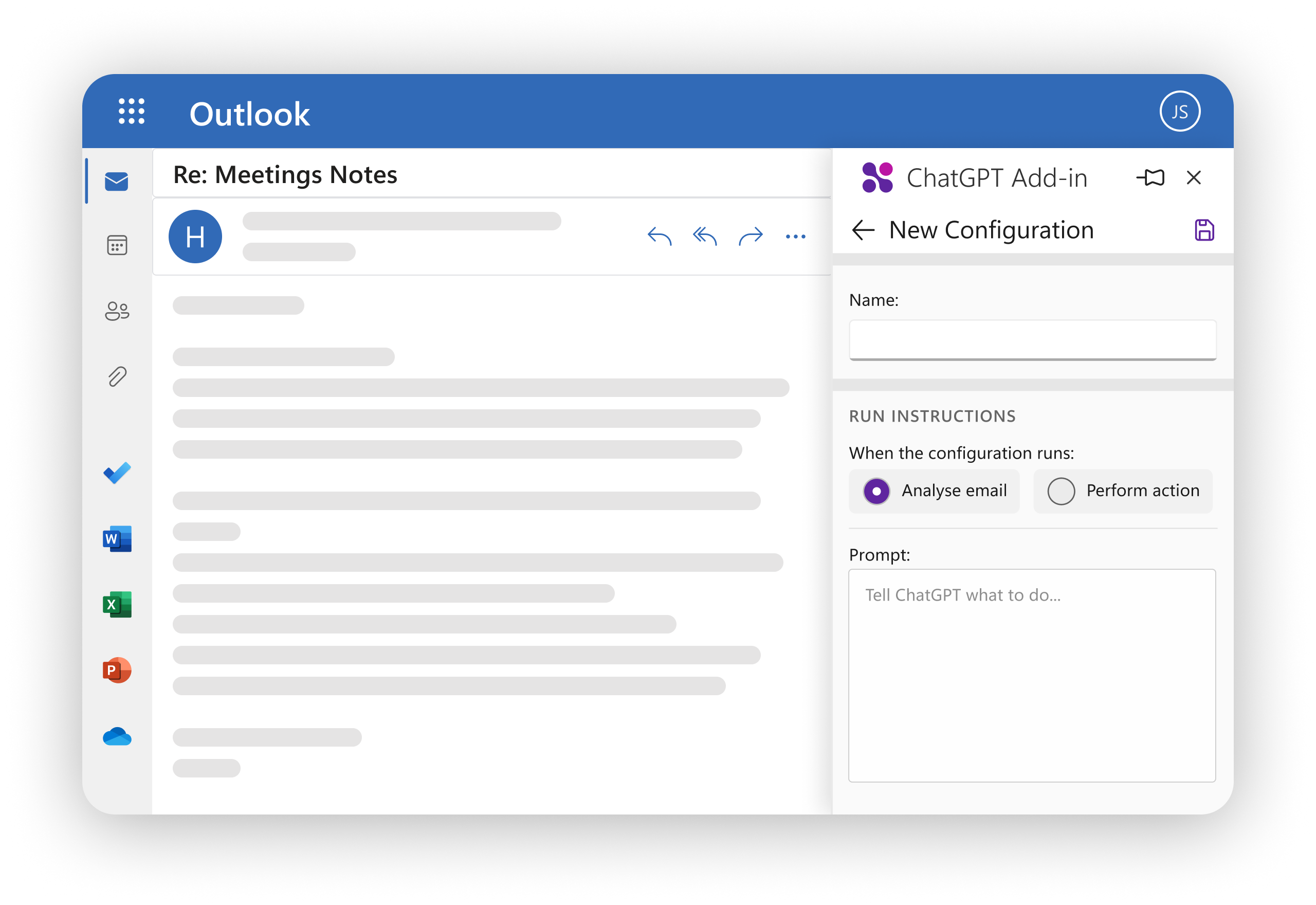
ChatGPT Add In For Outlook is an innovative tool designed to integrate the powerful capabilities of ChatGPT directly into your Outlook email client. This add-in allows users to leverage AI-driven responses and insights on their emails, making it easier to manage and process information effectively. By utilizing custom prompts, users can generate summaries, highlights, and manage email importance directly within their Outlook environment, enhancing productivity and efficiency in communication.
How to use ChatGPT Add In For Outlook?
- Install the ChatGPT Add In for Outlook using your Microsoft 365 account.
- Obtain your ChatGPT API key to enable the add-in functionalities.
- Open Outlook and navigate to your inbox or compose a new email.
- Use the add-in to create custom prompts that guide ChatGPT in generating relevant email summaries or highlights.
- Choose whether to process the entire email or specific parts, such as the body, subject, or attachments.
- Review the output displayed in a separate window and replace the original email content if needed.
- Manage multiple configurations for different emails or scenarios based on your preferences.
What are the main features of ChatGPT Add In For Outlook?
- Create custom prompts for tailored AI responses.
- Process entire emails or filter specific parts for targeted information.
- View generated output in a separate window for easy comparison.
- Automatically update email importance based on AI-generated insights.
- Manage multiple configurations for different scenarios and preferences.
Who is ChatGPT Add In For Outlook for?
ChatGPT Add In For Outlook is ideal for professionals, businesses, and teams that rely heavily on email communication. It is designed for users who wish to enhance their email management process, including those in roles such as project management, customer support, and sales, where quick access to relevant information and effective communication is crucial. This tool is also beneficial for organizations looking to improve productivity and streamline their email workflows.
What are the use cases of ChatGPT Add In For Outlook?
- Quickly summarize lengthy email threads to identify key points and decisions.
- Generate highlights for important emails to ensure critical information is easily accessible.
- Automatically flag emails as important based on AI-generated assessments to prioritize responses.
Chatgpt Add In For Outlook Pros and Cons
Pros
- Custom Prompts: Users can create custom prompts to guide ChatGPT in generating relevant summaries or highlights based on their needs.
- Selective Processing: The tool allows users to process the entire email or only specific parts, which helps in focusing on the most relevant information.
- Output Management: It displays the output in a separate window for easy comparison, which enhances the user experience.
- Multiple Configurations: Users can manage multiple configurations for different emails or scenarios, offering flexibility in usage.
Cons
No cons data detected for this tool
Analytics of Chatgpt Add In For Outlook
Chatgpt Add In For Outlook Website Traffic Analysis
Visits Over Time
Traffic Sources
Oct 2025 - Dec 2025 Worldwide Desktop Only
- Direct: 42.11%
- Search: 39.54%
- Referrals: 9.48%
- Social: 7.01%
- Paid Referrals: 1.18%
- Mail: 0.14%
Top Keywords
| Keyword | Volume | CPC | Estimated Value |
|---|---|---|---|
| chatgpt for outlook | 530 | $3.56 | $80.00 |
| chatgpt add-in for outlook | 170 | $0.00 | $150.00 |
| chatgpt addon outlook | 130 | $0.00 | $120.00 |
| outlook chatgpt addin | 70 | $0.00 | $60.00 |
| integrate chatgpt with outlook | 40 | $0.00 | $40.00 |