Captionrich




What is Captionrich?
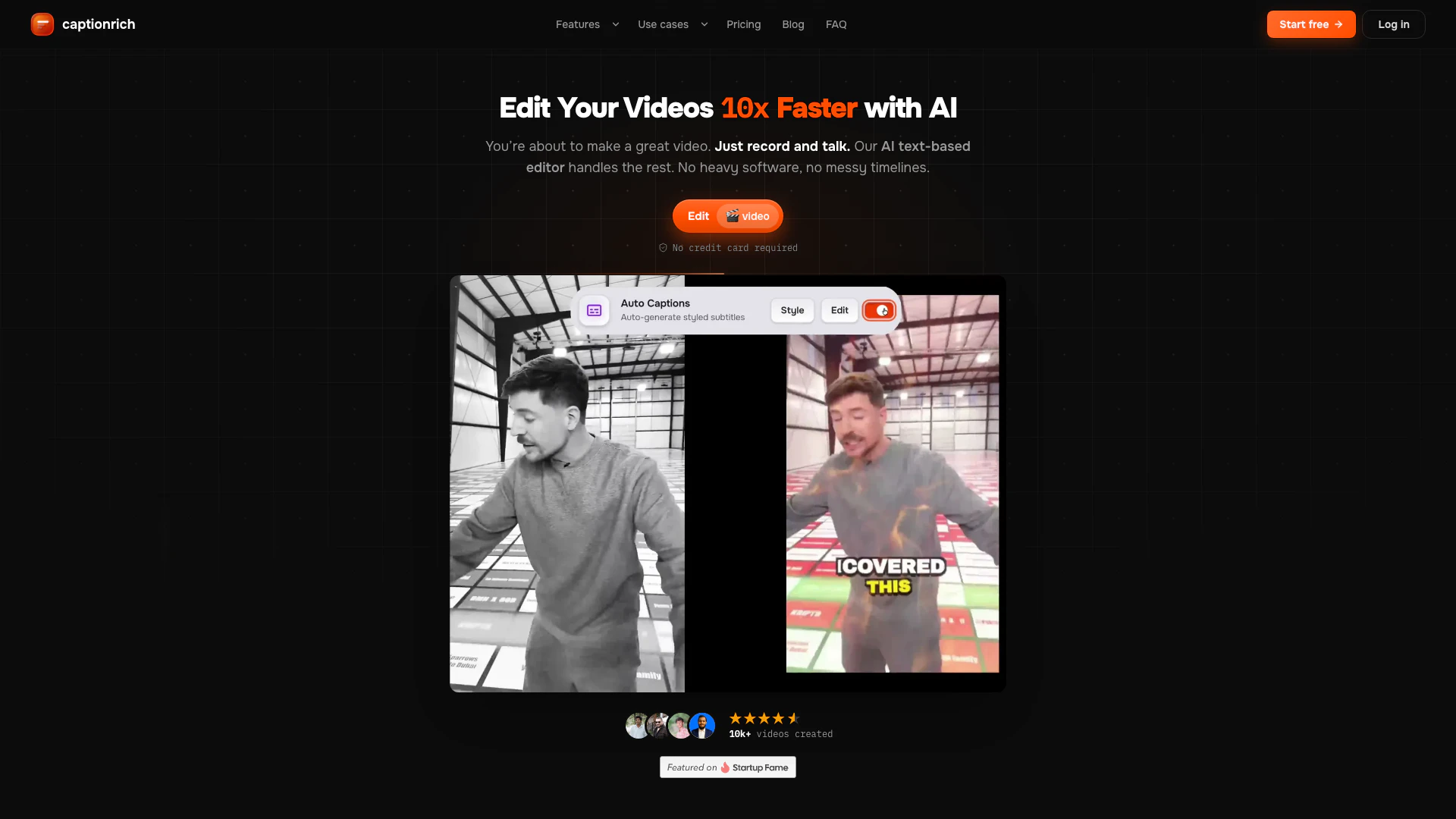
Captionrich is an innovative AI-powered, text-based video editor designed to simplify video editing by allowing users to edit their videos as easily as editing text. It enables creators to cut, add B-roll, incorporate sound effects, and apply motion graphics while automatically generating 99% accurate animated captions in over 50 languages. This tool operates entirely in the browser, making it accessible and user-friendly, catering to a wide range of users from casual content creators to professional marketers.
How to use Captionrich?
- Drop your video: Upload your video in any format such as MP4, MOV, or WebM. You can use videos of any length and orientation, whether portrait or landscape.
- Style & edit: Choose from over 40 caption styles. Edit the transcript directly by selecting text, and utilize AI features like silence removal, bad takes detection, and B-roll insertion. You can also trust the default settings for a quick edit.
- Export & post: Once you are satisfied with your edits, download your finished video as an MP4 file, ready to be shared on platforms like TikTok, Reels, or Shorts.
What are the main features of Captionrich?
- AI-Powered Editing: Edit your video by simply modifying the transcript, allowing for seamless and intuitive changes.
- 99% Accurate Captions: Automatically generate captions in over 50 languages, ensuring clarity and accessibility.
- One-Click Edits: Utilize features like auto-trim for silences, detection of bad takes, and smart jump cuts to streamline your editing process.
- B-Roll and Motion Graphics: Easily add B-roll, GIFs, and motion graphics to enhance your video content.
- Word-Level Editing: Edit at the word level with options to highlight, retime, split, merge, or delete words in the transcript.
- Export Options: Export selected clips as standalone videos with just one click.
Who is Captionrich for?
Captionrich is built for anyone who creates and shares video content, making it ideal for social media influencers, marketers, podcasters, educators, and businesses. Whether you are looking to enhance your brand's presence on platforms like TikTok and Instagram or need to produce educational content that is accessible to a global audience, Captionrich provides the tools necessary to streamline your video editing process and improve viewer engagement.
What are the use cases of Captionrich?
- Social Media Creators: Perfect for TikTok, Instagram Reels, and YouTube Shorts, where quick edits and engaging captions can boost viewer engagement.
- Podcasters: Transform long podcast episodes into short, shareable clips that are polished and ready for social media.
- Educators: Make learning materials accessible by adding captions in multiple languages, enhancing comprehension for diverse audiences.
Captionrich Pros and Cons
Pros
- AI-Powered Editing: AI-powered video editing that allows users to edit videos by simply modifying the transcript.
- Multilingual Captions: Offers 99% accurate animated captions in over 50 languages, enhancing accessibility and reach.
- Advanced Editing Features: Includes features like auto-clipper, smart scenes, and automatic removal of bad takes, making editing efficient.
- Browser-Based Convenience: User-friendly interface that allows editing directly in the browser without the need for complex software.
- Reversible Edits: Every edit is reversible with unlimited undo/redo options, providing flexibility during the editing process.
Cons
- Integration Limitations: Currently, it may have limitations on integration with certain video platforms or formats.
- Learning Curve: Users may need to familiarize themselves with the AI features to maximize the tool's potential.
Captionrich Pricing
Free
Try the workflow end-to-end. 3 videos per month, up to 3 minutes per video, no watermark, one-click captioning with 99% accuracy, state-of-the-art AI transcription, all 40+ caption styles in 5 categories, 50+ language auto-detection, smart cuts, mobile-responsive editor, per-word editing, unlimited undo, drag-to-reposition captions, export captions (.srt) file, local editing only.
Pro
For creators posting weekly. 50 videos per month, up to 4 minutes per video, 5M AI tokens/mo, no watermark, AI translation to 50+ languages, save up to 5 projects in the cloud, auto clipper for 5 long videos/mo, dual captions, priority transcription queue, full timeline editor, email support.
Max Pro
Best Value for teams, agencies, and power users. 120 videos per month, up to 7 minutes per video, 10M AI tokens/mo, no watermark, AI translation to 50+ languages, save up to 5 projects in the cloud, auto clipper for 10 long videos/mo, dual captions, priority support.
For the latest pricing, please visit this link: https://captionrich.com/pricing
Prices are subject to change. Please visit the official website for the most up-to-date pricing information.