Buildinpublic


What is Buildinpublic?
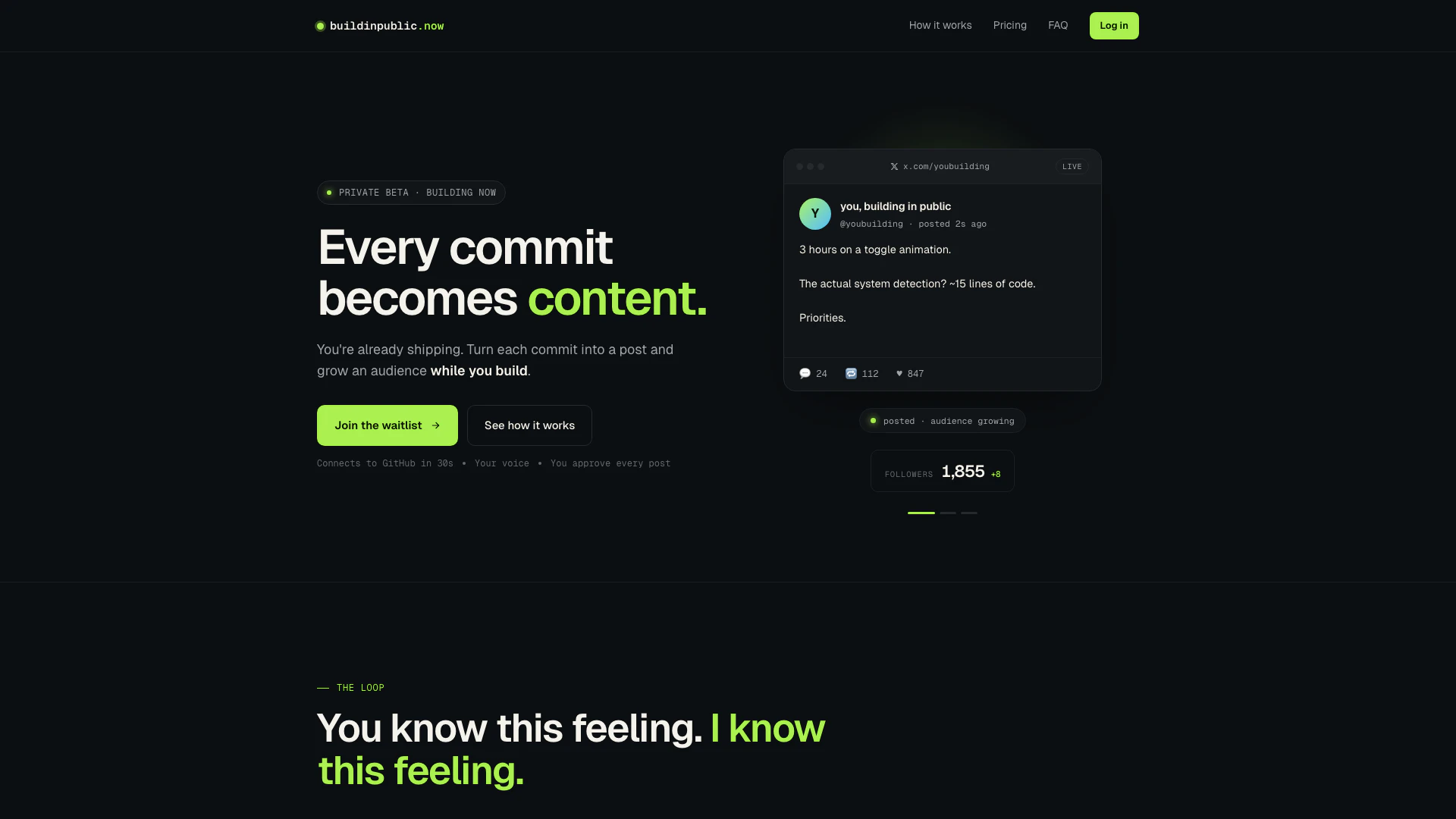
Buildinpublic is an innovative tool designed to transform your GitHub commits into tweet drafts automatically. It allows developers to share their progress and engage with their audience without the added burden of self-promotion. By leveraging the content already present in your commit messages, Buildinpublic helps you build in public, fostering a community around your projects while you focus on coding.
How to use Buildinpublic?
- Connect your GitHub account: Sign up for Buildinpublic and link your GitHub repository. This process takes about 30 seconds.
- Push code: As you commit changes to your repository, Buildinpublic will listen in the background, automatically gathering content from your commit messages and diffs.
- Approve and ship posts: Review the drafted posts created from your commits, approve them with a single tap, and schedule for peak posting times or let them auto-post to your audience.
What are the main features of Buildinpublic?
- Automatic draft generation from GitHub commits, turning your commit messages into engaging posts.
- Customizable voice profile that ensures the posts reflect your unique tone and style.
- Simple approval process for each draft, allowing you to maintain control over what gets published.
- Scheduling options to post during optimal engagement times.
- Support for multiple pricing plans catering to different user needs, from solo developers to power users.
Who is Buildinpublic for?
Buildinpublic is ideal for developers, solo entrepreneurs, and product builders who want to share their development journey and engage with an audience without the hassle of traditional marketing. It caters to individuals who are already committed to shipping products but struggle with self-promotion, making it a perfect fit for those looking to build a personal brand or community around their projects.
What are the use cases of Buildinpublic?
- Developers can share their daily progress on projects, turning mundane commit messages into engaging stories for their audience.
- Entrepreneurs can document their journey of building a startup, attracting followers and potential customers along the way.
- Product teams can use Buildinpublic to showcase feature releases and updates, keeping their user base informed and engaged.
Buildinpublic Pros and Cons
Pros
- Automated Content Creation: Buildinpublic automatically converts GitHub commits into tweet drafts, saving time and effort for developers who want to share their progress.
- User-Friendly Approval Process: Users can easily approve, schedule, or auto-post their drafts with just one tap, making it convenient to share updates.
- Tailored Voice Profiles: The tool creates drafts in the user's voice by analyzing past tweets and commit history, ensuring authentic and engaging content.
Cons
No cons data detected for this tool
Buildinpublic Pricing
Solo
For the curious. Connect one repo, see the magic. - 1 connected repo - 5 drafts/month - 5 regenerations/month
Builder
For serious builders shipping every week. - Up to 3 connected repos - 50 drafts/month - 20 regenerations/month
Developer
For power users shipping every day. - Unlimited repos - Unlimited drafts - 50 regenerations/month - 10 thread generations/month
For the latest pricing, please visit this link: https://www.buildinpublic.now/#pricing
Prices are subject to change. Please visit the official website for the most up-to-date pricing information.