

Boords
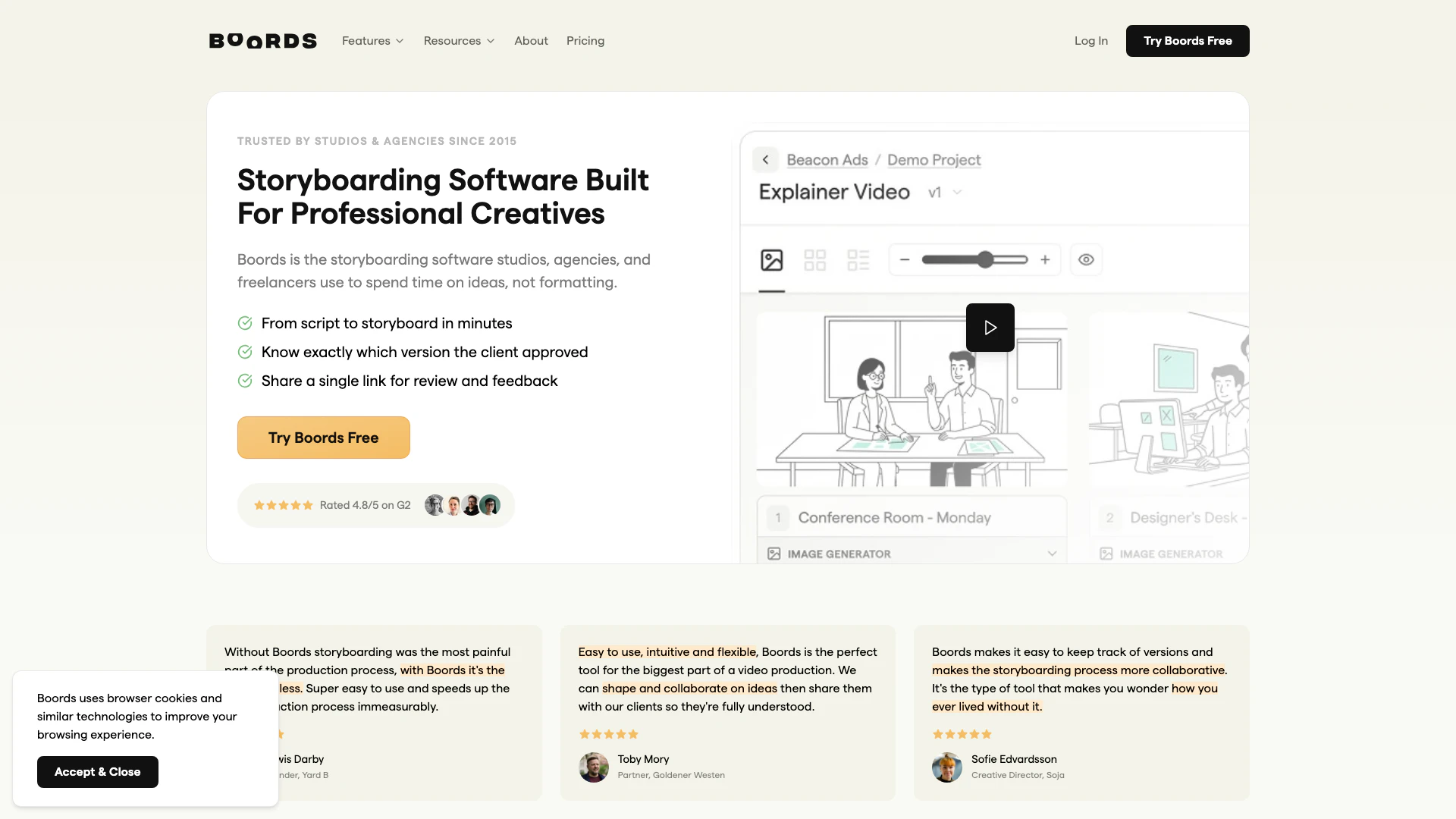


What is Boords?
Boords is a powerful storyboard software[1] designed for video professionals, enabling seamless collaboration and client approval[3] throughout the creative process. Trusted by over 1 million users, Boords simplifies storyboarding by allowing teams to focus on ideas rather than formatting. It provides tools for creating storyboards from scripts, facilitates team collaboration[2], and enables animatic export[4]s, making it an essential tool for studios, agencies, and freelancers alike.
How to use Boords?
- Sign up for a free account on the Boords website to get started without needing a credit card.
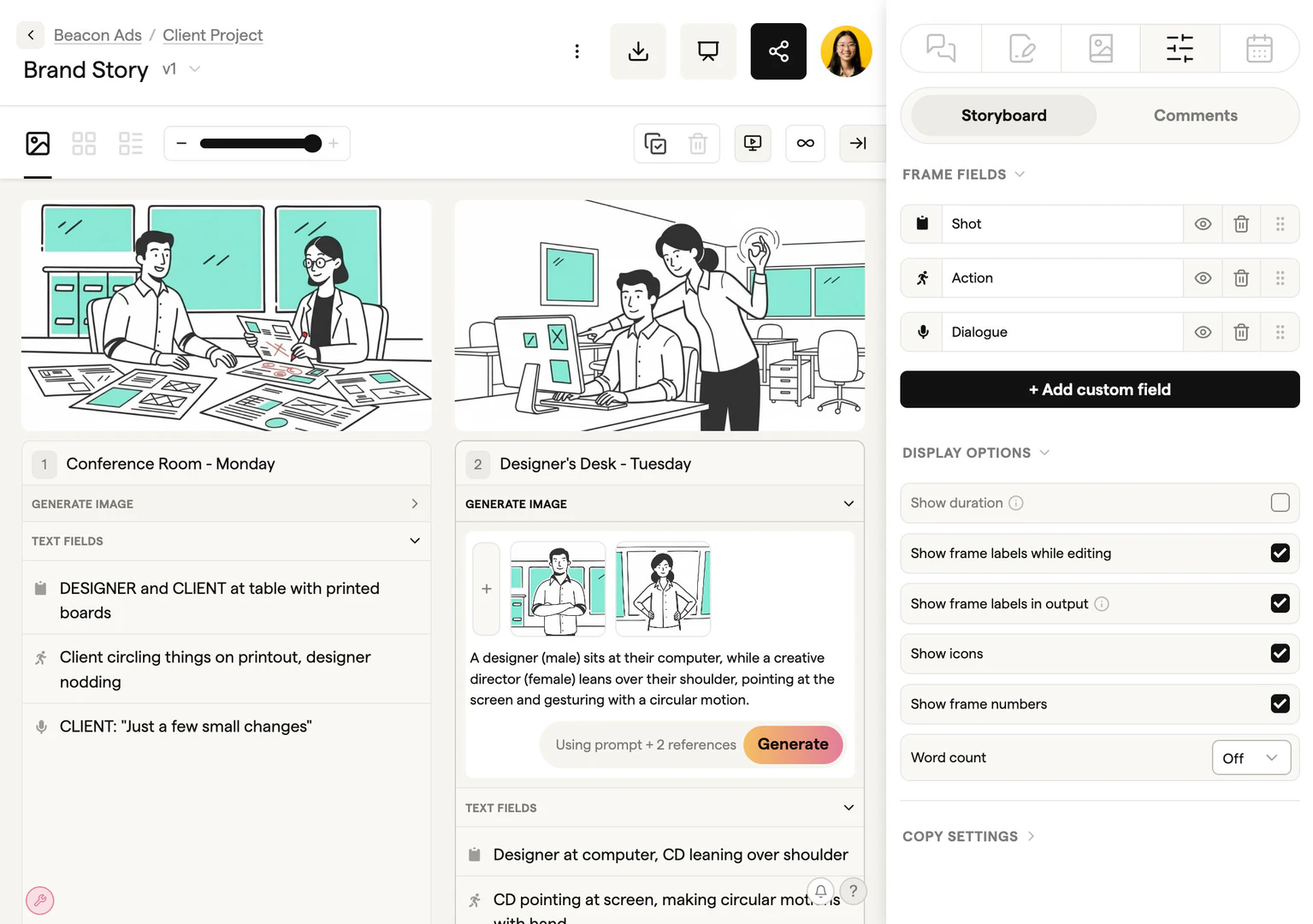
- Create a new storyboard by importing your script or using the storyboard creator to add frames.
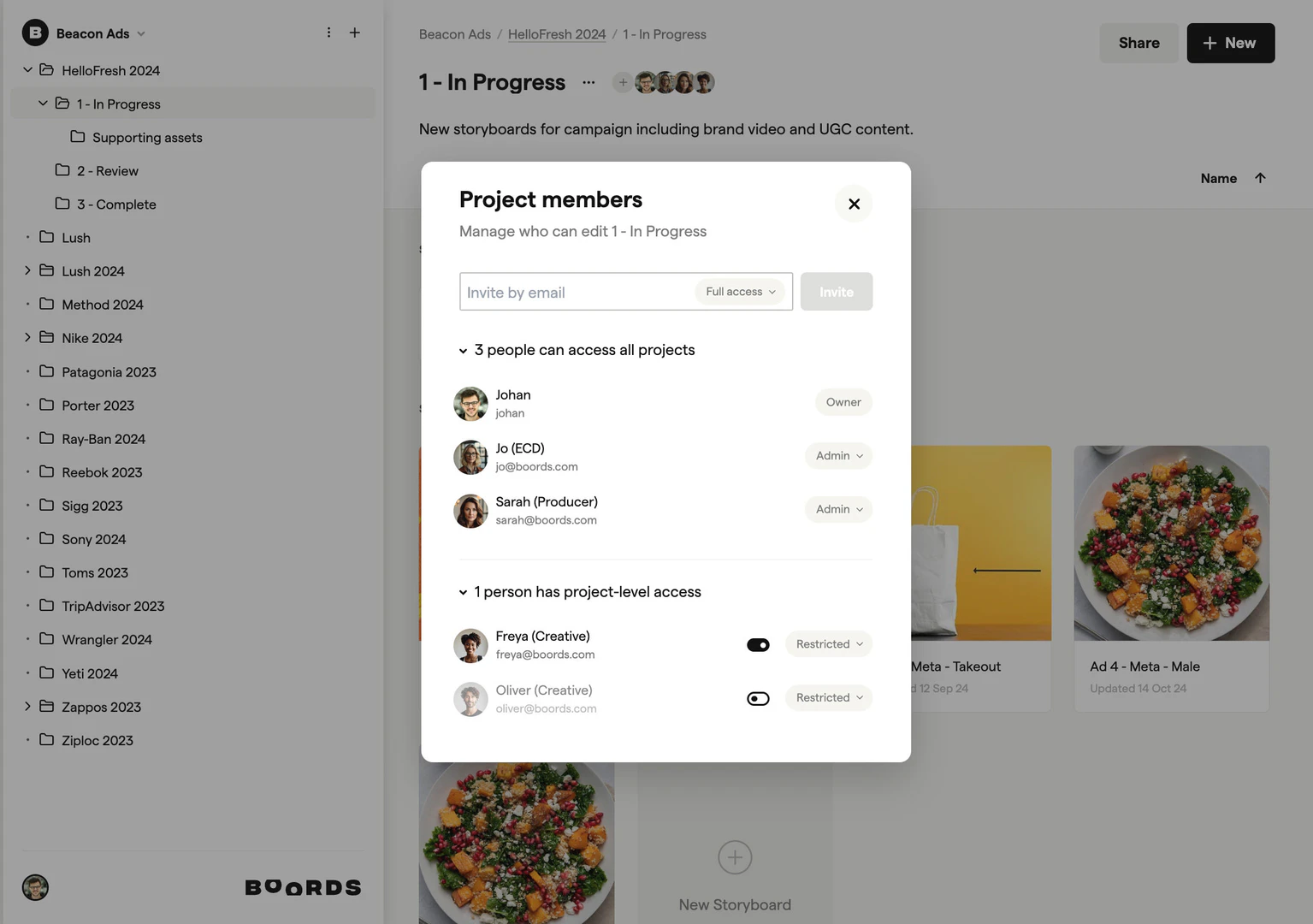
- Share your storyboard with team members and clients using secure links for feedback and collaboration.
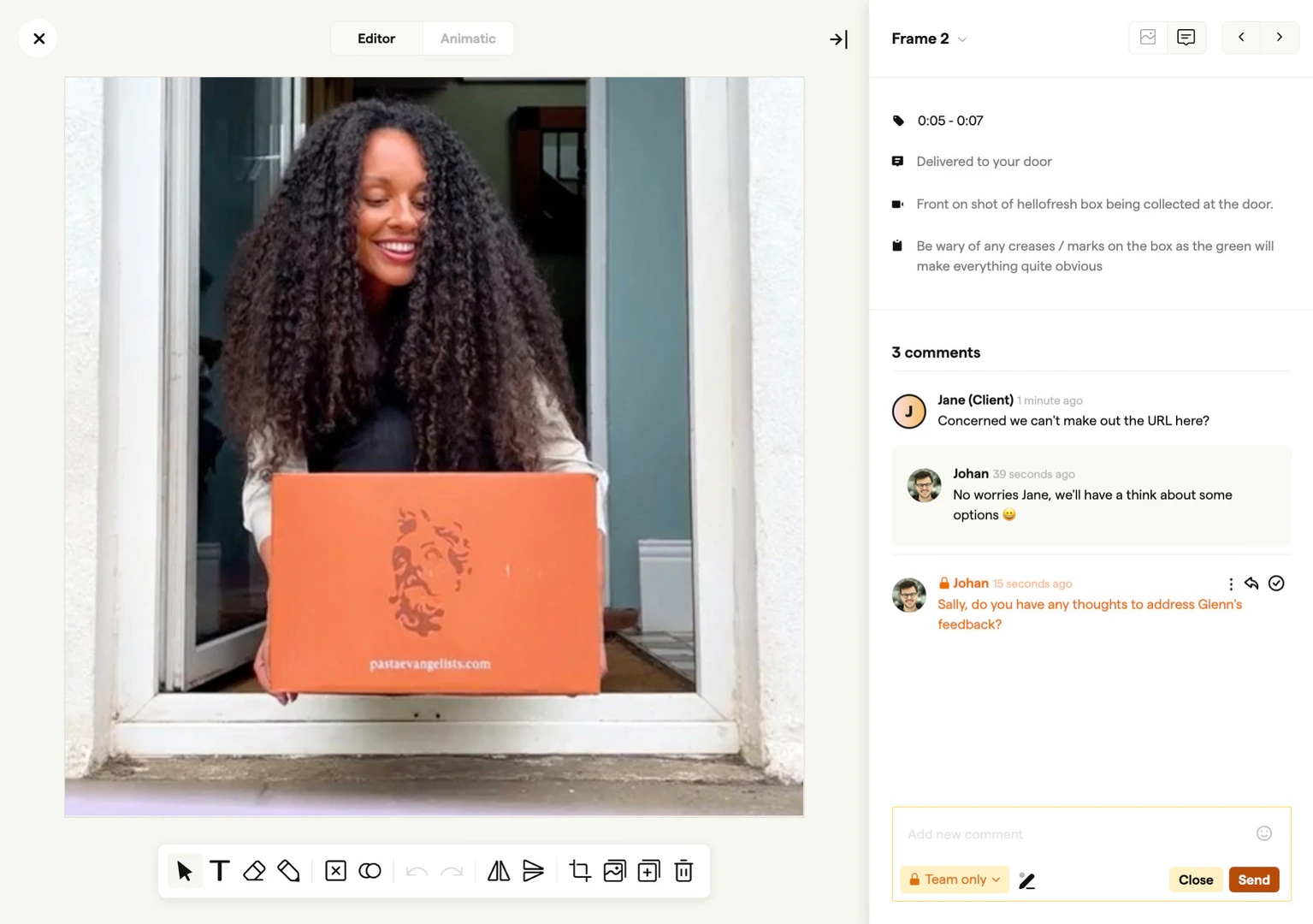
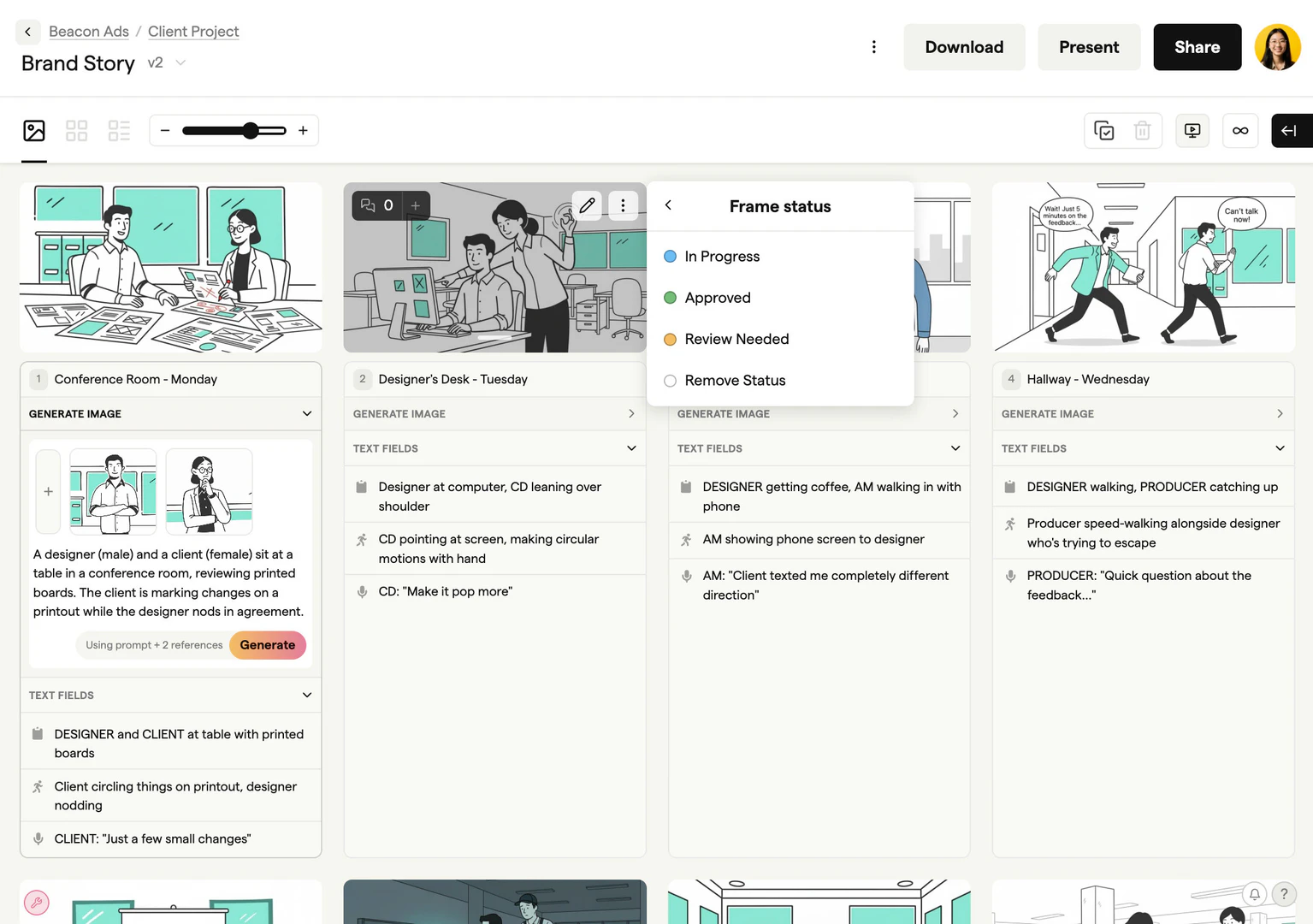
- Utilize the commenting feature to gather frame-specific notes and track approval statuses.
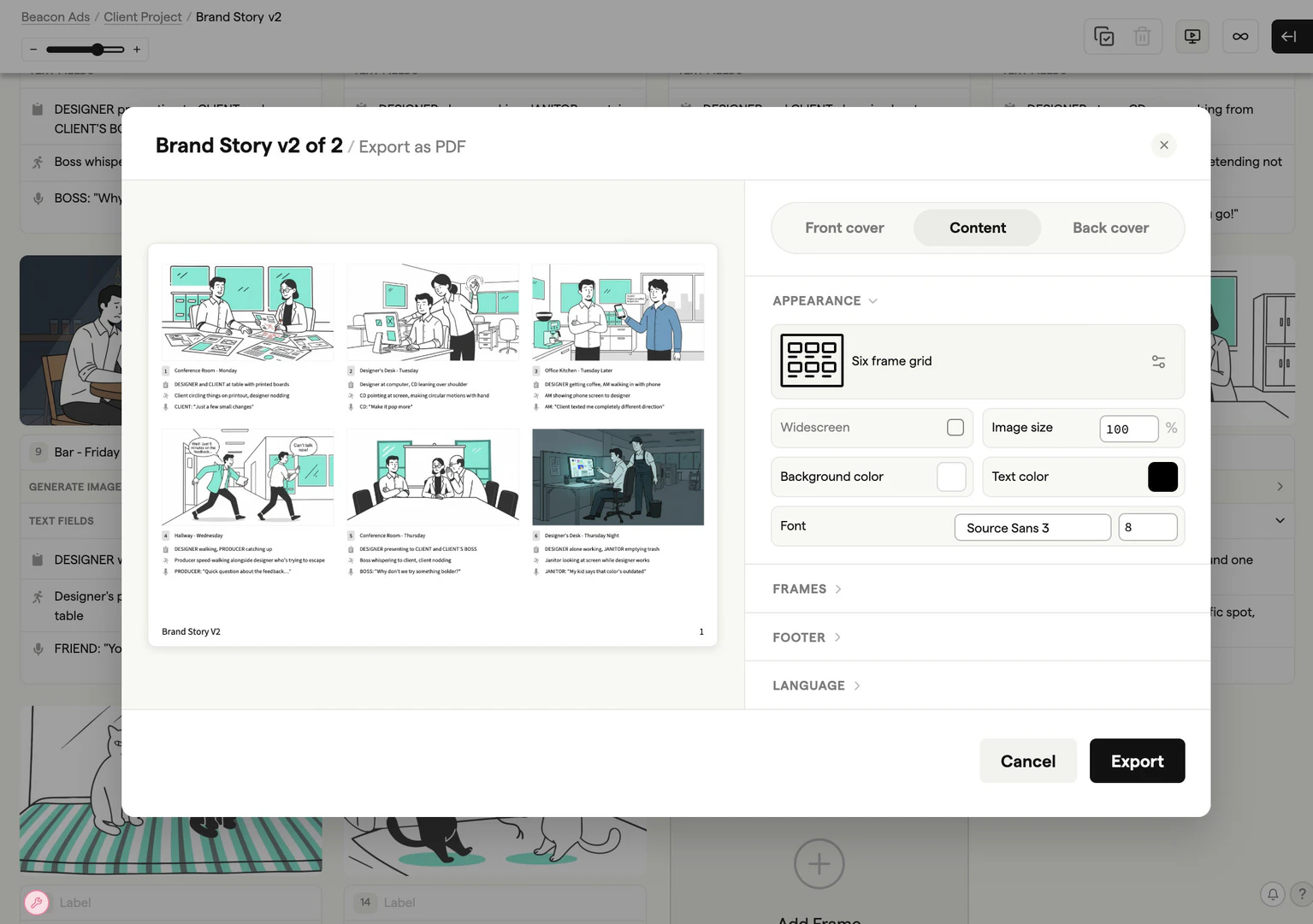
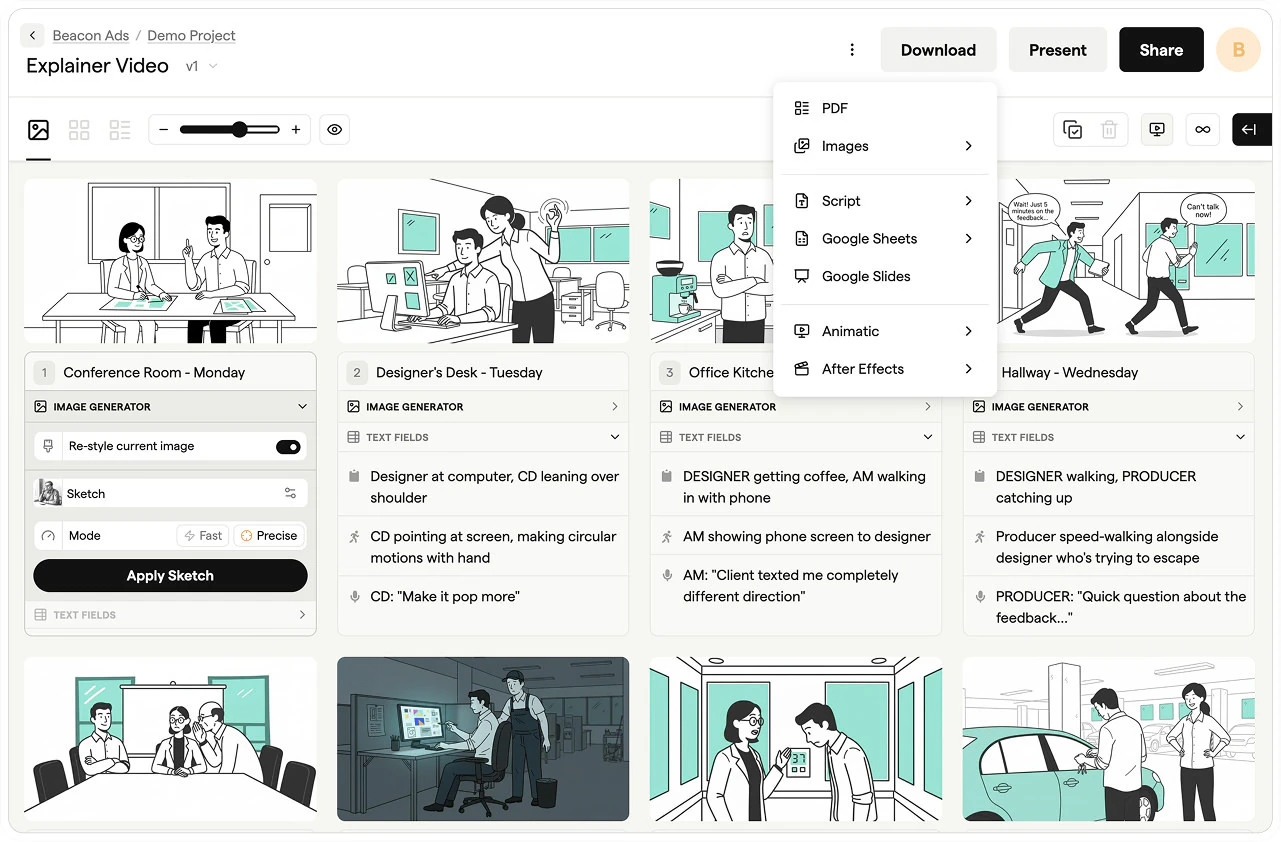
- Export your storyboard as an animatic or in various formats (PDF, images) for final production.
What are the main features of Boords?
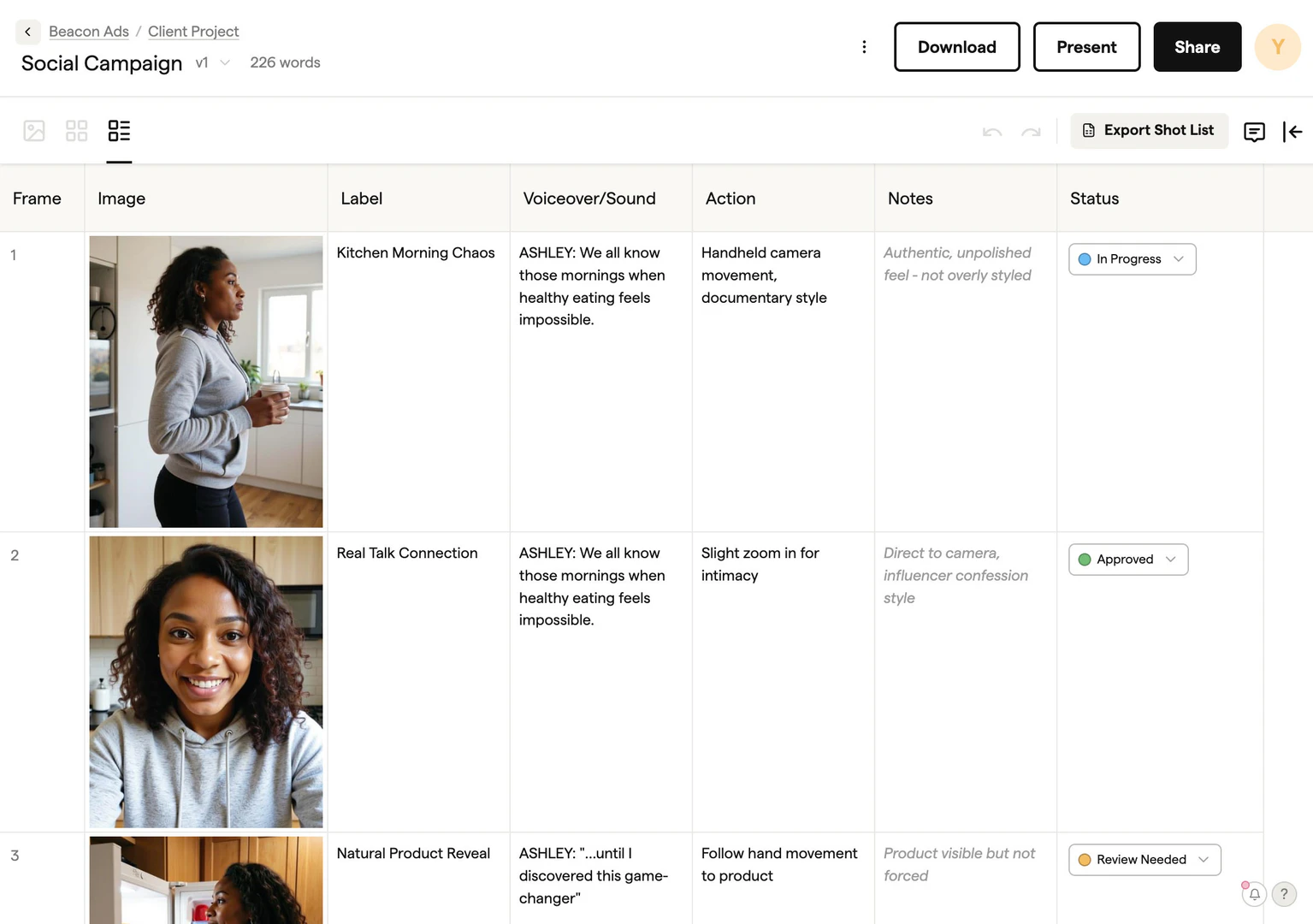
- Easy storyboard creation[5] from scripts with customizable frames.
- Real-time collaboration tools for team feedback and client approval.
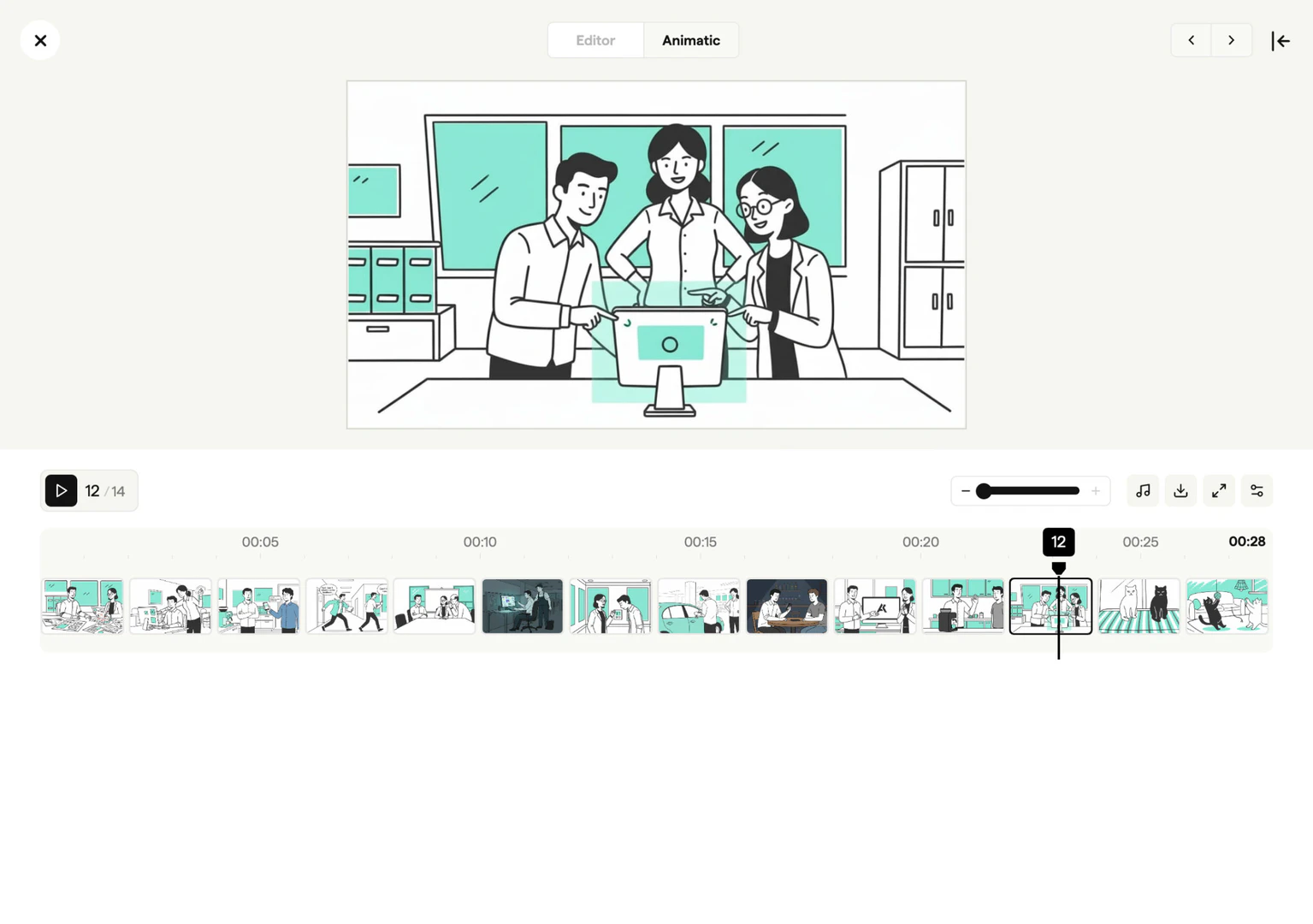
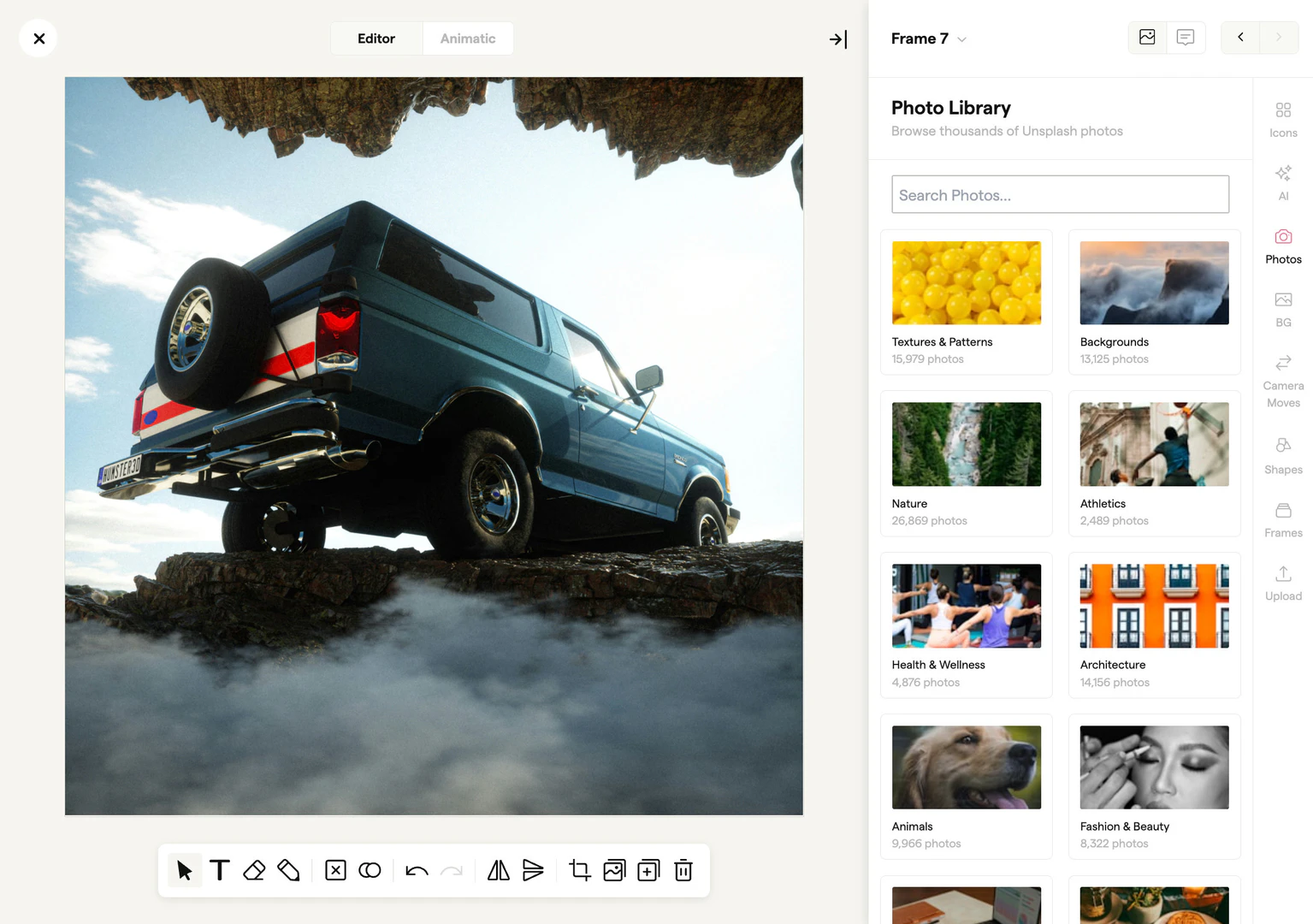
- Animatic export to visualize pacing and timing before final production.
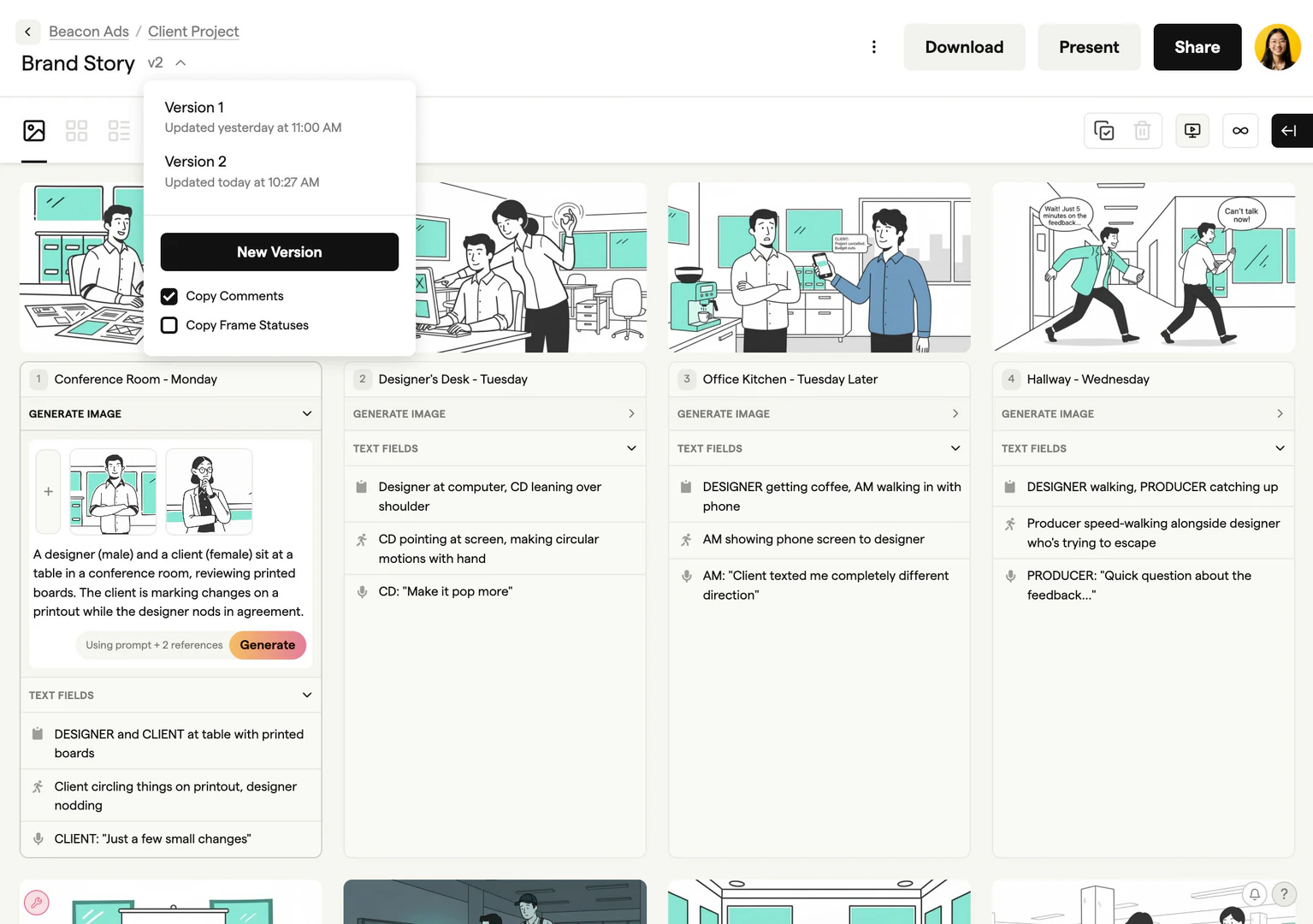
- Version tracking[6] to keep all changes organized and accessible.
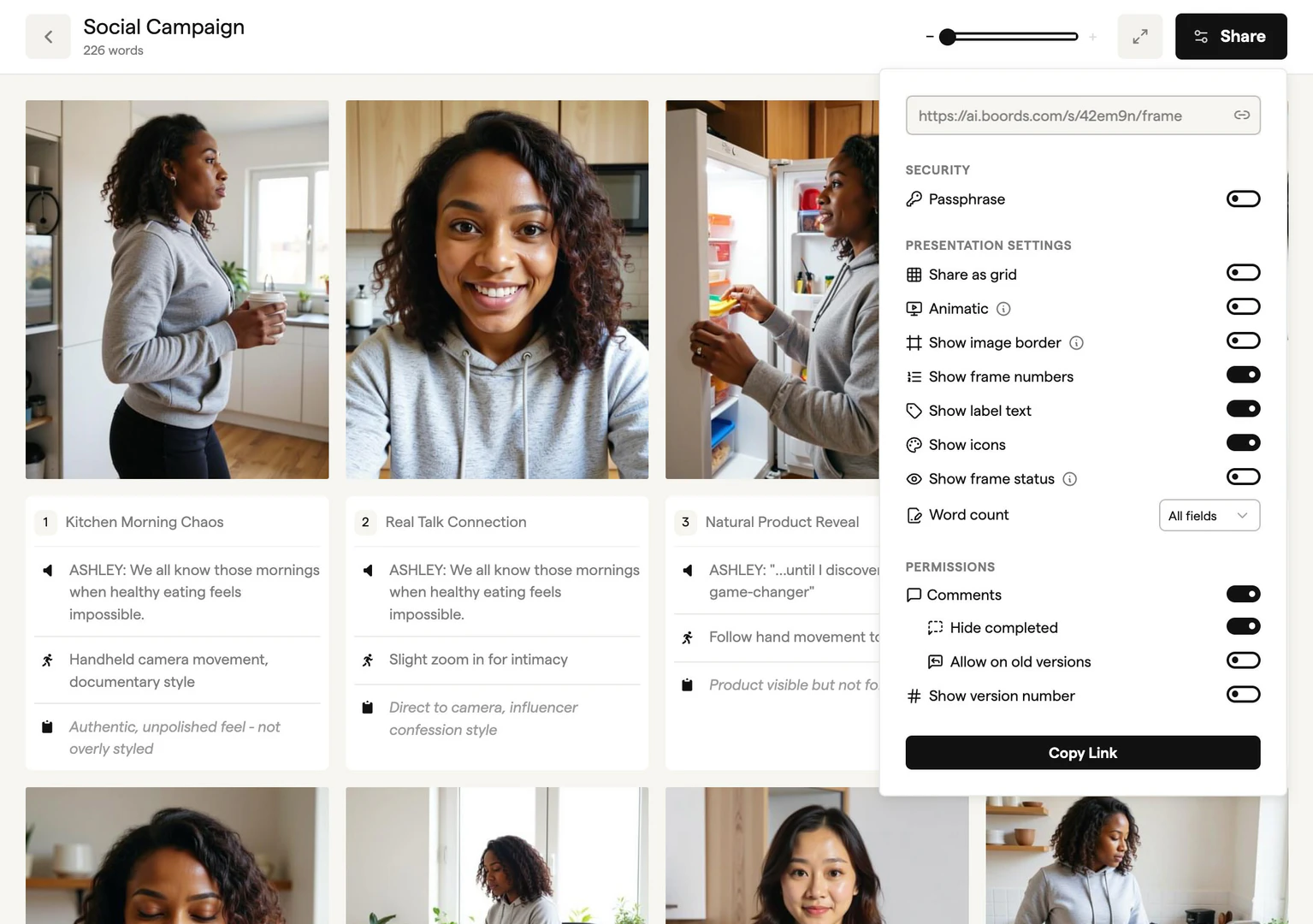
- Secure sharing[7] options for client presentations without the need for meetings.
Who is Boords for?
Boords is tailored for video professionals including studios, agencies, and freelancers who require an efficient way to create and manage storyboards. It is ideal for creative teams looking to streamline their pre-production processes and enhance collaboration. Whether you are a motion designer, director, or production assistant, Boords provides the tools needed to focus on creativity rather than administrative tasks.
What are the use cases of Boords?
- Creating detailed storyboards for film, animation, and video projects to visualize scenes before shooting.
- Collaborating with team members and clients to gather feedback and make adjustments in real-time.
- Exporting storyboards as animatics to preview timing and pacing, ensuring a smooth production process.
Product Images
Boords Pros and Cons
Pros
- User-Friendly Interface: Boords offers an intuitive and flexible interface that simplifies the storyboarding process, making it easy for users to create and collaborate on storyboards.
- Efficient Collaboration: The software allows teams to collaborate effectively by sharing secure links for client presentations and collecting frame-specific feedback, streamlining communication.
- Version Control: Boords provides robust version tracking, ensuring that users can easily keep track of client approvals and changes, reducing confusion during the production process.
- Animatic Export Feature: Users can preview pacing with animatics before finalizing cuts, allowing for better planning and execution of video projects.
Cons
No cons data detected for this tool
Boords Pricing
Standard
Create, share, and deliver professional storyboards faster.
Workflow
Coordinate creative & production teams across multiple client projects.
For the latest pricing, please visit this link: https://boords.com/pricing
Prices are subject to change. Please visit the official website for the most up-to-date pricing information.
Analytics of Boords
Boords Website Traffic Analysis
Visits Over Time
Traffic Sources
Nov 2025 - Jan 2026 Worldwide Desktop Only
- Search: 53.72%
- Direct: 36.50%
- Referrals: 5.70%
- Social: 3.20%
- Paid Referrals: 0.75%
- Mail: 0.09%
Top Keywords
| Keyword | Volume | CPC | Estimated Value |
|---|---|---|---|
| 16:9 | 197.76K | $0.00 | $780.00 |
| storyboard template | 18.14K | $1.19 | $2240.00 |
| storyboard ai | 7.29K | $1.46 | $1230.00 |
| dan harmon story circle | 7.23K | $0.56 | $1600.00 |
| boords | 5.66K | $1.55 | $5590.00 |
Boords Reviews
Without Boords storyboarding was the most painful part of the production process, with Boords it's the most painless. Super easy to use and speeds up the pre-production process immeasurably.
Easy to use, intuitive and flexible, Boords is the perfect tool for the biggest part of a video production. We can shape and collaborate on ideas then share them with our clients so they're fully understood.
Boords makes it easy to keep track of versions and makes the storyboarding process more collaborative. It's the type of tool that makes you wonder how you ever lived without it.
For more reviews, visit this link: https://boords.com#reviews





Boords Social Listening
How to make a storyboard in mi...
#storyboard #storyboarding #ux...
Boords, Web-Based Storyboardin...
Introduction to Boords, a web-...
Using Boords for storyboarding
Unlock to view 28 social media results.