


Twitter-color Created with Sketch. Amazon-color Created with Sketch. Facebook-color Created with Sketch. github [#142] Created with Sketch. meta_fill Pinterest-color Created with Sketch. ProductHunt-color Created with Sketch. Spotify-color Created with Sketch. Threads Logo Streamline Icon: https://streamlinehq.com Yelp-color Created with Sketch. Youtube-color Created with Sketch.
TopAIToolsTopAITools
  • Free Tools
  • Category
  • Leaderboard
  • Deals
  • Submit
EN
TopAIToolsTopAITools
TopAI

TopAITools

TopAITools, The Best Top AI Tools

AI Glossary|English简体中文繁體中文한국어日本語PortuguêsEspañolDeutschFrançaisTiếng Việt|Map

© 2026 TopAITools. All rights reserved.

About

  • Privacy Policy
  • Terms of use

Contact Us

business@topaitoolsreview.com
Home
Mobile Expense Tracking Solutions
Banktobudget
Last updated: June 9, 2026
Banktobudget logo

Banktobudget

Use tool
4.0|0 Comments|0 Saved
Introduction:
--
Launch Date:
--
Monthly Visits:
--
Inputs:
Tabular
Outputs:
Tabular
Supported Languages:
EN
AI Models:
AI Budget Analyzer
Website
Mobile Expense Tracking Solutions31Personal Finance Management Tools47Financial Health Monitoring Tools16
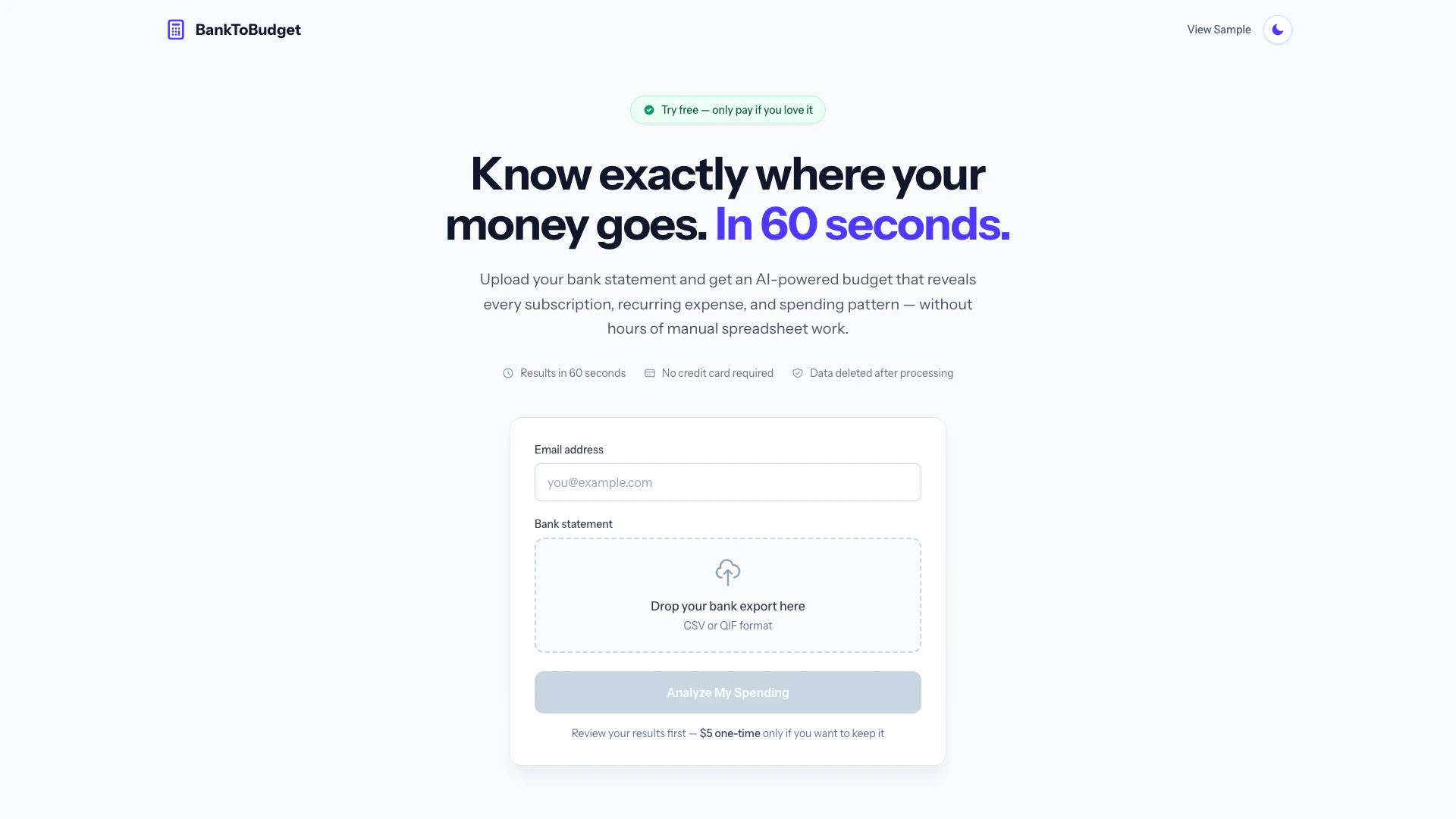
Banktobudget website screenshot showing -- interface and features
Use tool
Update this tool
Docsgpt logo

Docsgpt

DocsGPT for Google Docs™ - Google Workspace Marketplace

Apple logo

Apple

Apple Creator Studio offers a suite of creative tools for video, music, and design.

Gemini logo

Gemini

Gemini is Google’s AI assistant for writing and brainstorming.

Figma logo

Figma

Automate layer renaming in Figma for better organization.

Deepl logo

Deepl

Translate texts & full document files instantly. Accurate translations for individuals and Teams. Millions translate with DeepL every day.

Banktobudget Overview

What is BankToBudget?

BankToBudget is an innovative budgeting tool[1] designed to help users gain financial clarity[3] by analyzing their bank statements quickly and efficiently. By simply uploading a bank statement in CSV or QIF format[4], users can receive a comprehensive budget report within 60 seconds. This AI-powered[2] tool identifies recurring expenses[5], subscriptions, and spending patterns[6], allowing users to understand their financial habits without the tedious process of manual entry or complex spreadsheets. With a one-time payment of $5 only if satisfied, BankToBudget offers a straightforward, no-subscription model that prioritizes user privacy and data security.


How to use BankToBudget?

  1. Upload your file: Export your bank transactions as a CSV or QIF file from your bank. Most banks provide an easy export option.
  2. AI analyzes it: The AI technology will analyze your transactions to identify recurring expenses, subscriptions, income, and spending patterns.
  3. Get your budget: Review your budget online instantly. If you choose to keep it, you can download an Excel spreadsheet that you can use forever.

What are the main features of BankToBudget?

  • Quick Analysis: Get a complete budget analysis in just 60 seconds.
  • AI-Powered Insights: Identifies subscriptions, recurring expenses, and spending patterns automatically.
  • Data Privacy: Your bank statement is processed securely and deleted immediately after analysis.
  • No Subscription Fees: Pay only a one-time fee of $5 if you decide to keep your budget, with no ongoing subscription costs.
  • User Control: You upload your data, ensuring that you maintain control over your financial information.

Who is BankToBudget for?

BankToBudget is ideal for individuals looking to take control of their finances without the hassle of traditional budgeting methods. It caters to anyone who wants to quickly analyze their spending habits, including busy professionals, freelancers, and families. This tool is particularly beneficial for those who want to avoid subscription-based budgeting apps and prefer a straightforward, one-time payment option. Users who may have difficulty tracking their expenses or identifying unnecessary subscriptions will find BankToBudget especially useful.


What are the use cases of BankToBudget?

  1. Identifying Unused Subscriptions: Users can discover subscriptions they may have forgotten about, helping to cut unnecessary expenses.
  2. Creating a Personalized Budget: Individuals can generate a customized budget based on their actual spending patterns, allowing for better financial planning.
  3. Time-Saving Financial Analysis: Instead of manually entering transactions into a spreadsheet, users can quickly receive a polished budget in under a minute, saving hours of work.

Banktobudget Pros and Cons

Pros

  • Quick Budget Creation: Generate a complete budget in just 60 seconds by uploading your bank statement, saving you time and effort.
  • One-Time Payment: Only pay $5 if you love the service after trying it for free, with no subscription fees or upfront credit card requirements.
  • Secure Data Handling: Your financial data is processed securely and deleted immediately after use, ensuring your privacy is protected.

Cons

No cons data detected for this tool

Banktobudget Pricing

One-time Payment Plan

$5

Upload your bank statement and get an AI-powered budget that reveals every subscription, recurring expense, and spending pattern. Review your results first, and pay only if you want to keep it.

For the latest pricing, please visit this link: https://banktobudget.com/

Prices are subject to change. Please visit the official website for the most up-to-date pricing information.

Banktobudget Reviews

The AI caught subscriptions I completely forgot about. Turns out I was paying for three streaming services I never use. Already saved more than the $5 it cost!

Not 100% perfect (I had to adjust a few categories) but it still saved me hours compared to building a budget from scratch. Got me 90% of the way there in under a minute.

I tried multiple budgeting apps but they all wanted monthly subscriptions. BankToBudget gave me exactly what I needed for a one-time $5 payment. The spreadsheet is mine to keep forever.

For more reviews, visit this link: https://banktobudget.com/#what-people-are-saying

Banktobudget Compare

Tool NameIntroductionPricing
Type
RatingLaunch DateLearn more
Safurai logo
Safurai
Home - Soccer Result & Sports News
Free
--
November 7, 2022
Get deal
Descript logo
Descript
Descript: Edit Videos & Podcasts Like a Doc | AI Video Editor
Free
--
December 31, 1984
Get deal
Adcreative Ai logo
Adcreative Ai
Your AI Powerhouse for All Advertising Needs
Free
--
February 15, 1995
Get deal

Info current as of post date. Offers and availability may vary by location and are subject to change.

Banktobudget Q&A

BankToBudget is designed for anyone looking to gain clarity on their financial situation by analyzing their bank statements and creating a budget quickly and efficiently.

For more FAQs, please visit this link: https://banktobudget.com/

Banktobudget Launch embeds

Use website badges to drive support from your community for your TopAITools Review. They're easy to embed on your homepage or footer.

FEATURED ONTopaitoolsreview.com

Banktobudget Alternatives

Ramp screenshot

Ramp

Automate finance tasks with Ramp's AI software.

Website
Free
💼Work
FinanceAI Accounting Automation for SMEsMobile Expense Tracking SolutionsSmart Receipt Management
  • Finance
  • AI Accounting Automation for SMEs
  • Mobile Expense Tracking Solutions
  • Smart Receipt Management
Use tool
5.1M
Direct71.38%
Search23.59%
Referrals3.83%
Brex screenshot

Brex

Brex automates finance tasks with AI agents for efficiency.

Website
Free
💼Work🎨Creativity
FinanceAI Accounting Automation for SMEsIntegrated Payment and Financial ManagementMobile Expense Tracking Solutions
  • Finance
  • AI Accounting Automation for SMEs
  • Integrated Payment and Financial Management
  • Mobile Expense Tracking Solutions
Use tool
919.8K
Direct65.80%
Search25.95%
Referrals5.89%
Visorfinance screenshot

Visorfinance

Automate your finances with AI insights.

Website
Free
💼Work
FinanceFinancial Analysis ToolsIntegrated Payment and Financial ManagementMobile Expense Tracking Solutions
  • Finance
  • Financial Analysis Tools
  • Integrated Payment and Financial Management
  • Mobile Expense Tracking Solutions
Use tool
83.4K
Direct61.89%
Social33.29%
Search2.16%

Banktobudget Tags

Budgeting ToolAI AnalysisExpense Trackingone-time paymentSecure ProcessingDownloadable Spreadsheet

Also used for

Mobile Expense Tracking Solutions31Personal Finance Management Tools47Financial Health Monitoring Tools16E Commerce Ai Solutions4AI Performance Review1AI Professional Development3AI Commit Generator1AI Product Feed Management1AI Restaurant Automation2Ai Drive Thru Tools1AI Trading Journal40AI Trading Analytics66AI Trade Performance Tracking21AI Investment Banking Preparation6Insurtech Solutions2

Sources (6)

Banktobudget logo
BanktobudgetPaid
Use Banktobudget

Banktobudget Comments (0)

Your rating

?
0/2000

No comments yet

Be the first to share your thoughts!

🚀0
🚀0

Banktobudget Prompts (0)

Prompts And Results

Add your own prompts and outputs to help others understand how to use this AI.