
Appshots


What is Appshots?
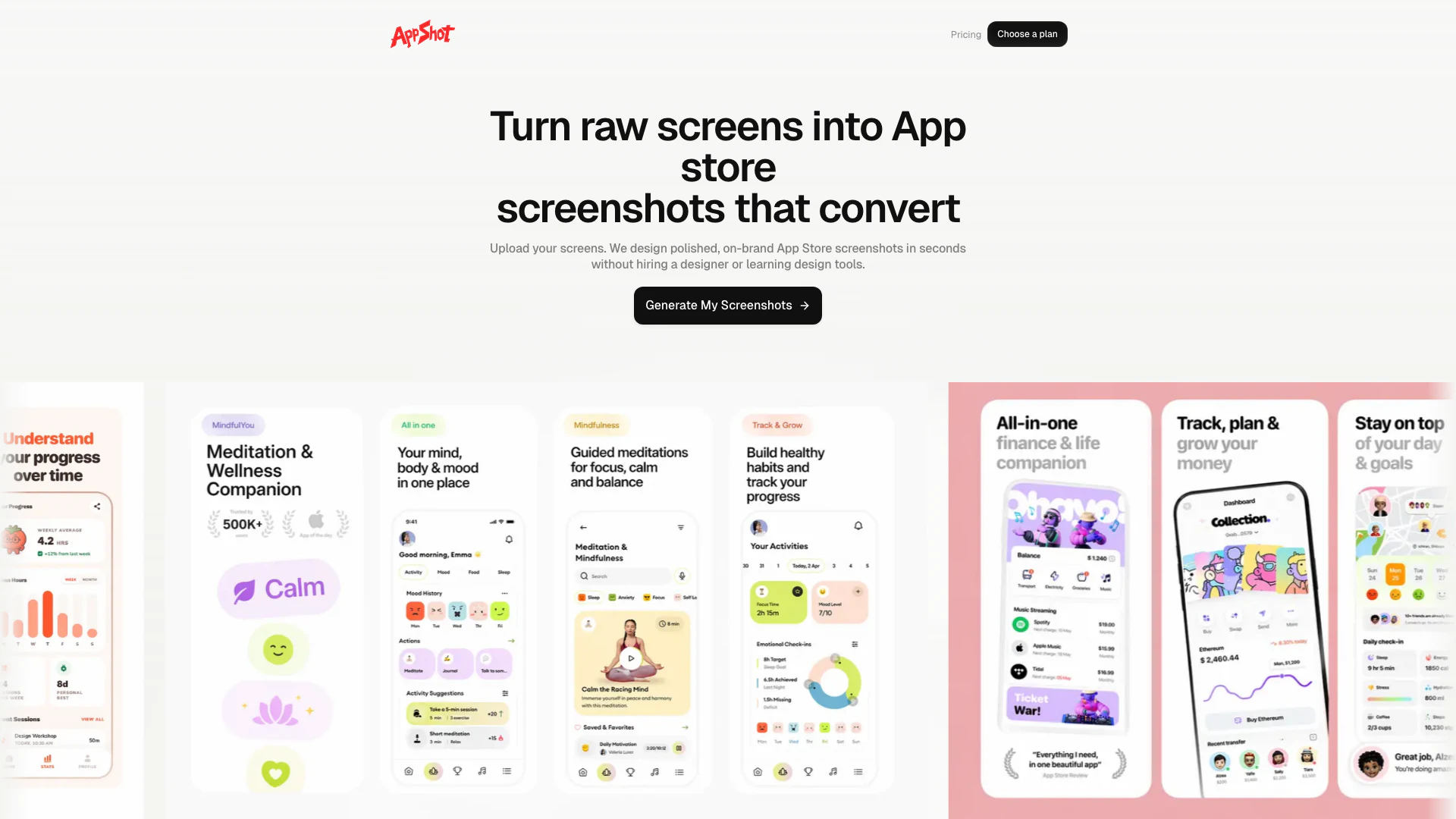
Appshots is an innovative tool designed to streamline the process of creating polished, on-brand App Store screenshots from raw app screens in just minutes. This user-friendly platform eliminates the need for hiring a designer or mastering complex design software, allowing users to transform their app screens into visually appealing marketing assets effortlessly. With Appshots, developers and marketers can enhance their app's presentation, ensuring that their screenshots are not only attractive but also effective in converting potential users.
How to use Appshots?
- Upload Screenshots: Begin by uploading your raw app screens to the Appshots platform.
- Choose Visual Style: Select a visual style that aligns with your brand, ensuring consistency in headline rhythm, spacing, and composition across your screenshots.
- Generate and Export: Let the layout system automatically handle framing and hierarchy, then export your ready-to-publish assets without the hassle of manual design work.
What are the main features of Appshots?
- Fast Workflow: Quickly convert raw app screens into polished App Store screenshots.
- Visual Style Selection: Choose from various styles to maintain brand consistency.
- Automated Layout System: The tool automatically frames and organizes your screenshots for optimal presentation.
- Export Ready-to-Publish Assets: Get clean, store-ready assets without the need for additional design tools.
- Flexible Pricing Plans: Simple and scalable pricing options to suit different launch stages.
Who is Appshots for?
Appshots is ideal for app developers, marketers, and entrepreneurs who want to create professional App Store screenshots without extensive design skills. It's particularly beneficial for those looking to enhance their app's visibility and appeal in competitive markets. Whether you are a startup launching your first app or an established company needing to refresh your app's presentation, Appshots provides an efficient solution to meet your screenshot design needs.
What are the use cases of Appshots?
- App Launches: Create compelling App Store screenshots to attract users during the initial launch phase of an app.
- App Updates: Refresh your app's screenshots to reflect new features or design changes, ensuring that your marketing materials are always up-to-date.
- Marketing Campaigns: Utilize high-quality screenshots in promotional materials to enhance user engagement and conversion rates.
Appshots Pros and Cons
Pros
- Quick Screenshot Generation: Appshots allows users to generate polished App Store screenshots from raw app screens in just minutes, significantly reducing the time needed for design.
- User-Friendly Interface: The tool is designed for users without design skills, enabling anyone to create professional-looking screenshots easily.
- Consistent Visual Style: Appshots maintains consistent headline rhythm, spacing, and composition across all screenshots, ensuring a professional appearance.
Cons
No cons data detected for this tool
Appshots Pricing
Launch
24 panel credits each month, 8 full screenshot generations, high-converting headline layouts, clean device framing and spacing.
Growth
48 panel credits each month, 16 full screenshot generations, high-converting headline layouts, clean device framing and spacing.
Studio
84 panel credits each month, 28 full screenshot generations, high-converting headline layouts, clean device framing and spacing.
For the latest pricing, please visit this link: https://appshots.me/#pricing
Prices are subject to change. Please visit the official website for the most up-to-date pricing information.