Zerowork





What is ZeroWork?
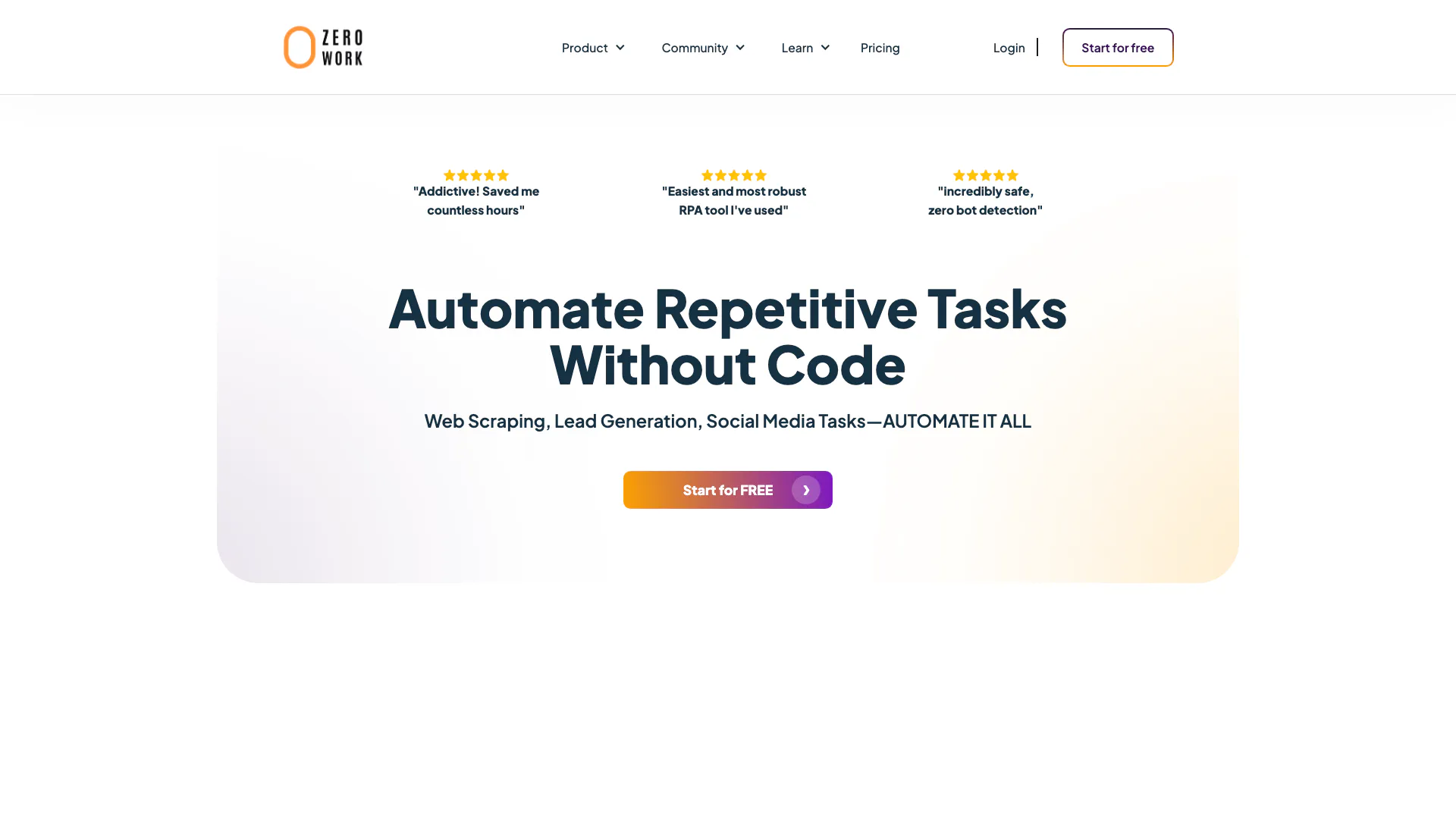
ZeroWork is a cutting-edge automation tool designed to simplify and streamline repetitive tasks across various platforms without requiring any coding skills. It enables users to automate processes such as web scraping, lead generation, and social media interactions. With its user-friendly interface and robust features, ZeroWork empowers businesses, freelancers, and agencies to save time and enhance productivity by automating mundane tasks efficiently.
How to use ZeroWork?
- Sign up for a free account on the ZeroWork website.
- Download and install the ZeroWork desktop agent to start creating TaskBots.
- Utilize the drag-and-drop interface to design your automation workflows by selecting tasks like web scraping or social media posting.
- Configure the specific parameters for each task, such as target websites or types of data to collect.
- Test your TaskBot to ensure it functions as expected, then schedule it to run automatically at your preferred intervals.
What are the main features of ZeroWork?
- Web Scraping: Easily extract data from various websites, including social media and e-commerce platforms.
- Lead Generation: Automate the collection of potential leads and enrich them with additional data.
- Social Media Automation: Schedule posts, auto-like, and auto-send direct messages on platforms like Instagram and LinkedIn.
- Data Transformation: Filter, sort, and manage data efficiently to keep your leads organized.
- AI Integration: Utilize AI capabilities for content generation and automated responses.
Who is ZeroWork for?
ZeroWork is ideal for businesses, freelancers, and agencies looking to automate repetitive tasks without extensive programming knowledge. It caters to marketers, social media managers, data analysts, and entrepreneurs who need to streamline their workflows, improve efficiency, and focus on higher-value activities. The tool is also suitable for anyone interested in leveraging automation to save time and enhance productivity in various online tasks.
What are the use cases of ZeroWork?
- Automating Lead Generation: Use ZeroWork to scrape contact details from social media and online directories to build a list of potential clients.
- Social Media Management: Schedule and automate posts across multiple platforms, engage with followers, and manage interactions seamlessly.
- Data Collection and Analysis: Automate the process of gathering and analyzing data from various sources to inform business decisions.
Zerowork Video

Zerowork Pros and Cons
Pros
- User-Friendly Interface: ZeroWork features a visual drag-and-drop interface that simplifies the automation process, making it accessible even for non-coders.
- Comprehensive Automation Capabilities: The tool supports a wide range of automation tasks including web scraping, lead generation, and social media interactions, allowing users to automate various workflows.
- Built-in Anti-Bot Detection: ZeroWork includes in-built anti-bot detection features that help users avoid getting banned while automating tasks on various platforms.
Cons
No cons data detected for this tool
Analytics of Zerowork
Zerowork Website Traffic Analysis
Visits Over Time
Traffic Sources
Oct 2025 - Dec 2025 Worldwide Desktop Only
- Search: 43.19%
- Direct: 41.47%
- Referrals: 9.24%
- Social: 4.81%
- Paid Referrals: 1.13%
- Mail: 0.16%
Top Keywords
| Keyword | Volume | CPC | Estimated Value |
|---|---|---|---|
| zerowork | 2.03K | $1.47 | $1450.00 |
| zerowork selector chrome extension | 140 | $0.00 | $130.00 |
| zero work | 130 | $0.00 | $140.00 |
| zerowork css selector | 110 | $0.00 | $90.00 |
| zerowork get header authorization | 70 | $0.00 | $70.00 |
Zerowork Reviews
Addictive! Saved me countless hours
Easiest and most robust RPA tool I've used
incredibly safe, zero bot detection
For more reviews, visit this link: https://www.zerowork.io/#reviews