

Xpression Camera




What is Xpression Camera?
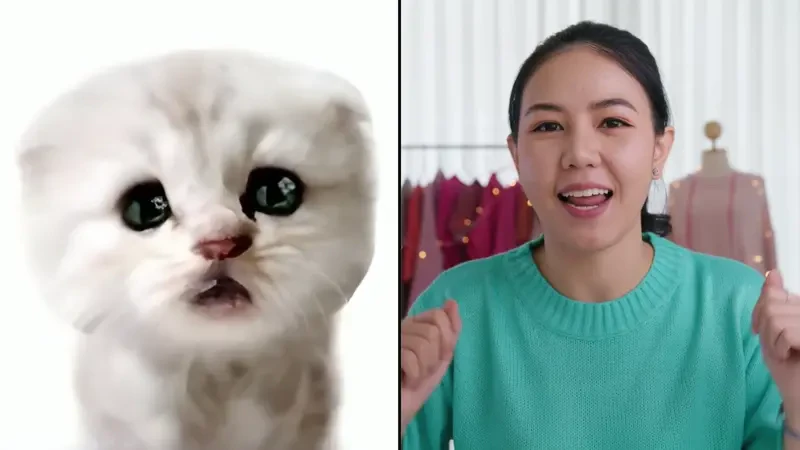
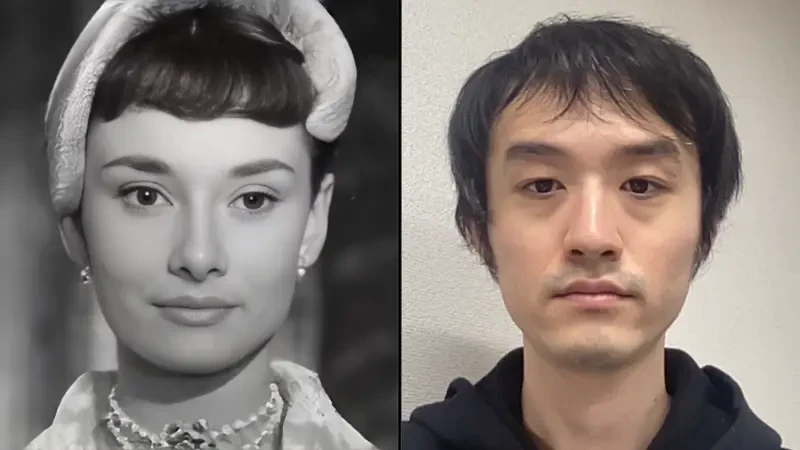
Xpression Camera is an innovative virtual camera application that allows users to instantly transform into any character or persona using just a single photo. This award-winning app enables real-time changes to your onscreen likeness, making it perfect for video chatting on platforms like Zoom, live streaming on Twitch, or creating engaging content for YouTube. With Xpression Camera, users can redefine their appearance effortlessly, reflecting their facial expressions in real-time while chatting or streaming, thereby enhancing their online presence.
How to use Xpression Camera?
- Download the app from the official website for your laptop or desktop (available for both Mac and Windows).
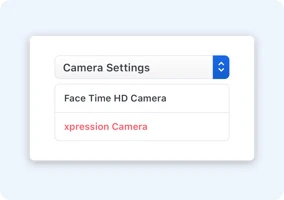
- Open your preferred video chat or live streaming service (like Zoom or Twitch) and select 'Xpression Camera' from your webcam settings.
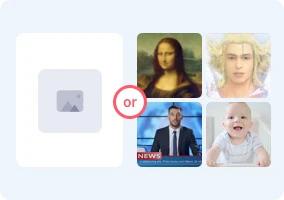
- Launch the Xpression Camera app and choose any image you want to embody. You can then control the face of your digital persona in real-time based on your own facial expressions and head movements.
What are the main features of Xpression Camera?
- Real-time Transformation: Instantly transform into any character or persona using a single photo, with no processing time.
- Voice2Face Technology: Allows users to animate their digital persona using voice alone, providing flexibility during video calls.
- Customizable Avatars: Create avatars with various styles, backgrounds, hairstyles, and accessories, allowing for limitless personalization.
- Privacy Focused: Maintains user privacy by changing the displayed image, ensuring true identities remain concealed during interactions.
- Content Creation Tools: Functions as a creator platform, supporting meme, GIF, and video generation, making it a one-stop resource for content creators.
Who is Xpression Camera for?
Xpression Camera is designed for a wide range of users, including content creators, streamers, and anyone looking to enhance their online presence. It is particularly beneficial for individuals who engage in video calls or live streaming and want to add a fun, creative twist to their interactions. Additionally, it appeals to users who value privacy and wish to maintain anonymity while expressing themselves through digital avatars.
What are the use cases of Xpression Camera?
- Video Conferencing: Use Xpression Camera during Zoom or Microsoft Teams meetings to present a fun and engaging avatar instead of your real face.
- Live Streaming: Stream on platforms like Twitch or YouTube while embodying various characters, making the content more entertaining for viewers.
- Social Media Content Creation: Create unique videos, memes, and GIFs for sharing on social media, enhancing personal branding and engagement.
Product Images


Xpression Camera Pros and Cons
Pros
- Real-Time Transformation: Xpression Camera allows users to instantly transform into any character or persona in real-time during video chats or live streams, enhancing user engagement.
- Versatile Content Creation: The app supports a variety of content formats, enabling users to create videos, GIFs, and memes easily, making it a powerful tool for content creators.
- Voice2Face Technology: With Voice2Face technology, users can animate their digital persona without being on camera, allowing for more freedom during video calls.
Cons
No cons data detected for this tool
Analytics of Xpression Camera
Xpression Camera Website Traffic Analysis
Visits Over Time
Traffic Sources
Dec 2025 - Feb 2026 Worldwide Desktop Only
- Search: 44.56%
- Direct: 33.60%
- Social: 12.04%
- Referrals: 8.62%
- Paid Referrals: 0.97%
- Mail: 0.11%
Top Keywords
| Keyword | Volume | CPC | Estimated Value |
|---|---|---|---|
| xpression camera | 1.79K | $2.18 | $2280.00 |
| live deepfake | 410 | $0.00 | $110.00 |
| is there a desktop app equivalant for hieasy | 190 | $0.00 | $180.00 |
| face changer ai webcam | 150 | $0.00 | $140.00 |
| ai live webcam change | 110 | $0.00 | $100.00 |




Xpression Camera Social Listening
xpression camera
How to Make Fake Video Calls o...
Learn how to create realistic ...
How to Use xpression camera - ...
Use xpression camera to transf...
Unlock to view 18 social media results.