Vectorsec


What is Vectorsec?
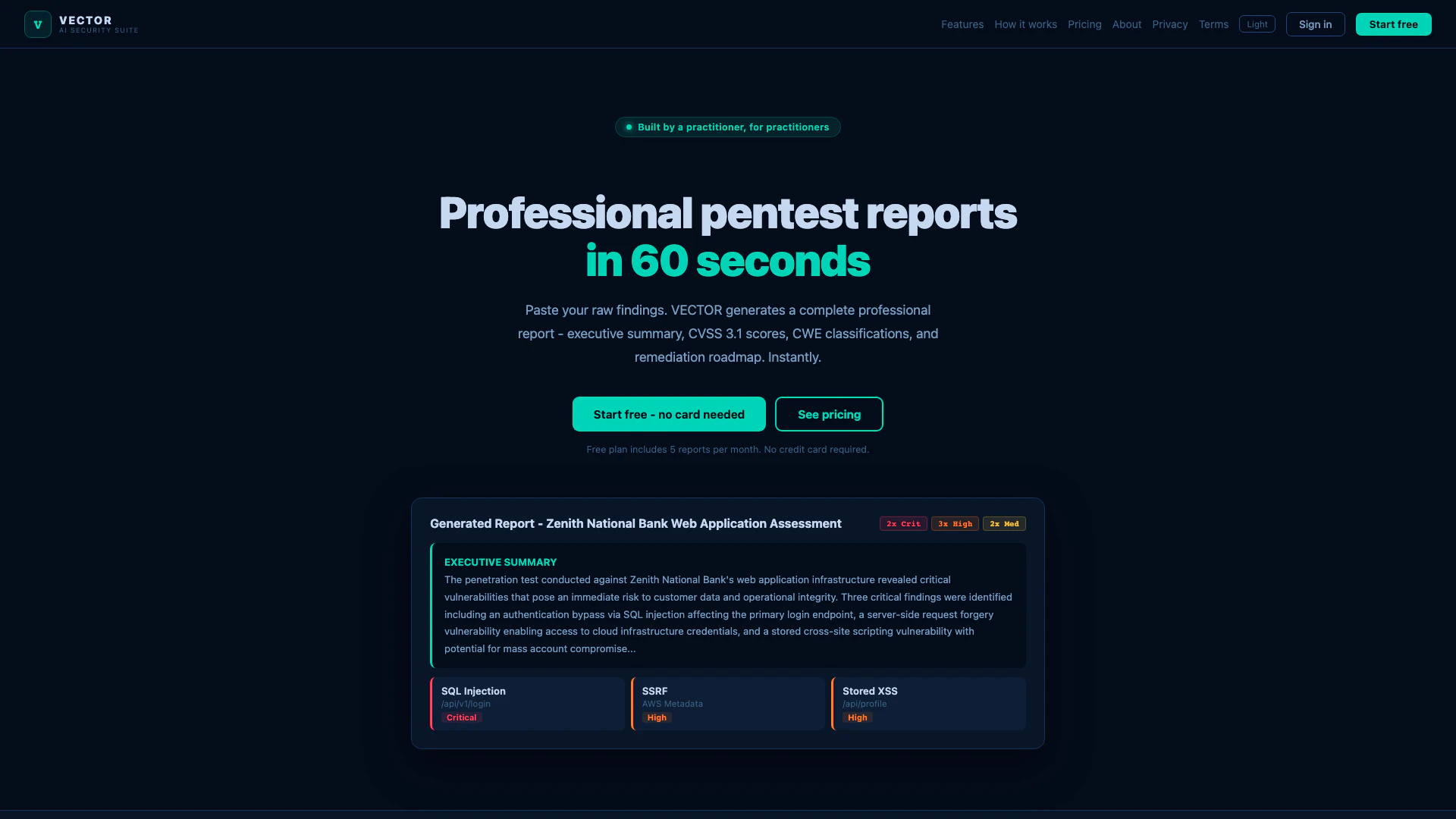
Vectorsec is a comprehensive security tool designed for security practitioners, particularly those involved in penetration testing. It streamlines the process of generating professional pentest reports by providing a range of features aimed at enhancing efficiency and clarity. With Vectorsec, users can quickly compile detailed reports that include executive summaries tailored for non-technical stakeholders, CVSS 3.1 scoring, and a prioritized remediation roadmap. The tool aims to simplify the reporting process while ensuring that all necessary details are accurately captured and presented.
How to use Vectorsec?
- Sign up or log in to your Vectorsec account on the official website.
- Begin a new penetration test by inputting the necessary details, including the scope and objectives of the engagement.
- Utilize the built-in CVSS 3.1 calculator to score your findings accurately; adjust metrics as needed to see live updates.
- Generate your pentest report using one of the six available templates that best fits your audience.
- Customize the report by adding your company logo, adjusting colors, and modifying titles as desired.
- Export the final report in either PDF or Word format for easy sharing with clients.
What are the main features of Vectorsec?
- Professional pentest report generation with raw notes integration.
- Interactive CVSS 3.1 calculator for accurate scoring.
- Six customizable report templates for various audiences.
- PDF and Word export options with professional cover pages.
- Custom branding options for a personalized touch.
- AI Refine chips for one-click report enhancements.
Who is Vectorsec for?
Vectorsec is designed for security professionals, including penetration testers, security consultants, and IT auditors. It caters to those who need to produce detailed security assessments and reports for clients, management, or compliance purposes. The tool is particularly beneficial for teams that require efficient reporting processes and clear communication of technical findings to non-technical stakeholders.
What are the use cases of Vectorsec?
- Conducting penetration tests and generating comprehensive reports for clients in various industries.
- Assisting junior testers in scoring vulnerabilities accurately using the integrated CVSS calculator.
- Providing clear and professional documentation for compliance audits, such as ISO 27001 and NIST.
Vectorsec Pros and Cons
Pros
- Comprehensive Pentest Reports: Vectorsec provides detailed pentest reports with raw notes, executive summaries, CVSS scores, and prioritized remediation roadmaps, making it suitable for both technical and non-technical stakeholders.
- Interactive CVSS Calculator: The built-in CVSS 3.1 calculator allows users to adjust metrics in real-time, providing immediate scoring feedback, which is particularly helpful for junior testers.
- Multiple Report Templates: Vectorsec offers a variety of professionally designed report templates tailored for different audiences, including technical teams, executives, and compliance needs.
Cons
No cons data detected for this tool
Vectorsec Pricing
Free
5 pentest reports per month. Try VECTOR risk-free. No card needed. Includes professional template only, CVSS 3.1 calculator, PDF download, watermark on exports, Word (.doc) export, all 6 report templates, custom logo & branding, and session history.
Pro
Unlimited reports for active pentesters and individual consultants. Includes all 6 report templates, PDF + Word export, no watermarks, custom logo & branding, custom accent colour, session history (last 10), refine chips (5 AI revisions), and priority AI speed.
Team
Unlimited reports for security consultancies and small teams. Includes everything in Pro, unlimited reports per seat, white-label PDF exports, priority email support (24h response), direct founder access (Slack/email), early feature access, 5 team seats, team usage dashboard, and custom report templates.
For the latest pricing, please visit this link: https://vectorsec.net/pricing
Prices are subject to change. Please visit the official website for the most up-to-date pricing information.