

Turbosql


What is TurboSQL?
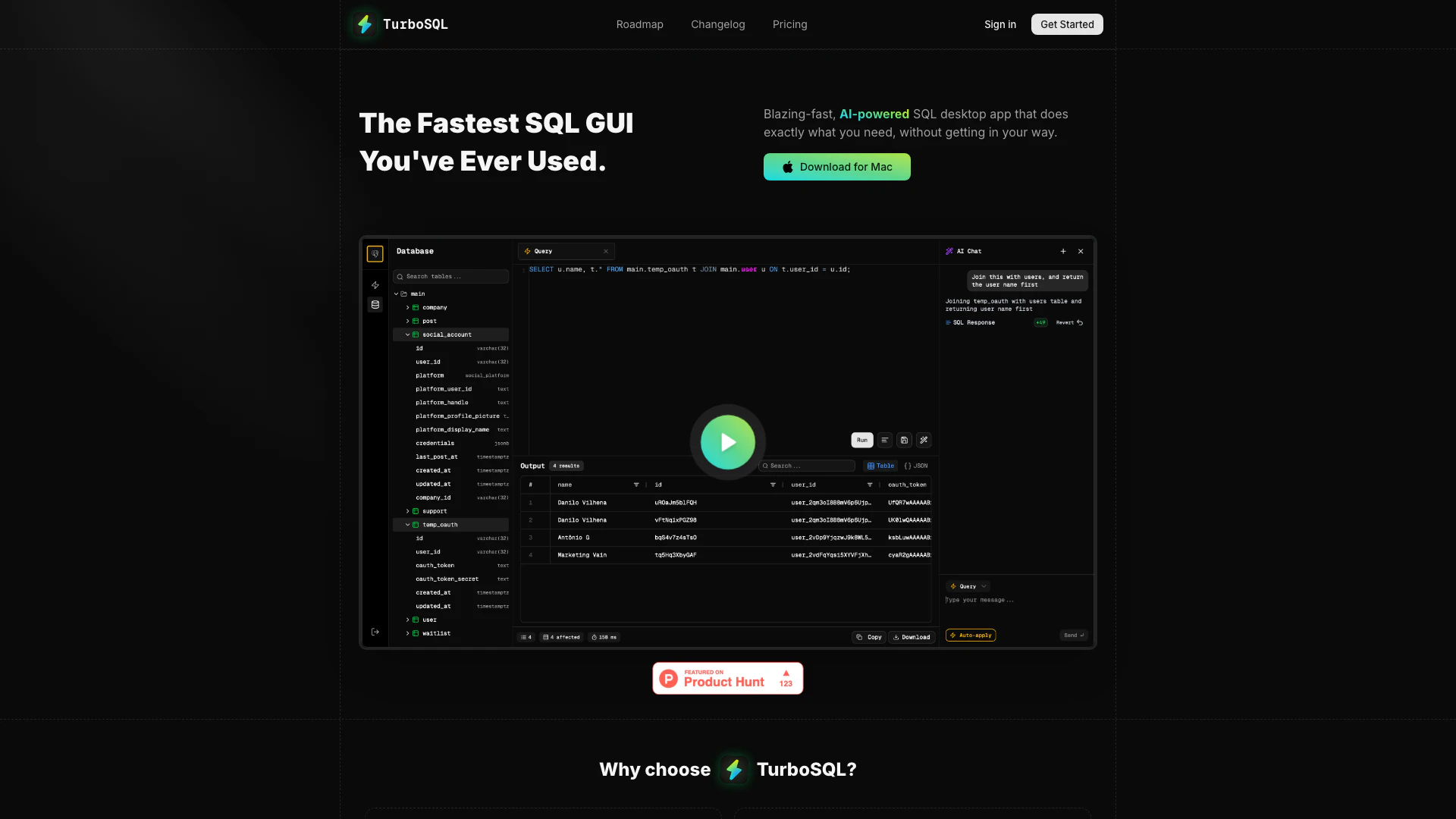
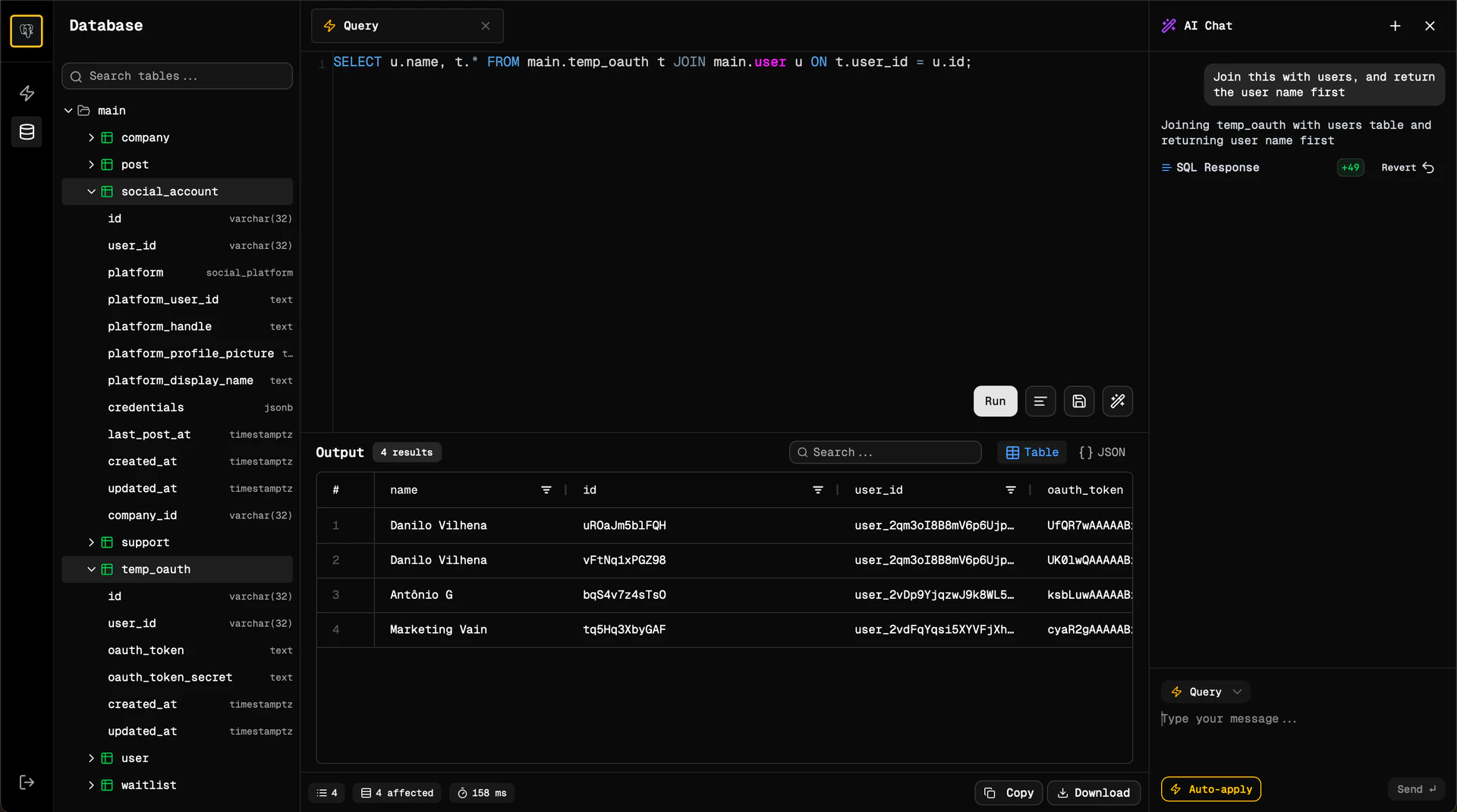
TurboSQL is a blazing-fast, AI-powered[1] SQL desktop application designed to enhance productivity and streamline database management. With its intelligent features, users can generate SQL queries with ease, potentially eliminating the need to write SQL manually. The application offers a modern and visually appealing interface, emphasizing a keyboard-first design that allows users to maintain their workflow without interruptions. TurboSQL supports various databases, including PostgreSQL, MySQL, MariaDB, SQLite, and CockroachDB, making it a versatile tool for developers and data professionals.
How to use TurboSQL?
- Download TurboSQL from the official website for your Mac.
- Install the application by following the on-screen instructions.
- Launch TurboSQL and create a new connection to your database by entering the necessary credentials.
- Utilize the AI-powered features for smart autocomplete[3] and query generation[2] by typing your requests in plain text.
- Explore your data using the table or JSON viewer, and take advantage of the clean, dark-mode UI for an optimal experience.
What are the main features of TurboSQL?
- AI-Powered Query Generation: Generate SQL queries effortlessly from plain text input.
- Smart Autocomplete: Enhance productivity with intelligent suggestions as you type.
- Modern UI[4]: A clean, dark-mode interface that is visually appealing and user-friendly.
- Local-First Architecture[5]: Ensures that your connections and data remain secure on your machine.
- Database Support: Compatible with multiple databases including PostgreSQL, MySQL, MariaDB, SQLite, and CockroachDB.
Who is TurboSQL for?
TurboSQL is ideal for database developers, data analysts, and data scientists who require an efficient and user-friendly SQL interface. Its AI features make it particularly suitable for those who may not be proficient in writing SQL queries, allowing them to focus on data analysis rather than query syntax. Additionally, businesses looking for a secure and powerful SQL client will benefit from TurboSQL's local-first architecture and seamless integration with popular databases.
What are the use cases of TurboSQL?
- Data Analysis: Quickly generate SQL queries to analyze large datasets without needing extensive SQL knowledge.
- Database Management: Manage and interact with various databases efficiently using a single application.
- Rapid Prototyping: Use TurboSQL's AI features to prototype database queries and applications rapidly, speeding up development cycles.
Product Images
Turbosql Pros and Cons
Pros
- Blazing Fast Performance: TurboSQL offers native performance with near-zero delay, ensuring a smooth and efficient user experience.
- AI-Powered Features: The tool includes smart autocomplete and query generation from plain text, reducing the need for manual SQL writing.
- Modern and Beautiful UI: TurboSQL features a clean, dark-mode interface with table and JSON viewers, enhancing usability and aesthetics.
- Secure by Design: With a local-first architecture, your connections and data remain on your machine, ensuring privacy and security.
Cons
No cons data detected for this tool
Turbosql Pricing
Free
Powerful SQL client for free, but without AI features. All core features, all future updates, bring your own AI key (BYOK) for AI features, community support. No AI features (unless BYOK).
Pro
Experience TurboSQL as it was meant to be. Everything in Free, plus AI features included, priority support, only available for Mac, 30-day Money Back Guarantee. Payment is processed by Polar. Taxes may apply. If you're not happy with the product, we will refund. No questions asked.
For the latest pricing, please visit this link: https://www.turbosql.co/#pricing
Prices are subject to change. Please visit the official website for the most up-to-date pricing information.
Analytics of Turbosql
Turbosql Website Traffic Analysis
Visits Over Time
Traffic Sources
Nov 2025 - Jan 2026 Worldwide Desktop Only
- Search: 61.74%
- Direct: 21.95%
- Referrals: 9.53%
- Social: 3.80%
- Paid Referrals: 2.45%
- Mail: 0.14%
Top Keywords
| Keyword | Volume | CPC | Estimated Value |
|---|---|---|---|
| turbosql | 260 | $0.00 | $240.00 |
| sql formatter redshift | 120 | $0.00 | $0.00 |
| sql formatter & beautifier online | 90 | $0.00 | $0.00 |





