Trackmy





What is TrackMy?
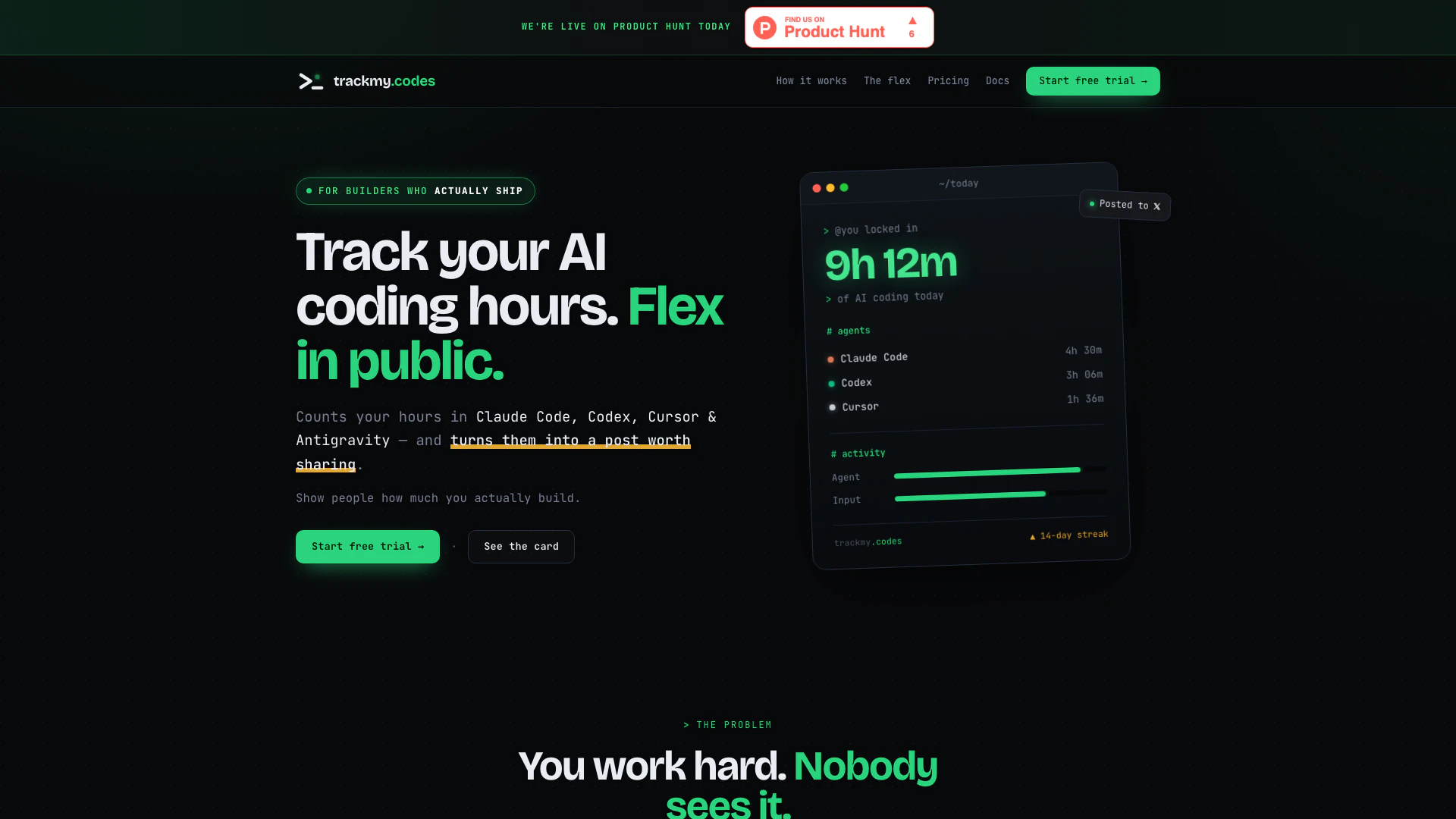
TrackMy is a local Mac application designed to automatically track the time you spend coding with AI tools such as Claude Code, Codex, and Cursor. By accurately measuring your productive coding hours, it provides a tangible way to showcase your work without the distractions of idle time. The application ensures that your data remains private and stored locally on your machine, offering a seamless and secure way to keep track of your coding activities.
How to use TrackMy?
- Install the Mac app: Download and install the TrackMy application on your Mac. It automatically detects your activity with Claude Code, Codex, and Cursor without requiring any configuration or API keys.
- Code like normal: Continue your usual coding practices. TrackMy will monitor your active coding time, counting only the hours spent on productive tasks while excluding idle time.
- Watch the hours stack: Keep an eye on your tracked hours as they accumulate day by day. When you achieve a notable coding day, you can easily post your results with just one tap.
What are the main features of TrackMy?
- Automatic Time Tracking: No manual setup required; the app automatically tracks coding hours.
- Real Work Measurement: Only counts productive coding time, excluding idle periods and non-coding activities.
- Local Data Storage: Your data remains on your machine, ensuring privacy and security.
- One-Tap Posting: Easily convert your tracked hours into a shareable card for social media with a single click.
- Streak Tracking: Keeps track of your coding streaks, motivating consistent productivity.
Who is TrackMy for?
TrackMy is ideal for developers, programmers, and AI coders who want to quantify their coding efforts and share their productivity with others. It's particularly suited for those who work with AI tools like Claude Code, Codex, and Cursor and are looking for a straightforward way to demonstrate their commitment to coding without the distractions of social media. This tool is perfect for individuals who value privacy and want to keep their data local while still having the ability to showcase their achievements.
What are the use cases of TrackMy?
- Daily Productivity Tracking: Developers can use TrackMy to log their coding hours daily, allowing them to assess their productivity over time.
- Social Media Sharing: Users can post their coding achievements on social media platforms, providing tangible proof of their work ethic and dedication.
- Streak Motivation: The streak feature encourages users to maintain consistent coding habits, fostering a sense of accountability and motivation to keep coding every day.
Trackmy Pros and Cons
Pros
- Automatic Time Tracking: TrackMyCodes automatically counts the time spent coding with Claude Code, Codex, and Cursor without requiring any configuration or setup.
- Privacy and Security: All data is stored locally on your Mac, ensuring complete privacy and security as nothing is uploaded or shared.
- Easy Sharing of Achievements: With just one tap, users can turn their coding hours into a shareable card, making it easy to showcase their productivity.
Cons
No cons data detected for this tool
Trackmy Pricing
Annual
7 days free — no charge until day 7, cancel anytime. Everything you get: Automatic tracking, Tracks Claude Code, Codex, Cursor & Antigravity, Counts only real work, Your private dashboard, Full history & hot streaks, Share cards on X, Per-agent breakdown, 100% private & safe, Ongoing updates.
Lifetime
Pay once, use forever. Everything you get: Automatic tracking, Tracks Claude Code, Codex, Cursor & Antigravity, Counts only real work, Your private dashboard, Full history & hot streaks, Share cards on X, Per-agent breakdown, 100% private & safe, Ongoing updates.
For the latest pricing, please visit this link: https://trackmy.codes/pricing
Prices are subject to change. Please visit the official website for the most up-to-date pricing information.