Topmakerai
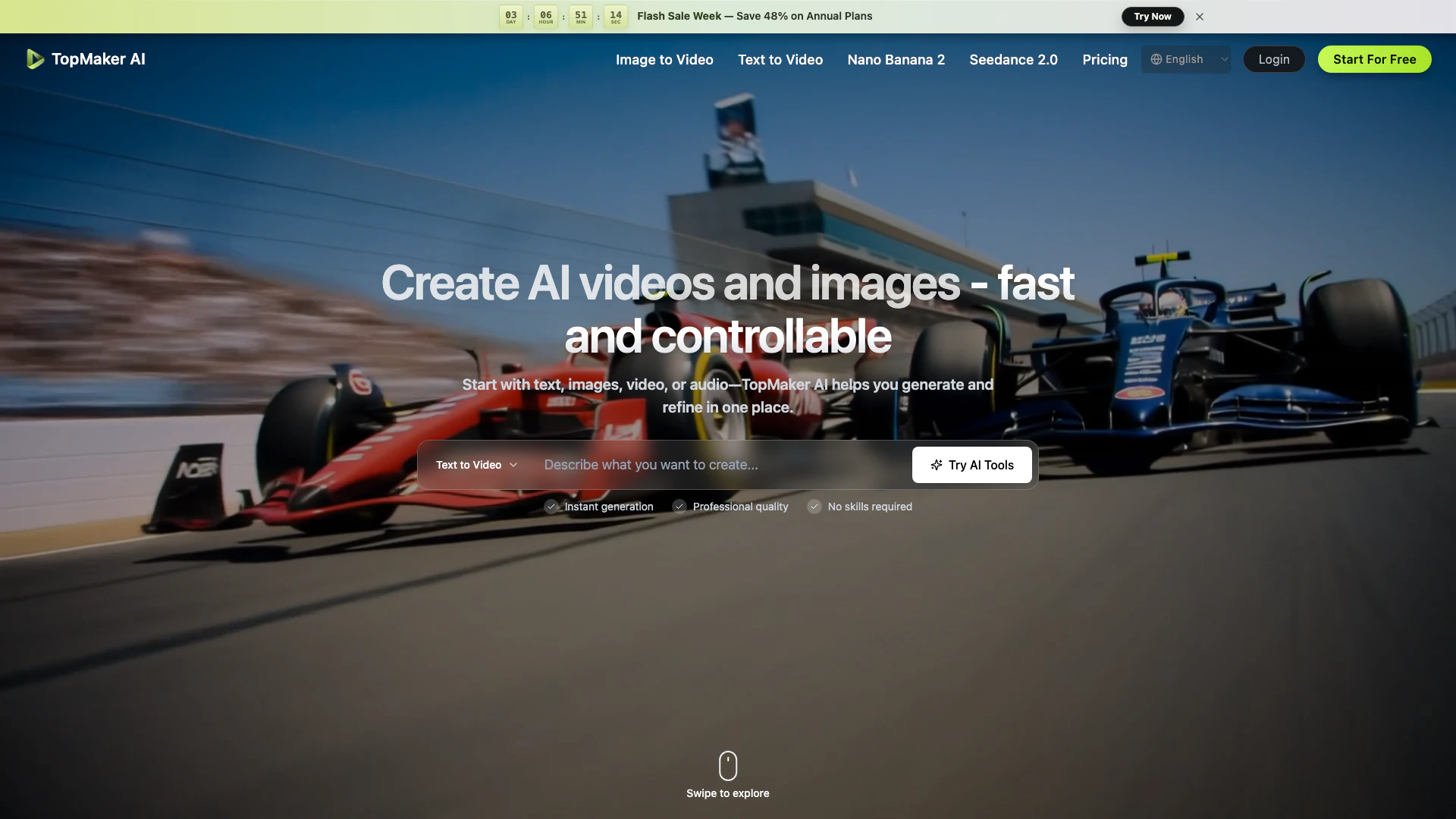


What is TopMaker AI?
TopMaker AI is a comprehensive AI-powered platform[1] designed for creating and refining videos and images. It provides users with a seamless workspace to generate high-quality visual content from various inputs, including text, images, and audio. The tool leverages advanced AI models, such as Seedance 2.0[3] and Veo 3.1[4], to deliver professional-grade outputs without requiring specialized skills. With TopMaker AI, creators can efficiently iterate on their projects, compare different models, and streamline their production workflows, making it an ideal solution for content creators and marketers looking to enhance their visual storytelling.
How to use TopMaker AI?
- Pick a Workflow: Start by selecting the input type you want to use—text, image, or video. You can use existing content without the need for extensive setup.
- Choose a Model: Select from various AI models available in TopMaker AI based on your specific goals, such as quality, speed, or budget. This allows you to run the same concept across different models.
- Generate and Refine: Generate your initial output and refine it using follow-up prompts. You can adjust settings and create multiple variants quickly before exporting the final product.
What are the main features of TopMaker AI?
- Multiple AI Models[5]: Access to over 20 advanced AI models, including Seedance 2.0 and Veo 3.1, each offering unique capabilities for video and image generation[2].
- Integrated Workflow[6]: A single workspace allows for seamless transitions between different types of content creation, keeping assets and prompts connected.
- Fast Iteration: Quickly test and compare outputs across models, enabling rapid refinement of ideas and concepts.
- High-Quality Outputs: Generate professional-quality videos and images with industry-leading resolution and speed.
Who is TopMaker AI for?
TopMaker AI is designed for a diverse range of users, including content creators, marketers, video producers, and social media managers. It caters to individuals and teams who need to produce high-quality visual content quickly and efficiently. Whether you are an indie creator looking to generate engaging social media clips, a marketer needing to create multiple ad variants, or a business owner aiming to showcase products through video, TopMaker AI provides the tools necessary to streamline your creative process.
What are the use cases of TopMaker AI?
- UGC Videos: Create authentic, user-generated content videos that enhance social proof and storytelling for brands.
- Performance Ads: Generate multiple ad variations quickly, focusing on hooks, benefits, and calls to action for effective marketing campaigns.
- Music Video Visuals: Produce stylized visuals for music tracks, promotions, and lyric snippets, enhancing the overall viewing experience.
Product Images









Topmakerai Pros and Cons
Pros
- Multiple AI Models Access: TopMaker AI provides access to over 20 leading AI video and image models in a single workspace, allowing users to choose the best model for their project needs.
- Fast Iteration Process: The platform enables quick testing and iteration of concepts across different models, allowing users to refine their outputs without repetitive setup.
- User-Friendly Interface: Designed for ease of use, TopMaker AI requires no prior skills, making it accessible for creators at any level to generate high-quality videos and images.
Cons
No cons data detected for this tool
Topmakerai Reviews
We turn one product brief into multiple ad variations without jumping between tools. The workflow→model→refine loop is simple, so we ship new creatives every week.
I start from a hook + a few references, generate a first draft, then iterate fast until it feels native for Reels. It's the quickest way I've found to get from idea to usable footage.
TopMaker AI helps me keep a consistent look across scenes while I iterate. I can change the model or workflow without rebuilding the whole prompt every time.
For more reviews, visit this link: https://topmaker.ai/#reviews