

Spritesheetmaker
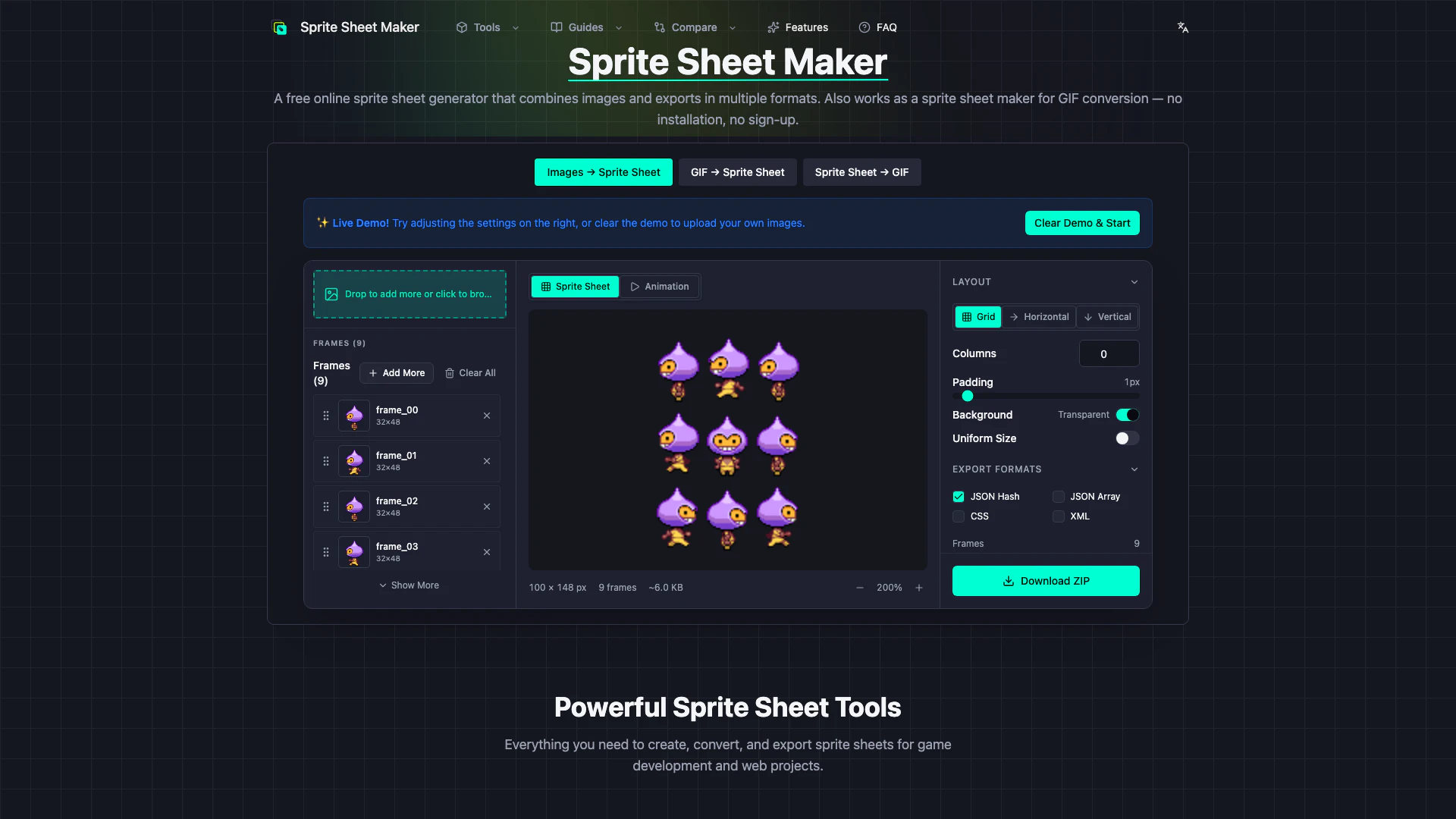





What is Spritesheetmaker?
Spritesheetmaker is a powerful online tool designed for creating, converting, and exporting sprite sheets specifically tailored for game development and web projects. This browser-based solution allows users to effortlessly convert animated GIFs into sprite sheets, combine multiple images into a single sprite sheet, and generate metadata for various game engines. With its user-friendly interface and robust functionality, Spritesheetmaker streamlines the process of sprite sheet creation, making it an essential tool for game developers and designers.
How to use Spritesheetmaker?
- Upload Your Images: Drag and drop your sprite images or animated GIF onto the upload area. You can add multiple images at once. Supported formats include PNG, JPG, GIF, WebP, and SVG.
- Arrange & Configure: Choose your layout mode (Grid, Horizontal, or Vertical), set the number of columns, adjust padding and spacing, and configure the background color. You can preview your sprite sheet in real-time as you make changes.
- Preview Animation: Switch to the Animation tab to test your sprite sheet. Adjust the FPS to see how your frames will animate in-game before exporting.
- Export & Download: Download your sprite sheet as a PNG image along with metadata in your preferred format (JSON, CSS, or XML). The metadata includes frame positions, sizes, and names for easy integration with any game engine.
What are the main features of Spritesheetmaker?
- GIF to Sprite Sheet Converter: Instantly convert animated GIFs into sprite sheets, automatically extracting and arranging every frame in a grid layout.
- Sprite Sheet to GIF Maker: Easily turn any sprite sheet back into an animated GIF by uploading your sprite sheet and adjusting settings like columns, rows, and FPS.
- Image to Sprite Sheet Packer: Combine multiple images into a single sprite sheet with drag-and-drop functionality and customizable layouts.
- FNF Sprite Sheet and XML Generator: Create sprite sheets specifically for Friday Night Funkin' games, complete with PNG + XML TextureAtlas pairs.
- Export to JSON, CSS & XML: Export sprite sheets in multiple formats compatible with various game engines, including Unity, Godot, and Phaser.
- Animation Preview with FPS Control: Preview animations in real-time and adjust the frame rate to see how sprites will look in-game before exporting.
- 100% Browser-Based Processing: Use the tool without uploads, ensuring privacy and zero latency.
- No Sign-Up Required: Start using the tool immediately without needing to create an account or provide an email.
- Multi-Language Support: Available in English, Japanese, and Spanish, ensuring accessibility for a wider audience.
- No File Limits: Process sprite sheets of any size, limited only by your device's memory.
Who is Spritesheetmaker for?
Spritesheetmaker is designed for game developers, animators, and web designers who require efficient tools for creating and managing sprite sheets. Whether you are an indie game developer working on a personal project, a professional studio creating complex animations, or a web designer looking to optimize images for better performance, Spritesheetmaker provides the necessary tools and features to streamline your workflow. Its multi-language support and no-sign-up requirement further enhance its accessibility for users around the globe.
What are the use cases of Spritesheetmaker?
- Game Development: Use Spritesheetmaker to create and manage sprite sheets for various game engines, including Unity, Godot, and Phaser, enhancing the visual quality and performance of your games.
- Web Projects: Generate sprite sheets for web applications, optimizing image loading times and improving user experience through efficient sprite management.
- Animation Creation: Convert GIFs into sprite sheets for use in animations, or create animated GIFs from sprite sheets for easy sharing on social media or websites.
Spritesheetmaker Pros and Cons
Pros
- Multiple Input Format Support: Supports multiple input formats including PNG, JPG, WebP, SVG, and GIF, making it versatile for various image types.
- Flexible Export Options: Allows exporting in various formats such as PNG + JSON Hash, JSON Array, CSS, and XML TextureAtlas, providing flexibility for developers.
- High Maximum Sprite Sheet Size: Can handle large sprite sheets with a maximum dimension of ~8192x8192, suitable for high-resolution graphics.
- Broad Browser Compatibility: Compatible with major browsers including Chrome, Firefox, Safari, and Edge, ensuring broad accessibility.
Cons
- Lack of Polygon Packing Support: Does not support polygon packing, which may limit optimization for certain sprite sheet layouts.
- No Command-Line Integration: No command-line or CI integration available, which may hinder automated workflows for developers.
- No Animation Interpolation: Animation interpolation is not supported, limiting the ability to create dynamic animations from sprite sheets.





