Signquick


What is SignQuick?
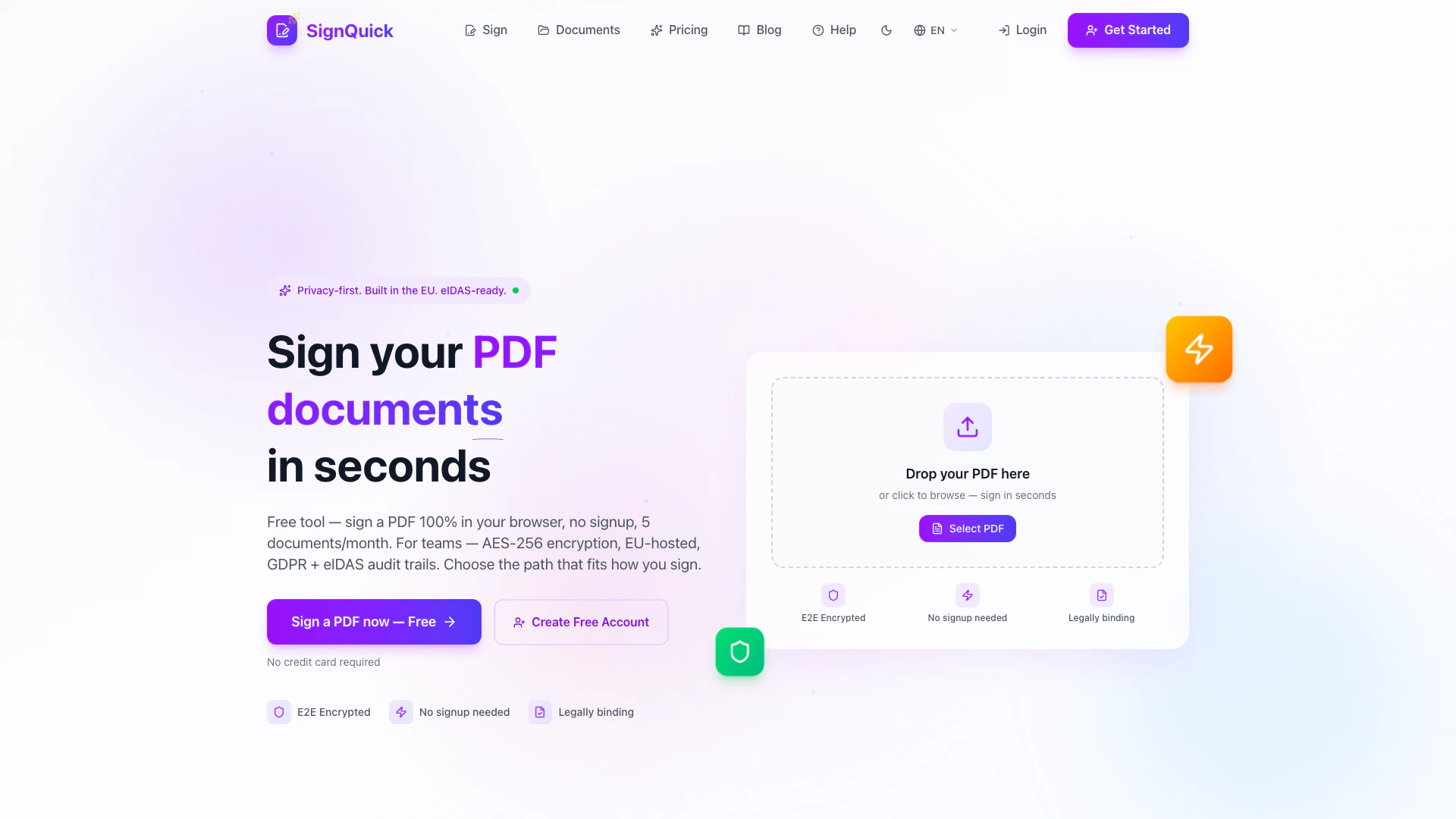
SignQuick is an innovative online tool designed for signing PDF documents quickly and securely. Built with a privacy-first approach, SignQuick operates entirely within your browser, ensuring that your documents are not stored on external servers. This free tool allows users to sign up to five documents per month without any registration or credit card requirement, making it accessible and user-friendly. SignQuick is eIDAS-ready, meaning it complies with European regulations for electronic signatures, providing legally binding signatures that are both fast and efficient.
How to use SignQuick?
- Upload your PDF: Drag and drop your PDF document into the designated area or click to select it from your device.
- Create your signature: Use your mouse or finger to draw your signature, and adjust its size and color as needed.
- Download: Place your signature on the document and download the signed PDF instantly.
What are the main features of SignQuick?
- Privacy by Design: Your PDFs are processed entirely in your browser, ensuring total privacy.
- End-to-End Encryption: Documents are encrypted both in transit and at rest, providing maximum security.
- Legally Binding Signatures: Complies with eIDAS for valid electronic signatures.
- Fast Signing: Sign documents in less than 30 seconds without any account setup.
- Mobile Friendly: Works seamlessly on smartphones and tablets, allowing you to sign documents anywhere.
- No Signup Required: Use the tool without creating an account, ensuring a hassle-free experience.
Who is SignQuick for?
SignQuick is ideal for individuals and teams looking for a straightforward and secure way to sign PDF documents without the complications of traditional signing methods. It caters to freelancers, small business owners, and professionals who prioritize privacy and efficiency in document management. Additionally, it is suitable for teams needing a compliant e-signature solution that adheres to GDPR regulations and offers the flexibility of a free plan.
What are the use cases of SignQuick?
- Freelancers: Quickly sign contracts or agreements with clients without the need for physical paperwork.
- Small Businesses: Streamline the signing process for invoices, proposals, and other essential documents.
- Remote Teams: Facilitate collaboration by allowing team members to sign documents from anywhere, ensuring compliance and security.
Signquick Pros and Cons
Pros
- Free to Use: SignQuick offers a free plan that allows users to sign up to 5 documents per month without any registration or credit card requirements.
- Privacy-Focused: The tool processes PDFs entirely in the browser with no data sent to servers, ensuring user privacy and compliance with GDPR regulations.
- Fast and Easy Signing: Users can sign documents in less than 30 seconds using a simple drag-and-drop interface and can create signatures with a mouse or finger.
Cons
No cons data detected for this tool
Signquick Pricing
Free Plan
Free forever, sign up to 5 documents per month without any hidden fees.
For the latest pricing, please visit this link: https://signquick.app/pricing
Prices are subject to change. Please visit the official website for the most up-to-date pricing information.