

Shotsglow



What is ShotsGlow?
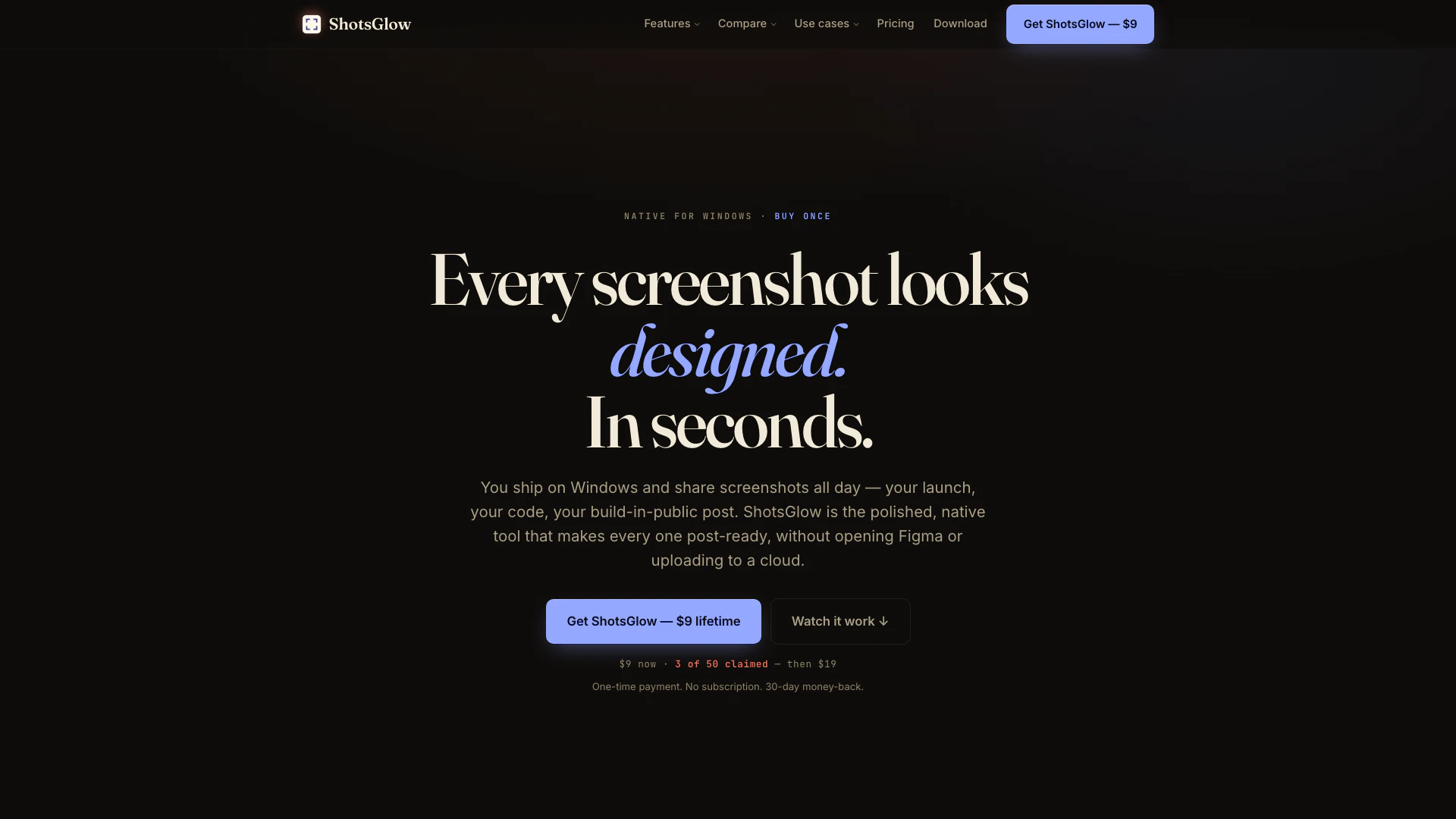
ShotsGlow is a polished, native Windows screenshot application designed to enhance the screenshot capturing process. It allows users to capture images, add designed backdrops, annotate, blur or redact sensitive information, and remove backgrounds directly on their devices. With an intuitive interface and powerful editing tools, ShotsGlow enables users to export their screenshots in the exact sizes required for social media platforms and the App Store, all without the need for subscriptions or cloud uploads.
How to use ShotsGlow?
- Download and install ShotsGlow from the official website.
- Launch the application and use the global hotkey to capture a screenshot of the desired area on your screen.
- Once captured, utilize the built-in editing tools to add designed backdrops, annotations, or blur/redact sensitive information.
- If needed, use the AI background removal feature to isolate subjects in your screenshot.
- Finally, export your polished screenshot in the required size for social media or App Store submission.
What are the main features of ShotsGlow?
- Native Windows screenshot capturing with instant editing capabilities.
- Designed backdrops to enhance the visual appeal of screenshots.
- Annotation tools for adding text, arrows, and other elements.
- On-device AI for background removal without uploading images to the cloud.
- Options to blur or redact sensitive information easily.
- Export options tailored for 30 different social media and App Store sizes.
- One-time purchase for a lifetime license, eliminating the need for subscriptions.
Who is ShotsGlow for?
ShotsGlow is ideal for Windows users who frequently create and share screenshots, including developers, indie makers, and social media managers. It caters to individuals who need a reliable tool to produce professional-quality images quickly without the hassle of multiple applications or subscriptions. Whether for app promotions, support documentation, or social media posts, ShotsGlow provides the necessary features to make every screenshot look polished and ready for sharing.
What are the use cases of ShotsGlow?
- Creating eye-catching app store screenshots that meet specific size requirements.
- Producing social media posts that require visually appealing screenshots with annotations and backgrounds.
- Preparing documentation or support materials that include screenshots with sensitive information that needs to be blurred or redacted.
- Quickly capturing and editing screenshots for presentations or reports without needing additional design software.
Shotsglow Pros and Cons
Pros
- One-Time Payment: ShotsGlow offers a lifetime license for a one-time payment of $9, eliminating the need for subscriptions and ongoing costs.
- On-Device AI Background Removal: The tool features on-device AI that allows users to remove backgrounds from images without uploading them to the cloud, ensuring privacy and security.
- Designed for Windows: ShotsGlow is a native Windows application, providing a seamless and fast screenshot experience tailored specifically for Windows users.
Cons
No cons data detected for this tool
Shotsglow Pricing
Lifetime Plan
One-time payment for lifetime access to all features of ShotsGlow. Perfect for capturing, editing, and exporting screenshots without any subscription.
For the latest pricing, please visit this link: https://shotsglow.com/pricing
Prices are subject to change. Please visit the official website for the most up-to-date pricing information.





