Roastmydesk





What is Roastmydesk?
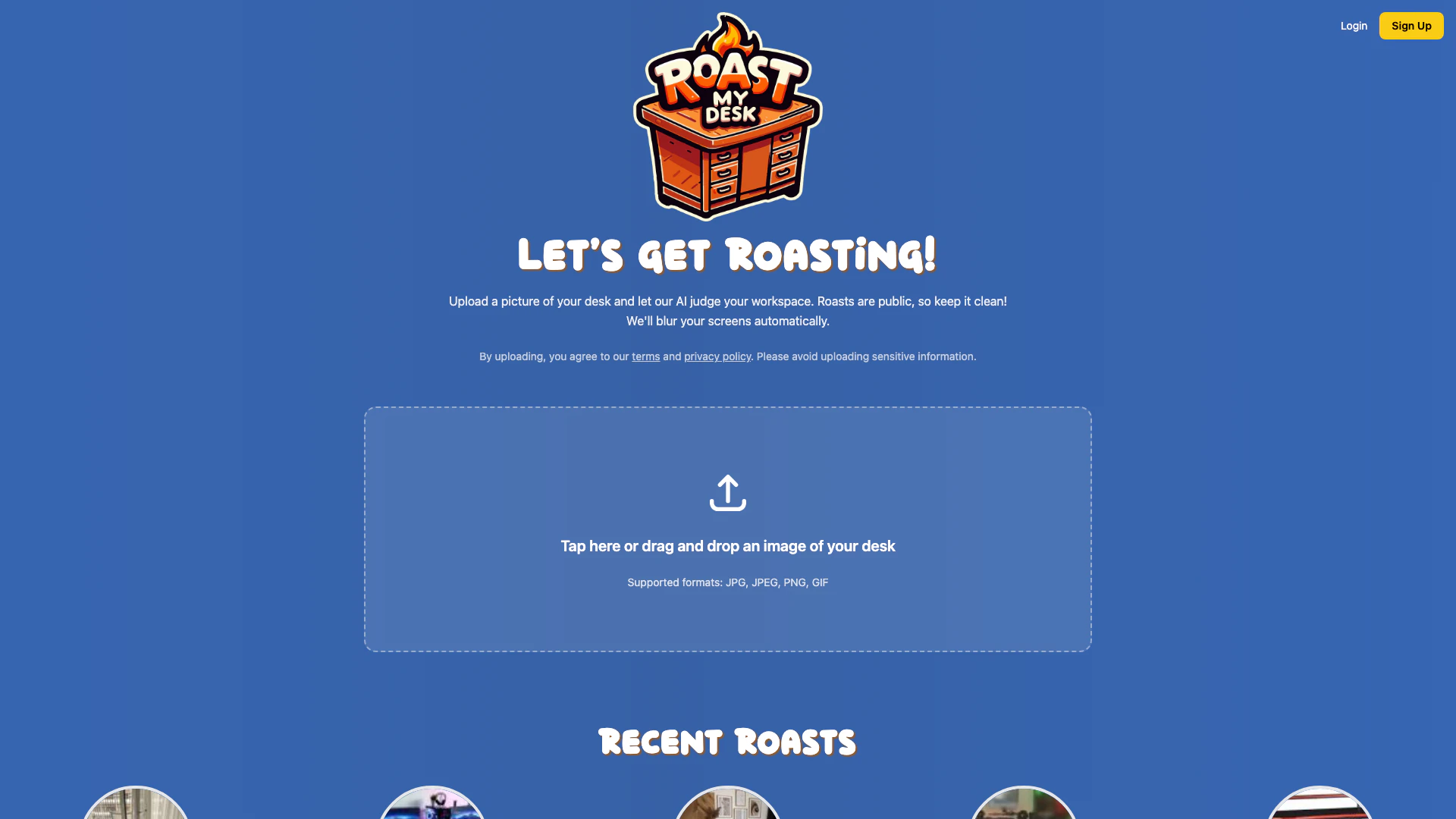
Roastmydesk is an innovative online platform that allows users to upload pictures of their desks and receive humorous critiques from an AI system. The tool is designed for individuals looking to add a fun twist to their workspace organization by inviting light-hearted feedback on their desk setup. The roasts generated are public, making it a social experience where users can see how their desks compare to others. The AI ensures that any sensitive information on screens is blurred, promoting privacy while engaging in this playful activity.
How to use Roastmydesk?
- Visit the Roastmydesk website and log in or sign up for an account.
- Click on the upload area to drag and drop an image of your desk or select a file from your computer. Supported formats include JPG, JPEG, PNG, and GIF.
- Once the image is uploaded, the AI will analyze your desk and generate a roast, which will be displayed publicly for others to view.
What are the main features of Roastmydesk?
- AI Roasting[1]: The core feature that allows users to receive humorous critiques of their desk setups.
- Public Sharing[2]: Roasts are shared publicly, fostering a community of users who can view and comment on each other's desks.
- Privacy Protection[3]: Automatic blurring of sensitive information on screens ensures user privacy.
- User-Friendly Interface[4]: Easy upload process for desk images, supporting various image formats.
- Leaderboard[5]: Users can see the coolest, worst, and most stylish desks, encouraging friendly competition.
Who is Roastmydesk for?
Roastmydesk is ideal for individuals who enjoy a humorous take on workspace organization. It appeals to students, remote workers, and office professionals who want to share their desk setups with a community and receive playful feedback. Additionally, it is suitable for those who appreciate social engagement through light-hearted critiques and want to see how their workspace stacks up against others.
What are the use cases of Roastmydesk?
- Workspace Improvement: Users can gain insights and suggestions on how to enhance their desk setups based on community feedback.
- Social Interaction: Engage with a community by sharing desk images and receiving roasts, fostering connections through humor.
- Entertainment: Enjoy the fun of seeing how your desk is perceived by an AI and the public, making it a light-hearted activity.
Product Images

Roastmydesk Pros and Cons
Pros
- Unique AI Roasting Feature: The tool allows users to upload pictures of their desks and receive humorous AI-generated roasts, making it a fun and engaging experience.
- Public Sharing of Roasts: Users can share their roasts publicly, fostering a community atmosphere where people can enjoy and comment on each other's workspace setups.
- Automatic Screen Blurring: The tool automatically blurs sensitive information on screens in uploaded images, ensuring user privacy while still providing a roast.
Cons
No cons data detected for this tool
Analytics of Roastmydesk
Roastmydesk Website Traffic Analysis
Visits Over Time
Traffic Sources
Jan 2026 - Jan 2026 Worldwide Desktop Only
- Search: 41.31%
- Direct: 35.37%
- Referrals: 14.52%
- Social: 5.37%
- Paid Referrals: 2.01%
- Mail: 0.25%
Top Keywords
| Keyword | Volume | CPC | Estimated Value |
|---|---|---|---|
| roast my focus | 240 | $0.00 | $0.00 |