Quickarchviz




What is Quickarchviz?
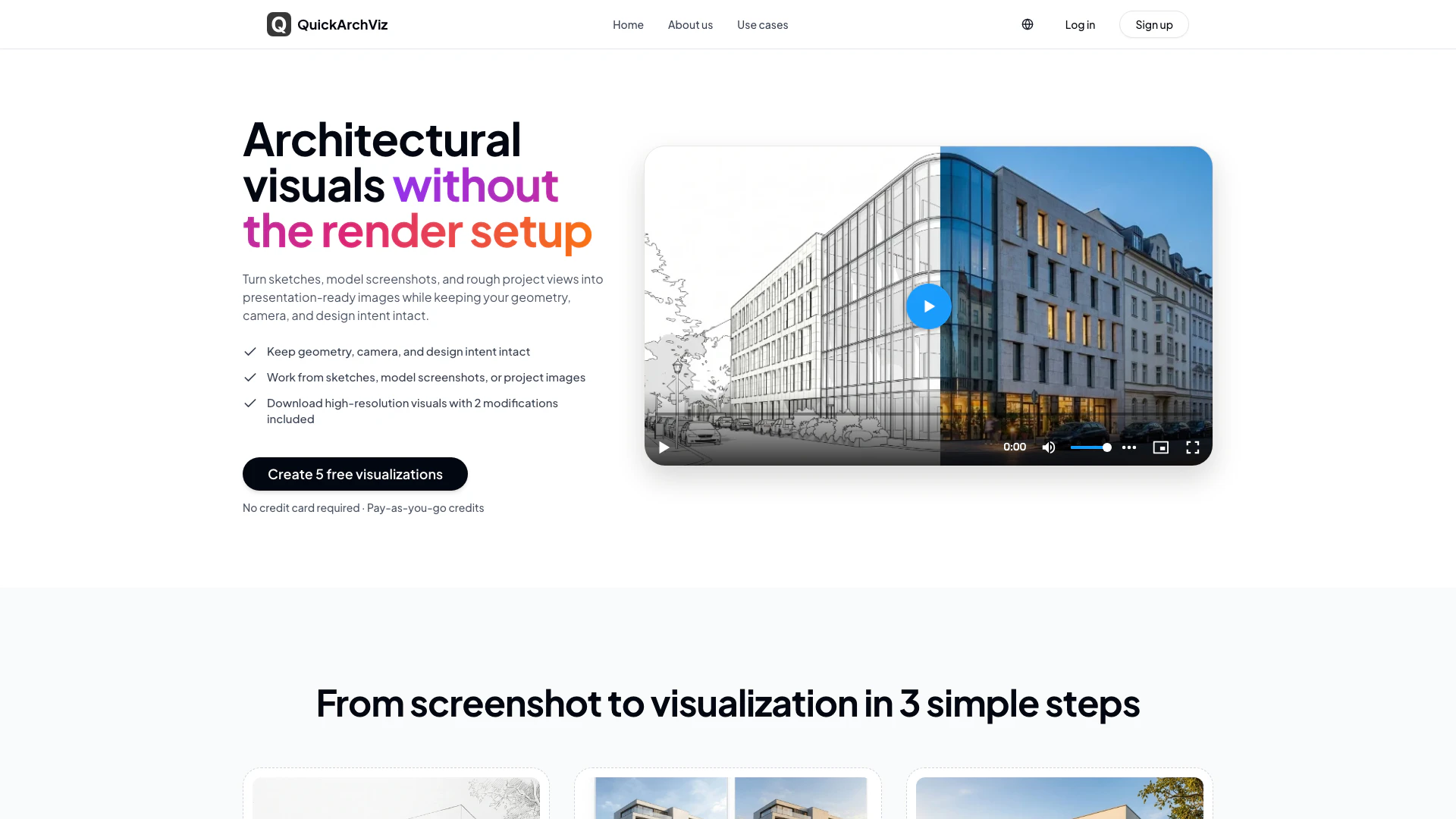
Quickarchviz is an innovative architectural visualization tool designed to transform sketches, model screenshots, and project views into stunning presentation-ready visuals. This tool allows architects and designers to maintain the geometry, camera angles, and design intent of their projects while significantly speeding up the visualization process. By eliminating the need for extensive rendering setups, Quickarchviz streamlines the workflow, enabling users to create high-quality visuals efficiently and effectively.
How to use Quickarchviz?
- Upload your screenshot: Begin by uploading a sketch, model screenshot, or drawing without the need for plugins or material setups.
- Choose a visual style: Select from a variety of ready-made styles, or request a custom style tailored to your office's needs.
- Download or modify the result: Once your visualization is generated, download the high-resolution image and make any necessary modifications to materials, lighting, and other presentation details.
What are the main features of Quickarchviz?
- Transform raw project views into polished architectural visuals.
- Preserve original geometry, camera, and composition for accurate representation.
- Explore various lighting conditions, including daylight and golden hour effects.
- Create interior visuals that convey atmosphere and material choices effectively.
- Utilize custom style presets for consistent branding across presentations.
- Test and compare different materials and finishes without restarting the render process.
- Generate short presentation clips from still images to enhance client communication.
Who is Quickarchviz for?
Quickarchviz is ideal for architects, designers, and visualizers who need to create compelling architectural presentations quickly and efficiently. It caters to professionals working in various sectors, including residential, commercial, and interior design. Whether you're preparing for client meetings, design reviews, or internal discussions, Quickarchviz provides the tools necessary to convey your design intent clearly and effectively.
What are the use cases of Quickarchviz?
- Generate client-ready visuals from rough model screenshots for effective presentations and design discussions.
- Create atmospheric interior visualizations to assist clients in understanding spatial character and material choices before final decisions.
- Develop custom style presets for studios to ensure consistency in visual presentations across different projects and team members.
Quickarchviz Pros and Cons
Pros
- Fast Architectural Visualizations: QuickArchViz allows users to create polished architectural visuals quickly from raw model screenshots, saving time compared to traditional rendering setups.
- Preservation of Design Intent: The tool preserves the original geometry, camera angles, and composition of the project view, ensuring that the design intent is maintained throughout the visualization process.
- Customizable Company Styles: QuickArchViz offers the option to create reusable style presets tailored to a company's presentation language, ensuring visual consistency across all team members.
Cons
No cons data detected for this tool
Quickarchviz Pricing
25 Render Credits
Best for client presentations, revisions, and material option studies. 1 credit = 1 generated visualization. 2 free modifications for each image. High-resolution download included. No subscription. Credits never expire. Start with 5 free images.
For the latest pricing, please visit this link: https://quickarchviz.com/register
Prices are subject to change. Please visit the official website for the most up-to-date pricing information.