

Postquickai
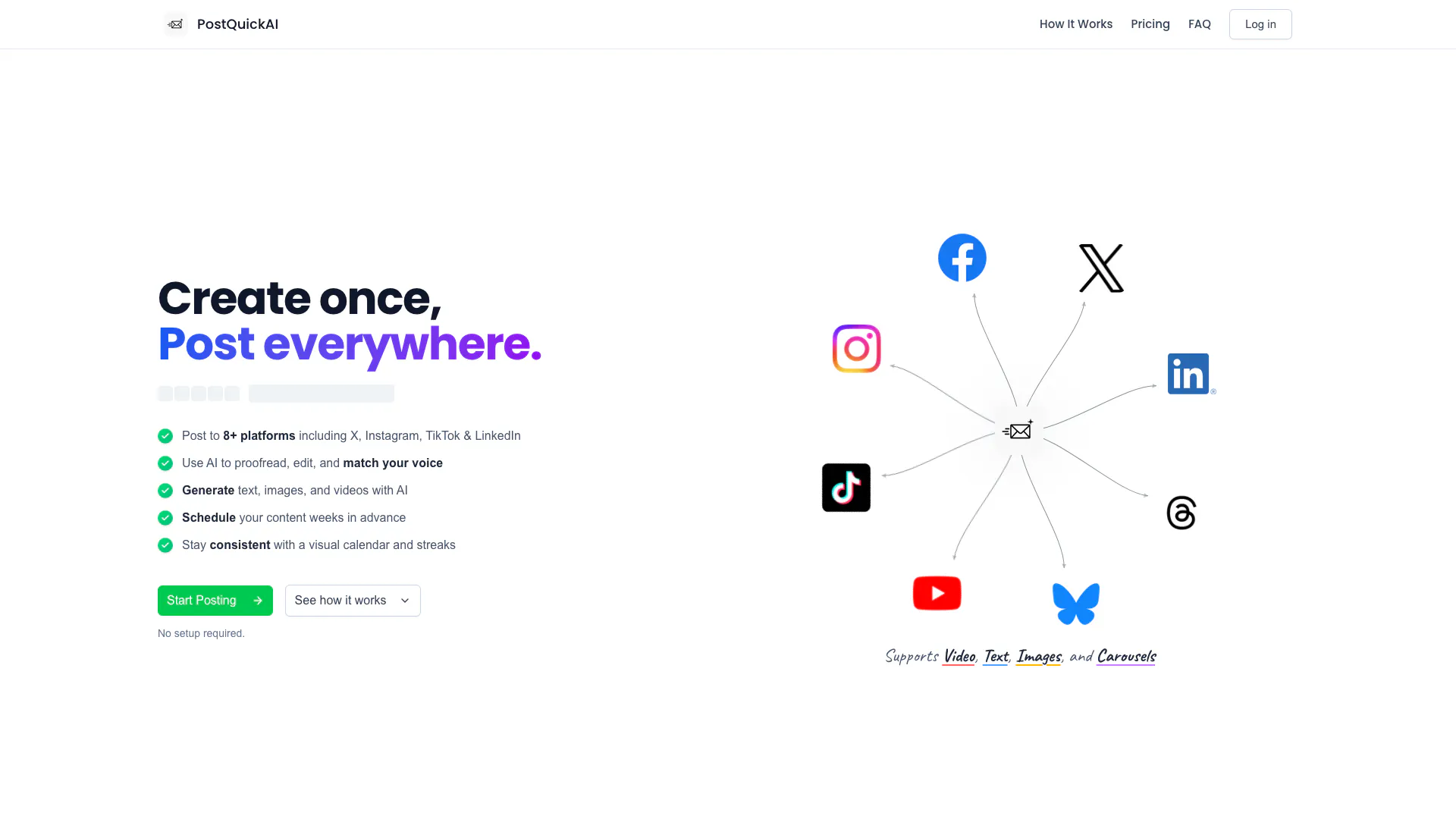


What is PostQuickAI?
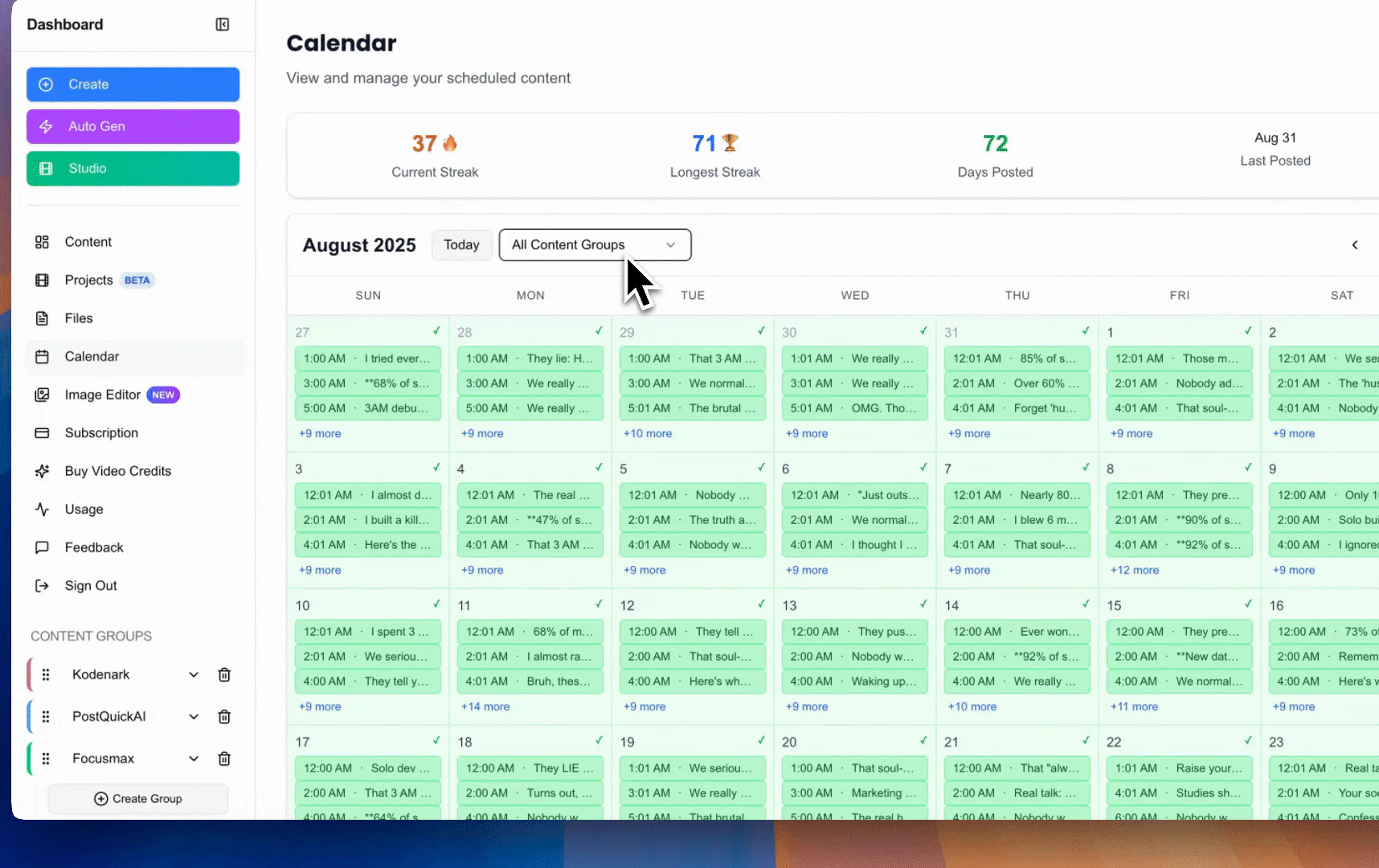
PostQuickAI is an innovative social media management tool that automates the scheduling and posting of content across multiple platforms including X (formerly Twitter), LinkedIn, TikTok, Instagram, and more. It empowers users to streamline their social media presence by utilizing AI for content creation, proofreading, and scheduling, allowing for a consistent and engaging online presence without the hassle of manual posting. With a visual content calendar and streaks feature, PostQuickAI helps users maintain regular posting habits, making it an essential tool for businesses and individuals looking to optimize their social media strategy.
How to use PostQuickAI?
- Create or Generate Content: Use PostQuickAI to create original content or leverage the AI to generate text, images, and videos tailored to your brand voice.
- Schedule and Post: Once your content is ready, use the visual calendar to schedule posts across various social media platforms. You can set your content strategy in advance and let PostQuickAI automate the posting process.
What are the main features of PostQuickAI?
- Multi-Platform Scheduling: Schedule posts across 8+ platforms simultaneously from one dashboard.
- AI Content Generation: Automatically generate engaging text, images, and videos using advanced AI technology.
- Visual Content Calendar: Plan and visualize your posting schedule with an intuitive drag-and-drop calendar interface.
- Streaks Feature: Maintain consistency by tracking your posting streaks, encouraging regular engagement.
- AI Website Scanner: Automatically extract your brand settings from your website to streamline content generation.
Who is PostQuickAI for?
PostQuickAI is designed for social media managers, marketers, small business owners, and content creators who need to maintain a strong online presence without the complexity of manual scheduling. It is particularly beneficial for those managing multiple social media accounts, as it allows for efficient content planning and automation, making it ideal for anyone looking to enhance their social media strategy.
What are the use cases of PostQuickAI?
- Social Media Management: Streamline the management of multiple social media accounts by scheduling posts in advance and maintaining consistent engagement.
- Content Creation: Utilize AI to generate and edit engaging content, reducing the time spent on content production.
- Brand Promotion: Enhance brand visibility by automating posts across various platforms, ensuring your message reaches a wider audience effectively.
Product Images
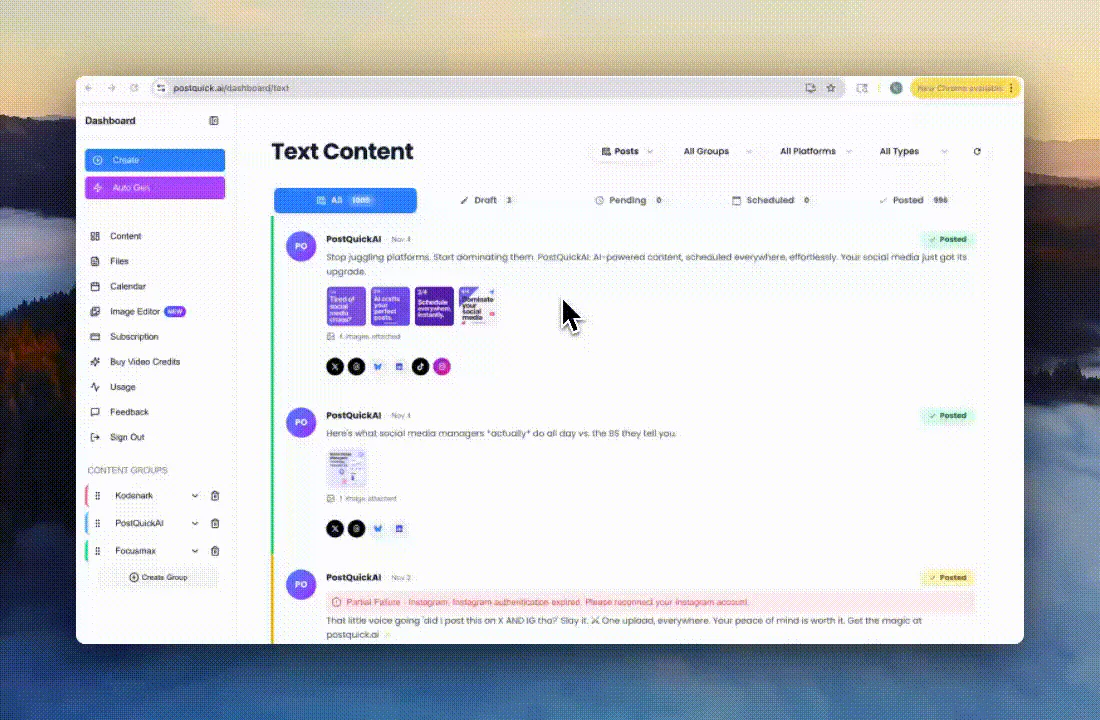
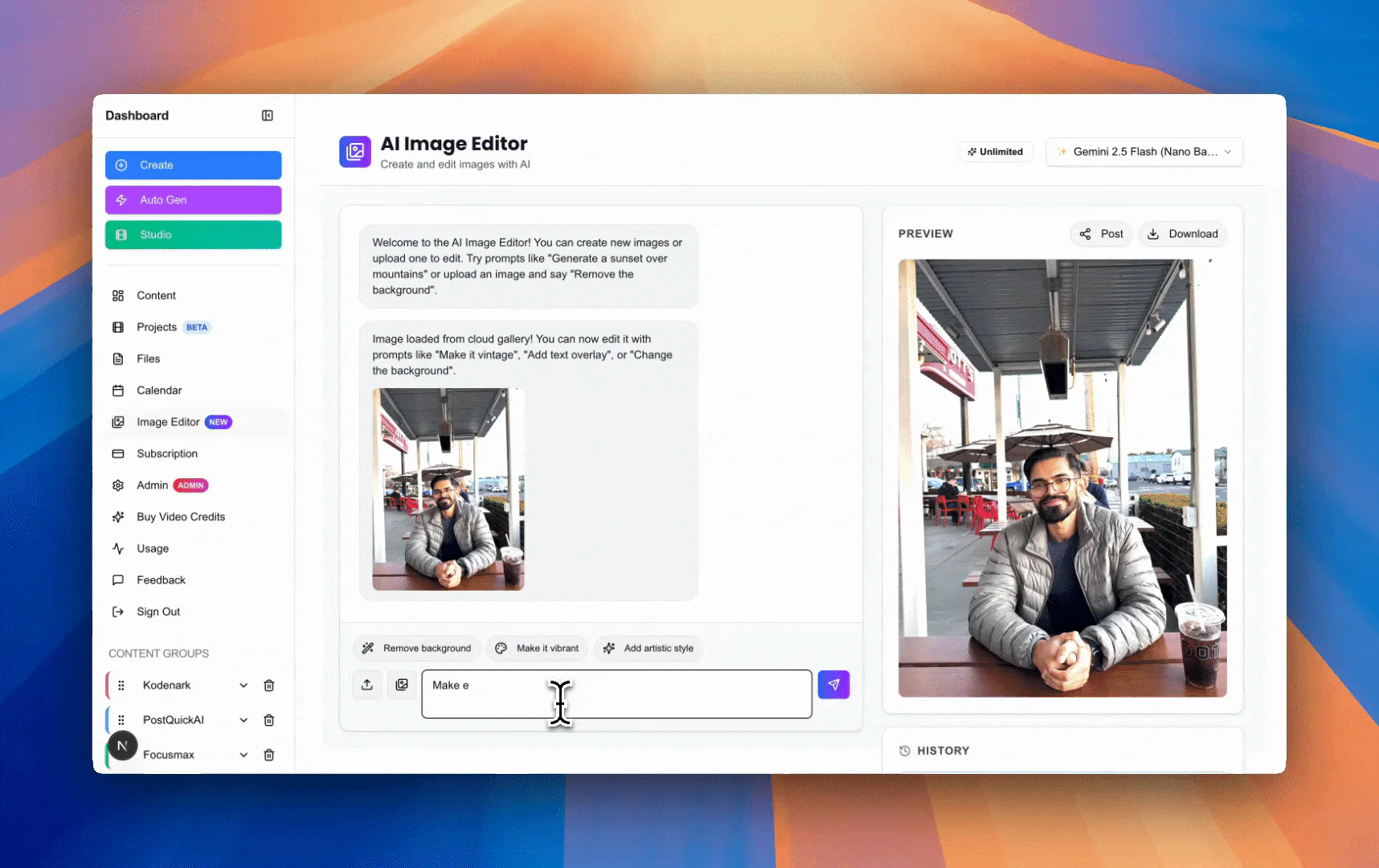
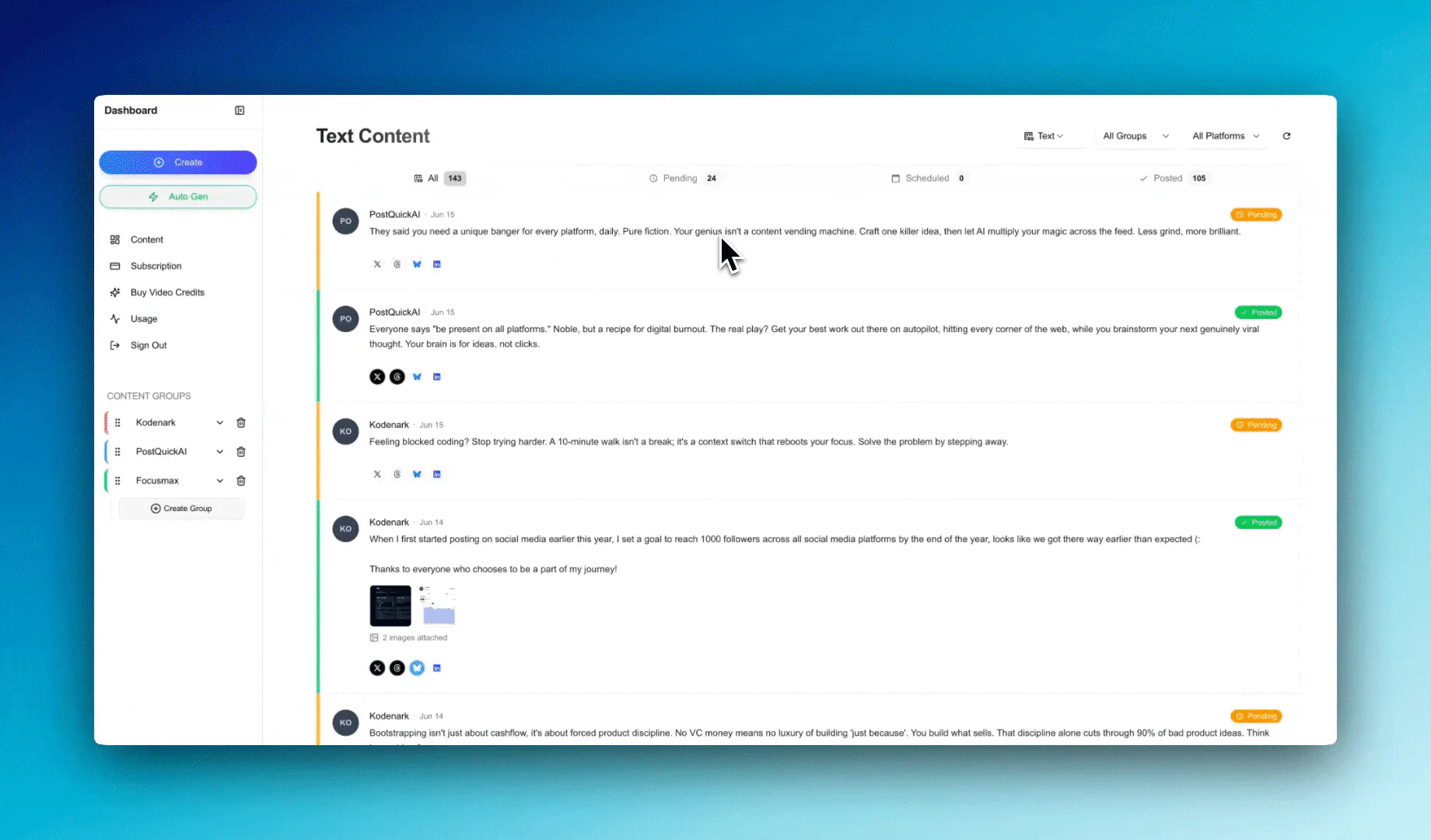
Postquickai Pros and Cons
Pros
- Multi-Platform Posting: PostQuickAI allows users to publish content across 8+ platforms including X, LinkedIn, TikTok, and Instagram simultaneously, saving time and effort.
- AI Content Generation: The tool features AI capabilities for generating text, images, and videos, enabling users to create engaging content quickly and efficiently.
- Visual Content Calendar: PostQuickAI includes a visual content calendar that helps users plan and schedule posts in advance, ensuring consistency and organization.
Cons
No cons data detected for this tool
Postquickai Pricing
Basic Plan
7-Day Free Trial - 5 Content Groups - 50 AI image generations per month - 10 video credits per month - Unlimited text generation - Unlimited Auto-gen runs - Real human support
Pro Plan
7-Day Free Trial - Unlimited Content Groups - Unlimited AI image generation - 25 video credits per month - Everything in Basic - Real human support
For the latest pricing, please visit this link: https://postquick.ai/pricing
Prices are subject to change. Please visit the official website for the most up-to-date pricing information.
Analytics of Postquickai
Postquickai Website Traffic Analysis
Visits Over Time
Traffic Sources
Oct 2025 - Dec 2025 Worldwide Desktop Only
- Search: 46.92%
- Direct: 32.27%
- Referrals: 15.97%
- Social: 3.35%
- Paid Referrals: 1.09%
- Mail: 0.11%
Top Keywords
| Keyword | Volume | CPC | Estimated Value |
|---|---|---|---|
| postquickai | 710 | $0.00 | $730.00 |
| imagen 4 ultra vs nano banana | 690 | $0.00 | $190.00 |
| google imagen vs nano banana | 490 | $0.00 | $100.00 |
| post quick ai | 290 | $0.00 | $140.00 |
| что лучше, imagen 4 ultra или nano banana | 150 | $0.00 | $100.00 |



Postquickai Social Listening
最强AI工作流平台:免费部署、连接1000+外部应用,让AI...
工作流下载:https://github.com/soluc...
DeepSeek-V4-Pro 正式发布!开源 Harnes...
【更多资源】▶https://bittly.cc/lingd...
PROVEN SECRET: Post 50x Daily ...
Tired of the content grind? Di...
Unlock to view 7 social media results.