

Plantdiagrams






What is Plantdiagrams?
Plantdiagrams is a free online PlantUML[1] editor that utilizes AI technology to facilitate the creation, editing, and sharing of UML diagrams. This tool allows users to transform their ideas into professional diagrams quickly and effortlessly, with a live preview[3] feature that updates in real-time. By simply describing their diagram ideas in natural language[4], users can see the AI generate PlantUML code and render the corresponding diagram instantly, all without the need for installation.
How to use Plantdiagrams?
- Visit the Plantdiagrams website and navigate to the editor.
- Describe your diagram idea in natural language, specifying what you want to visualize.
- The AI will process your request and generate the corresponding PlantUML code.
- Observe the live preview of your diagram as it is rendered instantly based on the generated code.
- Make any adjustments or customizations as needed, utilizing the features available in the editor.
What are the main features of Plantdiagrams?
- AI-Powered[2] Editor: Get intelligent code suggestions[5], auto-completion, and smart error detection for seamless PlantUML creation.
- Sample Templates: Access pre-built templates for various diagram types, including sequence and class diagrams.
- Export Options: Export diagrams in multiple formats such as SVG, PNG, or TXT for versatile use.
- Link Sharing: Easily share diagrams with others by generating public links for viewing.
- Project Management: Organize related diagrams into projects for improved workflow.
- Real-Time Collaboration: Allow team members to add comments and feedback directly on diagrams for collaborative efforts.
Who is Plantdiagrams for?
Plantdiagrams is designed for developers, architects, and teams who need to create and manage UML diagrams efficiently. It is particularly beneficial for professionals in various industries, including e-commerce, IoT, DevOps, financial systems, and education. The tool caters to users who prefer a quick and intuitive way to visualize their ideas without requiring extensive technical knowledge.
What are the use cases of Plantdiagrams?
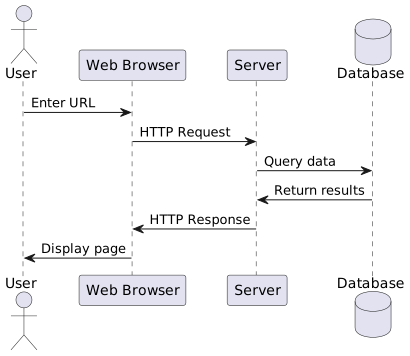
- Creating Sequence Diagrams: Visualize user interactions with applications to enhance user experience design.
- Developing Class Diagrams: Model the structure of software systems for better architecture planning.
- Designing Activity Diagrams: Map out workflows and processes in various business scenarios.
Product Images
Plantdiagrams Pros and Cons
Pros
- AI-Powered Diagram Generation: Utilizes AI to transform natural language descriptions into PlantUML code, allowing for quick and easy diagram creation.
- Real-Time Preview: Offers live updates and instant rendering of diagrams, enabling users to see changes as they make them.
- Collaboration Features: Allows users to share diagrams with a single click and receive comments from collaborators, enhancing teamwork.
- Multiple Export Options: Supports exporting diagrams in various formats such as SVG, PNG, and TXT for versatile usage.
Cons
No cons data detected for this tool
Plantdiagrams Pricing
Free
Perfect for getting started. Includes 3 editable diagrams, 1 project, 10 AI credits (total), comments and collaboration, and link sharing.
Pro
For professionals and teams. Includes everything in Free, 200 AI credits every month, unlimited editable diagrams, unlimited projects, and priority support.
For the latest pricing, please visit this link: https://www.plantdiagrams.com/pricing
Prices are subject to change. Please visit the official website for the most up-to-date pricing information.




