

Pixparkle



What is Pixparkle?
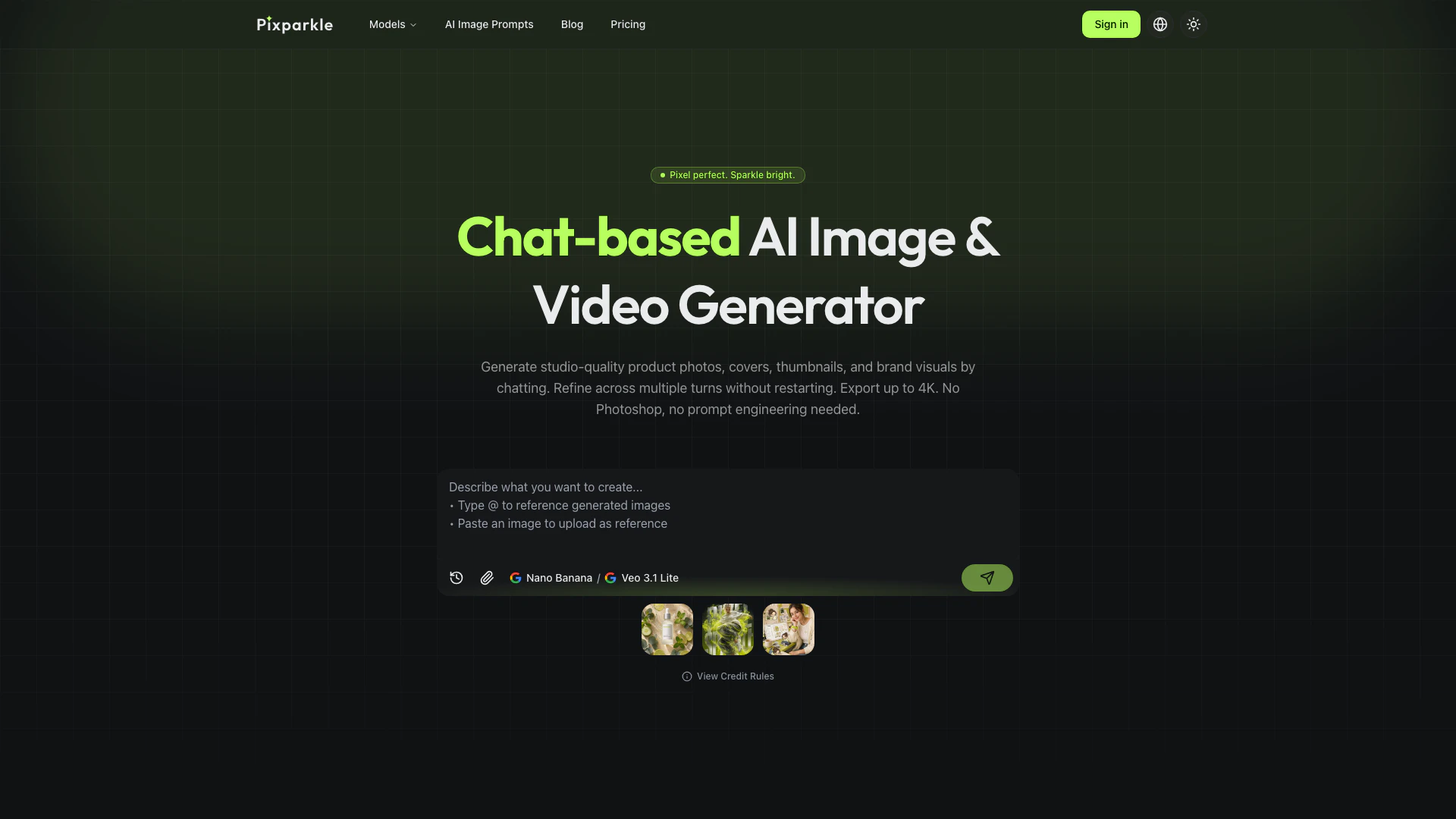
Pixparkle is a chat-based AI image generator designed to create high-quality visuals from plain-language prompts. It allows users to describe their image needs, refine the outputs through conversation, and export professional-grade images, making it an ideal tool for creators, brands, and e-commerce businesses. With no design skills required, Pixparkle streamlines the image creation process, enabling users to generate product photos, social media visuals, and more in a matter of minutes.
How to use Pixparkle?
- Describe: Type a detailed description of the image you need in plain language, such as "White background product shot of my coffee mug, morning light from the left."
- Generate: The AI image generator quickly produces a result based on your description. You can choose between different models for speed or quality.
- Refine in Chat: If the generated image isn't perfect, provide feedback in the chat, like "Make the light warmer" or "Add a subtle shadow," and the AI will adjust accordingly.
- Export in 4K: Once satisfied, download your final image in up to 4K resolution, with commercial use included on all paid plans.
What are the main features of Pixparkle?
- Chat-based Interface: Users can interact with the AI through a conversational interface, making it easy to describe and refine images.
- High-Quality Outputs: Generates professional-grade visuals suitable for various applications, including e-commerce and social media.
- Multi-turn Editing: Users can refine images without losing quality, allowing for cumulative edits based on previous instructions.
- Image-to-Video Capability: Users can create videos from generated images within the same chat session, streamlining the content creation process.
- Multilingual Text Rendering: Supports accurate rendering of logos, headlines, and labels in multiple languages, including Chinese, Japanese, and Korean.
Who is Pixparkle for?
Pixparkle is tailored for a diverse range of users, including content creators, e-commerce sellers, and social media managers. It caters to those who need high-quality visuals quickly and efficiently without the need for extensive design skills. Whether you are a small business owner looking to enhance your product listings or a social media influencer aiming to create engaging content, Pixparkle provides the tools necessary to produce stunning visuals that resonate with your audience.
What are the use cases of Pixparkle?
- E-commerce Product Photography: Generate polished product images for online listings, saving time and reducing costs associated with traditional photography.
- Social Media Content Creation: Create visually appealing posts, thumbnails, and ads tailored for various platforms, ensuring brand consistency across all content.
- Marketing Campaigns: Design eye-catching visuals for promotional materials, including ads, posters, and video clips, all from a single conversation.
Pixparkle Pros and Cons
Pros
- Chat-Based Interface for Ease of Use: Pixparkle features a chat-based interface that allows users to describe images in plain language, making it accessible for those without technical skills.
- High-Quality Image Generation: The tool generates professional-quality visuals up to 4K resolution, suitable for e-commerce, social media, and branding.
- Multi-Turn Editing Without Quality Loss: Users can refine their images through multi-turn conversations, allowing for cumulative edits without losing quality.
Cons
No cons data detected for this tool
Pixparkle Pricing
Free
Try the AI image generator with no commitment. No credit card required. 10 free credits. Generate your first image right now. Access to all AI models. Generate from text or image. Commercial use allowed. Up to 4K resolution. Priority generation queue.
Starter
For creators and sellers who generate images weekly. All models, full resolution, clean text. Everything in Free, plus: 500 credits per month, all AI models including highest quality options, up to 4K resolution, accurate text rendering: logos, headlines, multilingual, up to 14 reference images per generation, priority generation queue.
Pro
Most Popular. For content creators and e-commerce sellers with a high weekly production volume. Everything in Starter, plus: 1600 credits per month, best credit rate: more images per dollar, ideal for product catalogs, thumbnail batches, social content libraries.
Premium
Best Value. For agencies and high-volume sellers producing images daily across multiple brands. Everything in Pro, plus: 6500 credits per month, highest volume rate, lowest cost per image, ideal for agencies, multi-brand sellers, and daily campaign production.
For the latest pricing, please visit this link: https://pixparkle.com/pricing
Prices are subject to change. Please visit the official website for the most up-to-date pricing information.
Pixparkle Compare
| Tool Name | Introduction | Pricing | Type | Rating | Launch Date | Learn more |
|---|---|---|---|---|---|---|
Tutor AI - Your personal AI tutor to learn anything | Free | September 23, 2007 | Get deal | |||
AiSofiya offers AI-powered tools, chatbots, and automation to help websites and businesses work smarter, faster, and 24/7. | Free | January 10, 2023 | Get deal | |||
Free Calendar Sharing | Free Blocks | Free | September 2, 2022 | Get deal |



Info current as of post date. Offers and availability may vary by location and are subject to change.
Pixparkle Q&A
You can start generating immediately with 10 free credits. No credit card, no software install, no app download. Pixparkle is fully browser-based and works on desktop and mobile. The free AI image generator tier includes access to all models with commercial use rights and produces realistic photo-quality output. Create an account to save your work and continue beyond the trial credits. Paid plans available when you need more credits.
Pixparkle Alternatives

Generate stunning images and videos effortlessly with Dreamina's AI.
- Image Generation & Editing
- AI Avatar Generator
- AI Image Generator
- AI Romantic Image & Video Generator

Adobe Firefly is an AI-driven tool for creating unique images, videos, and audio.
- Image Generation & Editing
- AI Image Generator
- AI Photo Editor
- AI Realistic Image Generator

Picsart is a versatile platform for creating stunning visual content using AI tools.
- Image Generation & Editing
- AI Image Generator
- AI Photo Editor
- Gallery Creation Tool