

Piooy



What is Piooy?
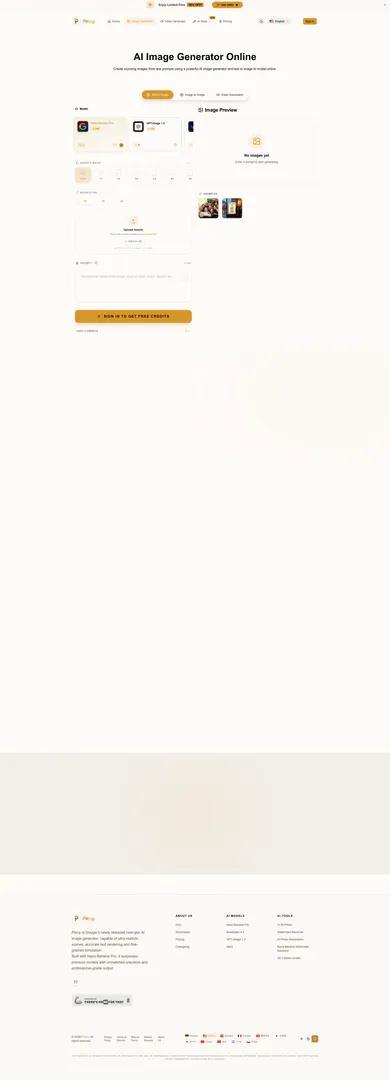
Piooy is a powerful AI image generator[1] that allows users to create stunning images from text prompts instantly. This online tool leverages advanced AI technology to transform textual descriptions into high-quality visual art, making it an ideal solution for artists, marketers, and anyone in need of visual content. With its advanced capabilities, Piooy excels in generating ultra-realistic scenes[3], maintaining style consistency[4], and accurately rendering text within images.
How to use Piooy?
- Visit the Piooy website and navigate to the AI Image Generator section.
- Enter your desired text prompt in the provided input box, describing the image you want to create.
- Click on the 'Generate' button to initiate the image creation process.
- Review the generated images and select the one that best fits your needs.
- Download or share your created image as needed.
What are the main features of Piooy?
- Instant image generation[2] from text prompts.
- High-quality output with ultra-realistic visuals.
- Support for various styles and consistent character rendering.
- Ability to create diverse content such as ads, posters, and mock-ups.
- User-friendly interface[5] for easy navigation and operation.
Who is Piooy for?
Piooy is designed for a wide range of users, including digital artists[6], graphic designers[7], marketers, and content creators[8]. It is suitable for anyone who needs to generate high-quality images quickly and efficiently, whether for professional projects or personal use. The tool is particularly valuable for teams and individuals looking to produce visual content without extensive graphic design skills.
What are the use cases of Piooy?
- Creating unique artwork for digital portfolios or personal projects.
- Designing marketing materials such as flyers, posters, and social media graphics.
- Generating product mock-ups for e-commerce websites or presentations.
- Producing illustrations for blogs, articles, or educational content.
Product Images





Piooy Pros and Cons
Pros
- Instant Image Generation: Piooy allows users to create images from text prompts instantly, making it efficient for quick design needs.
- High-Quality Output: The AI image generator produces stunning, high-quality images suitable for various applications like ad posters and character designs.
- Advanced AI Models: Utilizes advanced AI models like Nano Banana Pro and GPT-Image 1.5, ensuring superior precision and professional-grade output.
Cons
No cons data detected for this tool
Piooy Pricing
Free
Experience basic features including 10 Credits/Yr and access to Nano Banana Pro, GPT Image 1.5, Seedream 4.5, Flux, Z-Image, Photo Restoration, AI Watermark Remover, AI ID Photo, 3D Cartoon Avatar, Nano Banana Watermark Remover, and community support.
Pro
Suitable for professionals, includes 18,000 Credits/Yr and access to multiple AI tools with commercial license, HD quality, high consistency, and priority generation.
Creator
Suitable for individual creators, includes 4,800 Credits/Yr and access to multiple AI tools with commercial license, HD quality, and high consistency.
For the latest pricing, please visit this link: https://piooy.com/pricing
Prices are subject to change. Please visit the official website for the most up-to-date pricing information.





