

Photogrid




What is Photogrid?
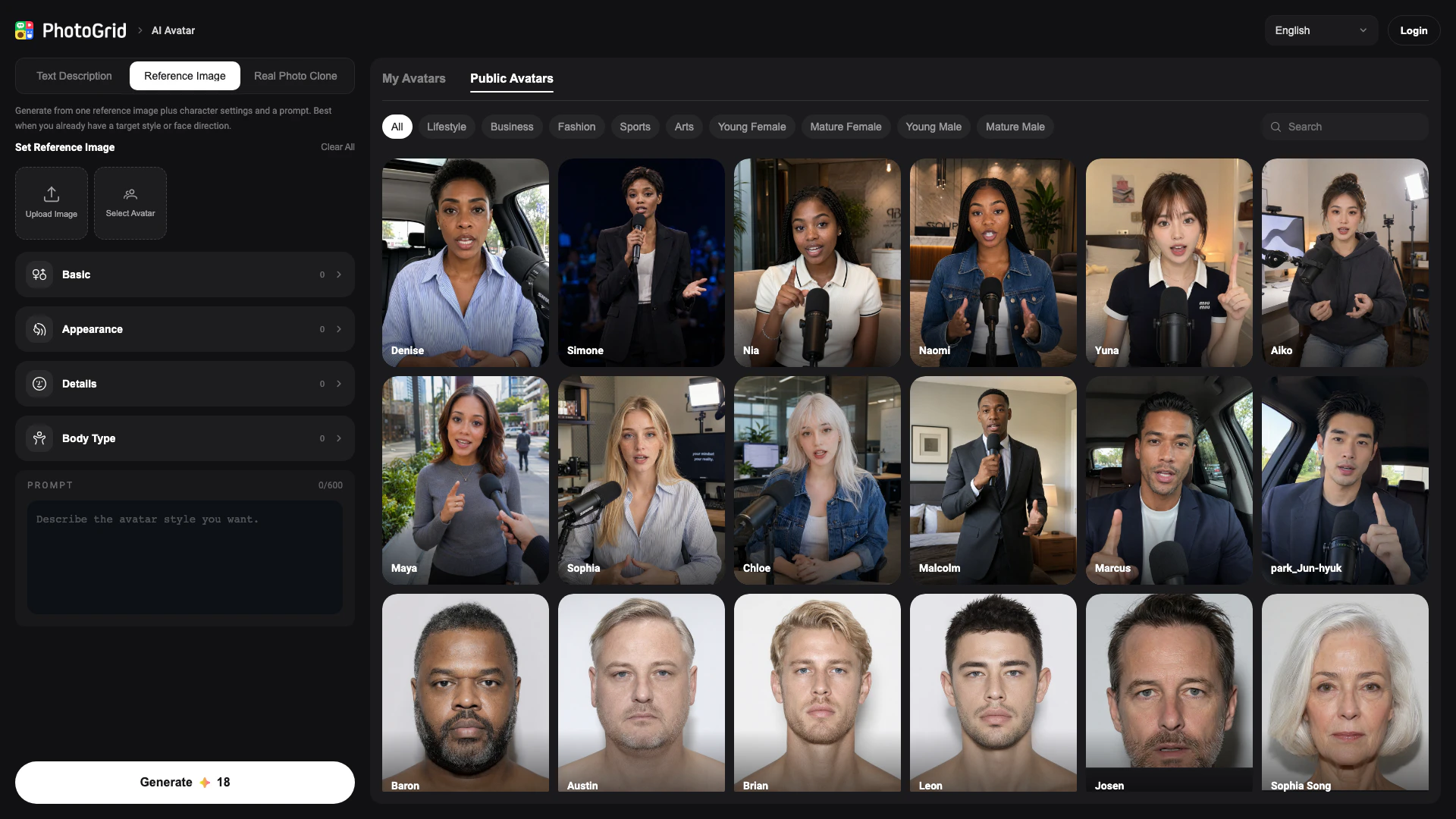
Photogrid is an innovative AI tool designed to create unique avatars using advanced artificial intelligence technology. This tool allows users to generate personalized avatars from text prompts, reference photos, or through real photo cloning. With Photogrid, users can customize various aspects of their avatars, including facial features, hairstyles, skin tones, and artistic styles, all in a matter of seconds. This makes Photogrid a powerful resource for individuals and businesses looking to create distinctive digital representations for various purposes.
How to use Photogrid?
- Visit the Photogrid website and navigate to the AI Avatar section.
- Choose your avatar creation method: either upload a reference image, enter a text description, or select real photo cloning.
- If using a reference image, upload your chosen image and adjust the character settings as desired.
- Enter a prompt to guide the AI in generating your avatar. You can specify details like style and features.
- Click the 'Generate' button to create your unique avatar.
- Review your generated avatar and make any additional adjustments if necessary.
What are the main features of Photogrid?
- Create avatars from text descriptions, reference images, or real photo cloning.
- Customize facial features, hairstyles, skin tones, and artistic styles.
- Quick generation process, producing avatars in seconds.
- User-friendly interface for easy navigation and use.
- Ability to save and share your avatars with others.
Who is Photogrid for?
Photogrid is designed for a wide range of users, including digital artists, content creators, social media influencers, and anyone interested in creating personalized avatars. It's ideal for those who want to enhance their online presence with unique digital representations or for businesses looking to create avatars for branding or marketing purposes. Additionally, it serves gamers and developers who need customizable characters for their projects.
What are the use cases of Photogrid?
- Creating personalized avatars for social media profiles to stand out and engage audiences.
- Designing characters for video games or animations, allowing for unique customization.
- Generating avatars for marketing campaigns, enhancing brand identity with tailored digital representations.
- Producing illustrations for blogs or websites, providing a distinctive visual element.
- Crafting avatars for online gaming platforms, enabling players to express their individuality.
Photogrid Pros and Cons
Pros
- Customizable Avatars: Users can create unique AI avatars by customizing various features such as face, hairstyle, skin tone, and style in seconds.
- Multiple Input Options: The tool allows users to generate avatars from text, reference photos, or real photo cloning, providing flexibility in avatar creation.
- Quick Generation Process: Avatars can be generated quickly, enabling users to see results in a matter of seconds, enhancing user experience.
Cons
No cons data detected for this tool
Photogrid Pricing
Basic
Basic features for generating AI avatars.
For the latest pricing, please visit this link: https://www.photogrid.app/en/
Prices are subject to change. Please visit the official website for the most up-to-date pricing information.





