Parrottalkai




What is Parrottalkai?
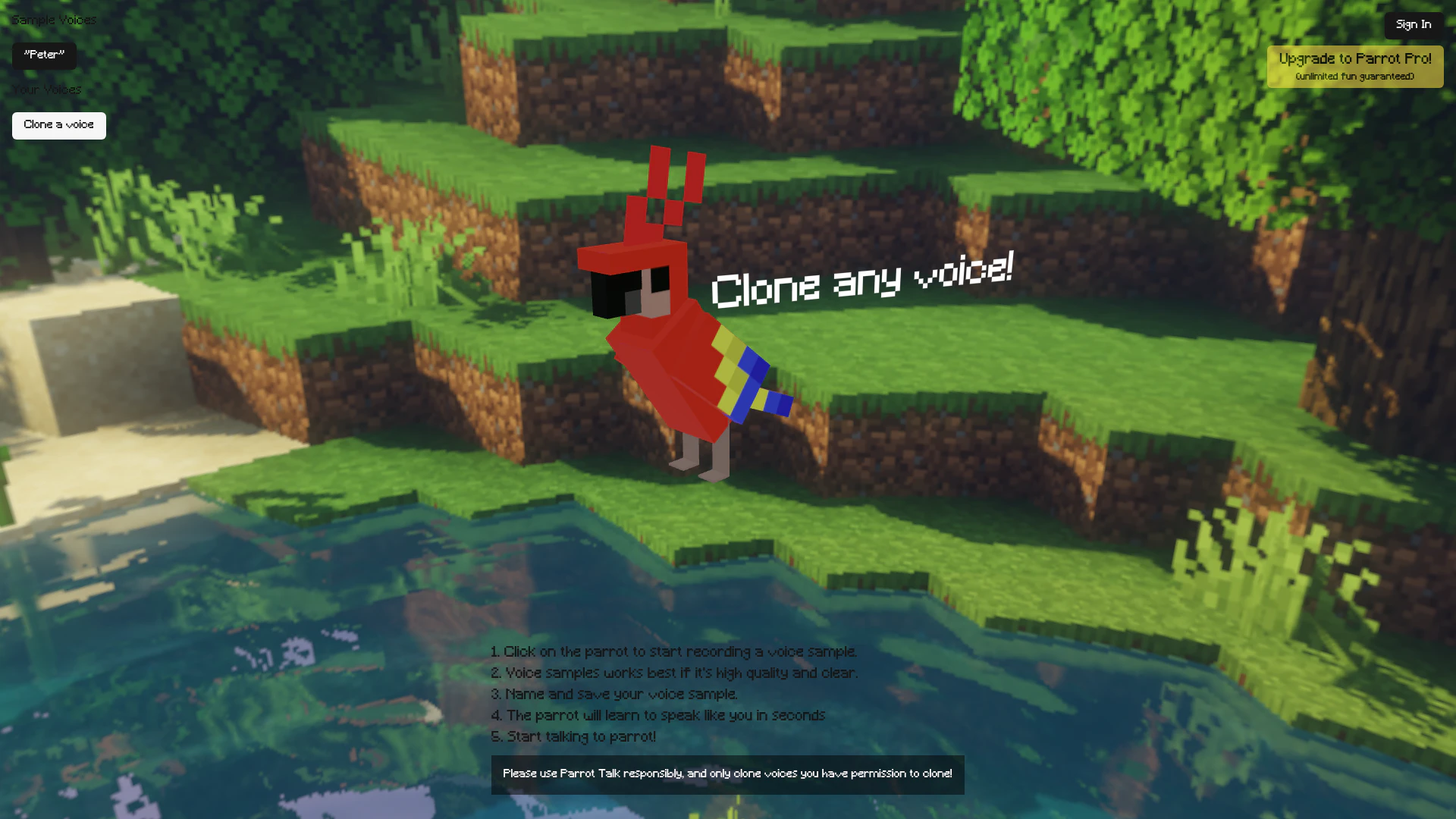
Parrottalkai is an innovative voice cloning[1] tool that enables users to replicate any voice using just a single voice recording. By leveraging advanced AI technology[2], Parrottalkai allows you to create a digital version of a voice that can be used for various applications, such as creating personalized audio content or enhancing communication tools. This tool is designed for ease of use, allowing users to simply record a voice sample, and within seconds, the AI learns to mimic the voice accurately. Parrottalkai is ideal for those looking to explore voice synthesis and personalization.
How to use Parrottalkai?
- Visit the Parrottalkai website and sign in to your account.
- Click on the parrot icon to start recording your voice sample.
- Ensure that your voice sample is high quality and clear for the best results.
- After recording, name and save your voice sample.
- The parrot will process your sample and learn to speak like you in just a few seconds.
- Start interacting with the parrot by talking, and enjoy your cloned voice!
What are the main features of Parrottalkai?
- Voice Cloning: Easily clone any voice with a single recording.
- User-Friendly Interface: Intuitive design that simplifies the voice cloning process.
- High-Quality Output[3]: Produces clear and accurate voice replication.
- Fast Processing[4]: The AI learns to mimic the voice in seconds, allowing for immediate use.
- Personalization Options: Save and manage multiple voice samples for varied applications.
Who is Parrottalkai for?
Parrottalkai is ideal for content creators, marketers, and developers who require personalized audio content. It caters to voice actors looking to create digital replicas of their voices, educators wanting to enhance learning materials, and businesses aiming to improve customer interaction through customized voice responses. Additionally, it is suitable for anyone interested in exploring voice synthesis technology responsibly.
What are the use cases of Parrottalkai?
- Content Creation: Use cloned voices for podcasts, audiobooks, or video narrations.
- Customer Service: Enhance automated customer service responses with personalized voice interactions.
- Education: Create engaging educational content with voice replication for tutorials and lessons.
- Entertainment: Develop unique characters in games or animations using different voice clones.
- Accessibility: Provide voice assistance for individuals with speech impairments, allowing for personalized communication.
Parrottalkai Pros and Cons
Pros
- Easy Voice Cloning: Parrot Talk allows users to clone any voice with just a single recording, making the process simple and efficient.
- High-Quality Voice Samples: The tool emphasizes the importance of high-quality and clear voice samples for optimal cloning results.
- Quick Learning Process: The parrot learns to mimic the recorded voice in seconds, providing a fast turnaround for users.
Cons
No cons data detected for this tool