P7m





What is P7m?
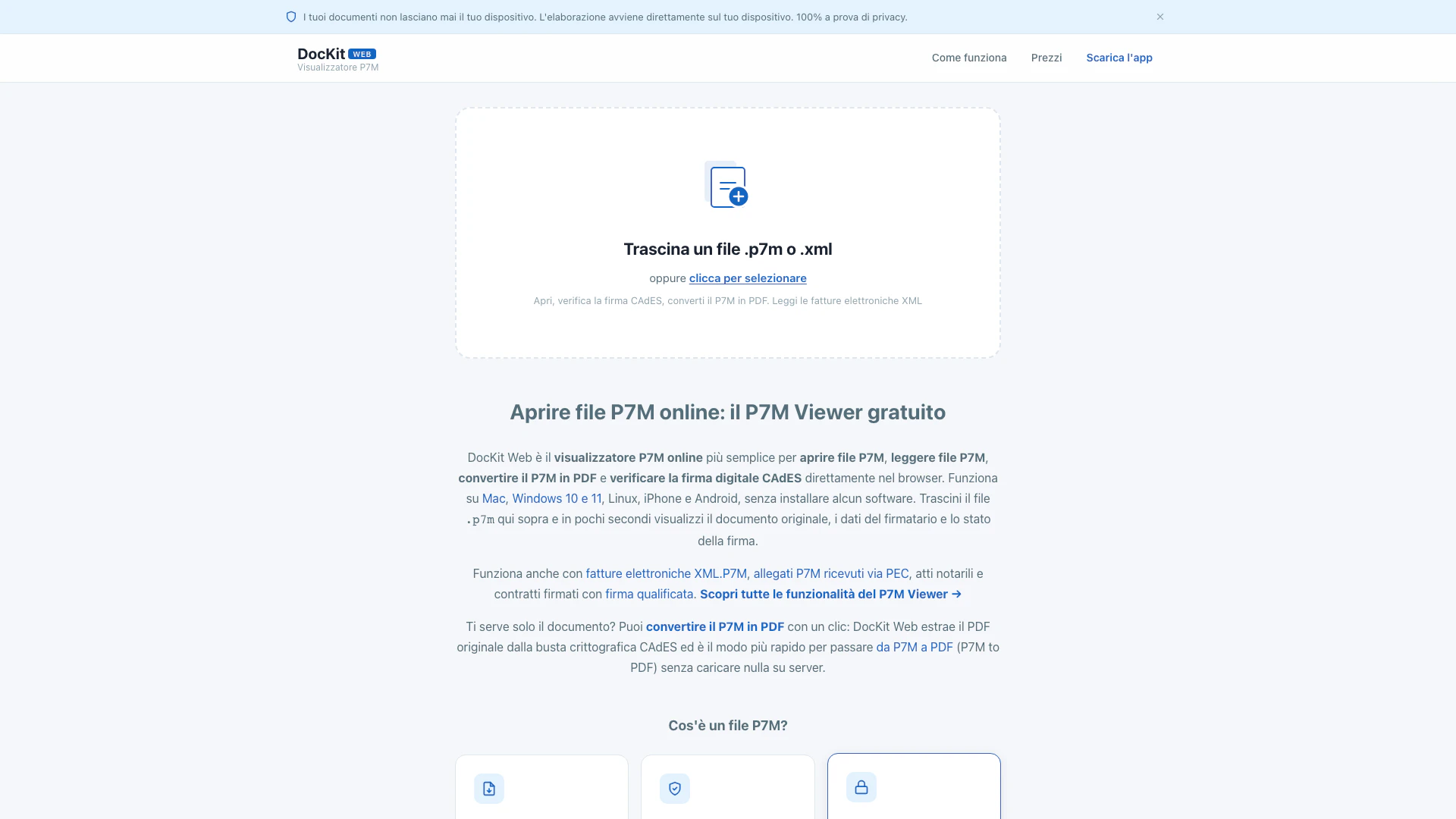
P7m is an online tool designed to quickly open, preview, and verify P7M files directly in your web browser. It allows users to view documents contained within P7M envelopes, check the signer's information, and validate CAdES digital signatures without the need for any software installation. With a focus on privacy, P7m processes all documents locally on the user's device, ensuring that no data is transmitted to external servers. This tool is particularly useful for handling electronic invoices and legally binding documents in Italy and Romania.
How to use P7m?
- Visit the P7m website at https://p7m.io/.
- Drag and drop your P7M or XML file into the designated area on the homepage or click to select the file from your device.
- Wait a few seconds for the document to be processed and displayed in your browser, showing the original document, signer information, and signature verification status.
- If needed, you can convert the P7M file to PDF by clicking the appropriate option, which extracts the original PDF from the encrypted CAdES envelope without uploading anything to external servers.
What are the main features of P7m?
- Fast Processing: Open and preview P7M files in just three seconds.
- CAdES Signature Verification: Verify the digital signature directly in your browser.
- Privacy Focused: All processing occurs locally on your device, ensuring 100% privacy.
- Multi-Platform Support: Compatible with Mac, Windows 10 and 11, Linux, iPhone, and Android without the need for software installation.
- File Conversion: Easily convert P7M files to PDF with a single click.
- Supports XML Invoices: Read and process electronic invoices in XML format.
- User-Friendly Interface: Simple drag-and-drop functionality for uploading files.
Who is P7m for?
P7m is ideal for individuals and professionals who frequently deal with P7M files, such as accountants, legal professionals, and business owners. It caters to users who require a fast and secure way to verify digital signatures and access documents without compromising their privacy. Additionally, it is suitable for anyone who needs to handle electronic invoices or contracts that are commonly used in Italy and Romania.
What are the use cases of P7m?
- Quickly open and read P7M files received via email or other digital communication.
- Verify the authenticity of digital signatures on important documents such as contracts and notarized acts.
- Convert P7M files to PDF for easier sharing and printing of documents.
P7m Pros and Cons
Pros
- Browser-Based Access: The tool allows users to open P7M files directly in their browser without the need for software installation.
- Fast Document Preview: It provides a quick preview of the document, signer details, and verifies the CAdES signature in just a few seconds.
- P7M to PDF Conversion: Users can convert P7M files to PDF easily with a single click, extracting the original PDF from the encrypted envelope.
- Cross-Platform Compatibility: The tool is compatible with multiple operating systems including Mac, Windows, Linux, iOS, and Android.
- 100% Privacy Assurance: All processing is done locally on the user's device, ensuring 100% privacy and no data is uploaded to external servers.
Cons
- Local File Requirement: Users need to have the P7M file available locally, which may limit access if the file is stored remotely.
- Paid Features Limitations: Some advanced features, such as unlimited exports, require a paid subscription.
P7m Pricing
Single Document Extraction
Extract the document from the P7M envelope.
Recommended Export
Unlimited exports for 12 months. Purchase with VAT number to receive the electronic invoice. Secure payment. Cancel anytime.
For the latest pricing, please visit this link: https://p7m.io/prezzi.html
Prices are subject to change. Please visit the official website for the most up-to-date pricing information.