Twitter-color Created with Sketch. Amazon-color Created with Sketch. Facebook-color Created with Sketch. github [#142] Created with Sketch. meta_fill Pinterest-color Created with Sketch. ProductHunt-color Created with Sketch. Spotify-color Created with Sketch. Threads Logo Streamline Icon: https://streamlinehq.com Yelp-color Created with Sketch. Youtube-color Created with Sketch.
TopAIToolsTopAITools
  • Free Tools
  • Category
  • Leaderboard
  • Deals
  • Submit
EN
TopAIToolsTopAITools
TopAI

TopAITools

TopAITools, The Best Top AI Tools

AI Glossary|English简体中文繁體中文한국어日本語PortuguêsEspañolDeutschFrançaisTiếng Việt|Map

© 2026 TopAITools. All rights reserved.

About

  • Privacy Policy
  • Terms of use

Contact Us

business@topaitoolsreview.com
Home
AI Room Planner
Nestique – Ai Room Planner - iOS App
Last updated: June 14, 2026
Nestique – Ai Room Planner - iOS App logo

Nestique – Ai Room Planner - iOS App
Open App Store
5.0|0 Comments|0 Saved
Introduction:
Nestique helps you visualize room changes before you buy, move, or renovate.
Launch Date:
June 5, 2026
Official Website:
https://sites.google.com/view/nestique-app/startseite
Social links:
--
Monthly Visits:
--
iOS
💼Work
AI Room Planner44
Nestique – Ai Room Planner - iOS App website screenshot showing Nestique helps you visualize room change... interface and features

Use tool
Update this tool
Microsoft logo

Microsoft

Easily create and edit high-quality videos with Clipchamp.

Linkedin logo

Linkedin

Connect with professionals worldwide on LinkedIn.

Deepseek logo

Deepseek

DeepSeek focuses on pioneering general AI technologies and models.

Gemini logo

Gemini

Discover Gemini, Google's versatile AI assistant for writing and planning.

Notion logo

Notion

Notion is an AI-powered workspace that automates tasks and enhances team collaboration.

Nestique – Ai Room Planner - iOS App Overview

What is Nestique – AI Room Planner?

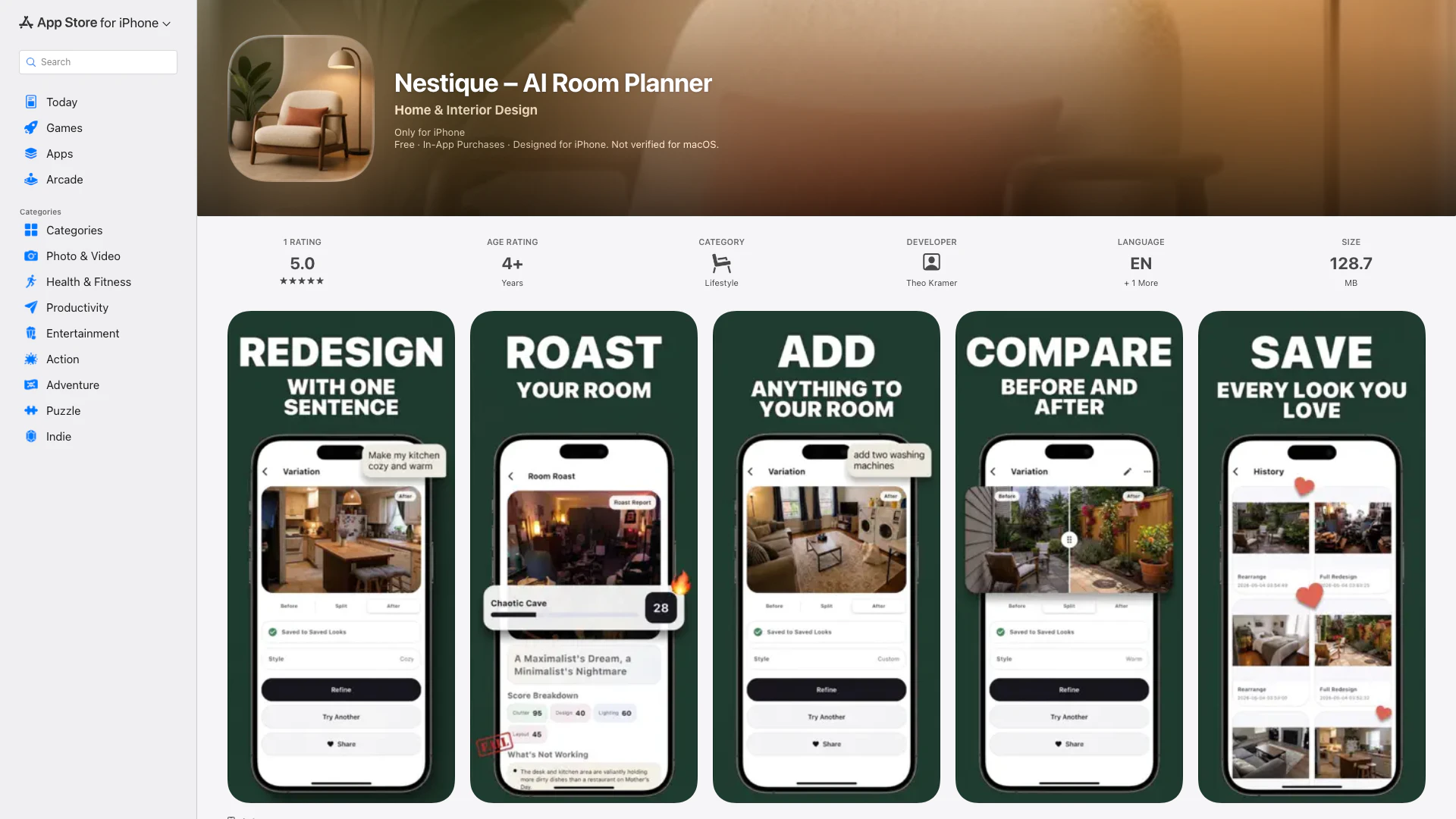
Nestique – AI Room Planner is a cutting-edge application designed to help users visualize potential changes to their living spaces before they take the plunge into buying, moving, or renovating. By allowing users to start with a real photo of their room, this tool generates realistic redesigns, providing straightforward instructions for alterations, such as enhancing brightness or adopting a modern aesthetic. It's particularly valuable for those looking to refresh their spaces, offering a unique blend of creativity and functionality.


How to use Nestique – AI Room Planner?

  1. Download and install Nestique from the App Store.
  2. Capture a real photo of your space using your device.
  3. Save the room in your personal room library for future reference.
  4. Utilize the AI tools to extract furniture and decor from your photo, making them reusable items.
  5. Choose to remove, add, replace, or rearrange objects in your room using AI-assisted editing options.
  6. Generate multiple redesign variations and revisit them whenever you wish.
  7. Compare the before and after images to help guide your real-life decisions.
  8. Save and share your favorite transformations with others.

What are the main features of Nestique – AI Room Planner?

  • AI-assisted room redesigns generated from photos.
  • Capture and save rooms in a personal room library.
  • Extract and reuse furniture and decor from images.
  • Remove, add, replace, or rearrange objects in your space.
  • Generate multiple design variations to explore different aesthetics.
  • Compare before and after looks to visualize changes.
  • Options to save and share transformations with your circle.
  • Built-in Room Coach feature for guided design assistance.

Who is Nestique – AI Room Planner for?

Nestique is ideal for a diverse audience, including homeowners and renters eager to remodel or refresh their interiors, as well as professional interior designers looking for an innovative tool to visualize concepts quickly. It caters to anyone planning changes to their space, allowing them to experiment with design ideas without the commitment of physical alterations or purchases. Whether you want to brighten up a room, change furniture arrangements, or adopt new styles, Nestique provides the tools to facilitate creative planning.


What are the use cases of Nestique – AI Room Planner?

  1. Homeowners can plan renovations and visualize new furniture layouts before making purchases.
  2. Renters can explore decor options that work with existing furniture without permanent changes.
  3. Interior designers can quickly generate design proposals for clients, illustrating multiple style options and arrangements.
  4. Users looking to refresh a room’s aesthetic can experiment with different color schemes and furniture placements through AI-generated insights.
  5. Individuals preparing for a major move can simulate room layouts in their new spaces prior to relocation.

Nestique – Ai Room Planner Pros and Cons

Pros

  • Realistic Redesign Visualizations: Nestique allows users to visualize room changes realistically by starting with a real photo of their space and generating redesigns based on simple instructions.
  • Personal Room Library: Users can capture and save rooms in a personal library, making it easy to revisit and modify designs whenever needed.
  • AI-Assisted Edits: The app offers AI-assisted editing features, enabling users to remove, add, replace, or rearrange objects seamlessly.

Cons

No cons data detected for this tool

Nestique – Ai Room Planner Pricing

Nestique Pro

$34

Unlock the full potential of the app with Nestique Pro.

For the latest pricing, please visit this link: https://sites.google.com/view/nestique-app/startseite

Prices are subject to change. Please visit the official website for the most up-to-date pricing information.

Nestique – Ai Room Planner Compare

Tool NameIntroductionPricing
Type
RatingLaunch DateLearn more
Voiceai Chat logo
Voiceai Chat
VoiceAI Chat on the App Store
Free
🙋‍♂️Personal💼Work
December 31, 1984
Get deal
Ai Author logo
Ai Author
AI Author : Write like Writers on the App Store
Free
💼Work🎨Creativity
December 31, 1984
Get deal
Mail Helper logo
Mail Helper
Mail Helper on the App Store
Free
💼Work
December 31, 1984
Get deal

Info current as of post date. Offers and availability may vary by location and are subject to change.

Nestique – Ai Room Planner Q&A

Nestique is an AI Room Planner that helps you visualize room changes before you buy, move, or renovate by generating realistic redesigns from photos of your space.

Nestique – Ai Room Planner Alternatives

Camplan Ai screenshot

Camplan Ai

Floor Plan & AI Home - camplan on the App Store

iOS
Free
💼Work🎨Creativity
Art & DesignAI Design GeneratorAI Interior Design GeneratorAI Room Planner
  • Art & Design
  • AI Design Generator
  • AI Interior Design Generator
  • AI Room Planner
Open App Store
Planner 5D Aka Lensa For Interior Design screenshot

Planner 5D Aka Lensa For Interior Design

Planner 5D: AI Home Design on the App Store

iOS
Free
💼Work🎨Creativity
Art & DesignAI Design GeneratorAI Floor Plan GeneratorAI Room Planner
  • Art & Design
  • AI Design Generator
  • AI Floor Plan Generator
  • AI Room Planner
Open App Store
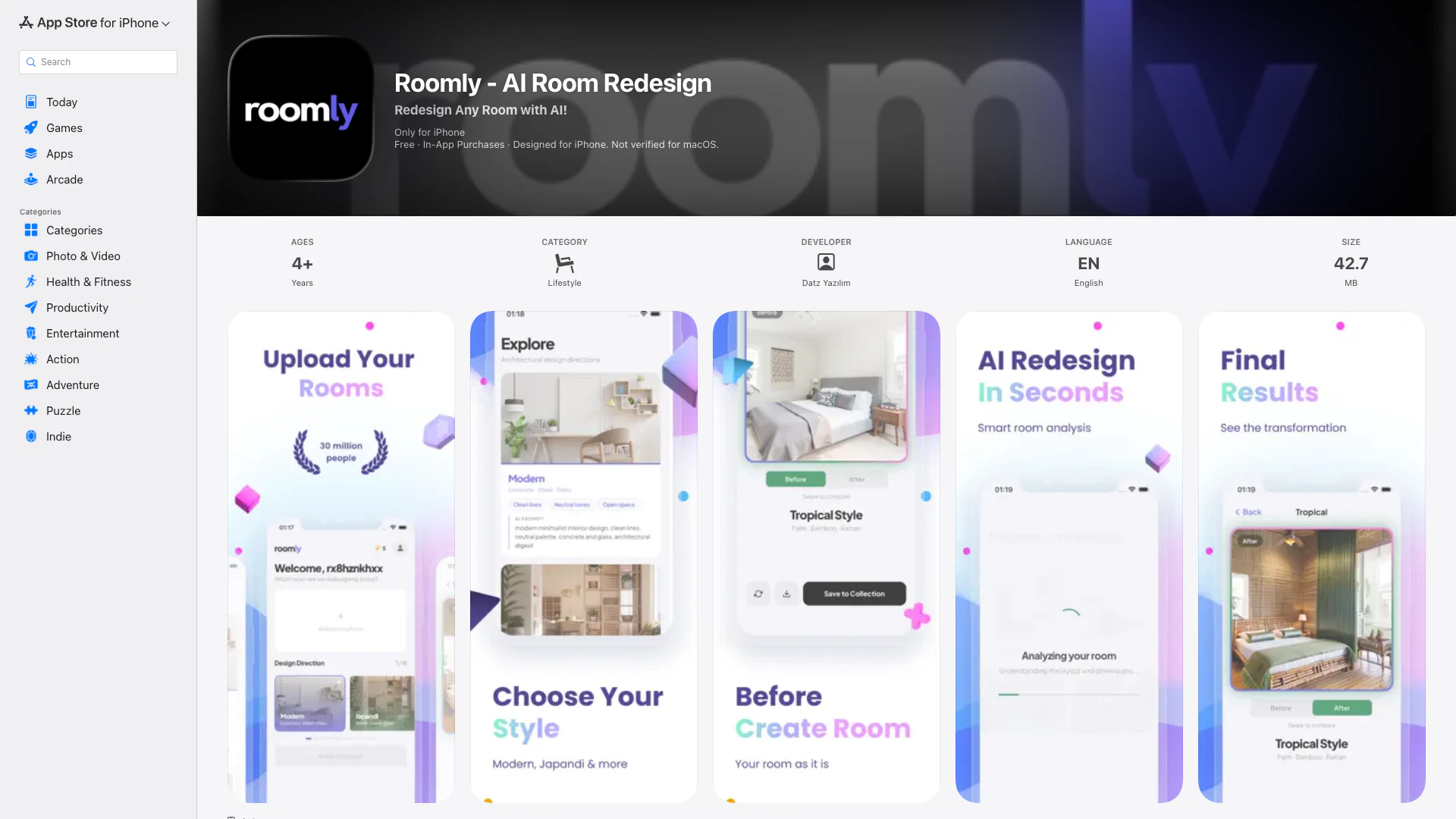
Roomly - Ai Room Redesign screenshot

Roomly - Ai Room Redesign

Transform any room instantly with the power of AI using Roomly, where you can reimagine your living spaces in seconds by simply snapping a photo and choosing a style.

iOS
Free
💼Work
Interior & Architectural DesignAI Interior Design GeneratorAI Room Planner
  • Interior & Architectural Design
  • AI Interior Design Generator
  • AI Room Planner
Open App Store

Also used for

AI Room Planner44360 Virtual Tour Software6AI Renovation Cost Analysis2Contractor Bid Risk Analysis1AI Virtual Staging Tool2AI Backyard Design Generator4AI Floor Plan Generator16AI Interior Design Generator53AI Kitchen Design GeneratorAI Landscape Design Generator2
Nestique – Ai Room Planner - iOS App logo

Nestique – Ai Room Planner - iOS AppFreemium
View on App Store

Nestique – Ai Room Planner Comments (0)

Your rating

?
0/2000

No comments yet

Be the first to share your thoughts!

🚀0
🚀0