Morph Beta





What is Morph Beta?
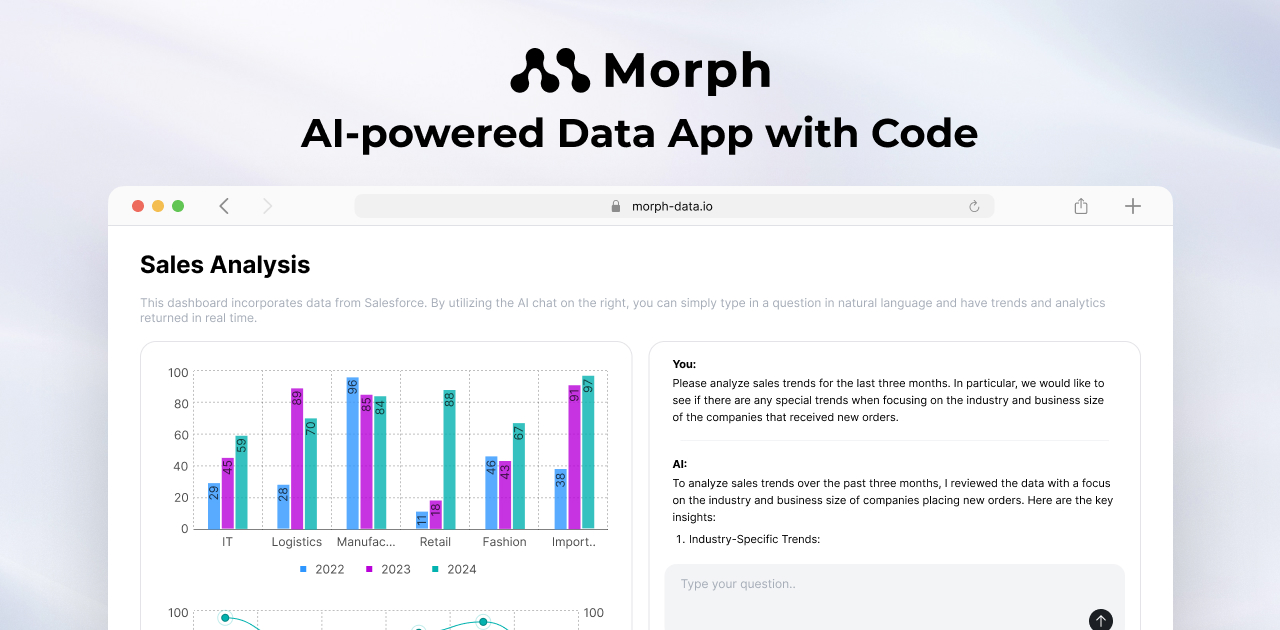
Morph Beta is an AI-powered platform designed for building and deploying data applications quickly and securely. Utilizing a Python framework, Morph allows developers to connect to business data from sources like BigQuery and Snowflake, process data using machine learning models and OpenAI APIs, and create user-friendly interfaces using Markdown. The platform emphasizes speed, security, and performance, enabling users to launch applications in minutes rather than weeks.
How to use Morph Beta?
- Install the Morph Beta framework by running the command: `pip install morph-data`.
- Launch a new project using the provided command to initiate your data application.
- Connect to your desired data source (e.g., BigQuery, Snowflake) and configure the data processing using Python and OpenAI APIs.
- Design your application interface using Markdown and add pre-made components as needed.
- Deploy your application in a secure environment and manage user permissions with role-based access control.
What are the main features of Morph Beta?
- Fast and secure deployment of AI-powered data applications.
- Built-in authentication and role-based access control (RBAC).
- Seamless integration with data sources such as PostgreSQL, Snowflake, and BigQuery.
- Flexibility to install additional Python and React packages.
- Scheduled execution for automating SQL and Python processes.
- Git management for collaborative coding and version control.
- Data governance features for monitoring data lineage.
Who is Morph Beta for?
Morph Beta is ideal for data teams, developers, and organizations looking to build and deploy data-driven applications efficiently. It caters to both early-stage startups and established teams that require a robust framework for data processing and application development. The platform is particularly suited for users who need a secure environment to handle sensitive data while maintaining flexibility in their development processes.
What are the use cases of Morph Beta?
- Building interactive dashboards that visualize business data from various sources.
- Developing custom AI applications that leverage machine learning models for data analysis and predictions.
- Automating data processing tasks with scheduled runs to keep data up-to-date.
Morph Beta Pros and Cons
Pros
- Quick Setup: The Python framework allows users to launch a project with a single command, enabling rapid development of applications.
- Security Features: Morph provides a secure deployment environment with role-based access control, prioritizing data security.
- Easy Sharing: Applications built on Morph can be shared easily via a simple URL, enhancing collaboration.
- Affordable Pricing for Startups: The free plan allows up to 1 user and 5 projects, making it accessible for early-stage data teams.
- Built-in Data Mart: Morph comes with built-in PostgreSQL that can be used as a data mart, simplifying data organization.
Cons
- Limited Free Plan: The free plan is limited to only 1 user and 5 projects, which might not suffice for growing teams.