
Monokit





What is MonoKit?
MonoKit is a comprehensive monorepo starter kit designed to accelerate the development of applications using modern technologies. It integrates Next.js, Fastify, and TypeScript, providing a robust foundation for building production-ready apps quickly. The kit is particularly tailored for AI integration, featuring LLM-friendly templates and deep MCP server integration, making it an ideal choice for developers looking to streamline their workflow and enhance productivity.
How to use MonoKit?
- Clone the MonoKit repository from GitHub to your local machine.
- Install the required dependencies using the package manager pnpm.
- Run the command 'turbo dev' to start all applications included in the monorepo.
- Edit your code within the 'apps' folder to customize and build your application.
- Deploy your application using zero-configuration setups to platforms like Vercel, AWS, or Cloudflare.
What are the main features of MonoKit?
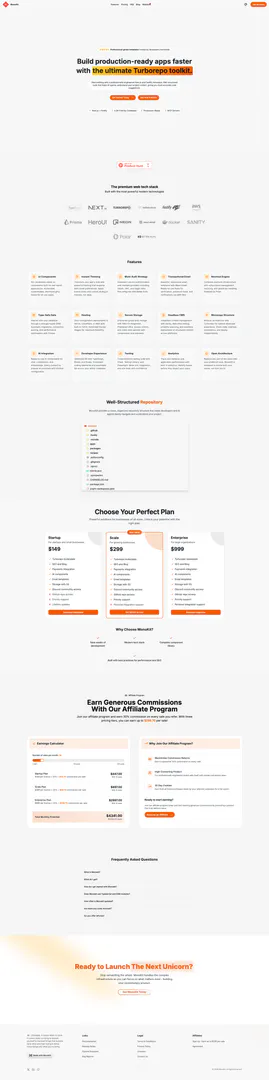
- Professional-grade templates: Over 50 production-ready UI components for real-world applications.
- Instant theming: Easily apply custom styles and brand colors with dark mode support.
- Multi-auth strategy: Secure authentication with multiple providers including OAuth and JWT.
- Transactional email: Responsive email templates for verification and notifications via AWS SES.
- Revenue engine: Complete payment infrastructure with subscription management and invoicing.
- Type-safe data: Strongly-typed ORM with automatic migrations and performance optimization.
- Hosting: Zero-configuration deployments with built-in CI/CD for easy scaling.
- AI integration: Pre-built AI components for chat and completions, ready for quick setup.
Who is MonoKit for?
MonoKit is designed for developers and teams looking to build scalable, production-ready applications quickly. It caters to startups, small businesses, and enterprises that require a robust framework for app development. Whether you are a solo developer or part of a larger team, MonoKit's comprehensive features and modular architecture enable efficient collaboration and rapid deployment, making it suitable for a wide range of web application projects.
What are the use cases of MonoKit?
- Building e-commerce platforms: Quickly develop fully functional online stores with integrated payment systems and inventory management.
- Creating SaaS applications: Utilize MonoKit's multi-auth strategy and revenue engine to launch subscription-based services.
- Developing content management systems: Leverage the headless CMS integration for real-time content editing and deployment across various platforms.
Product Images











Monokit Pros and Cons
Pros
- Professional-Grade Templates: MonoKit offers professionally engineered templates that are trusted by developers worldwide, ensuring high-quality app development.
- AI Integration Ready: The toolkit includes ready-to-use AI components for chat, completions, and embeddings, facilitating seamless integration with popular AI providers.
- Multi-Auth Strategy: MonoKit supports secure authentication with multiple providers, including OAuth and JWT, making it versatile for various applications.
Cons
No cons data detected for this tool
Monokit Pricing
Startup Plan
$149 per license. Ideal for startups looking to launch their first product.
Scale Plan
$299 per license. Designed for growing businesses that need more features.
Enterprise Plan
$999 per license. Tailored for large organizations with advanced needs.
For the latest pricing, please visit this link: https://monokit.dev/#pricing
Prices are subject to change. Please visit the official website for the most up-to-date pricing information.




