

Monica Ai
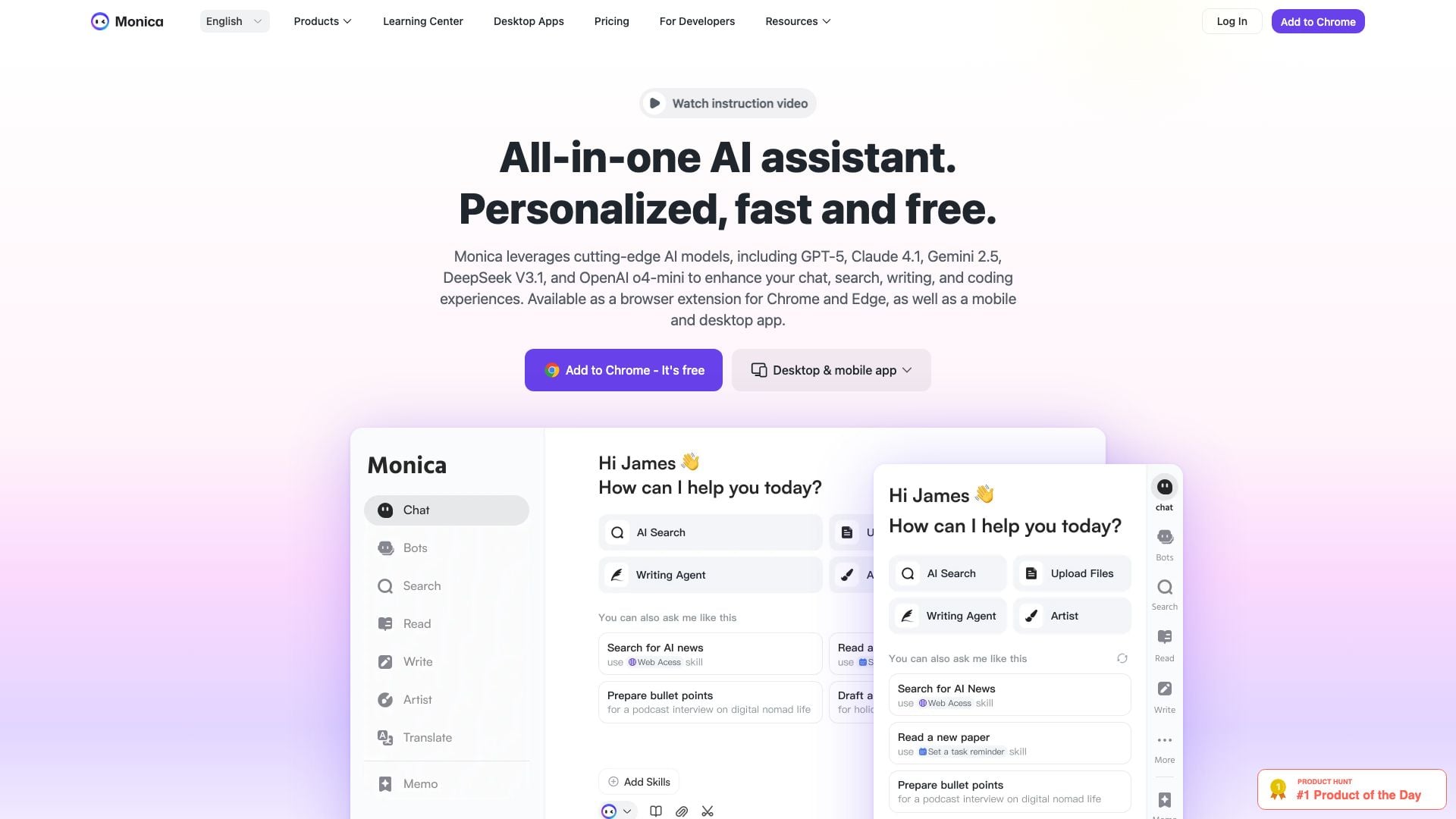
What is Monica Ai?
Monica Ai is an advanced all-in-one AI assistant designed to enhance your chat, search, writing, and coding experiences. Utilizing state-of-the-art AI models such as OpenAI's GPT-4o, Claude 3.7, and Gemini 1.5, Monica Ai offers seamless functionality across various platforms. It is available as a browser extension for Chrome and Edge, as well as mobile and desktop applications, making it a versatile tool for users looking to optimize their productivity and creativity.
How to use Monica Ai?
- Download and install the Monica Ai extension from the Chrome Web Store or Microsoft Edge Add-ons, or download the mobile or desktop app from the official website.
- Open the extension or app and log in to your account or create a new one if you are a first-time user.
- To start using Monica Ai, simply hit Cmd+M (on Mac) or Ctrl+M (on Windows) to open the chat interface.
- Enter your queries or tasks, such as asking for writing assistance, translations, or coding help, and receive instant responses.
What are the main features of Monica Ai?
- AI chat capabilities for real-time conversations.
- Advanced writing assistance for drafting and rewriting text.
- AI-powered search functionality to find information quickly.
- Image generation and editing tools for creating visuals.
- Video summarization features for condensing video content.
- PDF tools for translating and converting documents.
- Support for multiple languages and seamless translation services.
- Integration with various AI models for diverse applications.
Who is Monica Ai for?
Monica Ai is designed for a wide range of users, including entrepreneurs, researchers, marketers, developers, and anyone in need of efficient writing, coding, or information retrieval tools. It caters to professionals seeking to enhance their productivity and creativity, as well as students and academics who require assistance with research, writing, and learning tasks. Whether you are looking to streamline your workflow or generate high-quality content, Monica Ai serves as an essential tool for diverse user needs.
What are the use cases of Monica Ai?
- Generating marketing copy and content for websites and social media platforms.
- Assisting in academic writing by providing research support and citation generation.
- Enhancing coding efficiency by generating code snippets and debugging assistance.
- Summarizing long articles or videos to extract key points and insights.
- Translating documents and web pages for multilingual accessibility.
Monica Ai Pros and Cons
Pros
- Comprehensive AI Features: Monica provides a wide range of AI functionalities including chat, summarization, writing assistance, translation, and image generation, making it a versatile tool for various tasks.
- User-Friendly Interface: The interface is designed to be user-friendly, allowing easy access to all features via a sidebar and smart toolbar.
- Multi-Platform Availability: Monica is available as a browser extension, desktop app, and mobile app, enabling users to access it from different devices seamlessly.
- High User Ratings: Monica has received high ratings, 4.9/5.0 on Chrome Store and 4.6/5.0 on Product Hunt, reflecting user satisfaction.
Cons
- Limited Free Usage: While Monica is free to start, it imposes a daily usage limit on free users, which may restrict access to advanced features.



Monica Ai Social Listening
AI05 | 比ChatGPT還好用,一站式Monica整合...
Monica AI註冊連結:https://fas.st/t...
Introducing Monica - Your All-...
Try it now 👉 https://monica.i...
Monica AI Review - 2026 | Get ...
🔥 (Discount Link) Try Monica....
Unlock to view 56 social media results.