Loopsignal





What is LoopSignal?
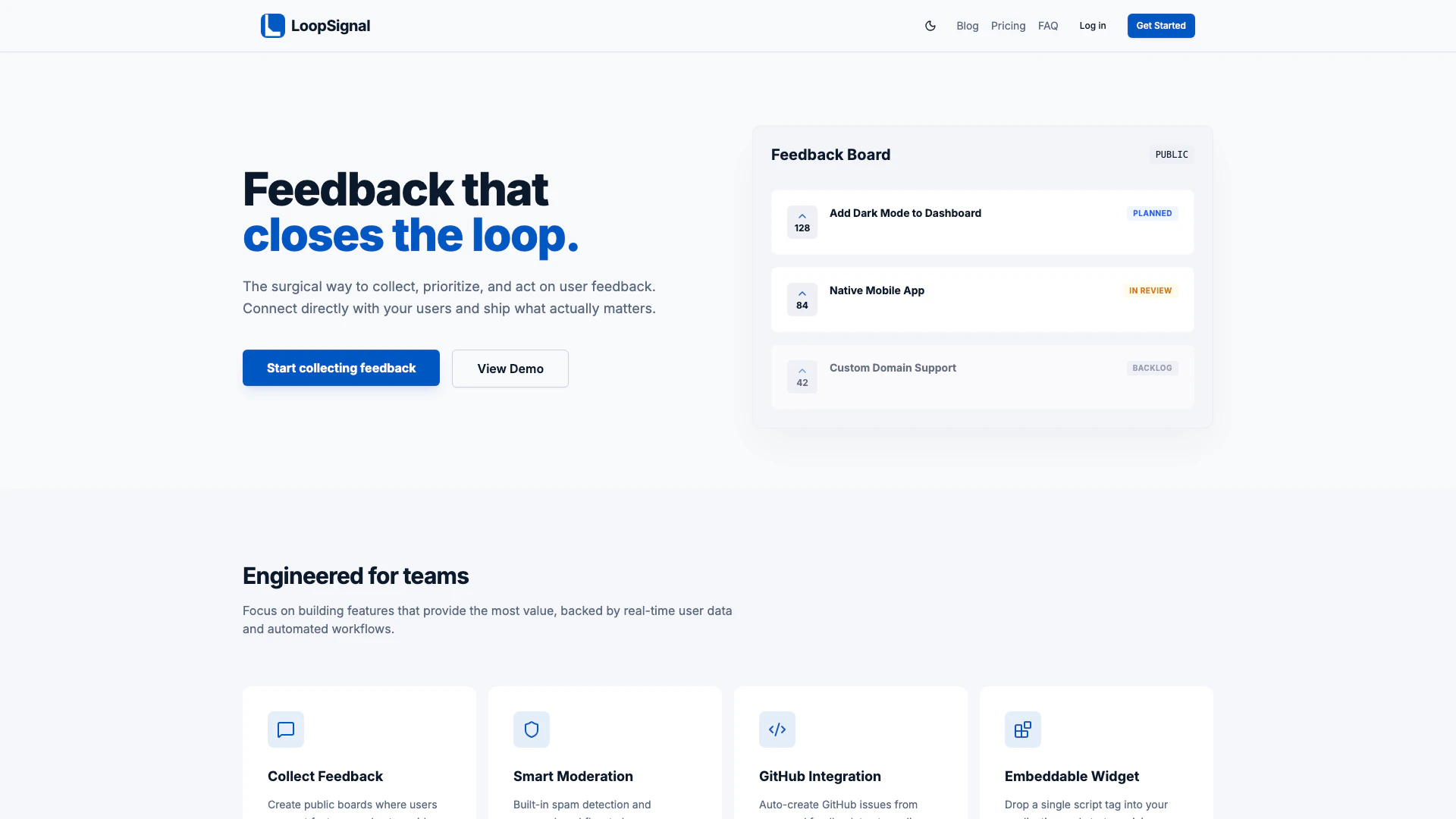
LoopSignal is an innovative tool designed for solo developers and small teams to effectively collect, prioritize, and act on user feedback[1]. It provides a structured platform that allows users to connect directly with their audience, enabling them to gather insights on what features matter most. With LoopSignal, developers can create public feedback board[2]s where users can suggest features and vote on ideas without needing to create an account. This user-centric approach helps teams focus on building features that deliver real value based on genuine user input.
How to use LoopSignal?
- Create a project: Sign up for LoopSignal and set up your workspace in seconds by configuring your branding and visibility settings.
- Share your board: Invite users to your public feedback board or embed the feedback widget directly into your existing application by adding a single script tag.
- Act on feedback: Review incoming user requests, prioritize them based on upvotes, and sync tasks with your development tools to implement changes.
What are the main features of LoopSignal?
- Feedback Board: Create public boards for users to suggest features and vote on ideas.
- Smart Moderation: Built-in spam detection and approval workflows to maintain a clean roadmap.
- GitHub Integration: Automatically create GitHub issues from approved feedback to streamline your development process.
- Embeddable Widget: A single script tag can be added to your application to start collecting feedback immediately.
Who is LoopSignal for?
LoopSignal is tailored for solo developers and small teams looking to enhance their product development process through effective user feedback management. It is ideal for indie developers, startups, and small businesses that need a straightforward solution to engage with users, gather insights, and prioritize feature development without overwhelming complexities.
What are the use cases of LoopSignal?
- Feature Prioritization[3]: Use LoopSignal to gather user feedback on potential features and prioritize development based on user votes.
- User Engagement: Create a public feedback board to engage users and make them feel involved in the product development process.
- Streamlined Development: Integrate with GitHub to manage feature requests efficiently and ensure that the development team focuses on high-impact tasks.
Loopsignal Pros and Cons
Pros
- Efficient User Feedback Collection: LoopSignal allows users to create public boards for feedback collection, enabling direct interaction with users without requiring accounts.
- Seamless GitHub Integration: Automatically create GitHub issues from approved feedback, streamlining the development workflow and enhancing productivity.
- Flexible Pricing Plans: Offers a 14-day free trial with simple pricing options, making it accessible for solo developers and small teams.
Cons
No cons data detected for this tool