Lock




What is Lock?
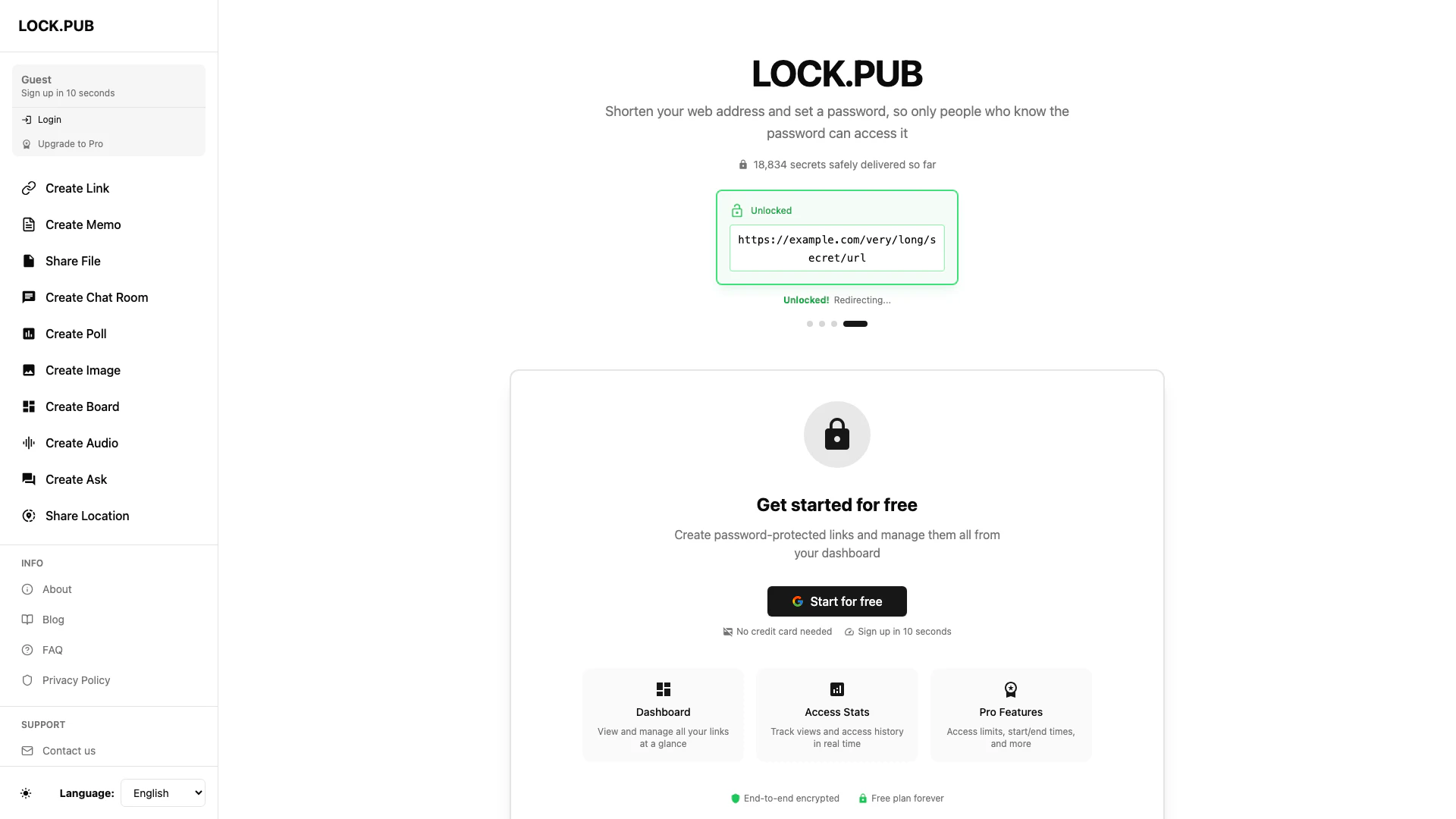
Lock is a secure online tool designed to help users create password-protected links, ensuring that only authorized individuals can access shared content. By encrypting URLs and requiring passwords for access, Lock provides a safe way to share sensitive information over the internet. With its user-friendly dashboard, Lock allows for easy management of all links, making it an essential tool for individuals and businesses looking to protect their data.
How to use Lock?
- Visit the Lock website and sign up for a free account in just 10 seconds.
- Once logged in, navigate to the dashboard where you can create a new link.
- Paste your long URL into the provided field and set a password for access.
- Click on 'Create Link' to generate your password-protected URL.
- Share the link with intended recipients, ensuring they have the password to access the content.
What are the main features of Lock?
- Create password-protected links to secure sensitive URLs.
- User-friendly dashboard for managing all links in one place.
- Real-time access stats to track views and access history.
- Pro features including access limits and customizable start/end times for links.
- Ability to create various types of content such as memos, chat rooms, polls, and more.
Who is Lock for?
Lock is ideal for anyone who needs to share sensitive information securely, including individuals, small businesses, and large organizations. It caters to professionals who require confidentiality when sharing URLs, such as marketers, educators, and project managers. Additionally, it is suitable for users looking to create various content types while maintaining privacy and control over access.
What are the use cases of Lock?
- Sharing confidential documents with team members while ensuring only authorized users can access them.
- Distributing promotional links to clients with password protection to prevent unauthorized sharing.
- Creating secure chat rooms or polls for private discussions or feedback collection.
Lock Pros and Cons
Pros
- Password Protection for Links: Lock allows users to create password-protected links, ensuring that only those with the password can access the content.
- User-Friendly Dashboard: The dashboard provides a clear view of all created links, making it easy to manage and track them.
- Real-Time Access Stats: Users can track views and access history in real time, providing insights into link performance.
Cons
No cons data detected for this tool
Analytics of Lock
Lock Website Traffic Analysis
Visits Over Time
Traffic Sources
Jan 2026 - Mar 2026 Worldwide Desktop Only
- Direct: 31.58%
- Social: 28.02%
- Search: 24.76%
- Referrals: 15.05%
- Paid Referrals: 0.51%
- Mail: 0.03%
Top Keywords
| Keyword | Volume | CPC | Estimated Value |
|---|---|---|---|
| privatebin类似的 | 0 | $0.00 | $100.00 |
| えきねっとの偽物の見分け方は | 0 | $0.00 | $90.00 |
| gemini 如何設定上傳資料不提供訓練 | 130 | $0.00 | $120.00 |
| how to simulate anonymous group chat | 100 | $0.00 | $100.00 |
| line メッセージ 銀行口座番号入力 | 90 | $0.00 | $90.00 |