Linktotextconverter


What is Link To Text Converter?
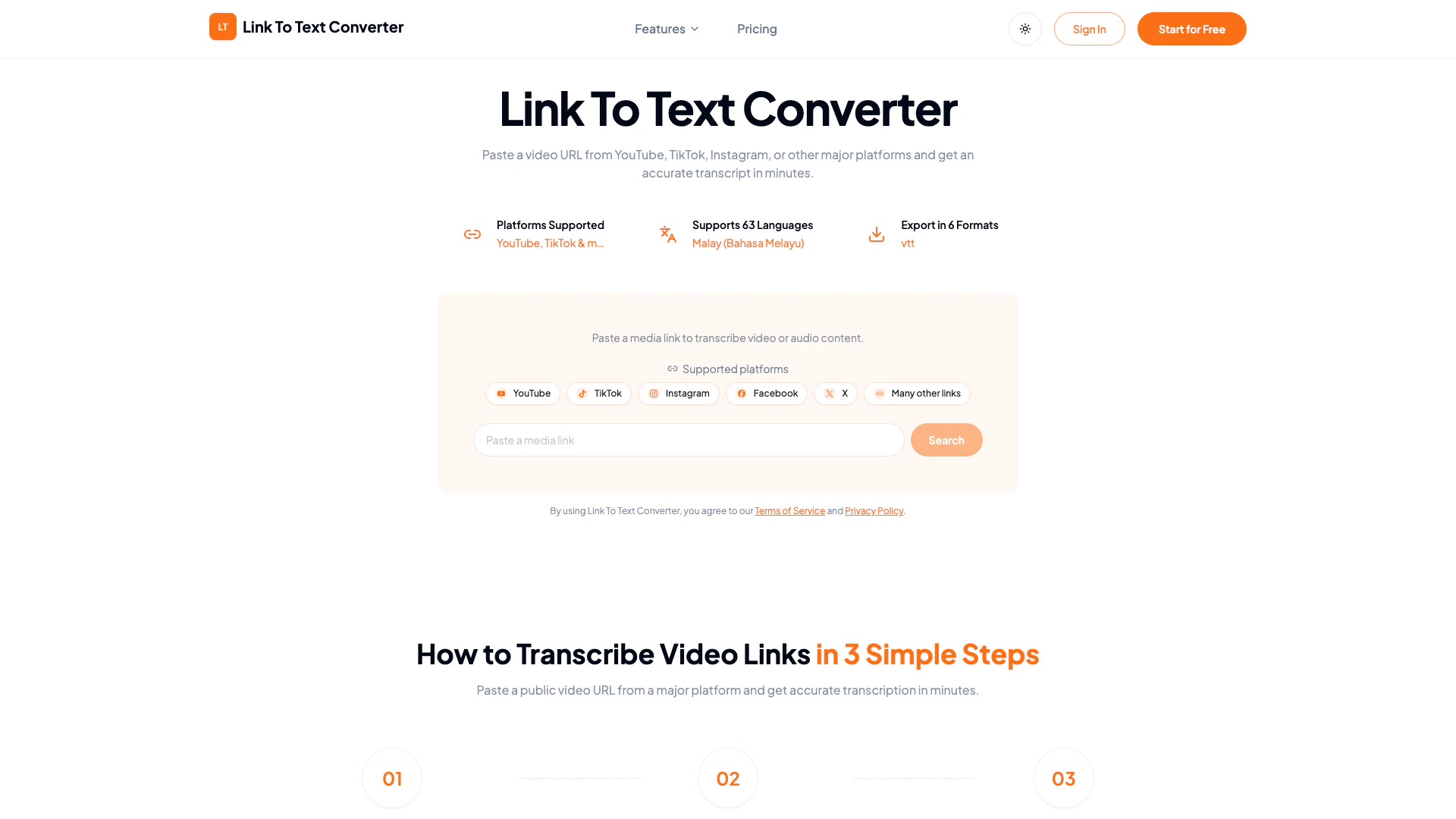
Link To Text Converter is an innovative AI-based tool designed to convert video content from popular platforms such as YouTube, TikTok, Instagram, and others into accurate text transcripts in just minutes. By simply pasting a video URL, users can quickly obtain a written version of the spoken content, making it an invaluable resource for content creators, researchers, and anyone looking to access video information in a text format. This tool supports a variety of languages and allows users to export transcripts in multiple formats, ensuring accessibility and ease of use.
How to use Link To Text Converter?
- Paste Your Video Link: Start by copying the public video URL from a supported platform like YouTube or TikTok and paste it into the converter's input field.
- Start AI Transcription: Click on the transcription button to initiate the process. The AI will analyze the video, extract the speech, and convert it into text.
- Get Your Transcript: Once the transcription is complete, you can export the text in various formats such as TXT, PDF, DOCX, SRT, VTT, or CSV for your convenience.
What are the main features of Link To Text Converter?
- Supports Multiple Platforms: Transcribe videos from YouTube, TikTok, Instagram, Facebook, and more.
- Multilingual Support: The tool supports transcription in 63 different languages.
- Export Options: Users can save transcripts in multiple formats including TXT, PDF, DOCX, SRT, VTT, and CSV.
- Summarization Tools: Create summaries and mind maps from video content for easier review and understanding.
- User-Friendly Interface: Simple and intuitive design that allows users to start transcribing with minimal effort.
Who is Link To Text Converter for?
Link To Text Converter is ideal for a wide range of users including content creators, educators, students, researchers, and professionals who need to transcribe video content for documentation, study, or content repurposing. It caters to anyone who frequently engages with video content and requires quick and accurate text versions for easier analysis, note-taking, or sharing.
What are the use cases of Link To Text Converter?
- Content Creation: Bloggers and YouTubers can transcribe their videos to create written content for their websites or social media posts.
- Educational Purposes: Students can convert lecture videos into text for easier studying and note-taking.
- Research: Researchers can transcribe interviews or video data for analysis and reporting.
Linktotextconverter Pros and Cons
Pros
- Supports Multiple Platforms: Link To Text Converter allows users to transcribe videos from various major platforms such as YouTube, TikTok, Instagram, and more, enhancing its versatility.
- Fast Transcription Process: The tool provides quick transcription of video content, delivering accurate transcripts in just minutes after pasting the video URL.
- Multiple Export Formats: Users can export transcripts in various formats including TXT, PDF, DOCX, SRT, VTT, and CSV, making it easy to use the text for different purposes.
Cons
No cons data detected for this tool
Linktotextconverter Pricing
Free Plan
Start transcribing for free with limited credits. Upload files or paste supported links to generate transcripts quickly.
Paid Plan
Upgrade when you need larger workloads, longer recordings, or more monthly transcription minutes.
For the latest pricing, please visit this link: https://linktotextconverter.com/pricing
Prices are subject to change. Please visit the official website for the most up-to-date pricing information.