Kovvid
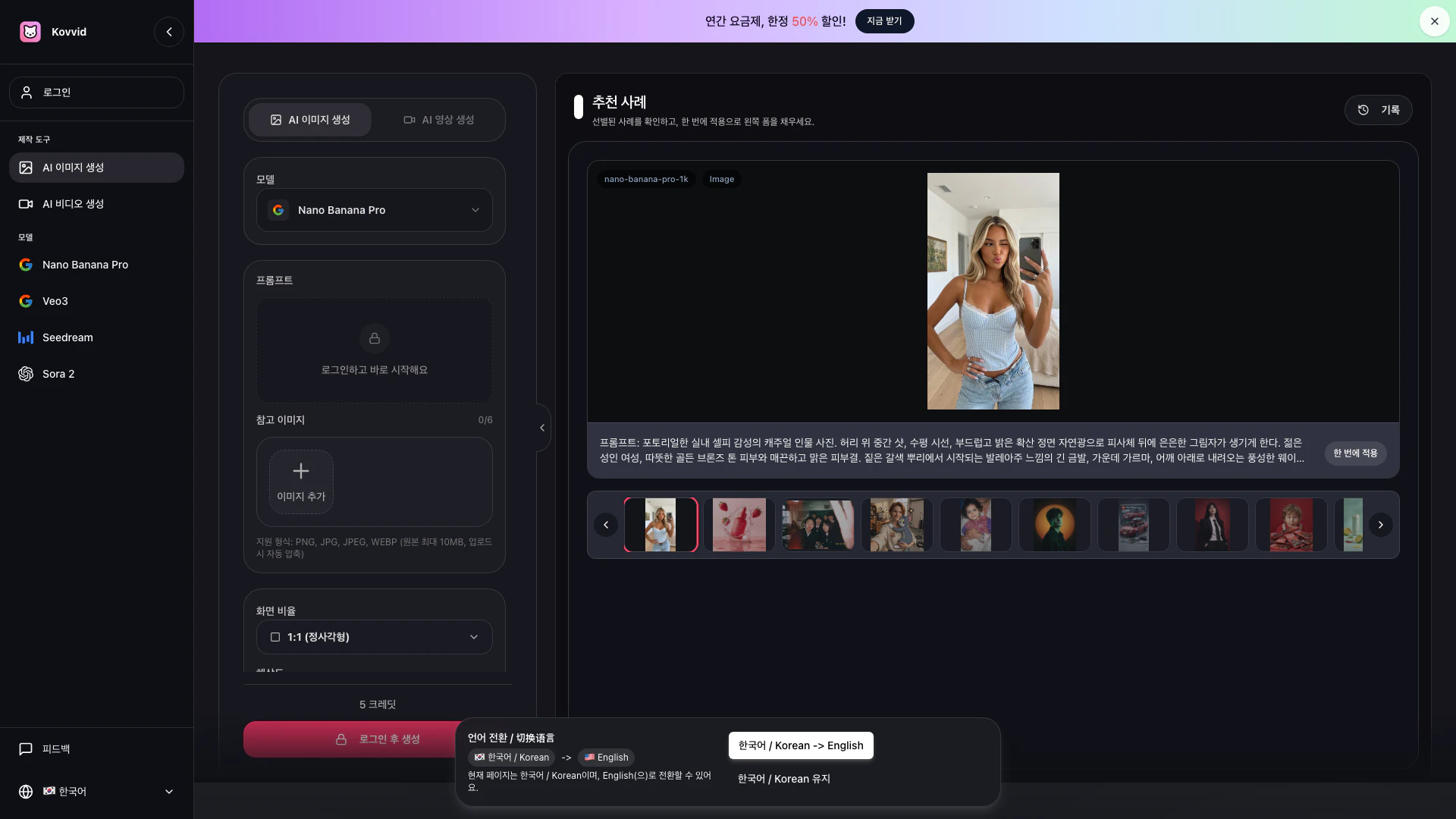




What is Kovvid[1]?
Kovvid is an all-in-one AI creation platform that enables users to generate both images and videos effortlessly. It supports a range of functionalities including text-to-image creation, image editing, text-to-video generation, and image-based video creation. Kovvid stands out by allowing users to compare different AI models such as Nano Banana Pro, Veo3, Seedream 4.5, and Sora 2 in one interface, making it ideal for creators, marketers, and designers looking for efficiency in their workflows.
How to use Kovvid?
- Select Mode and Model: Decide whether you want to create an image or a video, and then choose the appropriate AI model. For images, you can select Nano Banana Pro or Seedream 4.5; for videos, Sora 2 or Veo3 are recommended.
- Input Prompt or Upload Reference Image: Enter your desired scene, mood, or movement in the prompt box. If you are using image editing or image-based video generation, you can upload a reference image. For start/end frame videos, specify both scenes.
- Generate & Download: Most results can be generated within 1-2 minutes. You can compare multiple outputs and download the desired version. If generation fails, credits are not deducted.
What are the main features of Kovvid?
- AI Image and Video Generation: Quickly create product visuals, posters, and short-form videos based on text prompts or reference images.
- Image Editing: Modify existing images or create videos from static images to enhance visual content.
- Start/End Frame Video Creation: Design videos with specified starting and ending frames for seamless transitions.
- Model Comparison: Easily compare results from different AI models to select the best output for your project.
- User-Friendly Interface: A streamlined workflow that eliminates the need for multiple tools, making it suitable for commercial projects.
Who is Kovvid for?
Kovvid is designed for a diverse audience including content creators, marketers, designers, and businesses that require efficient visual content creation. It caters to users who need high-quality images and videos for product marketing, social media, advertisements, and more. The platform is ideal for those looking to streamline their creative processes without the hassle of switching between multiple tools.
What are the use cases of Kovvid?
- Creating Product Visuals: Generate high-quality images for e-commerce product listings or promotional materials.
- Social Media Content: Quickly produce eye-catching graphics and videos for social media platforms to enhance engagement.
- Marketing Campaigns: Develop compelling visuals and video ads for marketing campaigns that require quick turnaround times.
Product Images



Kovvid Pros and Cons
Pros
- All-in-One AI Creation Platform: Kovvid offers a comprehensive platform for both AI image and video generation, allowing users to create product visuals, posters, and short-form videos seamlessly in one place.
- Fast Generation Speed: Users can quickly generate images and videos by simply entering prompts or uploading reference images, with results typically available within 1-2 minutes.
- Multiple Model Comparisons: The platform allows users to compare different AI models side by side, helping them choose the best option for their specific project needs.
Cons
No cons data detected for this tool